You have too many meetings when they stop supporting your work and start replacing it: your real tasks move to evenings, you can't find a two-hour block for focused work, and you sit in calls where you neither decide nor contribute. There's no universal number. A manager and an engineer can carry very different loads before it hurts, so the useful test is your own calendar, not a benchmark.
Meeting Productivity 12 min read
Too Many Meetings? How Many Is Too Many, by Role, and What to Do
How many meetings is too many? What sourced research says, how the threshold changes by role, the warning signs and a one-week calendar audit with a worked example.
By Sarma BKP, Founder & CEO, Acta · Updated
This guide explains what the sourced research says about meeting load, how the threshold differs by role, the warning signs to look for and a one-week audit that gives you your own number. It stops short of a full cutting playbook; for that, see our guide on how to reduce meetings and what to cut first. If your role is mostly meetings by design, such as account management or support escalation, read the role section closely before you cut anything.
Key takeaways
- "How many meetings is too many" has no single answer. Measure the effect on your week instead: focus blocks left, work done after hours, meetings where you had no role.
- Executives in the HBR "Stop the Meeting Madness" research averaged nearly 23 hours a week in meetings. Treat that as a ceiling people complain about, not a normal level.
- Makers (engineers, writers, designers, analysts) usually hit overload sooner than managers, because one meeting in the middle of a morning can break a block of deep work.
- A one-week calendar audit with four labels (keep, shorten, make async, drop) typically frees several hours without a big policy change.
- Fix meeting overload with defaults: shorter standard lengths, an agenda rule, written updates and notes that let people skip safely.
Table of contents
- Too many meetings means meetings crowd out the work
- The sourced numbers set a ceiling, not a target
- How many meetings is too many depends on your role
- Seven signs you have too many meetings
- A one-week calendar audit gives you your own benchmark
- Fix meeting overload by changing defaults
- Common mistakes make meeting overload worse
- Good notes let people skip meetings safely
- Frequently asked questions
- Decide which meetings to keep this week
Too many meetings means meetings crowd out the work
Meeting overload is the point at which the time you spend in meetings, plus the time they fragment around them, leaves too little room for the work those meetings are meant to support. It's a ratio problem, not a raw count. Ten short meetings bunched into two afternoons can be fine. Five meetings spread at 10:00, 11:30, 13:00, 14:30 and 16:00 can wreck a day, because the gaps between them are too short to do anything that needs concentration.
That's why counting meetings alone misleads people. Two things matter more than the total: how much unbroken time is left, and whether each meeting needed you. A 30-minute call where you made a decision is cheap. A 30-minute call where you listened to updates you could have read in two minutes is expensive, even if it's on time and well run.
So a working definition: you have too many meetings when at least one of these is true most weeks. Your core work happens outside working hours. You can't protect the focus time your role needs. Or a large share of your meetings involve no decision, contribution or learning on your part.
The sourced numbers set a ceiling, not a target
A lot of meeting statistics circulate online with no traceable source, so I'll stick to a few that come from named research and say what each one measures.
- Executives: In "Stop the Meeting Madness" (Harvard Business Review, July-August 2017), Leslie Perlow, Constance Noonan Hadley and Eunice Eun report that executives average nearly 23 hours a week in meetings, up from under 10 hours in the 1960s. Their argument is that fixing this needs a systemic change in how a team meets, not one-off tips.
- Newly promoted managers: A 2022 HBR piece, "Dear Manager, You're Holding Too Many Meetings", by Ben Laker and colleagues, notes that newly promoted managers hold almost a third more meetings than their more experienced peers.
- Late meetings: Microsoft's WorkLab report "Breaking down the infinite workday" says meetings starting after 8 p.m. rose 16% year over year in its Microsoft 365 data, mostly from work across time zones.
Notice what these numbers are. The 23-hour figure describes senior people who already said meetings were a problem. It's the level that prompted a research project, not a healthy benchmark. The Microsoft figure is telemetry from its own product, so it reflects Microsoft 365 users rather than every worker. None of them tells you the right number for your job.
The honest conclusion is that there's no evidence-based "maximum meetings per week". Anyone quoting one is giving you an opinion. That's fine, as long as you know it's an opinion and test it against your own calendar.
How many meetings is too many depends on your role
Paul Graham's essay "Maker's Schedule, Manager's Schedule" draws the distinction most people recognise. Managers work in hour-long slots, so a meeting is just another slot. Makers, people who write code, design, write or analyse, need half-day blocks, and one meeting in the middle of a morning can cost them the whole morning. The same 12 hours of meetings can feel normal to a sales director and ruinous to a data engineer.
Use the table below as a starting point for your own threshold. The warning signs are rules of thumb from practice, not research benchmarks.
| Role type | Meetings are | Warning sign of overload |
|---|---|---|
| Individual contributor (engineer, designer, analyst) | Support for the work | No two-hour focus block on most days |
| Team lead or first-line manager | Part of the work | 1:1s get cancelled to make room for status meetings |
| Senior manager or executive | Most of the work | No time to prepare, so meetings repeat discussions |
| Client-facing (sales, account management) | The work itself | Internal meetings eat into client time or follow-up |
| New manager | A habit being formed | Every question becomes a recurring meeting |
The pattern across roles: overload shows up as the thing your role can't do without getting squeezed. For makers it's focus time. For managers it's 1:1s and preparation. For client-facing people it's the follow-up that wins or keeps the account.
Seven signs you have too many meetings
If three or more of these describe your typical week, your meeting load is costing more than it returns.
- Your real work starts at 6 p.m. Emails, documents and code get done after the last call.
- Back-to-back meetings are the norm. You join calls late because the previous one ran over, and you never have five minutes to write anything down.
- You can't name your role in half your meetings. You're not deciding, presenting or needed for a question; you're there "to stay in the loop".
- Several meetings cover the same topic. The project sync, the stakeholder update and the steering call all rehash the same status.
- Decisions get deferred to another meeting. "Let's set up time to discuss" is the most common outcome.
- Recurring meetings outlive their purpose. Nobody remembers why the Tuesday sync exists, but it's still there every week.
- Focus time keeps losing. Blocks you hold for deep work get booked over, and you let it happen.
Signs four and six are the easiest to fix, because they're structural. Sign three is the most common, and it usually disappears once people trust that the notes will tell them what they missed. Our list of signs a meeting should have been an email helps with individual meetings once you've spotted the pattern.
A one-week calendar audit gives you your own benchmark
The fastest way to answer "do I have too many meetings?" is to look at last week's calendar with a pen. It takes about 30 minutes and gives you a number that actually applies to you.
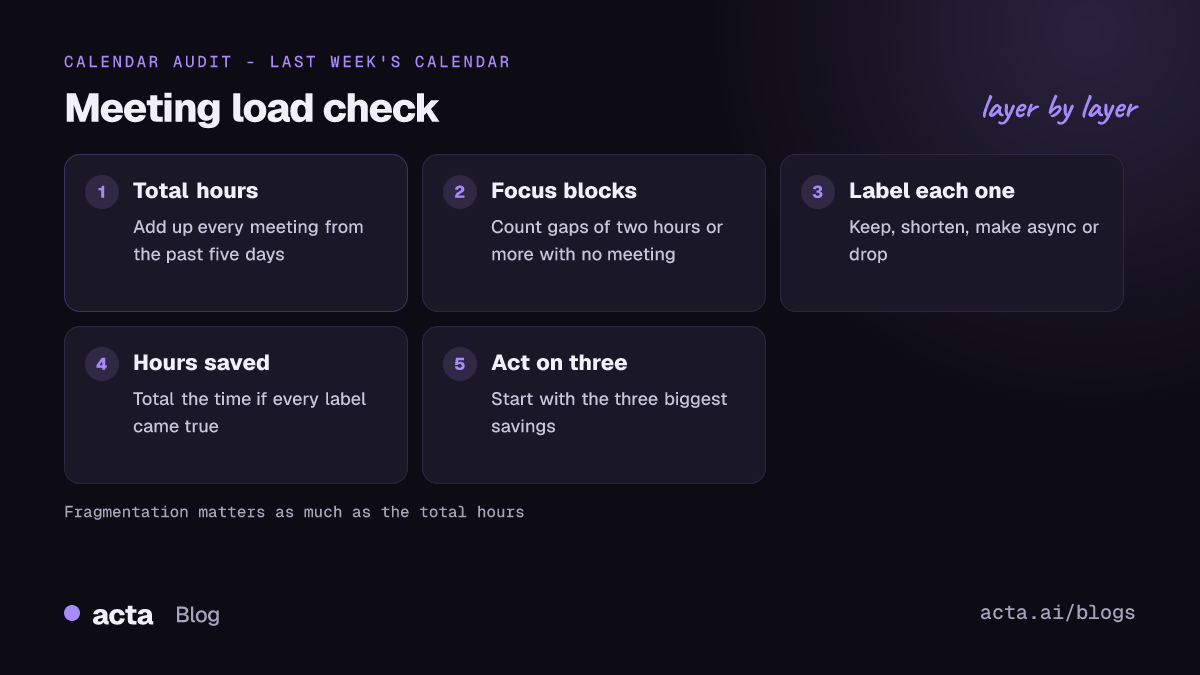
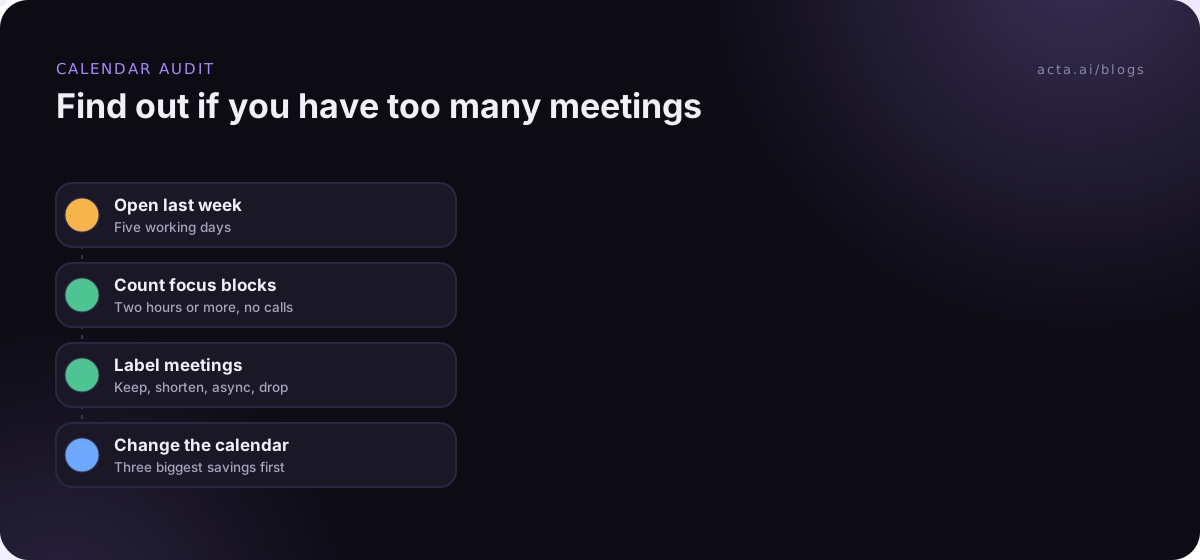
- List every meeting from the past five working days with its length.
- Add up total meeting hours, then count the blocks of two hours or more with no meeting in them.
- Label each meeting: keep (you decided or contributed), shorten (useful but too long), async (a written update would do) or drop (no role for you).
- Add up the time saved if every shorten, async and drop label came true.
- Pick the three biggest savings and act on those first.
Here's an illustrative example. Dana is a product manager with a 40-hour week. Her calendar shows a 15-minute daily standup (1.25 hours a week), a one-hour team meeting, five 30-minute 1:1s with her reports (2.5 hours), a 30-minute 1:1 with her manager, two hours of sprint planning, a one-hour stakeholder review, two one-hour cross-team syncs, three 45-minute customer calls (2.25 hours) and about three hours of ad-hoc calls. That's 15.5 hours of meetings, and only three blocks of two hours or more in the whole week.
Her labels: the standup goes async three days a week (saves 0.75 hours). The two cross-team syncs merge into one 45-minute call (saves 1.25 hours). The stakeholder review becomes a written update with a short call only when something is blocked (saves about 1 hour). Ad-hoc calls move into two fixed office-hour slots (saves about 1 hour). The 1:1s, planning and customer calls stay. That's roughly 4 hours back, bringing her to 11.5 hours, and more importantly the freed time clusters into mornings, which gives her a focus block on most days.
Fifteen hours wasn't the problem on its own. The fragmentation was. That's what the audit shows that a raw count can't.
Fix meeting overload by changing defaults
Willpower doesn't reduce meetings; defaults do. If the calendar default is a 60-minute slot with no agenda, that's what people book. Change the defaults and the behaviour follows.
- Shorter standard lengths: Set your calendar to 25 and 50 minutes instead of 30 and 60. It builds in a gap between back-to-back meetings.
- No agenda, no meeting: Ask for the decision or question in the invite. If the organiser can't write one line, it probably isn't a meeting yet.
- Written status by default: Move status updates to a shared document or channel and keep meetings for discussion and decisions. Our async meetings guide covers formats that work.
- Protected focus time: Book focus blocks as real events and treat them like meetings with yourself. Our post on deep work vs meetings goes deeper on this.
- Meeting-free days: Some teams pick one or more days without internal meetings. It works best when the whole team agrees; see our look at whether no meeting Fridays work.
- Hard stops: Meetings that overrun create the next back-to-back problem. Our guide on stopping meetings running over covers timeboxing and the last five minutes.
Review recurring meetings every quarter. Ask each owner one question: if this meeting didn't exist, would we create it today? The ones that get a shrug are the first to go.
Common mistakes make meeting overload worse
Some well-meant fixes backfire. Watch for these.
- Cutting 1:1s first: They're easy to cancel and usually the most useful meetings a manager has. Cut status meetings first.
- Packing meetings into fewer days: A wall of back-to-back meetings on Tuesday and Thursday leaves no time to act on anything decided.
- Replacing meetings with chat threads: If a 30-minute decision becomes a three-day thread, you've moved the cost, not cut it.
- Declining without a way to catch up: People keep attending because they fear missing something. Skipping only works if notes and decisions are shared reliably.
- One rule for every role: A blanket cap that suits engineers will hurt client-facing teams. Set expectations per team.
If the overload has already turned into exhaustion, the fixes are partly different; our guide to meeting fatigue causes and fixes covers that side.
Good notes let people skip meetings safely
Most "stay in the loop" attendance is insurance. People come because the alternative, missing a decision, is worse. Clear notes with decisions and owners remove that fear, and they're what makes the "drop" label from your audit stick. If you want a dependable record without someone typing during the call, recording helps; tell participants first, and see our guide to AI meeting recording, consent and what to tell participants.
Acta records Zoom, Google Meet and Microsoft Teams calls and writes a transcript with speaker names, a summary, decisions and action items with owners. If a bot in the call isn't welcome, the Acta desktop app records from your own computer instead. People who skipped the meeting can ask questions across past meetings with OneChat and get answers with links to the source.
Frequently asked questions
How many meetings a week is too many?
There's no evidence-based maximum. The better test is the effect: if your core work spills into evenings, you rarely get a two-hour focus block, or many meetings involve no decision or contribution from you, you have too many meetings. Makers usually hit that point sooner than managers, whose jobs include more meetings by design.
What is meeting overload?
Meeting overload is when meetings, and the fragmented time around them, leave too little room for the work they're meant to support. It shows up as back-to-back meetings, deferred decisions, recurring meetings nobody questions and after-hours work. It's about the shape of your calendar as much as the total hours spent in calls.
How do I tell my manager I have too many meetings?
Bring data rather than a complaint. Run a one-week calendar audit, show total meeting hours, the number of focus blocks left and which meetings you'd shorten, make async or drop. Propose specific changes, such as a written status update instead of a weekly sync, and offer to try them for a month and review.
Is it OK to decline meetings?
Usually, yes, if you do it with a reason and a way to stay informed. Ask for the agenda, say what you can contribute in writing, and ask for the notes. Declining works best when the team shares decisions reliably. Accept meetings where you're needed for a decision or a question only you can answer.
What is the difference between meeting overload and meeting fatigue?
Meeting overload is about load: too many meetings or too little time left between them. Meeting fatigue is how people feel as a result, including tiredness and lost attention, especially on video calls. Overload is usually a cause of fatigue, so fixing the calendar helps both, but fatigue can also come from how meetings are run.
Decide which meetings to keep this week
You don't need a company-wide policy to make progress. Start with your own calendar and one team.
- Run the audit: label last week's meetings keep, shorten, async or drop, and total the hours.
- Set your threshold: decide how many focus blocks your role needs each week and protect them in the calendar.
- Change two defaults: switch to 25 and 50 minute meetings and ask for an agenda line in every invite.
- Kill one recurring meeting: pick the one nobody would create today and replace it with a written update.
- Share notes reliably: make decisions and owners available after every meeting so people can skip without risk.
If shared notes are the missing piece, try the Acta Chrome extension or desktop app on your next week of meetings during the 15-day free trial.
Found this useful? Share it with your team.