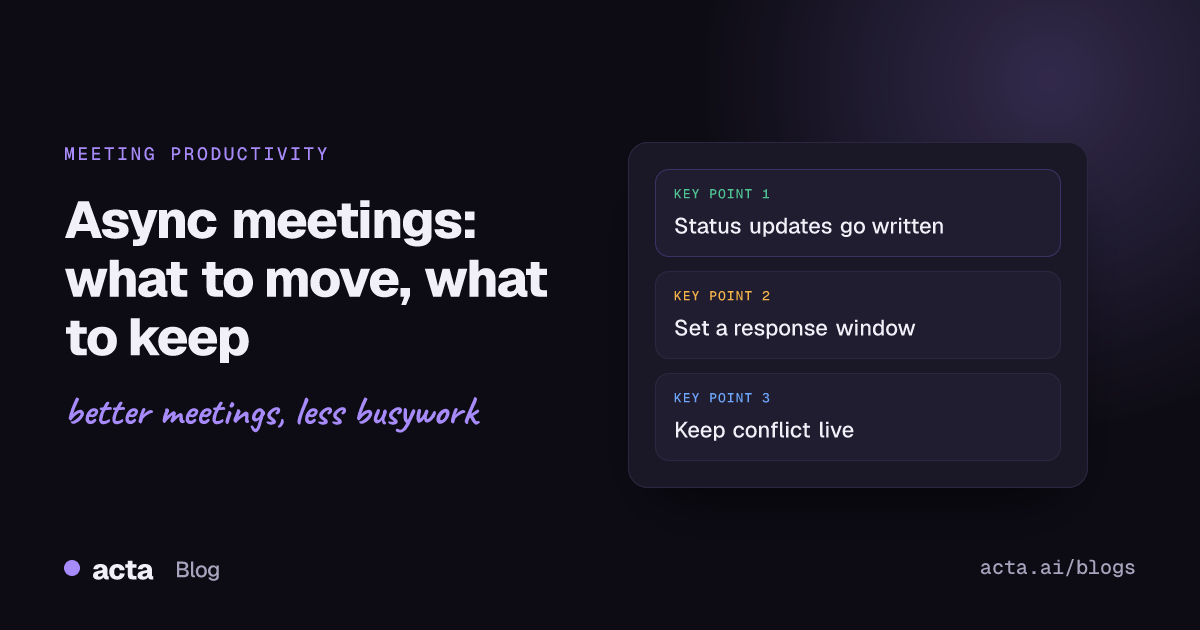
Quick answer: Async meetings replace a live call with updates people read, watch or answer on their own time: a written status thread, a short recorded walkthrough, or a shared doc with comments and a deadline. They suit status updates, reviews and FYIs. Keep live calls for conflict, sensitive news, brainstorming and decisions that need real back-and-forth.
Most teams don't have a meeting problem so much as a status-update problem. Look at a typical week and a big share of the calendar is people taking turns reading out what they did, while everyone else half-listens and answers Slack. That's the part async handles well. This guide covers which meetings to move, the formats that replace them, how to stop async work from quietly dying in a thread, and the few meetings you should keep live no matter what.
I'll be blunt about one thing up front: async isn't a tool you buy. It's a set of habits, mostly about writing things down clearly and agreeing on when people will reply. The tools help, but the habits do the work.
What are async meetings, exactly?
An async meeting is a meeting where people don't have to be in the same place at the same time. Someone posts the input (an update, a draft, a question, a recorded demo), everyone responds within an agreed window, and somebody closes it out with a short written outcome. Same purpose as a meeting, different shape.
It's a subset of asynchronous communication, which GitLab's handbook describes as moving work forward without needing other people to be available at the same moment you send something. GitLab runs async as its default and has a useful page on sync vs. async culture that treats the two as tools for different jobs, not rivals. That framing is the right one. You're not trying to kill every call. You're trying to stop using calls for things that don't need them.
Async vs sync: which meetings should go async?
The quickest test I know: if the meeting is mostly one-way, it can go async. If it depends on people reacting to each other, keep it live.
Good candidates for async
- Status updates and the async standup. Three short answers posted in a channel by 10am beats a 20-minute round-robin. Our standup template works just as well written down as spoken.
- Design, doc and code reviews. People give better feedback when they've had time to read. A live review often turns into the loudest person reacting to the first slide.
- Project updates for stakeholders. A one-page written update, sent weekly, usually replaces a recurring 30-minute "sync".
- Announcements and FYIs. If nobody needs to respond, it's an email or a post. (More on that in signs a meeting should have been an email.)
- Demos of finished work. A recorded video update of five minutes is easier to watch than to schedule.
Meetings to keep live
- Anything with real disagreement. Text makes conflict worse; tone gets lost and positions harden.
- Sensitive news: reorganisations, performance problems, anything someone might take personally.
- Early-stage brainstorming where ideas build on each other quickly.
- 1:1s. You can prep them async, but the conversation itself is the point.
- Kickoffs with new people, where trust matters more than information transfer.
There's a grey zone in between: decisions. A lot of decisions can be made async if someone writes a clear proposal with options and a deadline. The ones that can't are the ones where people disagree about the goal itself, not the method.
What formats replace a live meeting?
You need a small set of formats that everyone recognises. Four cover most of it.
The written update thread
One thread per week or per day, same channel every time, same three or four prompts. "What shipped, what's next, what's blocked, anything you need from someone." The fixed prompts matter more than you'd think; they stop updates turning into essays.
The recorded video update
Good for anything visual: a product walkthrough, a dashboard, a bug repro. Keep it under five minutes and put a two-line written summary on top, because many people will read the summary and never press play.
The doc review with a deadline
Share a draft, ask for comments by a set time, and say exactly what kind of feedback you want ("is the pricing section right?" gets far better replies than "thoughts?"). After the deadline, the owner resolves comments and posts what changed.
The decision memo
Context, options, a recommendation, and a deadline for objections. If nobody objects by the deadline, the decision stands. This one takes discipline but it's the format that saves the most time, because decision meetings are often the longest. Log the result somewhere people can find it later; we've written about how to track decisions once they're made.
How do you run async meetings without them dying in a thread?
This is where most teams fail. They cancel the call, post a doc, and then nothing happens for a week because nobody knew they were supposed to respond. Async meetings need more structure than live ones, not less.
- Name an owner. One person posts the prompt and one person closes it out. Often the same person.
- Set a response window. "Replies by Thursday 3pm your time" is a real instruction. "When you get a chance" is not.
- Say what kind of reply you need. Approve, comment, or just read. People respond faster when they know which.
- Post the outcome. A three-line summary at the end: what was decided, who owns what, what's still open. Without this, async work feels like shouting into a void.
- Have an escape hatch. If a thread goes past about ten replies of back-and-forth, book a 15-minute call. Long threads are a sign the topic needed a conversation.
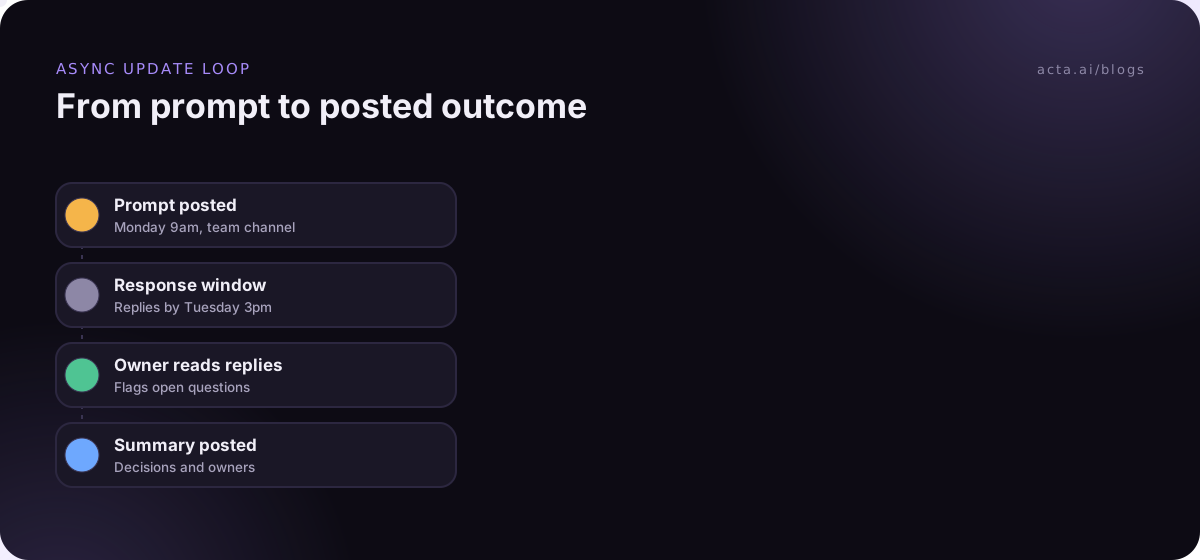
That last step is the one people skip. Async doesn't mean "never talk". It means you only talk when talking is the fastest way to resolve something.
How do async meetings help remote teams across time zones?
This is where async stops being a nice-to-have. Microsoft's 2025 Work Trend Index research on the "infinite workday" reported that meetings starting after 8pm were up 16% year over year, and that 30% of meetings now span multiple time zones. If your team covers London and San Francisco, every live meeting is somebody's early morning or late evening.
For remote teams spread that wide, I'd go further than "some meetings async". Make async the default and treat live time as scarce: one shared overlap window a week, used only for things that need discussion. Our guide to remote team alignment without more meetings covers the rest of that setup. Rotate the inconvenient slot so the same people aren't always on at 9pm. Our post on tips for global teams has more on scheduling across regions.
The other big win for distributed teams is that a written update is searchable. Six months later, "when did we decide to drop the Android beta?" is a search, not a guessing game.
What do you do about the live meetings you keep?
Some calls will stay live, and that's fine. The trick is making those calls useful to people who couldn't attend, so they don't feel forced to show up "just in case". That means notes go out quickly, with decisions and owners, not a wall of transcript.
Recording helps here, as long as you tell people and get consent where the law requires it; our guide on recording meetings with AI and what to tell participants covers the basics. If bots aren't welcome in your calls, a recorder that runs on your own computer, like Acta's desktop app or a browser extension, captures the conversation without anyone new joining the call. Either way, the goal is the same: the people who skipped get the outcome in their inbox, and skipping becomes a reasonable choice.
A good habit is to post the meeting summary into the same channel where your written updates live, so there's one place to look. If you want that to happen without anyone remembering to do it, a Slack recap automation is a small setup job.
What are the most common async meeting mistakes?
I've seen teams try async and abandon it within a month. The reasons are nearly always the same.
- No deadline. Without a response window, async just means slow.
- Too many channels. If updates live in four places, people stop reading all of them. Pick one.
- Walls of text. A written update should take two minutes to read. Use bullets and lead with what changed.
- Using async to avoid hard conversations. Delivering bad news in a doc comment is not brave or efficient.
- Cancelling the social glue. Remove every live touchpoint and people start to feel like strangers. Keep one informal call a week, or a short live retro every couple of weeks.
- Managers who don't do it themselves. If the team lead still pulls people into ad hoc calls for every question, the async rules won't hold.
One more, more subtle: measuring async by how few meetings you have. The point is fewer interruptions and better decisions. If meetings drop but decisions take three times as long, you've made things worse.
How do you start moving to async meetings?
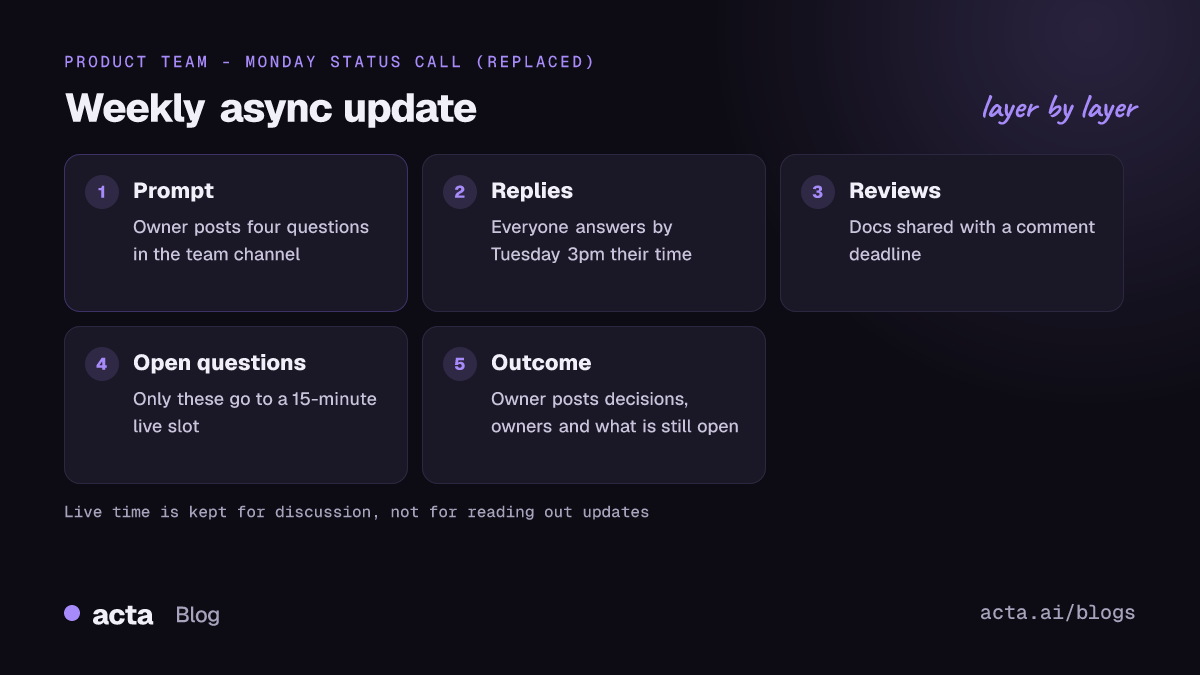
Don't announce a big async transformation. Pick one recurring meeting, usually the weekly status call, and run a four-week trial.
- Write the prompts and post them in the channel the meeting used to own.
- Set the response window to the time the meeting used to start.
- Keep a 15-minute slot on the calendar for anything that needs talking through, and cancel it if the thread is quiet.
- After four weeks, ask the team two questions: what got better, and what did we lose?
If the answers are good, move the next meeting. If not, you've lost four weeks of a status call, which most people won't miss. Good meeting notes still matter in an async world, maybe more; our guide on how to take meeting notes is a sensible companion read.
Where Acta fits
Acta records the live meetings you keep, through a meeting bot or bot-free from your desktop or browser, and writes up the summary, decisions and action items with owners afterwards. For async teams, the useful bit is OneChat, which answers questions across past meetings and shows the source, so the people who skipped a call can still find what was said. It won't run your async process for you, but it makes the live calls you keep easier to skip.
Frequently asked questions
Are async meetings better than live meetings?
Not across the board. They're better for one-way information like status updates, reviews and announcements. Live meetings are still better for conflict, sensitive topics and fast idea building.
What is an async standup?
Each person posts short answers to the same few prompts (done, next, blocked) in a shared channel by a set time, instead of meeting live. Blockers get picked up in the thread or in a quick call.
How long should a response window be?
For daily updates, a few hours. For reviews and decision memos, one to three working days is common. Shorter windows are fine if everyone shares working hours; longer ones suit teams spread across many time zones.
What if people don't respond to async updates?
Usually it means the ask wasn't clear or there was no deadline. Say exactly what reply you need and by when. If it still doesn't work, the topic may need a short live conversation.
Do async meetings work for small teams?
Yes, often better, because there are fewer people to coordinate. A four-person team can run on one shared update thread and a single weekly call.
If you'd like to try recording and summarising the live calls you keep, Acta has a 15-day free trial.