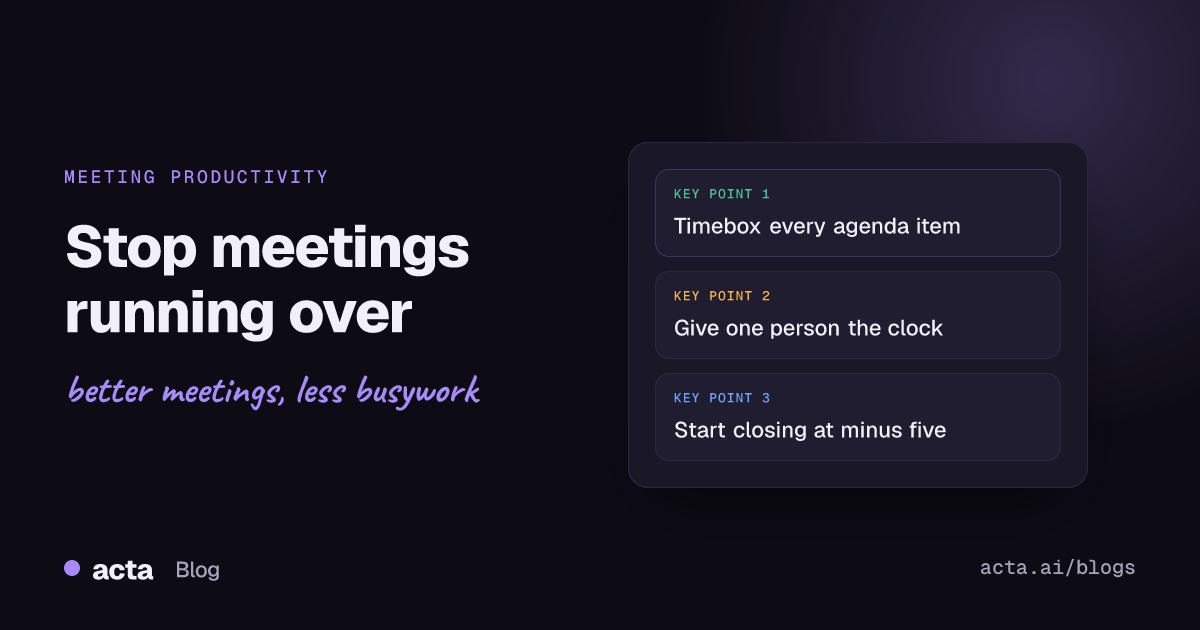
To stop meetings running over, decide the end time before the meeting starts and protect it: give every agenda item a time limit, hand the clock to one person, park tangents in a visible list, and begin closing five minutes before the scheduled end. Most overruns don't come from long topics. They come from a meeting with no plan for what happens when a topic runs long.
Meeting Productivity 13 min read
Meetings Running Over? How to Stop It, With an Agenda Template
A practical method to stop meetings running over: timeboxed agendas, a timekeeper with a script, shorter calendar slots, a parking lot and a five-minute close.
By Sarma BKP, Founder & CEO, Acta · Updated
This guide is for anyone who runs recurring meetings, such as team syncs, project check-ins, client calls or leadership reviews, and keeps watching them spill into the next slot. It gives you a step-by-step method, an agenda template you can copy, a filled-in example and fixes for the usual problems. It won't help much with workshops or incident calls, where the work itself sets the length and a hard stop would do more harm than good.
Key takeaways
- Add up the minutes on your agenda before you send the invite. If the total is more than the slot minus five minutes, cut an item now rather than in the room.
- Name a timekeeper who isn't the chair, and agree on two warnings: one when an item has two minutes left and one at five minutes before the end.
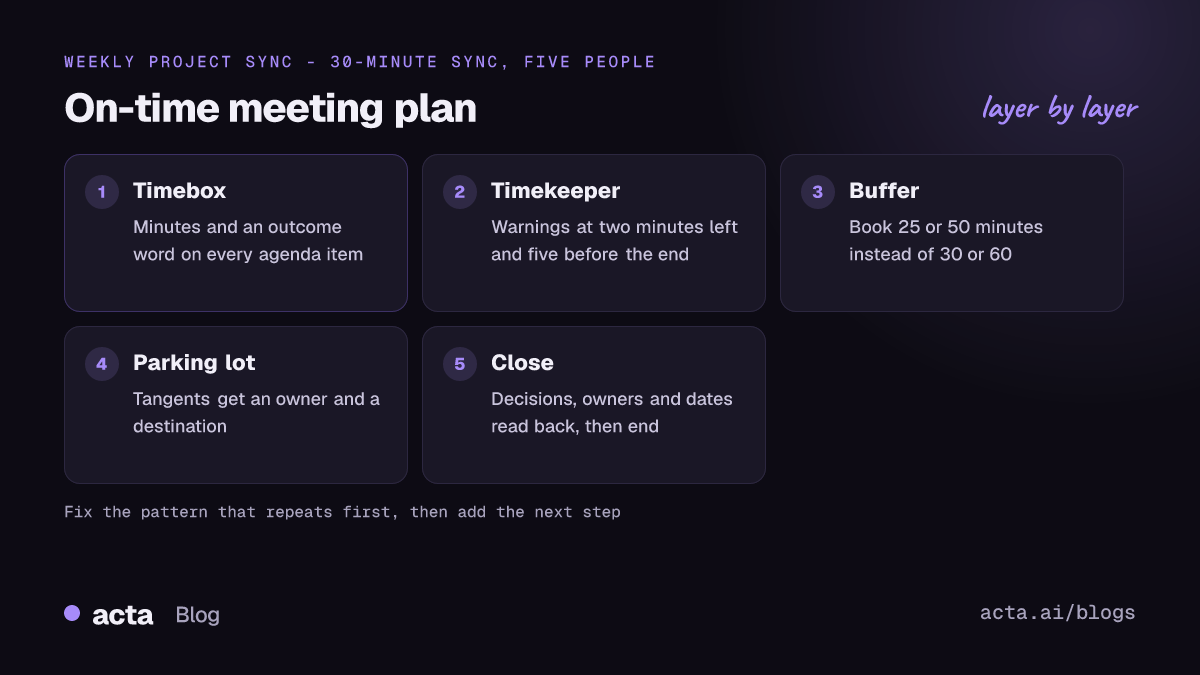
- Book 25 or 50 minutes instead of 30 or 60. Outlook and Google Calendar can both shorten new meetings for you automatically.
- Anything off-topic goes into a parking lot with an owner, so cutting it short never means dropping it.
- Spend the last five minutes on decisions, owners and dates. A meeting that ends on time with clear actions beats one that runs ten minutes over and ends vaguely.
Table of contents
- Meetings run over for a handful of predictable reasons
- A timeboxed agenda stops meetings running over before they start
- One person owns the clock and has permission to use it
- Shorter default slots give every meeting a buffer
- A parking lot lets you cut tangents without losing them
- Closing starts five minutes before the end, not at the end
- A worked example: rescuing a 30-minute project sync
- Fix the specific pattern behind your overruns
- Frequently asked questions
- Pick the first fix for your next meeting
Meetings run over for a handful of predictable reasons
If you watch a dozen meetings that overran, you'll see the same few causes again and again. Rarely is the meeting just "too busy". Usually one of these is going on:
- No time per item. The agenda lists five topics but no minutes, so the first topic takes whatever it wants and the last two get squeezed or pushed past the end.
- A late start. The meeting starts four minutes late while people join and someone shares the wrong screen, and nobody adjusts the plan.
- Discussion with no decision rule. People keep talking because nobody has said who decides or what "done" looks like for the item.
- Status updates read aloud. Updates that could have been written down take up half the slot.
- No closing ritual. The chair says "we're out of time" at minute 59, and the recap of actions happens in a rush, or after the end.
The fixes below match these causes. Look at your last three meetings that overran, find the cause that shows up most often, and start there.
Overruns cost more than they look: ten extra minutes with eight people is 80 minutes gone. To put a number on it, use how to calculate the cost of meetings works for overruns too. Meeting researcher Steven Rogelberg has made the same point about the human cost: when meetings go over, attendees often have to rush to their next meeting, and that builds resentment.
A timeboxed agenda stops meetings running over before they start
A timeboxed agenda gives each item a fixed number of minutes and a clear outcome. It's the single change with the biggest effect, because it turns "we ran out of time" from a surprise into a choice you can see coming.
Build it in this order:
- Write the goal of the meeting in one sentence. "Agree the launch date and who owns the migration" is a goal. "Weekly sync" isn't.
- List only the items that need people together. Move pure updates into a written pre-read or a chat thread. If most of the list is updates, the meeting may not need to happen at all; these signs a meeting should have been an email are a good gut check.
- Give each item an outcome word. Decide, agree, review, brainstorm or inform. The outcome tells the group when the item is finished.
- Put minutes next to each item. Be honest. A real decision with three opinions in the room rarely takes less than ten minutes.
- Add the totals. Opening (2 minutes) plus items plus closing (5 minutes) must fit inside the slot. If it doesn't fit, cut or defer now.
- Put the hardest item first. Energy and attention drop as a meeting goes on, and the item that matters most shouldn't be the one that gets squeezed.
- Send the agenda with the invite. People who know the plan help you keep to it.
Here's a template you can paste into any calendar invite:
Goal: [one sentence: what must be true when we leave]
Pre-read: [link, or "none"]
0:00-0:02 Opening: goal, timekeeper, note taker
0:02-0:12 [Item 1] - Decide - Owner: [name]
0:12-0:20 [Item 2] - Review - Owner: [name]
0:20-0:25 [Item 3] - Inform - Owner: [name]
0:25-0:30 Close: decisions, actions with owners and dates, parking lot
Not on today's agenda: [anything you're deliberately leaving out]
The "Not on today's agenda" line tells people their topic wasn't forgotten, so they're less tempted to raise it anyway. For more starting points, these weekly team meeting agenda ideas show how teams split updates from discussion.
One person owns the clock and has permission to use it
The chair is usually the worst person to keep time. They're following the discussion, thinking about the next item and trying to get the quiet person to speak. Give the clock to someone else and agree, out loud, that they're allowed to interrupt.
Use a simple script so the timekeeper doesn't have to improvise:
- Two minutes left on an item: "Two minutes on this one."
- Time's up on an item: "We're at time on this. Decide now, park it, or take three minutes from item four?"
- Five minutes before the end: "Five minutes left. Let's close."
The middle line matters most. It doesn't just cut the topic; it gives the group a real choice and makes the trade-off visible. If people choose to borrow time, the timekeeper takes it from a named later item, so the end time doesn't move.
Rotate the role each week. In a remote call, the timekeeper can drop the warnings into the chat, which feels less like an interruption.
Shorter default slots give every meeting a buffer
Back-to-back meetings are one of the quieter causes of overruns. If your 10:00 ends at 11:00 and your 11:00 starts at 11:00, any slip makes you late, and the next meeting starts late too. Booking shorter slots by default breaks that chain.
Both big calendars can do this for you. As of November 2026, Microsoft's help page explains how to make all your events shorter automatically in Outlook, so new meetings end early or start late by the amount you pick, with different amounts for meetings under and over an hour. In classic Outlook for Windows, the setting is under File, Options, Calendar, where you check "Shorten appointments and meetings". It only applies to meetings you create after you turn it on, so existing recurring meetings need editing by hand.
Google Calendar has had a "Speedy meetings" option for years. In November 2026 Google announced that duration and buffer defaults are moving to a per-calendar setting, with a choice to have new meetings start 5 minutes later or end 5 minutes earlier, rolling out in stages. Menus change, so check Google's own help pages for where it sits in your account.
A shorter slot only helps if you treat the new end time as real. A 25-minute meeting that runs to 30 every time has just moved the problem.
A parking lot lets you cut tangents without losing them
A parking lot is a visible list of topics that come up during a meeting but don't belong on today's agenda. People push back on cutting tangents because they worry the idea will vanish. A parking lot answers that worry.
Make it work like this:
- Keep it visible. A shared doc, a slide, or the top of the meeting notes. People should see their point written down.
- Write the topic in the speaker's words. "Dana: should we drop the Android beta?" is better than "Android".
- Give every item an owner and a destination before you leave. Next week's agenda, a separate call, a chat thread or "dropped". An unowned parking lot is just a list of things you'll forget.
- Review it in the closing five minutes. That's when items get owners.
One rule of thumb: if the same topic lands in the parking lot two weeks running, it isn't a tangent. Put it on the agenda with real time, or schedule a separate session. A short decision meeting is often the right home for a topic that keeps derailing the regular sync.
Tangents are easier to cut when the discussion is captured. If you record the meeting, tell everyone first and check the rules where you are; this guide to recording consent covers what to say.
Closing starts five minutes before the end, not at the end
The last five minutes decide whether the meeting was useful. Rogelberg's advice, reported by Bloomberg, is to start a closing process three to five minutes before the stated end, and if items are still open, for the person who called the meeting to say what's outstanding and when it will be picked up. If you want to end a meeting on time, this habit does more than any timer app.
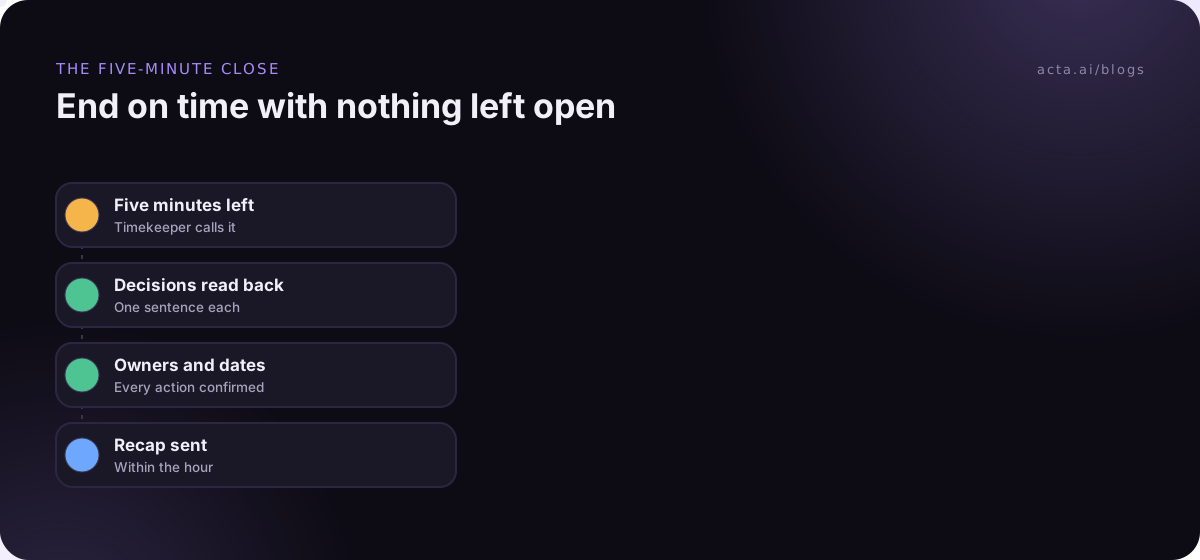
Run the close in this order:
- Decisions. Read back what was decided, in one sentence each. If nobody can state it, it wasn't decided.
- Actions. Each one gets an owner and a date. "We'll look into it" isn't an action.
- Parking lot. Each item gets an owner and a destination.
- Unfinished agenda items. Say when they'll be covered. Don't just let them slide.
- End on time. Even if there's a minute left over, end. People notice, and it buys goodwill for the next time you need to be strict.
The recap doesn't have to be written during the meeting. Many teams send it within the hour; what to do in the first 10 minutes after a meeting walks through that. If your notes come from a recording, an AI notetaker can draft the decisions and action items for you to check, which frees the closing minutes for confirming rather than writing.
A worked example: rescuing a 30-minute project sync
Here's an illustrative example. Priya runs a weekly 30-minute sync for a website redesign with five people: herself, Marco (engineering), Dana (design), Sam (content) and Lee (client side). For the last month it has run to 40 or 45 minutes. When she looks back at three meetings, the pattern is clear: everyone gives a long status update, the design review starts at minute 20, and the client approval question never gets a proper slot.
She changes four things. Status moves to a written update in the project channel by 9:00 on meeting day. The agenda gets times and outcome words. Marco keeps time this month. And the calendar series is shortened to 25 minutes.
| Time | Item | Outcome | Owner |
|---|---|---|---|
| 0:00-0:02 | Goal and roles | Inform | Priya |
| 0:02-0:12 | Client approval of the homepage | Decide | Lee |
| 0:12-0:19 | Design review: pricing page | Review | Dana |
| 0:19-0:21 | Blockers from the written updates | Inform | Marco |
| 0:21-0:25 | Close: decisions, actions, parking lot | Agree | Priya |
In the first meeting, the pricing review runs long. At 0:19 Marco says, "We're at time on this. Decide now, park it, or take two minutes from blockers?" Dana asks to park the comparison-table debate, and it goes on the list with her name and "Thursday design call". The close starts at 0:21. Priya reads back one decision (Lee approves the homepage with two copy changes), three actions with owners and dates, and the parked item. The meeting ends at 0:25.
The work didn't get smaller. Every overrun just became a visible choice.
Fix the specific pattern behind your overruns
If you've tried the basics and meetings still run long, the cause is usually one of the patterns below. Match the symptom, then try the fix for two or three meetings before judging it.
| Symptom | Likely cause | What to try |
|---|---|---|
| Starts late every time | Back-to-back bookings | Shorter default slots; start on time even if people are missing |
| First item eats the meeting | No time per item | Timebox each item; timekeeper warns at two minutes left |
| Same debate every week | No decision owner | Name who decides; give the topic its own session |
| Half the slot is status | Updates read aloud | Written updates before the call; discuss only blockers |
| Actions unclear at the end | No closing ritual | Start closing five minutes early; read back owners and dates |
| Senior person keeps extending | Nobody feels able to stop them | Agree the timekeeper's authority with them before the meeting |
Two mistakes to avoid. Don't repeat everything for latecomers; that rewards lateness. And don't treat a meeting that ended on time with nothing decided as a win.
For very short recurring meetings, the discipline is even stricter. Standups that drift past 15 minutes are a common version of meetings running over, and how to run a 15-minute standup covers the specific fixes for that format.
Where meeting notes fit
Overruns often happen because nobody trusts that a point will be remembered, so people keep restating it. Acta records Zoom, Google Meet and Teams calls and writes a summary with decisions and action items with owners, so the closing minutes are spent confirming the list instead of writing it. If you'd rather not have a bot in the call, the Acta Chrome extension records Google Meet, Microsoft Teams in the browser and the Zoom web client from your own browser.
Frequently asked questions
How do I end a meeting that's running over without being rude?
Point to the clock and offer a choice rather than a verdict: "We're at time. Can we agree the next step on this now, or should we pick it up Thursday?" Then read back decisions and owners and end. Agreeing this at the start makes it feel like the plan, not a rebuke.
Why do my meetings always run over?
Usually because the agenda has no minutes per item, the meeting starts late, or there's no closing routine. Check your last three meetings that overran and note where the time went. Most teams find one cause that repeats, such as status updates read aloud or one topic with no decision owner, and fixing that single cause solves most of it.
Is it OK to leave a meeting that's running over?
Generally yes, if you do it politely. Say early that you have a hard stop, ask for the one decision you need before you go, and leave on time. People who leave at the scheduled end are respecting the original agreement. If it keeps happening, raise it with the organiser after the meeting rather than mid-call.
What is the difference between a timekeeper and a facilitator?
A facilitator guides the discussion: who speaks, when to push for a decision, how to handle conflict. A timekeeper only watches the clock and calls the agreed warnings. In small teams one person sometimes does both, but splitting the roles works better, because a facilitator deep in a discussion is the person least likely to notice the time.
How long should a meeting be?
As long as the agenda needs, and no longer. Add up the minutes for each item, plus a couple for opening and five for closing, then book the nearest shorter slot, such as 25 or 50 minutes. If the agenda needs more than an hour, consider splitting it into two meetings or moving updates into a written pre-read.
Pick the first fix for your next meeting
You don't need to change everything at once. Pick the fix that matches your most common pattern and try it in your next three meetings before adding another.
- Timebox the agenda: Put minutes and an outcome word next to every item, and check the total fits the slot minus five minutes.
- Name a timekeeper: Agree the two-minute and five-minute warnings, and the "decide, park or borrow" question.
- Shorten your defaults: Turn on the end-early setting in Outlook or Google Calendar and edit your recurring series.
- Keep a parking lot: Every parked topic leaves with an owner and a destination.
- Close at minus five: Read back decisions, actions, parked items and unfinished topics, then end on time.
If you'd like the decisions and action items drafted for you after each call, try the Acta desktop app for Zoom, Teams and other calling apps, with no bot joining the meeting.
Found this useful? Share it with your team.