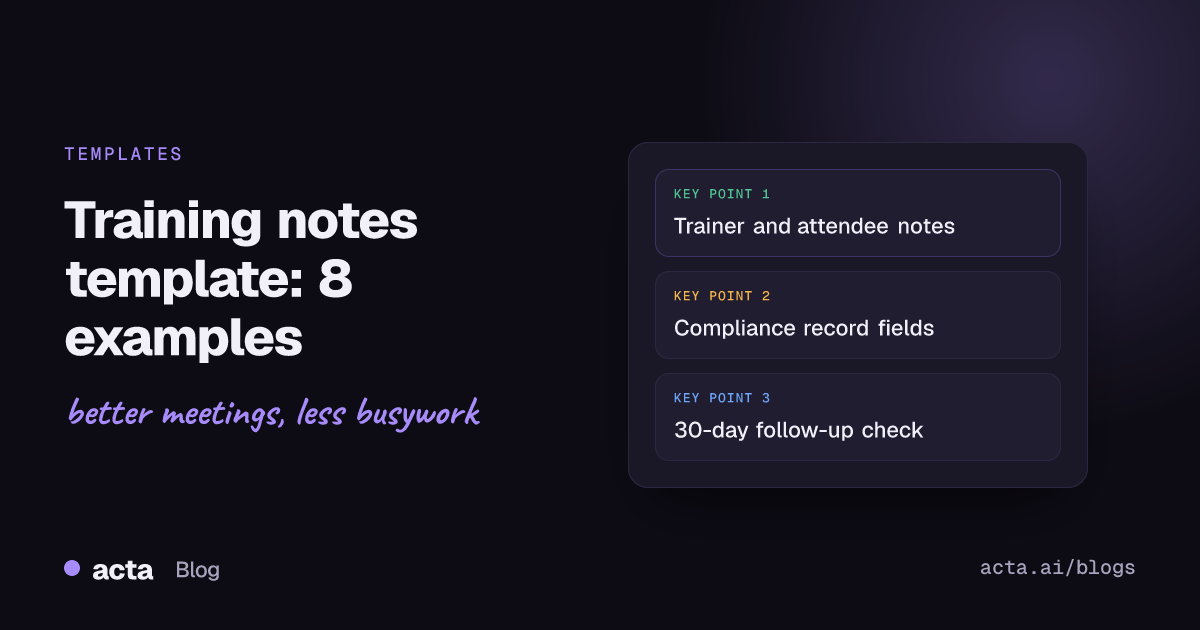
A training notes template is a fixed page you fill in during or right after a training session so the useful parts survive: what was taught, what people must do differently, open questions and proof of attendance. Below are eight copy-ready versions of a training notes template, for trainers, attendees, onboarding, compliance, software and workshop sessions, each with a note on when to use it.
Meeting Productivity 13 min read
Training Notes Template: 8 Copy-Ready Examples for Any Session
Eight training notes templates you can copy today, for trainers, attendees, onboarding, compliance records, software sessions, workshops and 30-day follow-ups.
By Sarma BKP, Founder & CEO, Acta · Updated
This guide is for team leads, L&D people and anyone who sits through training and wants something to show for it a week later. It won't help much with formal course design or a learning management system setup; those need their own tools. If your session is a one-way lecture with slides that get shared anyway, a short attendee template is all you need.
Key takeaways
- Every training notes template should capture five fields: session details, key points, decisions or rules, questions, and actions with owners and dates.
- Trainers and attendees need different templates. The trainer's log records what was delivered; the attendee's notes record what they'll apply.
- For safety and compliance sessions, the notes are often the record. OSHA's bloodborne pathogens standard, for example, lists dates, a summary of contents, trainer names and qualifications, and attendee names and job titles.
- Write the "how I'll apply this" line within 24 hours, while you still remember the examples the trainer used.
- Book a 30-day follow-up note. It's the cheapest way to check whether behaviour changed, which is Level 3 in the Kirkpatrick model.
Table of contents
- A training notes template needs five fields
- Trainers need a session log, not a transcript
- Attendee notes should end in an action
- Compliance training notes double as the record
- Software and workshop sessions need step-level notes
- A 30-day follow-up shows whether training stuck
- Five mistakes make training notes useless
- Recording a session changes what you write down
- Frequently asked questions
- Choose your training notes template and set it up
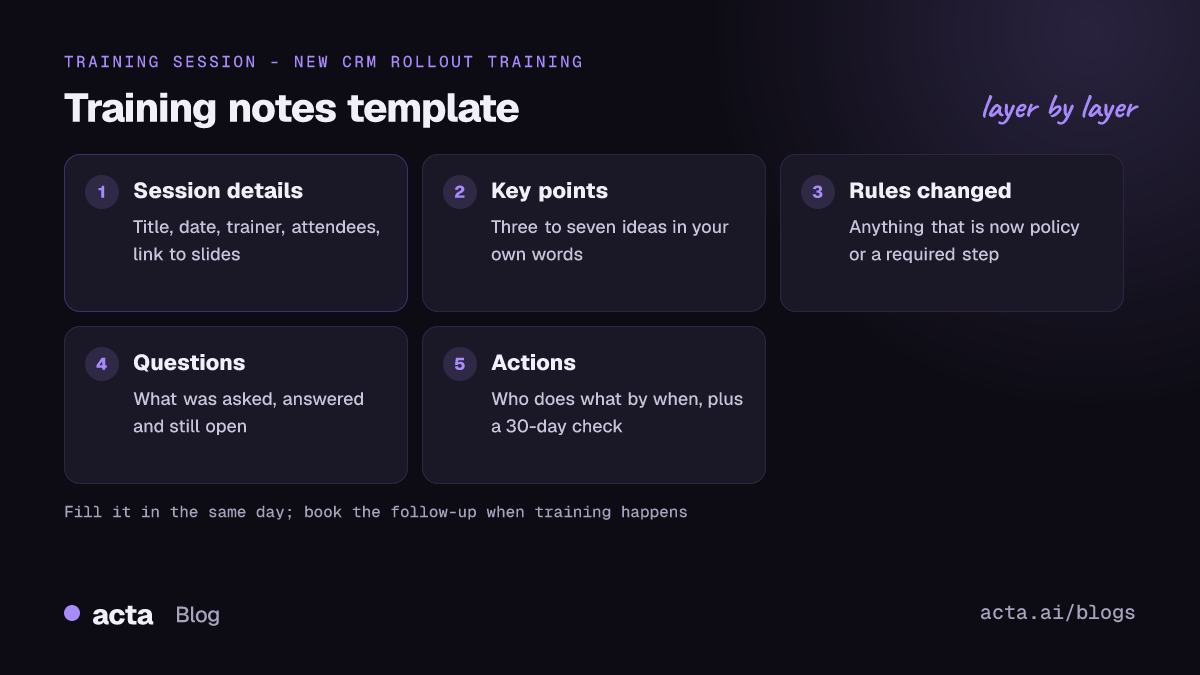
A training notes template needs five fields
Most training notes are a stream of bullets with no structure, so nobody can find the one rule that mattered. A template makes you sort as you write. These five fields cover nearly everything people look up later.
- Session details: title, date, trainer, length, who attended, and where the slides or recording live.
- Key points: three to seven ideas, written in your own words. If you copy the slide titles, you've written an index, not notes.
- Rules and decisions: anything that is now policy ("refunds over $500 need a second approver"). These are the lines people search for months later.
- Questions: what was asked, what was answered, and what the trainer promised to follow up on.
- Actions: who does what by when. "Practise the new CRM fields" isn't an action; "Priya logs her next five calls with the new fields by Friday" is.
The eight templates below all build on those five fields. Here's how they compare, so you can jump to the one you need.
| Template | Who fills it in | Best for |
|---|---|---|
| 1. Trainer session log | Trainer | Any recurring course |
| 2. Train-the-trainer observation | Observer or lead | Coaching new trainers |
| 3. Attendee learning notes | Attendee | Lectures, webinars, internal talks |
| 4. Onboarding training notes | New hire and manager | First 30 days |
| 5. Compliance training record | Trainer or HR | Safety and regulated topics |
| 6. Software training notes | Attendee | New tools and systems |
| 7. Workshop notes | Facilitator | Hands-on sessions |
| 8. 30-day follow-up | Manager and attendee | Checking behaviour change |
Trainers need a session log, not a transcript
If you run the same course every month, your notes have a different job from an attendee's. You're not trying to remember the content; you wrote it. You're trying to remember how this group reacted, which examples landed, and what you promised to send. A short session log after each run makes the next run better and gives your manager something concrete.
Template 1: Trainer session log. Use it after every delivery of a repeat course. Fill it in within an hour, before the next meeting wipes your memory.
Course: ___ | Run number: ___ | Date: ___ | Length: ___
Attendees: ___ (count and teams)
What I covered: ___ (note anything skipped and why)
What landed: ___ (the example or exercise that got people talking)
What fell flat: ___
Questions I couldn't answer: ___ | Owner of the follow-up: ___ | Due: ___
Promised to send: ___
Change for next run: ___
The "what fell flat" line is the one most trainers skip, and it's the most useful. After three runs the same slide keeps showing up there, which tells you what to rewrite.
Template 2: Train-the-trainer observation notes. Use it when a lead watches a new trainer deliver for the first time. Keep it to observed behaviour, not opinions about personality.
Trainer: ___ | Observer: ___ | Session: ___ | Date: ___
Timing: planned ___ min, actual ___ min; sections that ran long: ___
Questions handled well (quote one): ___
Moments where the group lost the thread: ___ (minute and topic)
Two things to keep: ___
One thing to change next time: ___
Agreed next step: ___ | By: ___
Limit it to one change.
Attendee notes should end in an action
As an attendee, the question your notes answer is "what do I do differently on Monday?" Everything else is supporting detail. If you want a broader method for structuring notes, our guide on note-taking methods compared covers Cornell and outline formats, and both fit inside this template.
Template 3: Attendee learning notes. Use it for talks, webinars, lunch-and-learns and most classroom sessions.
Session: ___ | Trainer: ___ | Date: ___
Three ideas in my own words:
1. ___
2. ___
3. ___
One example the trainer used that I want to remember: ___
Rule or policy that changed: ___
My question (and the answer, if I got one): ___
How I'll apply this: ___ | First time I'll try it: ___
Recap from memory, written the next day (three sentences): ___
The last line matters more than it looks. Pulling the ideas back out of your memory a day later, without peeking, is a form of retrieval practice, and the research summarised by Vanderbilt's Center for Teaching finds retrieval tends to help long-term retention more than simply rereading. Write the recap first, then check it against your notes.
Template 4: Onboarding training notes. Use it for a new hire's first weeks, when they sit through many short sessions on tools, processes and people. It's shared between the new hire and their manager.
Week: ___ | Session: ___ | Run by: ___
What this team or tool is for (one sentence): ___
Who to ask about it: ___
Things I have access to now: ___ | Access still missing: ___
Jargon I heard and what it means: ___
First task using this: ___ | Due: ___
Question for my manager at our next 1:1: ___
The jargon line saves new people a lot of quiet confusion. It pairs well with a plan for new hire onboarding meetings in the first 30 days, so each session in that plan gets one page of notes.
Compliance training notes double as the record
For safety, data protection and other regulated topics, your training session notes may be the evidence that training happened. In that case, the format isn't up to taste. Find out which rules apply to your organisation and mirror their wording in the template. This is general information, not legal advice; your safety or compliance lead should confirm what your records need.
As one concrete example, OSHA's bloodborne pathogens standard (29 CFR 1910.1030) says training records must include the dates of the sessions, the contents or a summary of the sessions, the names and qualifications of the people who ran them, and the names and job titles of everyone trained. As of November 2026 it says to keep those records for three years from the date of training. Other standards set their own fields and periods, so check the one that covers your topic.
Template 5: Compliance training record. Use it for any session where someone may later ask "prove this person was trained".
Topic: ___ | Standard or policy it covers: ___
Date(s): ___ | Start and end time: ___ | Location or platform: ___
Trainer name: ___ | Trainer qualifications: ___
Summary of contents: ___ (or link to the version-numbered slide deck)
Attendees: name, job title, signature or digital confirmation
Assessment used: ___ | Pass mark: ___ | Results: ___
Absent people and make-up date: ___
Retention period: ___ | Where this record is stored: ___
Two habits make this hold up: version your slide decks, so "contents" points to exactly what was taught that day, and record absentees with a make-up date.
Software and workshop sessions need step-level notes
Training on a new system is where general notes fall apart. "Learned how to create an invoice" is useless at 4 p.m. on a Thursday when you can't find the button. You need the steps, in order, with the bits that tripped people up.
Template 6: Software training notes. Use it for CRM rollouts, new finance tools, ticketing systems and anything with screens to click through.
Tool: ___ | Version or date: ___ | Trainer: ___
Task 1: ___
Steps: 1. ___ 2. ___ 3. ___
Gotcha: ___ (for example, "save before you switch tabs or the draft is lost")
Task 2: ___ (repeat the block)
Shortcuts worth knowing: ___
What's different from the old tool: ___
Where to get help: ___ (channel, person, help page)
Practice task: ___ | Done by: ___
Here's a filled-in block from a CRM session, so you can see the level of detail that works: "Task: log a discovery call. Steps: open the deal, click Activity, choose Call, pick the outcome from the list, paste the summary. Gotcha: the outcome list is required, and the form won't save without it. Practice: Marco logs his next three calls this way by Wednesday."
Template 7: Workshop notes. Use it for hands-on sessions where the group produces something, such as a process map, a set of personas or a draft policy. The facilitator or a named scribe fills it in.
Workshop: ___ | Facilitator: ___ | Scribe: ___ | Date: ___
Goal of the session: ___
Exercise 1: ___ | Output: ___ (photo or link)
Exercise 2: ___ | Output: ___
Points the group agreed on: ___
Points still disputed: ___ | Who resolves them: ___ | By: ___
Next step for the outputs: ___
Photograph whiteboards before anyone wipes them, and link the photos in the template.
A 30-day follow-up shows whether training stuck
A session can get great feedback and change nothing. The Kirkpatrick model, a widely used way to evaluate training, separates four levels: Reaction (how people felt about it), Learning (what they gained), Behavior (whether they apply it on the job) and Results (whether the targeted outcomes happen). Kirkpatrick Partners points out that Level 3, behaviour back at work, is often the missing link in evaluation plans.
You don't need an evaluation project to check Level 3. You need one short note, a month later, written together by the attendee and their manager.
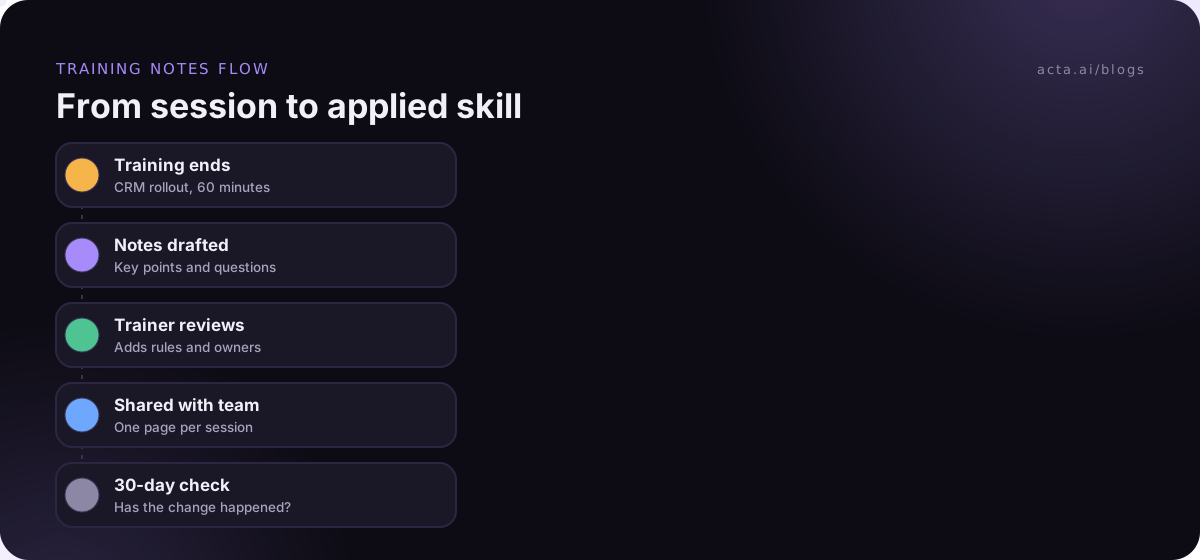
Template 8: 30-day training follow-up. Use it after any training that was meant to change how someone works.
Training: ___ | Date attended: ___ | Follow-up date: ___
The change we expected: ___
Has it happened? Yes / partly / no
Example of it happening: ___
What got in the way: ___ (time, tools, unclear rules, no one to ask)
Support needed: ___ | From: ___
Next check-in: ___
The "what got in the way" line is where the value is. Often the blocker is a missing tool permission or a manager who still asks for the old report. Put the date for this note in the calendar on the day of the training, or it won't happen.
Five mistakes make training notes useless
Bad training notes fail in the same ways. Check yours against this list.
- Copying the slides: If the deck gets shared, don't retype it. Link it and spend your effort on examples and actions.
- No owners on actions: "We should practise this" means nobody will. Put a name and a date on every action, the same way you would in a meeting. Our guide on ending a meeting with clear owners and deadlines works for training sessions too.
- Writing it a week later: By then you've lost the examples and the answers to questions. Fill in the template the same day.
- One template for everything: A compliance record and a webinar recap need different fields. Keep two or three templates, not one giant form.
- Notes nobody can find: Store them where the team already looks, and name files the same way each time: date, course, version.
Recording a session changes what you write down
If the session is recorded, you can stop trying to capture every sentence and focus your notes on applying it. The transcript handles "what exactly did she say about approvals", and your template handles "what I'll do differently". Tell attendees before you start, especially when people ask personal or sensitive questions; our guide to recording meetings with AI, consent and what to tell participants covers the basics.
For online training, a bot joining the call can feel odd in a small group. A desktop recorder like the Acta desktop app records the Zoom or Teams app from your own computer, and the Acta Chrome extension does the same for Google Meet, Microsoft Teams in the browser and the Zoom web client. Neither adds a participant to the meeting.
Acta writes a transcript with speaker names, a summary, decisions and action items with owners after each recorded session, and you can apply one of its report templates to shape the output. If you run the same course often, you can ask questions across past sessions with OneChat, for example "which questions came up in every run this quarter?", and the answers cite the meetings they came from. You still need to write the "how I'll apply this" line yourself.
Frequently asked questions
What should training session notes include?
Training session notes should include the session details (title, date, trainer, attendees), three to seven key points in your own words, any rules or policies that changed, questions with their answers, and actions with an owner and a due date. For compliance topics, add trainer qualifications, a summary of contents and attendee job titles, because those fields often form the official record.
How do I take notes during a training session without missing things?
Prepare the template before the session starts so the session details are already filled in. During the session, write only key points, examples and questions, and leave actions for the end. If the session is recorded, skip verbatim notes entirely. Then fill in the "how I'll apply this" line the same day, while you still remember the context.
Is a training notes template the same as a training record?
Not always. A training notes template helps people learn and apply the content. A training record proves who was trained, when and on what. For regulated topics the two overlap, and one form can do both if it includes the fields your applicable rule lists. For general sessions, an attendance list plus attendee notes is usually enough.
What is the difference between trainer notes and attendee notes?
Trainer notes record how the session went: what was covered, what landed, unanswered questions and what to change next time. Attendee notes record what the person learned and how they'll apply it. Trainers use their notes to improve the course; attendees use theirs to change how they work. Using one form for both usually serves neither well.
How long should I keep training notes?
For ordinary sessions, keep notes as long as the content is still current, then archive them. For compliance training, the retention period depends on the rule that applies. As of November 2026, OSHA's bloodborne pathogens standard sets three years from the training date. Check the specific standard or policy for your topic, and record the period on the form itself.
Choose your training notes template and set it up
You don't need all eight. Pick the one or two that match the training your team actually runs, and make them the default so nobody starts from a blank page.
- Pick by reader: decide who reads the notes later, whether that's the trainer, the attendee, the manager or an auditor, and choose the template that serves them.
- Fix the five fields: keep session details, key points, rules, questions and actions in every version so notes from different sessions line up.
- Add compliance fields where needed: mirror the exact fields your applicable standard lists, and note the retention period on the form.
- Set the follow-up date on day one: book the 30-day check when the training happens, not afterwards.
- Store them in one place: use a shared folder or tool with a consistent file name, so notes from past sessions turn up in a search.
If your training happens online, try recording the next session with the Acta desktop app during the 15-day free trial and fill in your template from the notes it writes.
Found this useful? Share it with your team.