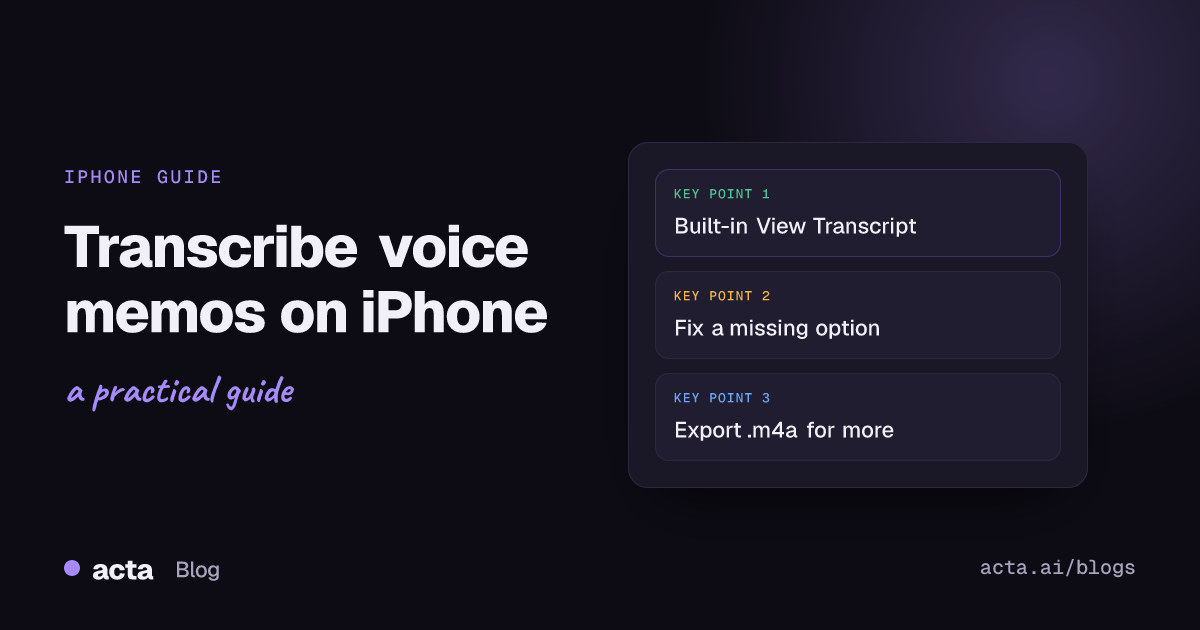
Quick answer: To transcribe voice memos on iPhone, open the recording in Voice Memos, tap the More Actions button and choose View Transcript or Copy Transcript. This needs iOS 18 or later on an iPhone 12 or newer, in a supported language and region. For speaker names or a summary, share the memo as an .m4a file and upload it to a transcription tool.
The Voice Memos app got a lot more useful when Apple added transcripts. For a quick idea you mumbled into your phone on a walk, it's all you need. For a 40-minute interview or a client meeting around a table, it gets you halfway. (Our meeting notes guide for real estate agents shows what to capture at a kitchen-table appointment.) Below is how to use the built-in feature, where it falls short, and what to do with the recording when you need more than plain text.
How do you transcribe voice memos on iPhone?
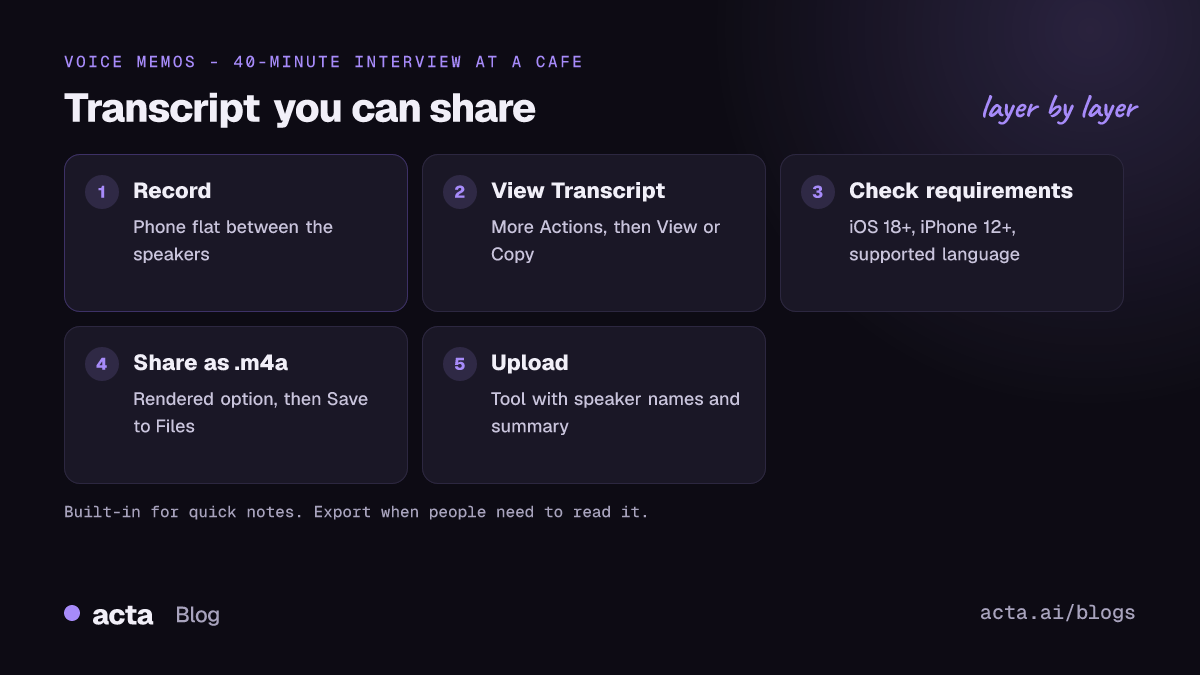
Apple's guide, View a Voice Memos transcription on iPhone, covers the official steps. As of November 2026 the flow looks like this:
- Open Voice Memos (it may be in the Utilities folder).
- Tap the recording you want.
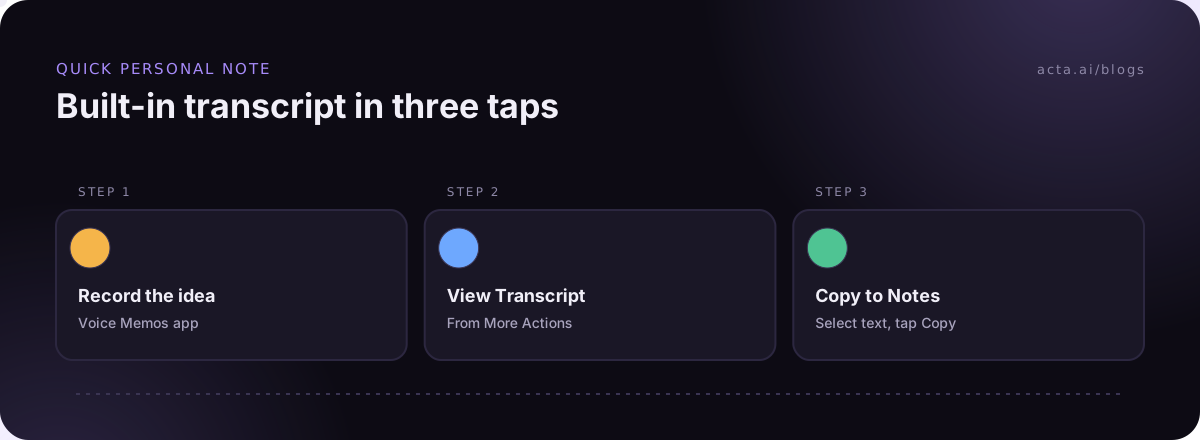
- Tap the More Actions button (the three dots; on newer iOS versions the button may be labelled More).
- Choose View Transcript to read it, or Copy Transcript to copy the whole thing in one go.
- To copy only part of it, open View Transcript, select the text you need and tap Copy.
You can also watch the transcript appear while you record. Apple's guide says to swipe up from the waveform and tap the Transcription button; the current word is highlighted as you speak. I find this handy for checking that the phone is actually picking up the other person before you're ten minutes in.
One small feature people miss: swipe down on the list of recordings and you get a search field that matches the transcript text as well as titles. If you record a lot of memos, that's the fastest way to find "the one where I talked about the kitchen quote".
Why don't I see View Transcript?
Usually one of these:
- Older iPhone. Apple lists transcription for iPhone 12 and later.
- Older iOS. It arrived with iOS 18. Update the phone.
- Language or region. Apple says it isn't available in every country or region, and only some languages are supported. Check the list on Apple's page.
- No speech found. A memo that's mostly music or noise may not get a transcript.
Some people on Apple's community forums have also reported the options disappearing after an update. If your phone meets all the requirements, a restart and checking for the latest iOS update is the first thing to try.
What can't the built-in transcript do?
The Voice Memos transcript is plain text. That's fine for a note to yourself. It falls down in a few common cases:
- No speaker labels. Apple's guide covers viewing, copying and searching the text, and says nothing about telling speakers apart. With two or more people you get one block of words and have to work out who said what.
- No summary or action items. You get every word, which for a 45-minute meeting is several thousand words you still have to read.
- Hard to share as a document. Copying works, but formatting, paragraphing and timestamps are on you.
- Accuracy drops with distance. A phone lying on a café table records the person nearest to it well and everyone else less so. Our guide to improving transcription accuracy has more on distance and noise. Names and numbers suffer first.
For quick personal notes, the built-in option is the right one. Don't pay for a tool to transcribe a two-minute grocery list.
How do you get a voice memo off your iPhone for transcription?
When you need speaker names or a summary, send the audio file to a transcription tool. Apple's guide to sharing a recording in Voice Memos explains the options:
- Open the recording and tap More Actions, then Share.
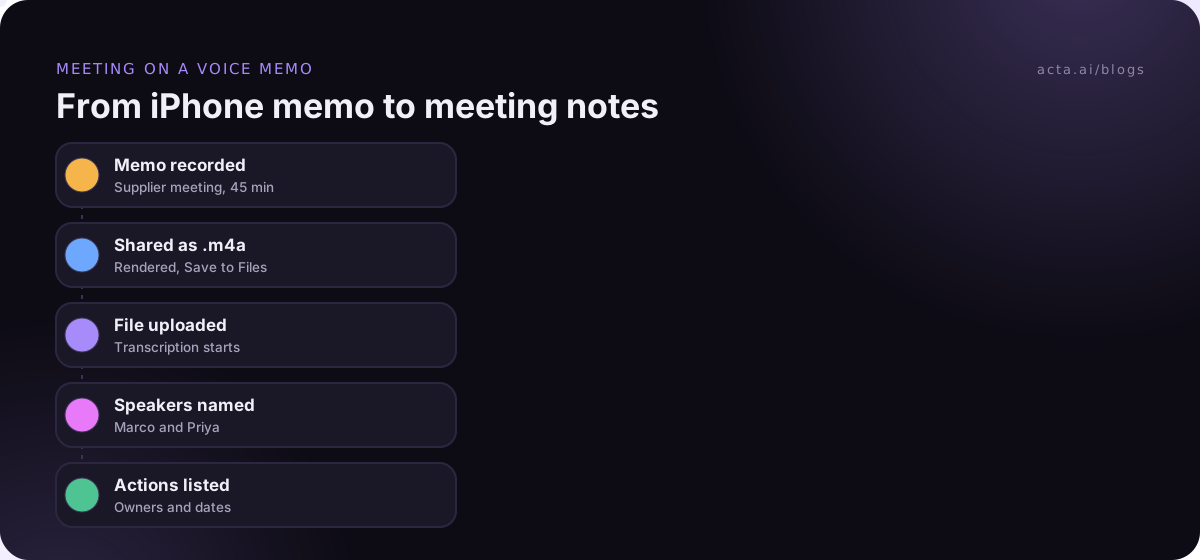
- Under Options, pick Rendered. That gives you a single .m4a file with any layers and effects mixed in, which is what transcription tools expect.
- Send it with AirDrop to your Mac, attach it to an email, or choose Save to Files to put it in iCloud Drive or another folder.
- Upload the .m4a to your transcription tool from there.
To send several memos at once, tap Select above the list, pick the recordings and tap Share.
A tip on naming: rename the memo before you share it. "New Recording 47" is meaningless a month later. "2026-11-03 Supplier call, Marco" tells you what it is at a glance.
Which transcription tool should you upload voice memos to?
That depends on what the recording is. A few rules of thumb:
- Personal notes and ideas: stay in Voice Memos. The built-in transcript is free and already on your phone.
- Interviews and research: pick a tool that labels speakers and lets you export with timestamps, so you can check quotes against the audio.
- Work meetings: pick a tool that gives you decisions and action items, not just the transcript. Reading a full transcript of a meeting you attended is rarely a good use of your time.
- Lectures: look for summaries and the ability to ask questions about the content. Our post on lecture notes from class recordings shows a format that works.
Whatever you choose, check where the audio goes and whether the vendor uses it to train its models. Voice memos often hold things you wouldn't post publicly.
How do you record a voice memo that transcribes well?
Most transcription errors start with the recording, not the software. A few habits make a big difference:
- Put the phone between the speakers, not in front of you. For two people across a table, lay it flat in the middle.
- Keep it off soft surfaces. A phone on a sofa cushion sounds muffled.
- Avoid noisy rooms where you can. A coffee machine behind you can wipe out whole sentences.
- Say names clearly at the start. "This is Priya and Dana, talking about the Q1 launch" helps you, and helps any tool that labels speakers.
- Don't cover the microphone with a case or your hand if you're holding the phone.
If you record other people, tell them first. Rules differ by country and state, and some places need everyone's consent. This is general information, not legal advice; our guide on recording with AI and what to tell participants goes through it, and how to record a conversation covers the practical side.
Can you transcribe voice memos on iPad?
Yes. Apple's iPad guide to Voice Memos transcription says it works on iPadOS 18 or later, and you can watch it live while recording or open it afterwards, with the same view and copy options. An iPad with a keyboard is a nicer place to tidy a long transcript than a phone screen: open it, copy it, paste it into a document and fix it there.
What about phone calls and meetings on your laptop?
Voice Memos records what the iPhone's microphone hears, so it isn't the right tool for a phone call you're on. See our guide to iPhone call recording for that. For video calls on your computer, a phone propped next to the laptop works in a pinch, but the other people's voices come through your speakers and pick up room noise. A desktop recorder like Acta's captures the call's sound and your microphone directly from the computer, which transcribes far more cleanly.
How do you turn a voice memo transcription into notes people will read?
A raw transcript is a record, not notes. If anyone else needs to use it, spend ten minutes on this pass:
- Write three lines at the top: who was there, what it was about, and the date. You'll thank yourself in six months.
- Pull out decisions as a short list. Search the transcript for words like "agreed", "let's go with" and "we'll".
- List the actions with a name and a date next to each one. "Dana to send the floor plan by Thursday" is useful; "send floor plan" isn't.
- Fix names and numbers by listening back to those bits. Prices, measurements and dates are where phone transcripts slip most.
- Keep the full transcript below or linked, for anyone who wants the detail.
The mistake I see most is people sending the whole transcript and calling it the notes. Nobody reads 6,000 words of "yeah, so, I think, um" to find the one thing they owe. Our guide on how to take meeting notes has a simple format you can copy.
Where Acta fits
Acta has mobile apps for in-person meetings, so you can record a meeting around a table and get a transcript with speaker names, a summary, decisions and action items with owners. If you already have voice memos, you can upload the recordings instead (the upload guide shows how). Acta doesn't use customer data to train AI models.
Frequently asked questions
Is iPhone voice memo transcription free?
Yes. It's part of Voice Memos on supported iPhones running iOS 18 or later, with no extra app or subscription.
Can I transcribe voice memos recorded before iOS 18?
One regional version of Apple's guide says that opening a recording made in an earlier version of Voice Memos transcribes it automatically if it has speech. If that doesn't happen for an old memo, share it as an .m4a and upload it to a transcription tool.
Does the Voice Memos transcript label different speakers?
Apple's guide doesn't describe speaker labels. For interviews or meetings, use a tool that identifies speakers.
How do I export a voice memo transcript as a file?
Use Copy Transcript, paste it into Notes, Pages or a document app, and save or share it from there.
What file format are iPhone voice memos?
Shared with the Rendered option, they're .m4a files, which most transcription tools accept.
If your voice memos are mostly meetings, you can try Acta free for 15 days and see what you get back from the same recording.