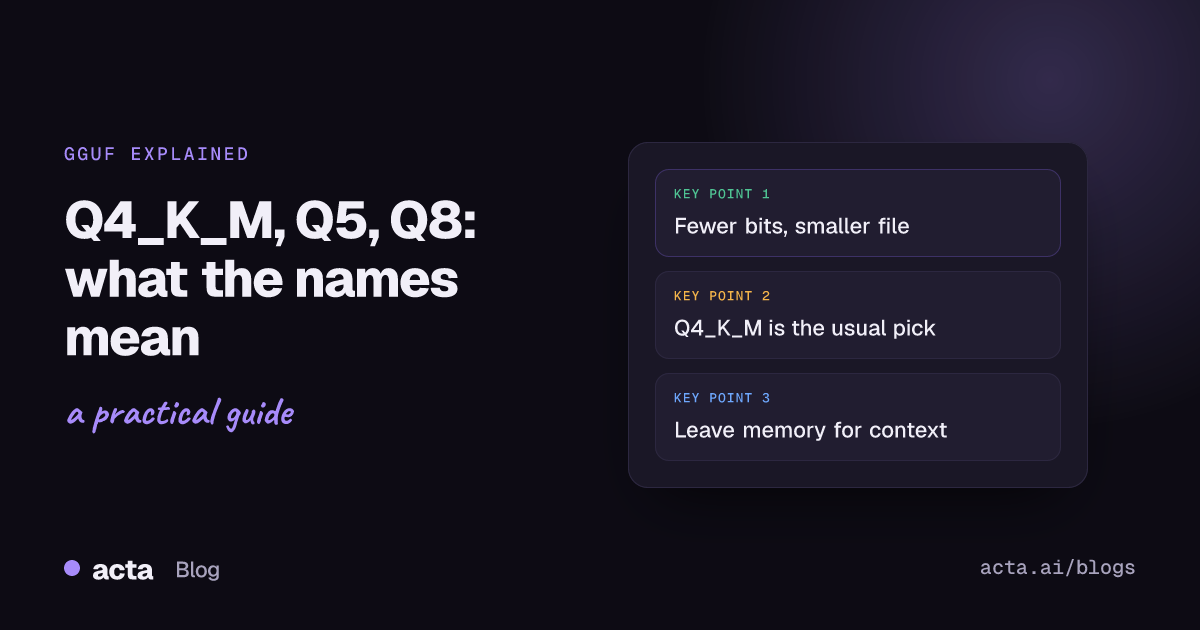
Quick answer: GGUF is a single-file format for running open models with llama.cpp and the apps built on it. GGUF quantization shrinks a model by storing each weight in fewer bits: Q8_0 uses about 8, Q5_K_M about 5, Q4_K_M about 4 to 5. Fewer bits mean a smaller, faster file with some quality loss. For most laptops, Q4_K_M is the sensible first pick.
The first time you open the "Files and versions" tab of a GGUF repo on Hugging Face, it looks like someone sneezed on a keyboard. Q2_K, Q3_K_S, IQ3_XXS, Q4_K_M, Q5_K_S, Q6_K, Q8_0, sometimes twenty files for one model, ranging from a couple of gigabytes to something that won't fit on your drive.
The names follow a pattern, and once you can read it, picking a file takes about ten seconds. Here's the plain-English version.
What is GGUF?
GGUF is a file format for model weights. The Hugging Face GGUF docs describe it as a binary format built for fast loading and saving, and the Hub has a built-in viewer for a GGUF file's metadata on the model page. One file holds everything the runner needs, which is why it's become the standard for local use.
It's closely tied to the llama.cpp project, which requires models in GGUF and ships scripts to convert other formats. Ollama and Jan load GGUF files too, so one download works across several of the apps people use on laptops. If you haven't chosen an app yet, our comparison of Ollama vs LM Studio vs llama.cpp vs vLLM covers that.
What does GGUF quantization actually do?
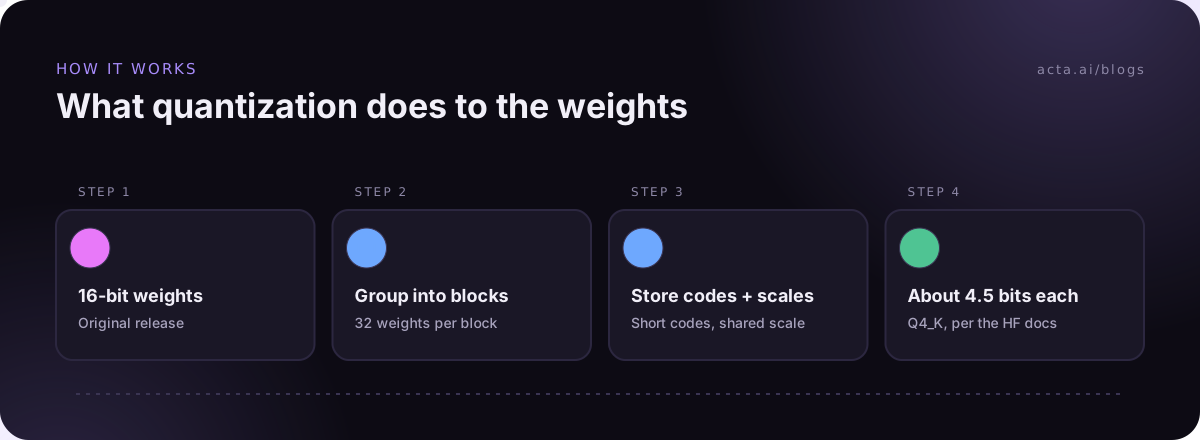
A model is billions of numbers, called weights. In the original release each weight is usually stored in 16 bits. Quantization stores them in fewer bits by rounding them to a smaller set of values.
The trick that makes this work is grouping. Instead of rounding each weight on its own, the quantizer splits weights into small blocks and stores one scale per block, plus a short code for each weight. When the model runs, the runner multiplies the codes back up by their scale. You lose some precision, but neighbouring weights tend to be similar, so the loss is smaller than you'd guess.
The payoff is size. Rough arithmetic: file size is about parameters times bits per weight, divided by 8. An 8B model at 16 bits is around 16 GB. At about 4.5 bits per weight it's closer to 4.5 GB, before overhead. That's the difference between "won't load" and "runs fine" on a 16 GB laptop.
What do Q4_K_M, Q5 and Q8 mean?
Read the name left to right:
- Q and a number is the base bit width. Q4 is about 4 bits, Q8 about 8.
- K means a "k-quant", the newer block scheme. The Hugging Face docs describe Q4_K as super-blocks of 8 blocks, each holding 32 weights, which works out to 4.5 bits per weight.
- S, M or L at the end is the recipe size: small, medium or large. A Q4_K_M file isn't all 4-bit. It keeps some of the more sensitive parts of the model at higher precision, so it's a little bigger and a little better than Q4_K_S.
- _0 or _1, as in Q8_0 or Q4_0, are the older, simpler schemes.
- IQ, as in IQ3_XXS, are newer formats aimed at very low bit counts.
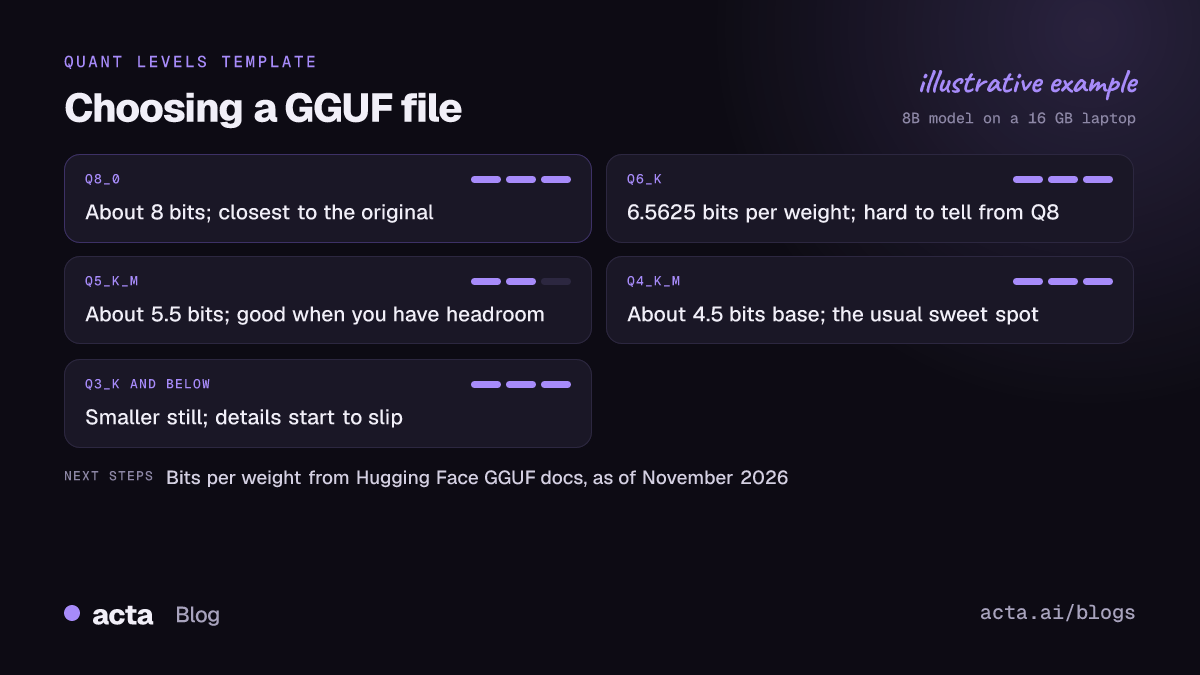
For reference, the Hugging Face table lists the base k-quant types at these bits per weight, as of November 2026: Q2_K 2.625, Q3_K 3.4375, Q4_K 4.5, Q5_K 5.5 and Q6_K 6.5625. Q8_0 is roughly 8.
How much quality do you lose at each level?
I'm not going to give you percentages, because they depend on the model, the task and how you measure. The general pattern is consistent, though:
- Q8_0: very close to the original. Use it if you have the memory and want to rule quantization out as a cause of problems.
- Q6_K and Q5_K_M: hard to tell apart from Q8 in normal use. A good choice when you have some headroom.
- Q4_K_M: the usual sweet spot. Noticeably smaller, and for summarizing, rewriting and Q&A over your own text, most people can't spot the difference.
- Q3 and below: the model gets sloppier. Details drop, instructions get ignored more often, and in my experience long documents suffer first.
One rule of thumb I trust: a bigger model at Q4 usually beats a smaller model at Q8 when both files are about the same size. If a 14B Q4_K_M fits, try it before settling for an 8B Q8_0. For more on what parameter counts mean, see LLM model size explained.
How do you pick the right GGUF file on Hugging Face?
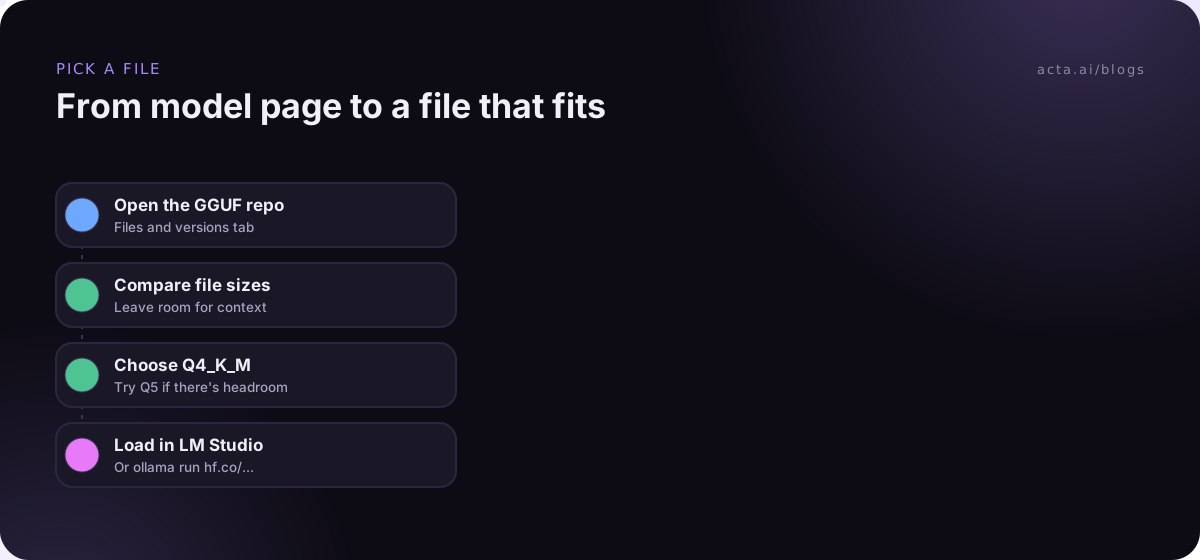
- Start from a trusted repo. The model maker's own GGUF release, or a well-known community quantizer. Read the model card first; our guide to reading a Hugging Face model card shows what to look for.
- Check your memory. RAM on a Mac with Apple Silicon, or VRAM on a PC with a graphics card.
- Leave room. The file should take up clearly less than your available memory. The conversation itself (the context) needs memory too, and long transcripts need more.
- Pick Q4_K_M first. If it runs comfortably and you have headroom, try Q5_K_M or Q6_K. If it doesn't fit, drop to Q3_K_M or a smaller model.
- Load it. In LM Studio, search and download. In Ollama, the Hugging Face guide for Ollama shows the pattern ollama run hf.co/user/repo followed by a colon and the quant name, such as :Q4_K_M.
To size things up, one community model card lists a 14B model's Q4_K_M file at 9.1 GB. On a 16 GB machine that's tight but workable; on an 8 GB machine, forget it. New to all this? Our walkthrough on how to run a local LLM on your laptop starts from zero.
What is an importance matrix (imatrix)?
You'll see "imatrix" or "i1" in some repo names. An importance matrix is made by running the full-precision model over sample text and recording which weights matter most. The quantizer then spends more of its limited precision on those weights.
It matters most at very low bit counts, where it's the difference between usable and broken. At Q4 and above it's a small bonus. One catch: the sample text shapes the result, so a matrix built mostly on English text may help English more than other languages. If you work in several languages, test on your own material.
Can you make your own GGUF quantization?
Yes. llama.cpp includes a llama-quantize tool that takes a high-precision GGUF (F32, F16 or BF16) and writes a quantized one, for example Q4_K_M. If you'd rather not set anything up, Hugging Face hosts a GGUF-my-repo Space that converts and quantizes a Hub model with llama.cpp in the browser.
Most people never need to. Popular models often get community GGUF files soon after release. Making your own is useful when you've fine-tuned a model yourself; our guide to fine-tuning on one GPU with PEFT and bitsandbytes covers that step.
What about 1-bit and ternary models?
You'll see "1.58-bit" models mentioned more and more. The idea comes from Microsoft's BitNet b1.58 paper, where every weight is one of three values: -1, 0 or 1. The key difference from GGUF quantization is that these models are trained that way from scratch. You can't take a normal model, squash it to three values, and expect it to behave. The authors report quality matching full-precision models of the same size in their tests, with big savings in memory and speed; a follow-up released a 2B-parameter open-weight model.
Very low-bit GGUF files of ordinary models (Q2, IQ1, IQ2) are a different thing: compression after training. They're handy for squeezing a huge model onto modest hardware, but expect a real drop in quality. For on-device use, a small model at a sensible quantization is usually the better trade; see small language models on device.
Does quantization matter for meeting summaries?
More than for casual chat. Summarizing a meeting means tracking names, owners and dates across a long transcript, and that's where aggressive quantization shows first: a dropped action item, two people merged into one. If you're testing a model for this, use Q4_K_M or higher and compare against a transcript you know well. Our guide to the best open source LLM for meeting summaries includes a test prompt.
If what you actually want is the meeting notes rather than a model to tune, Acta does that as a hosted tool. It records Zoom, Google Meet and Teams calls (with a bot, or bot-free through the desktop app and Chrome extension), then produces transcripts with speaker names, summaries, decisions and action items with owners. Acta doesn't run GGUF files or local models, and it doesn't use customer data to train AI models. Recording people still needs their consent; our post on recording meetings with AI covers what to tell them. See the features page for the details.
Frequently asked questions
Is Q4_K_M good enough?
For most tasks on a laptop, yes. It's the common default for a reason. If you see the model missing details on long inputs, try Q5_K_M or Q6_K before switching models.
Q8_0 vs Q4_K_M: which should I use?
Q8_0 if it fits with room to spare and you want maximum fidelity. Q4_K_M if memory is tight, or if it lets you run a bigger model.
What does bits per weight mean?
It's the average storage per weight, including the shared scales. Multiply by the parameter count and divide by 8 to estimate file size in bytes.
Can I convert a GGUF file back to full precision?
You can convert the format, but the precision lost during quantization doesn't come back. Keep the original weights if you might need them.
Why are there so many GGUF files for one model?
Each file is the same model at a different quantization level, so people with different hardware can pick one that fits.
Want meeting summaries without picking a quant? Try Acta free for 15 days.