Quick answer: In the Zoom vs Teams vs Google Meet choice, the deciding factor for most businesses is what you already pay for. If you run Microsoft 365, Teams is usually the default; if you run Google Workspace, Meet is. Zoom earns its place when you meet many outside people, run large or polished external events, or want a meeting tool that isn't tied to an office suite.
I've helped a few small companies pick a meeting platform, and the conversation always starts with features and ends with something more boring: which email and documents suite the company already lives in, and who the people on the other end of the calls are. All three platforms do video, screen sharing, chat, recording and transcripts well enough for ordinary business meetings in 2026. The differences that matter are in pricing structure, guest experience, admin and where recordings end up. This guide compares them on those points, with limits as of November 2026 from each vendor's own pages.
Zoom vs Teams vs Google Meet: what's the real difference?
Here's the short version, before the details.
- Zoom is a standalone meeting product that has grown into a wider suite (chat, phone, whiteboards, docs). It's still what many outside guests find easiest to join, and it has the most options for big external meetings and webinars.
- Microsoft Teams is a chat-and-collaboration hub with meetings built in. It shines when your files, calendar and chat already live in Microsoft 365, and it's the natural pick for companies with strict IT management.
- Google Meet is the lightest of the three. It runs in the browser, joins from Google Calendar with one click, and fits teams already on Gmail, Drive and Docs.
None of them is bad. Most of the pain I see comes from companies running two or three at once without meaning to, so recordings, notes and habits get scattered. Our guide to searching old meeting recordings in Zoom, Teams and Drive helps once they are.
What do the free plans and limits look like in 2026?
Free tiers are fine for trying a platform but not for running a business on. As of November 2026, according to the vendors' own pages:
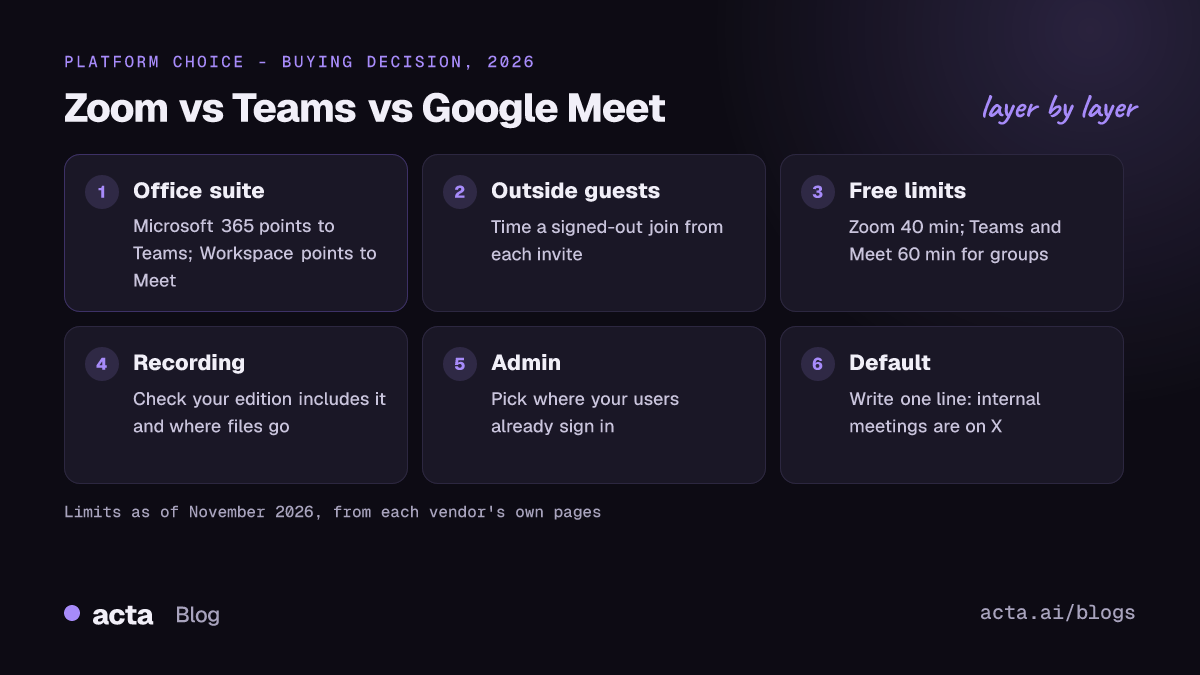
- Zoom Workplace Basic (free): meetings up to 40 minutes and 100 participants. Paid plans raise meeting length to 30 hours; Pro allows 100 participants and Business 300, per Zoom's pricing page.
- Microsoft Teams (free): group meetings up to 60 minutes with up to 100 participants, and one-to-one meetings up to 30 hours. That's from Microsoft's free video conferencing page; its Teams business plan comparison shows Teams Essentials, the standalone paid plan, raising group meetings to 30 hours and 300 participants.
- Google Meet (free Google account): up to 100 participants; group calls of three or more are limited to 60 minutes. Paid Workspace editions allow meetings up to 24 hours, with participant caps that rise by edition (100 on Business Starter, 150 on Business Standard, 500 on Business Plus), per Google's Meet feature comparison by edition.
One detail catches people out on every platform: the limit follows the organiser's plan, not the attendees'. A colleague on a free account who schedules your client meeting will still get cut off at 40 or 60 minutes.
Which is cheapest if you already pay for an office suite?
This is where most decisions get made, and it's why I'd start here rather than with features.
You're on Google Workspace
Meet comes with every paid Workspace edition. Adding Zoom or Teams on top means a second bill and a second place for recordings. Unless you have a specific gap (very large external events, for example), Meet is the sensible default.
You're on Microsoft 365
Teams has long been bundled with Microsoft 365 business plans. That's changing at the edges: after antitrust pressure in Europe, Microsoft started selling its suites without Teams to new business customers worldwide, as GeekWire reported in 2024. Check which version your licences are before assuming Teams is "free" for you. If it's included, it's hard to justify paying for Zoom just for internal calls.
You're on neither, or both
Small companies that live in Slack, Notion and a mix of tools often pick Zoom because it doesn't push them into an office suite. Companies with both Microsoft and Google accounts (it happens after acquisitions) should pick one meeting platform for internal calls and accept that external calls will be on whatever the customer sends.
Which is easiest for clients and outside guests to join?
For sales, consulting, recruiting and support teams, this matters more than anything internal. What I'd look at:
- Joining without installing anything. Meet runs entirely in the browser. Zoom offers "Join from your browser" on its invite page. Teams lets guests continue in a desktop browser too, though organisations can restrict anonymous joining.
- Lobby and admission. All three can hold guests in a waiting room. Strict lobby rules are good for security and annoying for a client who's been left waiting while you hunt for the admit button.
- What the customer's IT allows. Many large companies block one platform or force guests through a browser. If your buyers are enterprises, expect to join their Teams meetings a lot whatever you choose.
A practical test: send yourself an invite from each platform, open it on a personal laptop while signed out, and time how long it takes to get into the call with working audio. That tells you more than any comparison chart.
How do recording and transcription compare?
All three can record and transcribe, but where the files go and who can start a recording differ. Whichever you use, decide which meeting recordings to keep and for how long.
- Zoom records either locally, to the computer that ran the meeting, or to the cloud on your Zoom account, depending on your plan and settings. Our guide on how to record a Zoom meeting covers local, cloud and mobile options.
- Teams saves recordings of ordinary meetings to the OneDrive of whoever started the recording, and channel meeting recordings to the team's SharePoint site, which fits nicely with Microsoft 365 permissions. See how to record a Teams meeting for the licence and storage details.
- Google Meet saves recordings to the organiser's Drive, but recording isn't included on every edition: Google's comparison shows it missing from Business Starter and included from Business Standard up. Our Google Meet recording guide covers who can record and where it goes.
The built-in transcripts are useful but tied to that platform. If your team meets on all three (internal calls on one, customer calls on whatever the customer uses), you end up with transcripts in three places. That's the point where many teams add a separate notetaker that works across platforms. If bots aren't welcome in the call, a desktop app or a Chrome extension records from your own computer instead. Either way, tell people you're recording; our guide on recording consent and what to tell participants explains why (general information, not legal advice).
What about admin, security and IT control?
For a 10-person company, any of the three is fine. As you grow, admin starts to matter:
- Teams has the deepest controls if you already manage users in Microsoft's admin tools: meeting policies, retention, guest access and compliance features sit alongside the rest of Microsoft 365.
- Meet is managed from the Google Admin console, with settings by organisational unit. It's simpler, with fewer knobs.
- Zoom has its own admin portal with account, group and user-level settings. It's flexible, but it's one more identity system unless you connect single sign-on.
My opinion: don't pick a platform for an admin feature you haven't needed yet. Pick the one that fits where your users already sign in.
Which should a business choose in 2026?
If you've read this far and still can't settle Zoom vs Teams vs Google Meet, here's a simple way to decide:
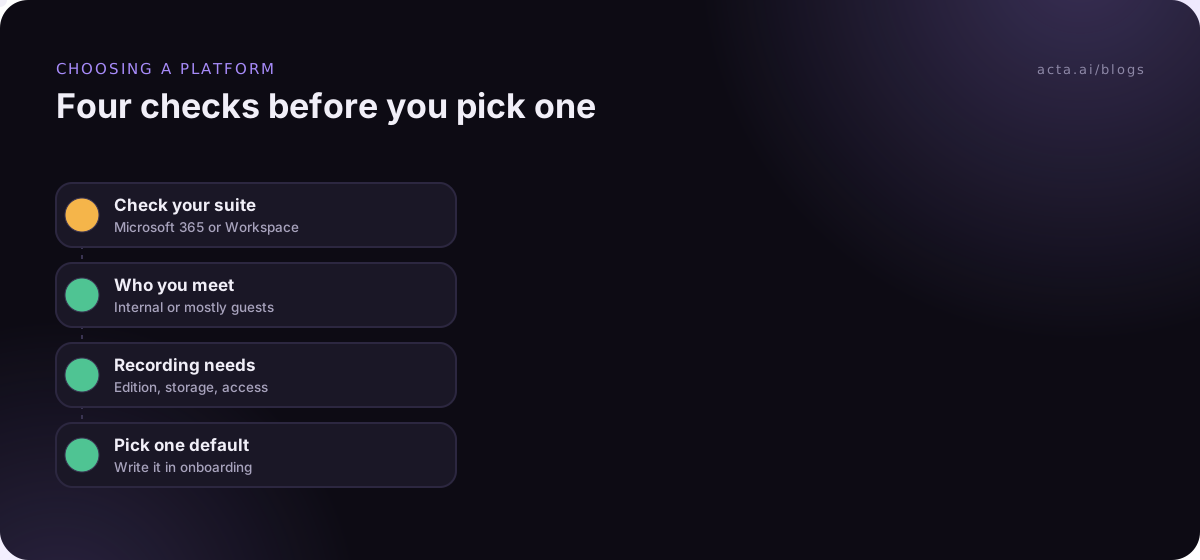
- Start with your suite. Microsoft 365 points to Teams, Google Workspace points to Meet. Only move off the default for a clear reason.
- Look at who you meet. If most calls are with outside people who aren't on your suite, weigh guest experience heavily. That often favours Zoom or Meet.
- Check meeting size and format. Regular calls with hundreds of attendees, or polished external events, push towards Zoom or a higher-tier plan.
- Check recording and notes. Decide where recordings should live and who can find them later. If that's going to be "in three places", plan a cross-platform notes tool now.
- Pick one default and write it down. One line in your onboarding doc ("internal meetings are on X") saves a surprising amount of friction.
Running hybrid meetings with a room full of people and remote colleagues? That's a separate problem from the platform choice; our guide to hybrid meetings that don't leave remote people behind covers it.
Using more than one platform: how to keep notes in one place
Most businesses end up on at least two platforms because customers and partners send invites on their own. That's fine for the meeting itself. The mess shows up later, when you're looking for what was agreed and can't remember if it was the Teams call or the Zoom one.
Acta records Zoom, Google Meet and Microsoft Teams, either with a meeting bot or bot-free through its desktop app or Chrome extension, and puts the transcripts, summaries, decisions and action items in one workspace. OneChat can then answer questions across those meetings with links back to the source. It doesn't replace any of the three platforms; it sits beside whichever one the call happens to be on.
Frequently asked questions
Is Zoom, Teams or Google Meet better for small businesses?
Usually whichever comes with the suite you already pay for: Meet with Google Workspace, Teams with Microsoft 365. Zoom makes sense if you're on neither, or if most of your meetings are with outside guests who find it easiest.
Which has the longest free meetings?
As of November 2026, free Teams and free Google Meet allow group meetings up to 60 minutes, while Zoom's free Basic plan stops at 40 minutes. One-to-one calls on free Teams and Meet can run much longer.
Can guests join without an account?
Generally yes on all three from a computer browser, though hosts and organisations can require sign-in. Test your own invite while signed out to see what a guest sees.
Can I use one notetaker across Zoom, Teams and Google Meet?
Yes. Cross-platform notetakers either join as a bot or record from your own computer. That keeps notes from every platform in one place instead of three.
Do I need a paid plan to record meetings?
It depends on the platform and edition. Google Meet doesn't include recording on its lowest Workspace edition, and Zoom and Teams tie cloud recording and storage to paid plans. Check your plan before an important call.
To see how your meetings would look in one place, have a look at Acta's features.