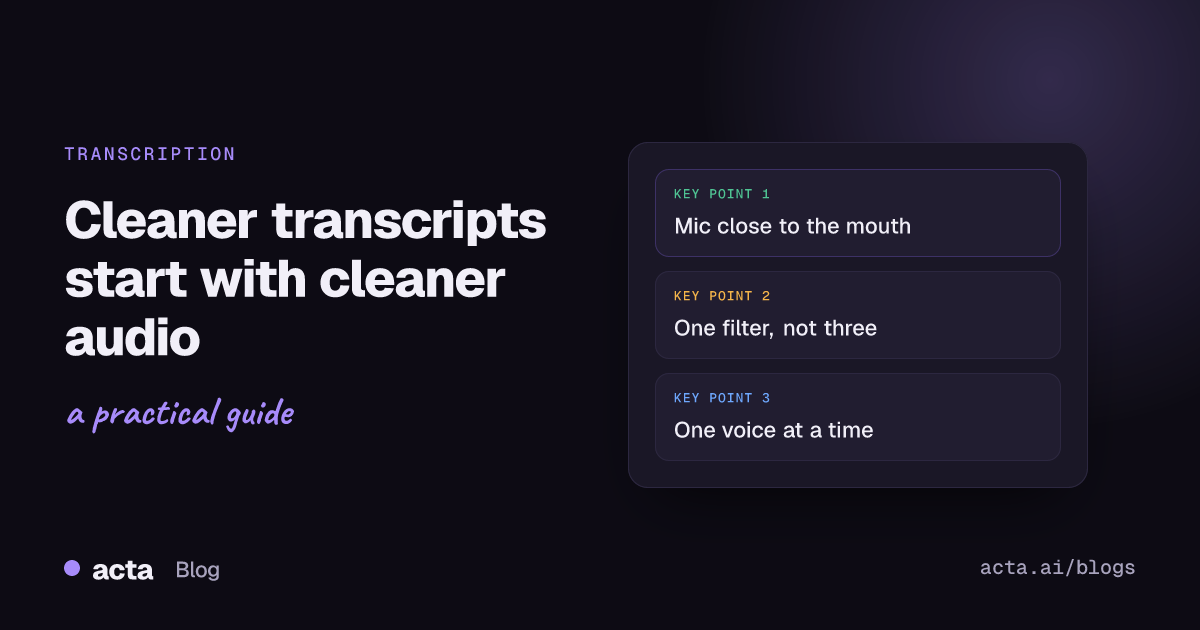
Quick answer: To improve transcription accuracy, fix the audio before you touch the software. Put a microphone close to each speaker (a headset beats a laptop mic across the room), cut background noise at the source, keep people from talking over each other, set the right spoken language, and give the tool the names and jargon it will hear. Then spot-check the transcript where errors matter most: names, numbers and decisions.
Most complaints I hear about bad meeting transcripts start with "the AI is useless with our accents". When we play the recording back, the problem is usually something else: a conference room speakerphone three metres from half the people, a dishwasher running behind someone working from home, or two people finishing each other's sentences for the whole call. Speech recognition has improved a lot, but it still can't recover words that never reached the microphone clearly. This guide goes through the three usual culprits (accents, noise and crosstalk), what actually helps with each, and how to check a transcript without rereading the whole thing.
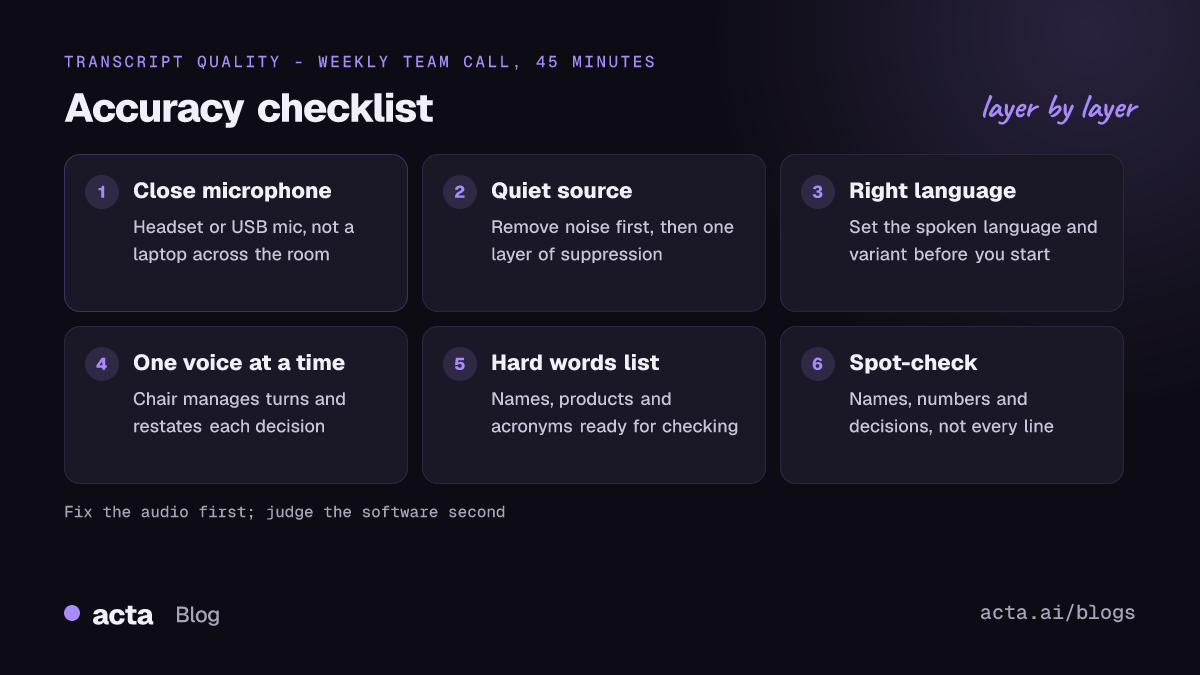
Why is my meeting transcript inaccurate?
A transcription model hears the meeting through one or more microphones, guesses the most likely words, and (in meeting tools) also guesses who said them. Errors creep in at each step:
- Distance. Voice drops off quickly as someone moves away from the mic, while room echo and hum stay the same. The person at the far end of the table is the one whose words go missing.
- Noise. Fans, traffic, keyboards and other conversations compete with speech. Some noise is steady (an air conditioner); some is sudden (a dog, a door), and the sudden kind does more damage.
- Overlap. When two people talk at once, the model has to pick one voice or merge them, and the speaker labels get muddled too.
- Vocabulary. Product names, customer names, acronyms and internal jargon aren't in everyday speech, so the model swaps them for common words that sound similar.
- Language and accent. A wrong language setting wrecks a transcript. Accents the model saw less of in training produce more errors, especially combined with any of the above.
The order matters. In my experience, distance and noise cause more trouble than accents do, and they're also the cheapest to fix.
How do you improve transcription accuracy before the meeting starts?
Ten minutes of setup does more than any setting you can change afterwards.
- Get the mic close to the mouth. A cheap wired headset or a USB mic a hand's width away will beat the built-in mic on a laptop that's pushed back on the desk. Our guide to the best microphone for meetings compares the options. If you're the one who'll rely on the transcript, ask the regular presenters to use a headset.
- One mic per person, or a proper room system. A single laptop in the middle of a meeting room is the worst common setup. If the room has a ceiling or table mic array, use it; if not, have people at the far end join from their own laptops with headsets, speakers muted.
- Check the input device. Zoom, Teams and Meet all let you pick a microphone. It's surprisingly common to find a webcam mic or a monitor's mic selected instead of the headset.
- Set the spoken language. If the meeting isn't in the platform's default language, change it before transcription starts. For calls in more than one language, see how to transcribe meetings in other languages. A meeting in Spanish transcribed as English produces confident nonsense.
- Write down the hard words. List the names, products and acronyms that will come up. Some tools take a custom vocabulary; even if yours doesn't, having the list ready makes checking faster.
How do you reduce background noise without hurting the voice?
Noise suppression in meeting apps is good at steady sounds and decent at sudden ones, but it's tuned for what other people hear, not for a transcript. A few things to know:
- Remove the noise at the source. Close the window, move away from the printer, mute when you're not talking. No filter beats a quiet room.
- Use the platform's suppression sensibly. Microsoft documents four levels in Teams (Auto, Low, High and Off) in its guide to reducing background noise in Teams meetings. High removes background speech as well, which helps in an open-plan office. Zoom has similar levels in its audio settings.
- Don't stack filters. Running the operating system's noise reduction, a headset's own filter and the meeting app's suppression all at once can make voices sound watery and clipped. That's harder for a model to transcribe than a little honest background hum.
- Watch out for music and video. Anything playing through your speakers ends up in a recording of the meeting's sound. Pause it.
If you want to understand what noise reduction actually does to a signal, our build guide on audio enhancement and audio classification walks through the models behind it.
How do you get better transcripts with accents?
Accent errors are real. Researchers have been measuring them for years; benchmarks like Earnings-22 were built because models that do well on clean, standard test sets struggle with accented speech in real calls, and research on accent-aware speech recognition reports much smaller gains on accents a model never saw in training than on the ones it did. You can't retrain your vendor's model, but you can stop making it harder than it needs to be.
Give accented speakers the cleanest audio in the meeting
Accents and poor audio compound each other. A strong accent on a good headset is often transcribed well; the same voice through a speakerphone across a room is where it falls apart. If someone on the team regularly gets mangled, the first fix is their microphone, not their pronunciation.
Set the right language variant
Where a tool offers variants (English US, UK, India, Australia; Spanish Spain or Mexico; Portuguese Brazil or Portugal), pick the one closest to the room. It won't fix everything, but it nudges spelling and vocabulary in the right direction.
Don't ask people to change how they talk
Telling a colleague to "speak more clearly for the AI" is a bad look and rarely helps. What does help, for everyone, is ordinary meeting manners: finish a sentence before the next person starts, and say names and numbers once plainly when they matter ("that's Priya Raman, R-A-M-A-N", "budget is forty-two thousand").
What causes crosstalk errors, and how do you stop them?
Crosstalk is the one people underestimate. When two voices overlap on the same microphone, the model usually catches the louder one and drops the other, and speaker labelling suffers too. Researchers working on the AMI meeting corpus have treated overlapping speech as a core problem for years; one Interspeech paper on overlap in meetings found that handling overlap regions separately measurably reduced speaker errors.
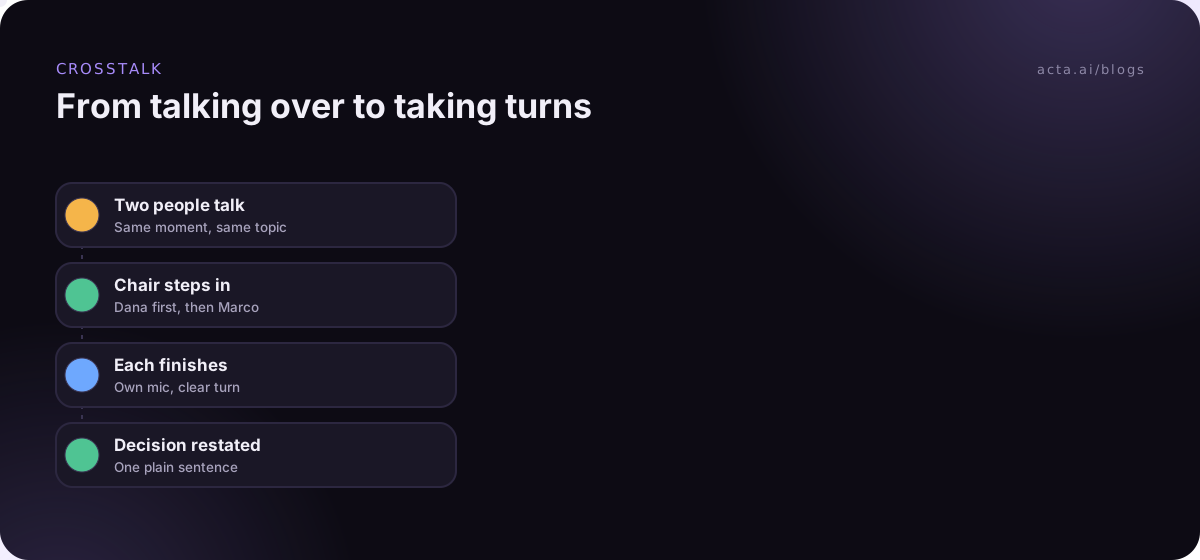
What actually helps:
- Separate microphones. When each person has their own mic (everyone on their own laptop or headset), overlapping voices are much easier to tell apart than when they share one room mic.
- A chair who manages turns. "Hold on, Marco, let Dana finish, then you." It sounds formal, but it also makes the meeting better for humans.
- Raise-hand in large calls. Every platform has one. In a 12-person call it saves both the transcript and people's patience.
- Restate decisions. At the end of a heated back-and-forth, the chair says the outcome in one sentence. Even if the overlap is garbled, the decision lands cleanly in the transcript.
Speaker labels are their own topic. If "who said what" is the part that keeps going wrong, our explainer on speaker diarization for meeting AI covers why labels drift and how tools fix them.
Does the way you record the meeting affect accuracy?
Yes, more than people expect. The three usual ways of capturing a call each hear something different:
- A meeting bot joins as a participant and gets the platform's mixed audio, often with speaker names from the participant list.
- A desktop recorder captures the meeting's sound on your computer plus your microphone. Your own voice comes from your mic, which is usually the cleanest audio in the call. If bots aren't welcome in the call, a desktop recorder like Acta's or a browser extension captures it from your own computer.
- A phone or room recorder for in-person meetings hears the room, echoes and all. Put it in the middle of the table, not next to the coffee machine.
Whichever method you use, tell people you're recording; it's good practice and in many places the law. Our guide on recording consent and what to tell participants covers the details (general information, not legal advice).
How do you check a transcript quickly?
Nobody rereads a 45-minute transcript word by word, and you don't need to. Check where errors cost something:
- Names and companies. Search the transcript for the names on your hard-words list. Misspellings tend to be consistent, so one find-and-replace fixes most of them.
- Numbers. Prices, dates, quantities and percentages. "Fifteen" and "fifty" are a classic swap.
- Decisions and action items. Read the summary, then jump to the moment in the transcript where each decision was made and confirm it.
- The speaker you know struggles. Skim a few minutes of their turns. If it's poor, fix their mic before the next meeting.
It also pays to know how a summary can go wrong when the transcript underneath it is shaky. Our piece on reducing hallucinations in AI meeting summaries explains why a summary can sound sure of itself even when the words it's built on were garbled.
Which settings and habits matter most? A short checklist
If you only change a few things, change these, roughly in order of payoff:
- Headsets or close mics for anyone who talks a lot, especially people whose accents the tool struggles with.
- No shared laptop in a meeting room; use a room system or individual devices.
- Correct spoken language and variant set before transcription starts.
- One layer of noise suppression, not three.
- A chair who manages turns and restates decisions.
- A list of names and jargon, used for a two-minute check afterwards.
Things I'd skip: expensive "AI microphones" for a team that still meets around one laptop, and swapping tools every month because of one bad transcript. Fix the room first, then judge the software.
A note on Acta
Acta records Zoom, Google Meet and Microsoft Teams with a meeting bot, a bot-free desktop app or a Chrome extension, and you can upload recordings from elsewhere. It writes a transcript with speaker names, a summary, decisions and action items, so the checking step above mostly means confirming names, numbers and owners. If transcripts come out poorly, the transcription issues help page lists what to check first.
Frequently asked questions
Can you improve transcription accuracy after the meeting has ended?
Only partly. You can correct names and terms, fix the language setting and re-run transcription if your tool allows, or clean the audio and upload it again. You can't recover speech that was drowned out or never reached a microphone, which is why setup matters more than cleanup.
Is a headset really better than a laptop microphone for transcription?
Usually, yes. A headset mic sits a few centimetres from your mouth, so your voice is much louder than the room around it. A laptop mic at arm's length picks up more echo and background noise, and the gap grows in a busy room.
Why does the transcript get speaker names wrong?
Speaker labels come from separating voices and then matching them to names. Shared microphones, similar voices and crosstalk all make that harder. Individual devices and fewer overlapping turns are the most reliable fixes.
Does noise suppression help or hurt transcription accuracy?
One moderate layer usually helps with steady noise like fans. Stacking several filters, or using the most aggressive setting in a quiet room, can distort voices. If voices sound clipped on playback, turn a layer off.
How do I transcribe a meeting with heavy accents accurately?
Give those speakers the best microphones, set the closest language variant, and ask everyone to avoid talking over each other. Then check names and numbers in their turns first.
If you'd like to try this on your own calls, Acta has a 15-day free trial.