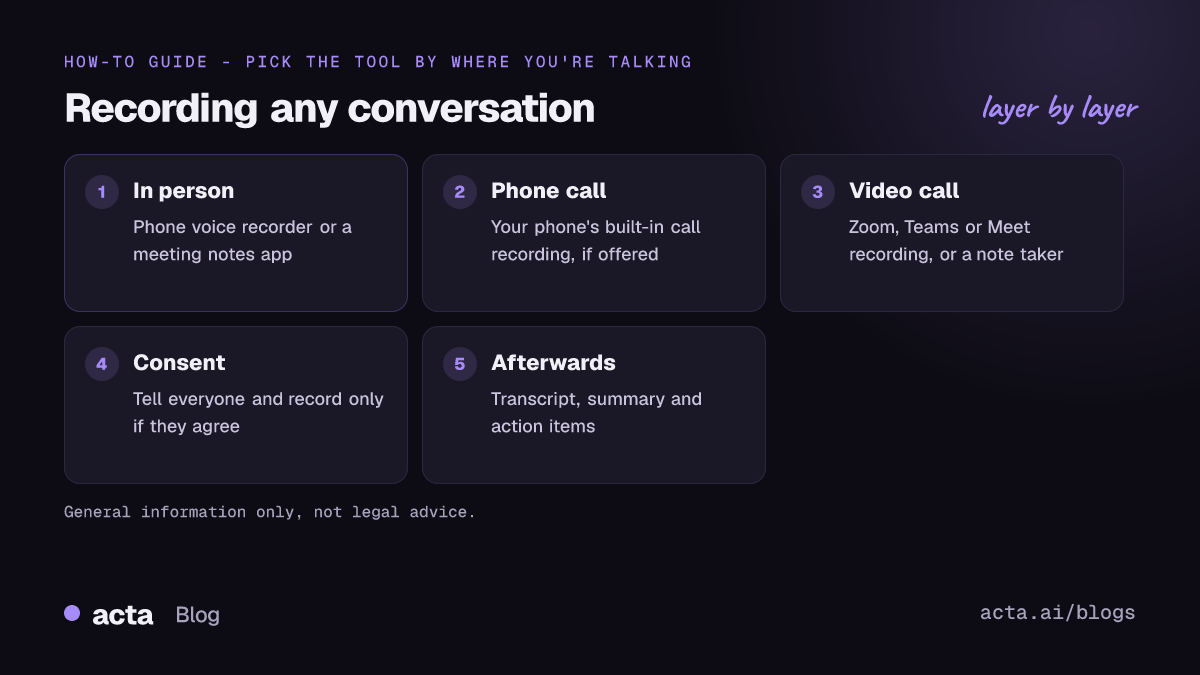
Quick answer: To record a conversation, pick the tool that matches where it happens: a voice recorder or meeting notes app on your phone for in-person talks, your phone's built-in call recording (where available) for phone calls, and Zoom, Teams or Google Meet recording or a note taker for video calls. Tell everyone first and get their consent where the law requires it.
People record conversations for ordinary reasons: an interview, a doctor's appointment, a client meeting, a lecture, a hard conversation they want to remember accurately. The mechanics are easy. The parts people get wrong are audio quality, consent, and what happens to the file afterwards.
This guide covers all three, by situation. Where we have a dedicated guide for a specific app or phone, we link to it rather than repeating it.
Is it legal to record a conversation?
Start here, because it decides whether you should press Record at all. This is general information, not legal advice.
In the United States, the federal wiretap law, 18 U.S.C. section 2511, generally allows a person who is part of a conversation, or who has the consent of one participant, to record it, unless the recording is made to commit a crime or a tort. This is usually called one-party consent.
States can be stricter, and several are. Many states follow one-party consent, while others require all parties to agree. When people in different states are on the same call, it is not always clear which rule applies, so the safe habit is to follow the strictest one. The Reporters Committee for Freedom of the Press keeps a state-by-state summary in its Reporter's Recording Guide, and the Digital Media Law Project's practical tips for recording conversations recommend checking your state's law before you record.
Other countries have their own rules, and data protection laws can apply even where recording itself is allowed, especially at work. For a fuller explainer, read is it illegal to record a conversation, and for meetings recorded with AI tools, see is it legal to record meetings with AI.
How to ask for consent without making it awkward
- Say why. "I'd like to record so I can focus on the conversation instead of writing."
- Ask before you start, not halfway through.
- Get the yes on the recording by repeating the question once it's running.
- Offer to share the notes or recording afterwards.
- Accept a no. Take written notes instead.
Secret recordings are where people get into trouble, both legally and with the people they recorded. If you wouldn't be comfortable telling someone, don't record them.
How to record an in-person conversation
For a conversation across a table, your phone is usually all you need.
Option 1: your phone's voice recorder
iPhones come with Voice Memos, and most Android phones include a voice recorder app. Open it, put the phone between you and the other person, and tap Record. This gives you an audio file and nothing else, which is fine for a short chat you just want to keep.
Option 2: a meeting notes app
If the conversation is a meeting, interview or appointment where you'll need notes afterwards, a meeting notes app saves a step. Acta's mobile apps record in-person meetings and turn them into a transcript with speakers, a summary, and action items with owners and due dates, so you don't have to transcribe anything yourself.
Tips for in-person audio
- Put the phone on a soft surface, like a notebook, to cut table noise.
- Keep it within about an arm's length of the quietest speaker.
- Pick a quiet spot: cafes and open-plan offices are hard on recordings.
- Turn on Do Not Disturb so calls and notifications don't interrupt.
- Check battery and storage before a long session.
- Do a ten-second test and play it back.
How to record a conversation on your phone during a call
Phone calls are the trickiest case, because what you can do depends on your phone's maker, your software version and your country.
- iPhone: check whether your iOS version and region offer call recording in the Phone app. See our guide to iPhone call recording.
- Android: some phone apps include call recording, depending on the device and region. See how to record phone calls on Android.
- Fallback: put the call on speaker and record with a second device, with the other person's agreement.
To be clear about what Acta does here: Acta does not record phone calls. If you record a call with your phone's own feature, you can upload the audio file to Acta afterwards to get the transcript, summary and action items.
How to record a video call
Zoom, Microsoft Teams and Google Meet all have built-in recording, but who can use it depends on your plan and your role in the meeting. We have a step-by-step guide for each:
If built-in recording isn't available to you, a note taker can capture the call instead. Acta can join Zoom, Google Meet and Teams calls as a bot from your calendar, or record without a bot using the desktop app for Windows and Mac, which records your computer's sound and your microphone (no screen recording). Without a visible bot, it is up to you to tell people you are recording.
How to get clear audio when you record a conversation
Transcripts and summaries are only as good as the audio behind them. A few habits make a big difference:
- Use a headset on calls. Laptop speakers and microphones pick up echo and room noise.
- One speaker at a time. Crosstalk is the hardest thing for any transcription to separate.
- Say names early. "Thanks, Priya" helps you, and the software, tell voices apart later.
- Mute when you're not talking in group calls.
- Keep the device still. Handling a phone creates loud rubbing noises.
- Avoid music and background TV. They compete with voices.
How to turn a recording into notes
A recording is a backup, not a record of what matters. Within a day, turn it into something you can act on:
- Get a transcript. Upload the file to a transcription or meeting notes tool, or use the one built into your meeting app.
- Pull out the essentials: decisions, action items with an owner and a date, and open questions.
- Write a short summary of three to five lines.
- Share it with the people who were there, so everyone agrees on what was said.
- Store or delete the original audio based on what you told people.
With Acta you can upload a recording, or record in Acta in the first place, and get the transcript with speakers, summary, action items and decisions log in one go. You can then ask questions across all your conversations with OneChat, which answers with links to the source.
Can you record a conversation at work?
Workplace recordings add a layer on top of the law: your employer's policies, and the expectations of colleagues and customers. Before you record a conversation at work, check three things.
- Company policy. Many organizations have rules on recording meetings, calls with customers, or HR conversations. Some forbid recording certain meetings entirely.
- Who else is in the room. A customer, candidate or patient may be in a different state or country, with different rules. Ask them directly.
- What the recording is for. Notes for a project meeting are one thing; recording a dispute with your manager is another. If the conversation is sensitive, talk to HR or a lawyer before recording, not after.
For recurring team meetings, the simplest approach is to agree once, as a team, that meetings are recorded for notes, put a line in the invite, and remind new attendees at the start. People who join for the first time should always hear it before the recording starts, not discover it in the notes later.
If you use an AI note taker at work, a visible bot in the participant list is the clearest signal. With a bot-free tool, make the announcement part of how you open every meeting.
Where should you keep the recording?
Treat recordings of other people as sensitive. Some simple rules:
- Keep them in one place you control, not scattered across phones and laptops.
- Share with the people who were in the conversation, not more widely, unless they agreed.
- Delete files you no longer need, especially audio of personal matters.
- If you use a cloud tool, check who in your organization can see recordings. In Acta, people only see meetings they have access to, and Acta does not use customer data to train AI models.
Frequently asked questions
Can I record a conversation without the other person knowing?
In some places the law allows one participant to record without telling others, but in others everyone must consent. Even where it is legal, telling people is the better practice. This is general information, not legal advice.
What is one-party consent?
It means only one person in the conversation, which can be you, needs to agree to the recording. US federal law follows this rule, but some states require all parties to agree.
What's the easiest way to record an in-person conversation?
Use your phone's voice recorder, or a meeting notes app such as Acta's mobile app if you also want a transcript and summary. Put the phone between speakers in a quiet room.
Can Acta record my phone calls?
No. Acta does not record phone calls. Record the call with your phone's built-in feature where it is legal and available, then upload the audio file to Acta for notes.
How do I turn a recorded conversation into text?
Upload the audio to a transcription or meeting notes tool. A meeting notes tool will also give you a summary and action items, which saves reading the whole transcript.
Want notes from your next conversation without typing them? Start a free 15-day Acta trial.