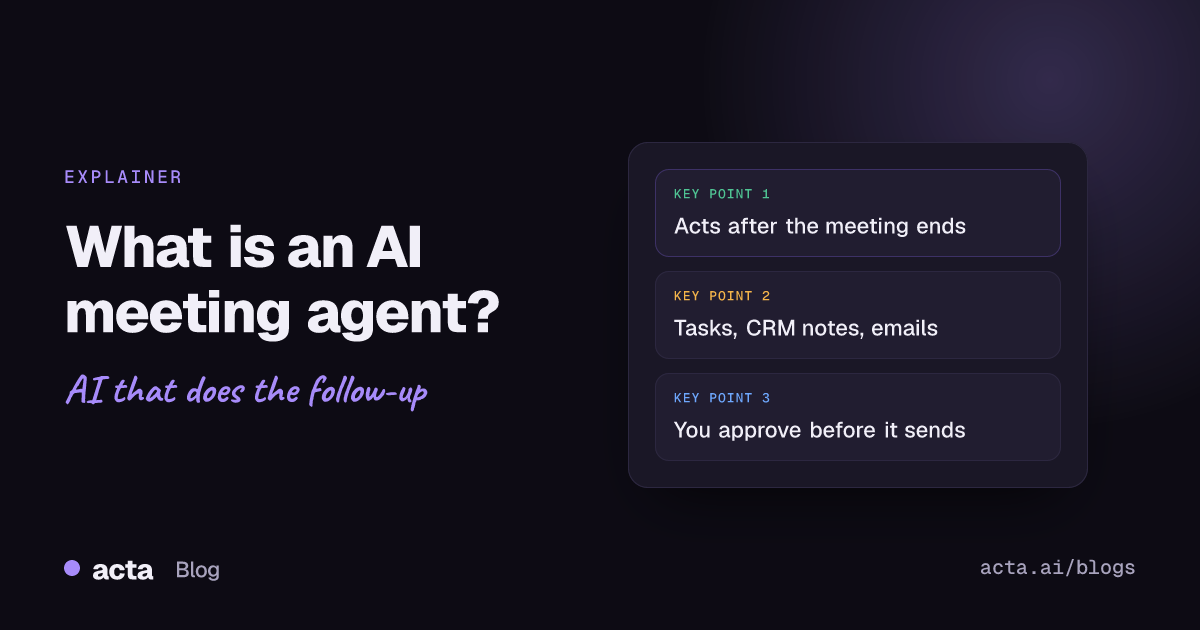
Quick answer: An AI meeting agent is software that does work after your meetings instead of only writing notes. It reads the transcript, summary, action items and decisions, then takes steps you set: creating tasks, adding CRM notes, drafting follow-up emails, posting to Slack or scheduling the next meeting. Good ones pause for human approval before anything reaches a customer.
Most teams already have an AI note taker. The notes are fine. The problem is what happens next: the recap email goes out two days late, the CRM never hears about the call, and half the action items live only in the summary nobody reopens.
A meeting agent is the next step. This explainer covers what it is, how it differs from a note taker and from a Zapier-style automation, what it can do, why human approval matters, and how to build your first one.
What is an AI meeting agent?
An AI agent, in the general sense, is software that uses a generative AI model to reason and act toward a goal. Google Cloud's overview of AI agents describes them as AI-powered applications that understand requests in natural language and can automate tasks.
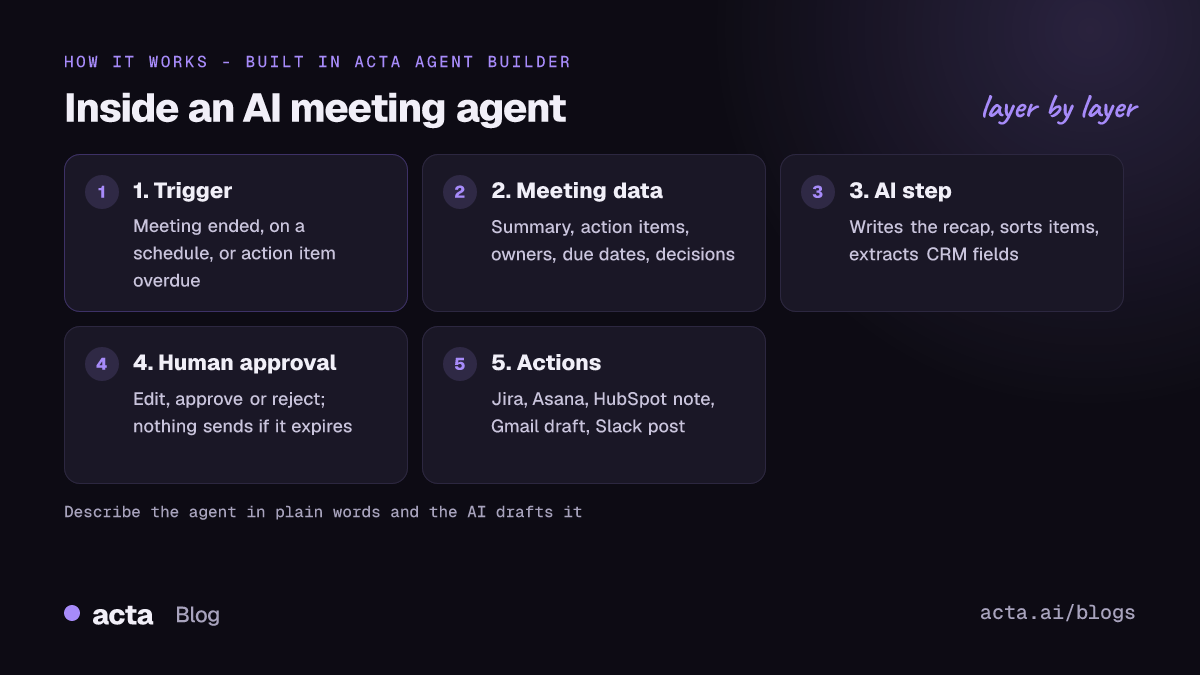
A meeting agent applies that idea to one specific source of work: your meetings. It has three parts:
- A trigger. Something that starts it, such as a meeting ending, an action item going overdue, or a decision being reversed.
- Meeting context. The transcript, summary, owners, due dates and decisions from the meeting, and often from earlier meetings too.
- Actions. Steps in other tools: a Jira issue, an Asana task, a HubSpot note, a Gmail draft, a Slack message, a calendar invite.
The "agent" part is that some of those steps involve judgement. An AI step writes the email in your voice, sorts action items by team, or decides which tools to use to answer a question.
How is an AI meeting agent different from an AI note taker?
An AI note taker records and summarises. Its output is a document: transcript, summary, maybe action items. You still do everything that follows. Our explainer on what an AI notes taker is covers that category in detail.
An agent starts where the note taker stops. It uses those notes as input and does the follow-up. In practice the two often live in the same product: the note taker produces the data, and the agent acts on it.
Because a meeting agent works on recordings, the usual rules apply. Get consent from participants where the law requires it, and tell people what the recording is used for. Our guide on whether it is legal to record meetings with AI explains what to say.
How is it different from a Zapier-style automation?
Zapier, Make and n8n connect apps with fixed rules: when X happens, do Y with fields A and B. They are excellent at that, and they connect to far more apps than any meeting tool.
For meetings, the gap is context. A general automation tool does not record meetings, so it needs a separate recorder to send it a transcript or summary, and every step after that is a mapping you maintain. It also has no built-in idea of what an action item, an owner or a decision is.
A meeting agent built into the recorder already knows those things. It can ask "which action items from this call are still open?" or "was this decision changed last week?" without you parsing text. We compare the approaches in detail in Acta Agent Builder vs Zapier for meeting automation.
What can an AI meeting agent do after a meeting?
Here are common jobs, each built in Acta Agent Builder from the triggers and actions it supports today.
Turn action items into tasks
Trigger: Meeting ended. Step: get the meeting's open action items. Step: For each item (up to 100), create a Jira issue or an Asana task with name, description, assignee, due date and project.
Add a note to the CRM
After a sales call, pull a template result such as a MEDDPICC deal report or BANT, have an AI step condense it, and add it as a note on the HubSpot, Salesforce or Zoho contact matched by email.
Draft the follow-up email
An AI step writes the recap; a Gmail step saves it as a draft or a reply draft (where available), or sends it to up to 20 recipients after approval. Our guide on how to automate meeting follow-up emails walks through it.
Post a recap to Slack
Send a message to a channel or a person, or reply in a thread, with decisions and owners.
Schedule the next meeting
A Google Calendar step finds free times and creates an event with guests and an optional Meet link.
Send a weekly digest
Trigger: On a schedule, weekly at a set time and timezone. Steps: list the week's meetings, decisions and overdue action items, summarise them with an AI step, and post the digest to Slack or email it.
Chase what slipped
The "Action item overdue" trigger can message the owner. The "Decision changed or reversed" trigger can alert the people who depended on the old decision. This is where agents help most, because most follow-through fails quietly; see why meeting action items don't get done.
Prepare you before the next call
"Before a meeting starts" fires 1 to 1,440 minutes ahead, with the attendee list. An AI agent step can search past meetings with those people and send you a short brief.
Why does human approval matter for a meeting agent?
An agent that writes to customers, your CRM or your issue tracker is acting on your behalf. Models make mistakes: a wrong owner, a promise that was never made, a tone that does not fit the account. Approval keeps a person responsible for what leaves the building.
This is not just common sense. The NIST AI Risk Management Framework is voluntary guidance for managing AI risk across design, development and use, and human oversight is a recurring theme in it. Developer tooling reflects the same idea: OpenAI's Agents SDK guide to human-in-the-loop shows tools marked as needing approval, with the run pausing until someone decides.
In Acta Agent Builder, the human approval step works like this:
- The run pauses and the item appears in an Approvals inbox.
- The reviewer can edit the text, then approve or reject.
- An optional email arrives with Approve and Reject buttons.
- If nobody answers before it expires (24 hours by default, up to 7 days), nothing is sent.
Two more guardrails matter. The AI agent step treats text it gets from tools, such as a web page or a meeting transcript, as data, not as instructions. And the "Drafts to copy" step produces LinkedIn, X, blog, newsletter, Instagram or Facebook drafts but never posts them. A rule of thumb: keep approval on for anything external, and remove it only for internal steps you have watched run correctly for a while.
How do you build an AI meeting agent in Acta?
Acta Agent Builder is new in Acta. An agent is one trigger plus steps, and you have three ways to start: from scratch, from a template, or by describing it in plain words.
- Describe it. For example: "After any meeting with Weekly sync in the title, create a Jira issue for each open action item, post the decisions to the product Slack channel, and ask me before posting." The AI drafts the agent and lists the things you still need to fill in.
- Check setup. It flags missing settings and app connections, such as a Slack workspace you have not connected.
- Test. Test runs show what would be sent without sending it. You can test one step, send a test to your own Slack channel or email, or use a sample event from a connected app.
- Turn it on. Each turn-on saves a version you can restore. History shows what every step did on every run.
Triggers go beyond "Meeting ended": run manually, on a schedule, from a webhook or form, from another agent, or from events in connected apps such as a new HubSpot deal, a Jira issue moved to done, or a new Zendesk ticket. When you need a tool Acta does not connect to, use the webhook, HTTP request or MCP tool step, or hand off with "Send to a Zap" or "Send to a scenario". It does not support Microsoft Teams chat, Google Chat, Outlook email or Pipedrive, and a code step is coming later.
If you would rather start from something ready-made, the Acta agents page lists agents by team. For more recipes, see our collection of meeting automation workflows. You can also ask questions of your meetings from Claude or ChatGPT through Acta's MCP server.
What should you look for when choosing a meeting agent?
- Where the meeting data comes from. Does it record the meeting itself, or depend on another tool sending it notes?
- Structured meeting data. Can it read action items with owners and due dates, and decisions with their history, not just raw text?
- Approval and testing. Is there a real approval step with expiry, and can you test without sending?
- The apps you actually use. Check your CRM, task tracker, email and chat tool against its list, and check what it does not support.
- Access control. In Acta, people only see meetings they have access to, and Acta does not use customer data to train AI models.
- A history you can audit. You should be able to see what every step did and roll back a change.
Frequently asked questions
Is an AI meeting agent the same as a meeting bot?
No. A meeting bot joins a call to record it. An AI meeting agent acts on the meeting afterwards. Acta can record with a bot or without one, through the desktop app, Chrome extension or mobile apps.
Can an AI meeting agent send emails on its own?
It can, but you decide. Add a human approval step and the email waits for someone to approve, edit or reject it; if the approval expires, nothing is sent.
Do I need to know how to code to build one?
No. In Acta Agent Builder you can describe the agent in plain words and the AI drafts it, then you fill in what it lists as missing and test it.
What is the difference between an AI agent step and an AI step?
An AI step does one job you define, such as writing, summarising or extracting fields. An AI agent step picks its own tools, such as meeting search, action items, decisions or web search, to reach a goal.
Can a meeting agent work with Zapier or Make?
Yes. Acta Agent Builder can send data to a Zap or a Make scenario, call webhooks and HTTP endpoints, and use MCP tools for apps it does not connect to directly.
Ready to build your first meeting agent? Try Acta free for 15 days.