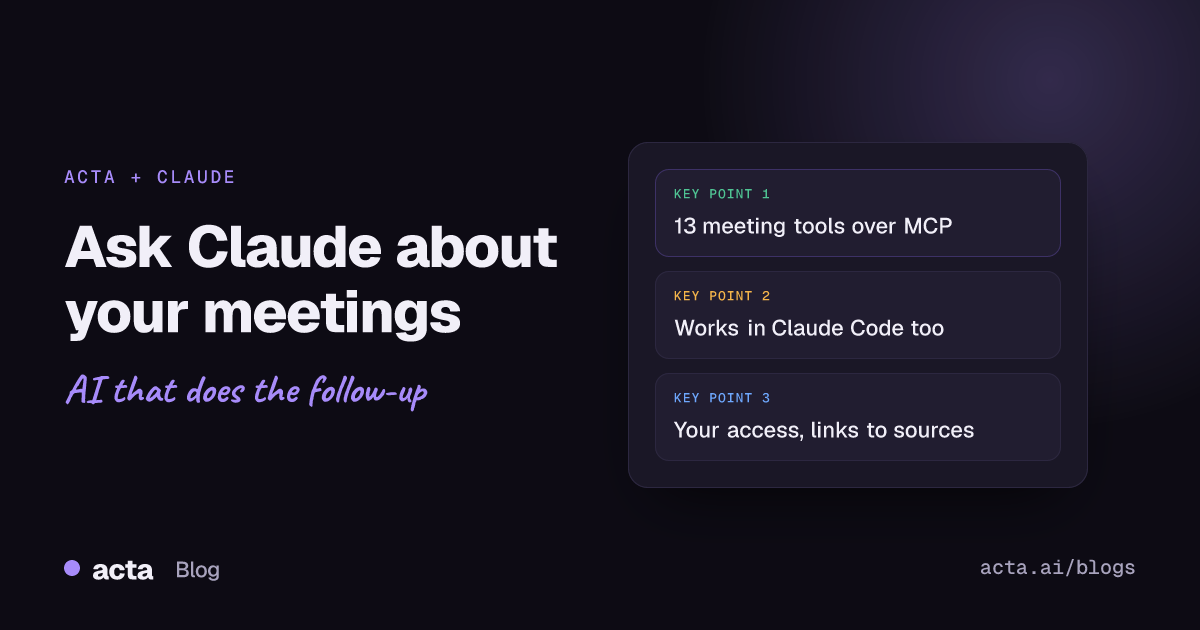
Quick answer: Acta has a remote MCP server, so Claude can answer questions about your meetings. Add Acta as a connector in Claude (or in Claude Code), sign in with your Acta account, and ask things like "What did we promise Northwind last month?" Claude searches your meetings, transcripts, decisions and action items through Acta's tools and answers with links back to each meeting.
Most of what a team agrees happens out loud. It lands in a meeting, gets summarised, and then sits in a meeting tool while the actual work happens somewhere else: in a chat with Claude, in a code editor, in a planning doc. Every time you need a decision or a promise, you go back, search, copy and paste.
Acta's MCP server removes that step. Claude can look up your meetings itself, when your question needs them, using your own Acta access. It works with everything Acta already captures (see Acta's features). This post explains what the server is, which tools it gives Claude, where you can use it, and how to set it up in a few minutes.
What is an MCP server?
MCP stands for Model Context Protocol, an open standard for connecting AI assistants to outside tools and data. An MCP server describes a set of tools, each with a name, a description and the inputs it accepts. An AI client such as Claude reads those descriptions, decides which tool fits your question, calls it and uses the result in its answer.
A remote MCP server runs on the web, so there is nothing to install. You give Claude the server's address, sign in, and Claude can use the tools from then on. Anthropic's help article on getting started with custom connectors using remote MCP covers how this works on the Claude side, including plans and sign-in.
For Acta, the important part is simple: the server speaks for your Acta account. It can only reach the meetings you can already open in your Acta dashboard.
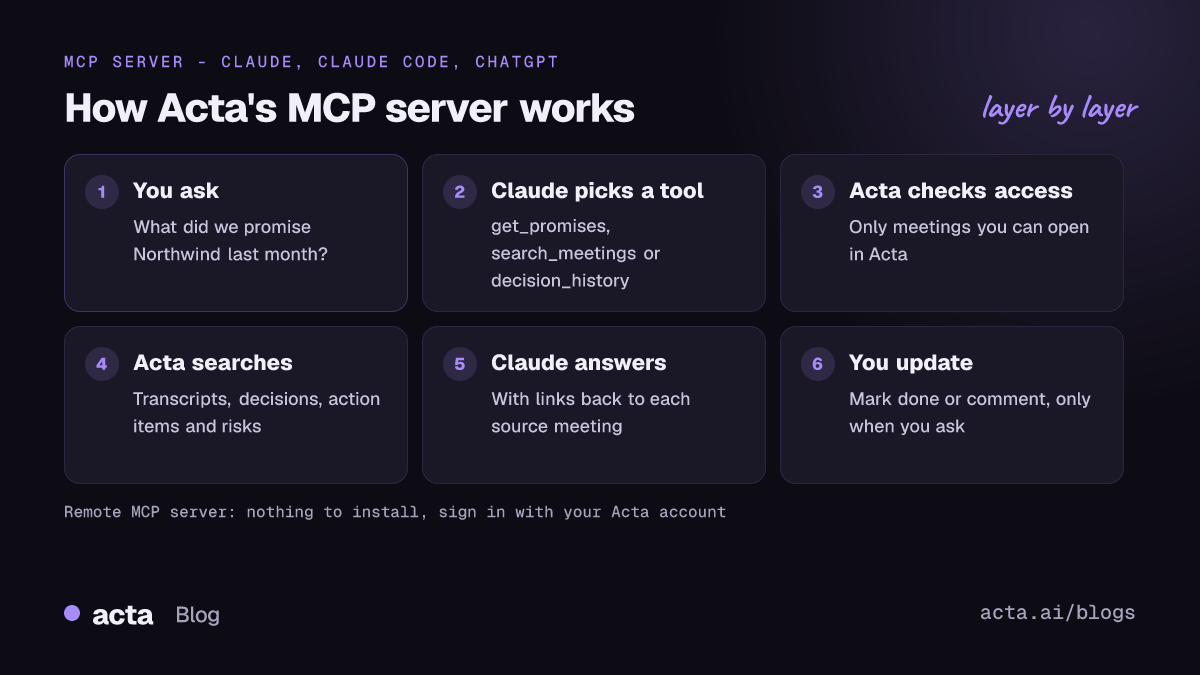
What can Claude do with Acta's MCP server?
Acta's server gives Claude thirteen tools. Most of them read; three can change something, and only when you ask.
Find and read meetings
- list_meetings lists your meetings, newest first, filtered by date, title or a person who attended.
- search_meetings searches what was said, decided or agreed and returns the best matching transcript moments, summaries, decisions and action items, each with its meeting and time.
- get_meeting returns one meeting's participants, summary, action items, decisions and key points.
- get_transcript reads a meeting's transcript with speakers and times, a page at a time, for when Claude needs the full conversation.
Follow the work that came out of meetings
- list_action_items shows action items with owner, due date and status, including what is overdue.
- get_promises answers "what do we owe this customer?" or "what did I promise?", with owners, due dates and how late each item is.
- list_decisions lists decisions from your decision log with status (active, changed, reversed or done), who decided and who owns them.
- decision_history explains why and how a decision was made: every meeting where it was raised, confirmed, changed or reversed, with the transcript moments around it.
- check_follow_through checks whether decisions were carried out, grouping them as slipped, not started, in progress or done based on their action items.
- find_risks collects risks raised in meetings, plus warning signs such as overdue promises, with their level, impact and agreed or suggested mitigation.
Close the loop (only when you ask)
- mark_action_item_done marks one of your action items done.
- comment_on_action_item adds a comment to an action item, under your name.
- set_decision_status sets a decision to active, done or reversed.
Each change shows in Acta as made through the assistant, and you can undo it there. Claude also asks your permission before it uses a tool, and you choose which tools it may use without asking.
What kinds of questions work well?
Because the tools cover decisions, promises and risks, not only transcripts, you can ask the questions managers actually have. A few examples:
- Catching up: "What did my team decide this week, and what is still open?"
- Before a customer call: "Prep me for my call with Northwind. What did we promise them last month, and is anything late?"
- Tracing a decision: "Why did we move the launch to March, and who made the call?"
- Checking delivery: "Did we do what we decided in the Q3 planning meetings?"
- Spotting trouble: "Which risks came up with Contoso in the last two months, and do they have owners?"
- Writing: "Draft a follow-up email to Priya covering the action items from today's pricing review."
- Updating: "I've sent the revised proposal. Mark that action item done and comment 'Sent on Friday'."
Every answer includes links to the meetings it came from, so you can open the source in Acta before you act on anything important. For more patterns, see our guide to using Claude with your meeting notes and the short answer on asking questions across all your meetings.
How do you connect Acta to Claude?
You need an Acta account with some meetings in it, and a Claude plan that supports connectors.
- Open your Acta settings and copy the MCP server URL. The AI assistants page has the details.
- In Claude, open Settings, then Connectors, and choose Add custom connector.
- Name it Acta, paste the server URL and click Add.
- Click Connect. An Acta sign-in window opens; sign in and click Allow.
- Start a new chat, check that Acta is turned on in the tools menu, and ask your first question.
On Team and Enterprise plans, an owner usually adds the connector for the organisation first, and then each person connects with their own Acta sign-in. Claude's help article linked above explains the current steps for each plan.
Can you use Acta's MCP server in Claude Code?
Yes. Claude Code connects to remote MCP servers over HTTP, so engineers can bring meeting context into the terminal. The Claude Code documentation on connecting Claude Code to tools via MCP shows the claude mcp add command; add Acta with the HTTP transport and the same server URL, then sign in when Claude Code asks.
That makes questions like these possible while you work:
- "What did we agree in Tuesday's design review about the upload size limit?"
- "List the action items assigned to me from this sprint's planning meetings."
- "Which decisions about the billing service changed in the last month?"
Product and engineering teams often pair this with Acta's tools for product and engineering, such as ticket suggestions from engineering meetings.
Does it work with ChatGPT and other assistants too?
MCP is an open standard, so the same server works with other assistants that support remote MCP servers with sign-in, including ChatGPT. The tools, permissions and links back to Acta stay the same. If you are comparing meeting tools on this point, our guide to the best AI meeting assistants for ChatGPT, Claude and Copilot looks at how far each one goes.
Is it safe to let Claude read your meetings?
Connecting meeting data to an AI assistant is a reasonable thing to be careful about. Here is how Acta's server handles it:
- Your access, nothing more. You sign in with your own Acta account. Claude only reaches meetings you can already see in Acta.
- Meeting text is treated as data. Results from Acta tell the assistant that transcripts and notes are meeting content, not instructions, so a sentence spoken in a meeting cannot direct Claude to do something.
- Changes are opt-in and visible. The three tools that change something act only when you ask. Each change is labelled in Acta and can be undone.
- You can disconnect at any time, from Claude's connector settings.
- No training on your data. Acta does not use customer data to train AI models.
Our security page has more on how Acta handles meeting data.
How do you get better answers?
- Say "use Acta" when a question could be about something other than meetings.
- Name the customer, project or person. "What did Ravi commit to in the Northwind renewal calls?" works better than "What did he say?"
- Give a time frame, such as "this week" or "since August". Without one, most tools look back 30 to 90 days.
- Ask follow-up questions in the same chat. Claude keeps the meeting ids it found and can open the transcript for detail.
- Open the source links before acting on anything that matters.
Frequently asked questions
Does Acta have an MCP server?
Yes. Acta has a remote MCP server that lets Claude, Claude Code and other MCP-compatible assistants search your meetings, transcripts, decisions, action items and risks, using your own Acta sign-in.
Can Claude change anything in Acta?
Only when you ask. Claude can mark an action item done, comment on an action item or change a decision's status. Each change is labelled in Acta as made through the assistant and can be undone.
Will Claude see meetings I don't have access to?
No. The server uses your Acta account, so Claude only sees the meetings you can open in your own Acta dashboard.
Do I need to install anything?
No. It is a remote server, so you add its URL as a connector in Claude or with claude mcp add in Claude Code, then sign in.
Which Claude plans support connectors?
That depends on Claude's current plans. Anthropic's help center lists which plans can add custom connectors and any limits.
Bring your meetings into Claude: start your free Acta trial, then add the connector in Claude's settings.