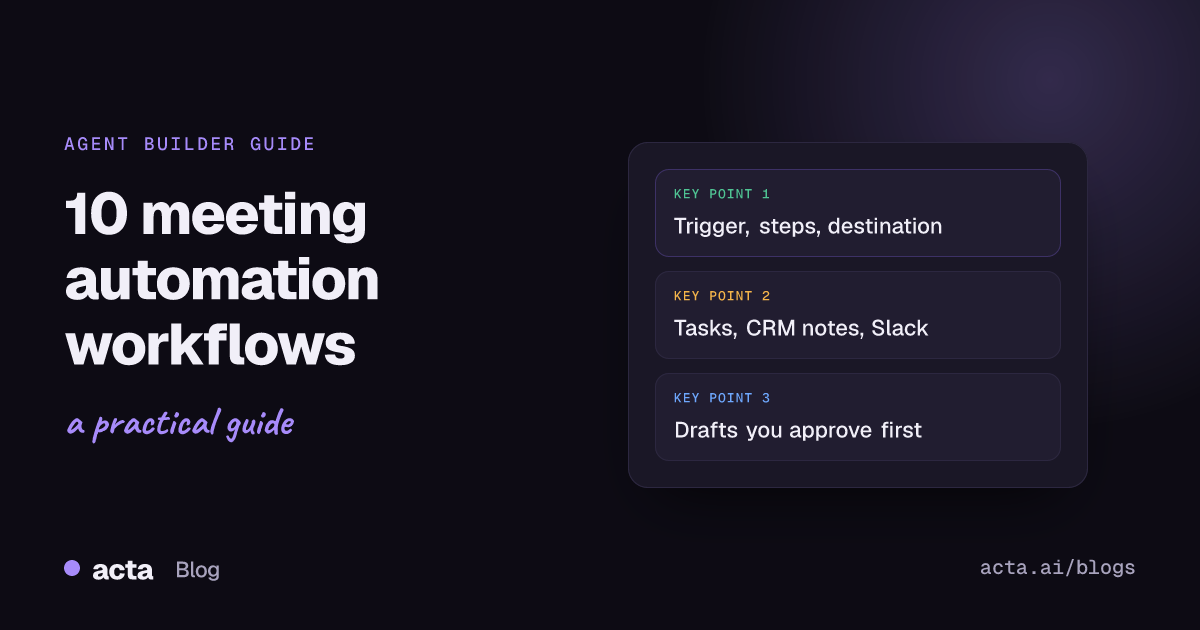
Quick answer: The meeting automation workflows worth building first are the ones that move information out of a meeting and into the tool where work happens: action items to Asana or Jira, a CRM note after sales calls, a follow-up email draft, a Slack recap, overdue reminders, decision alerts, prep briefs, a weekly digest, support tickets and scheduling the next meeting.
A meeting produces three useful things: decisions, tasks and context. Most of it stays in someone's notes. Meeting automation workflows fix that by running the same steps every time a meeting ends, or before one starts, so nobody has to remember to copy anything across.
Below are ten workflows, each written as trigger, then steps, then destination. All ten can be built in Acta Agent Builder, which is new in Acta. Use them as a menu: pick the two or three that match where your team loses the most time.
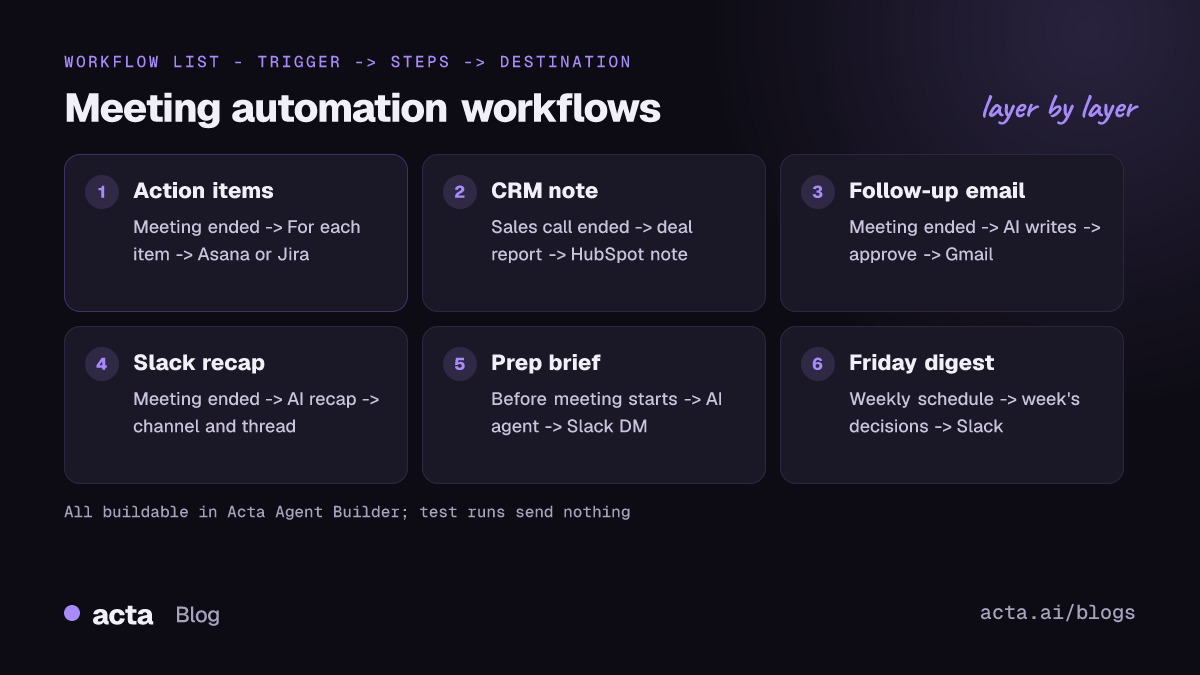
What are meeting automation workflows?
A meeting automation workflow is a small, repeatable process with three parts:
- Trigger: what starts it. A meeting ending, a meeting about to start, an action item going overdue, a schedule such as every Friday, or an event in another app.
- Steps: what happens in between. Pull the meeting's summary or action items, ask an AI step to write or sort something, branch with If/else, loop with For each, or wait for a person to approve.
- Destination: where the result lands. Slack, Gmail, Google Calendar, Google Sheets, Jira, Asana, HubSpot, Salesforce, Zoho, Zendesk or Freshdesk.
In Acta Agent Builder, one agent is one trigger plus its steps. You can start from a template, build from scratch, or describe the workflow in plain words and let the AI draft it, with a list of things still to fill in.
Which meeting tasks can be automated first?
Start where the cost of forgetting is highest. A useful test: if a task has to happen after every meeting of a certain type, and it is mostly copying or summarizing, automate it. If it needs judgement every time, automate the draft and keep a human approval step. HBR's guide to getting your team to follow through after a meeting stresses owners, deadlines and someone checking in between meetings; several of the workflows below do exactly that checking for you.
Workflows that move action items into your task tools
1. Action items to Asana or Jira
Trigger: Meeting ended, filtered to titles that contain "Sprint" or "Project". Steps: Acta data step gets the meeting's open action items, then For each (up to 100 items). Destination: Asana "create a task" with name, description, assignee, due date and project, or Jira "create an issue".
This is the classic way to automate action items: the person who said "I'll take that" gets a task with a date, without anyone retyping it. For a full setup, see sending meeting action items to Asana and syncing action items to Jira, HubSpot and Salesforce. For engineering meetings, the "Ticket suggestions" template result is a good input to the Jira step.
2. Overdue action item reminder
Trigger: Acta event "Action item overdue". Steps: an AI step writes a short, friendly nudge with the task, the meeting it came from and the original due date. Destination: a Slack message to the owner.
Keep the tone light and the message short. The point is a reminder, not a reprimand.
Workflows for sales and customer calls
3. CRM note after a sales call
Trigger: Meeting ended, title contains "Demo" or "Discovery". Steps: Acta data step gets the meeting template result, such as a MEDDPICC deal report or BANT, then an AI step trims it into a note. Destination: HubSpot, Salesforce or Zoho "add a note to a contact", matched by email.
Reps stop writing call notes at 6pm, and managers see the same structure on every deal. The step-by-step version is in how to update the CRM after a sales call.
4. Follow-up email draft
Trigger: Meeting ended. Steps: Acta data step gets the summary and action items, an AI step writes the email, then a Human approval step. Destination: Gmail "Send an email" after approval, or Gmail "Save a draft" (where available).
Draft, don't auto-send. The approval step lets you edit the text before it leaves, and if nobody answers before the request expires (24 hours by default, up to 7 days), nothing is sent. The full walkthrough is in how to automate meeting follow-up emails.
5. Support call to a Freshdesk or Zendesk ticket
Trigger: Meeting ended, title contains "Support" or "Escalation". Steps: an AI step extracts fields: the customer's problem, steps already tried, what was promised and priority. An If/else step checks whether a ticket number was mentioned. Destination: Zendesk or Freshdesk "create ticket", or an internal/private note on the existing ticket, with status, priority and tags updated.
The support case summary from customer calls post shows what a good case summary should contain.
Workflows that keep people informed
6. Slack recap to a channel
Trigger: Meeting ended, filtered by title. Steps: an AI step writes a five-line recap: decisions, owners, open questions. Destination: a Slack message to a channel, with details as thread replies.
Posting the headline and putting the detail in a thread keeps busy channels readable; Slack's own help page on using threads to organize discussions explains how replies and notifications work. If you only want the standard notes, you don't need an agent: Acta's Slack integration can post meeting notes to a channel automatically, with your choice of Summary, Decisions, Action items and Key takeaways, an optional title filter and an "Open in Acta" button. Create a dedicated channel per team or customer first; Slack's guide to creating a channel covers the options.
7. Decision changed alert
Trigger: Acta event "Decision changed or reversed". Steps: Acta data step gets the decision, who decided and the meetings where it was raised and changed; an AI step writes a two-sentence "what changed and why". Destination: Slack message to the project channel, or a row added to a Google Sheets decision log.
Reversed decisions are where projects quietly drift. An alert means the people affected hear about it the same day, not at the next status review.
8. Weekly Friday digest
Trigger: On a schedule, weekly on Friday at 3pm in your timezone. Steps: Acta data steps list the week's meetings, decisions, and action items that are open or overdue by owner; an AI step summarizes them into "done, slipped, next week". Destination: Slack message to the team channel, or a Gmail email to up to 20 recipients.
A digest is the easiest way to show leadership what meetings produced without asking anyone to write a status report.
Workflows for meeting prep and scheduling
9. Prep brief before a meeting
Trigger: Acta event "Before a meeting starts", set anywhere from 1 to 1,440 minutes ahead, which includes the attendees. Steps: an AI agent step searches past meetings with those attendees, open action items and recent decisions, and can read a web page or run a web search about the company. Destination: a Slack message to you, or an email to yourself.
Thirty minutes before a renewal call, you get the last three conversations, every promise still open, and what changed since. The AI agent step treats text from its tools as data, not instructions.
10. Schedule the next meeting
Trigger: Meeting ended, title contains "Weekly" or "Kickoff". Steps: an AI step checks whether a next meeting was agreed; If/else continues only when it was; Google Calendar "find free times"; a Human approval step. Destination: Google Calendar "create an event" with guests and an optional Meet link.
Google's help page on finding times to meet in Google Calendar explains how free/busy works when guests have shared their calendars. Keep the approval step: an invite lands in other people's calendars.
How do you build and test these meeting automation workflows?
The same routine works for all ten meeting automation workflows:
- Pick one workflow and write it as trigger, steps, destination on one line.
- Create the agent from a template, from scratch, or by describing it in plain words.
- Connect the destination app (Slack, Gmail, Asana and so on) and run "Check setup", which flags missing settings and app connections.
- Test with real data. Test runs show what would be sent without sending. Use Test one step for the AI step, use a sample event from the connected app for app triggers, or send a test to your own Slack channel or email.
- Turn it on. Each turn-on saves a version you can restore.
- Check History after the first few runs to see what every step did, and tighten the AI instructions if the output drifts.
Start narrow with a title filter, then widen it once you trust the output.
What are the limits of meeting workflow automation in Acta?
Being clear about limits saves a failed rollout:
- Not supported: Microsoft Teams chat, Google Chat, Outlook email and Pipedrive. Notion has no built-in action, but you can reach it through an MCP tool step.
- No social posting: the "Drafts to copy" step writes LinkedIn, X, blog or newsletter drafts but never posts them.
- No code step yet; it is coming later. For custom logic, use the HTTP request or Webhook steps, or hand off to an existing flow with Zapier's "Send to a Zap" or Make's "Send to a scenario". If you are weighing the tools, see Agent Builder compared with Zapier for meeting automation.
- Gmail drafts, replies and Gmail triggers may not be available yet while Google's security review is pending.
- App-event triggers are checked about every 5 minutes, so they are not instant.
What do these workflows need from your meetings?
Every workflow here starts from what was captured in the meeting. Acta joins Zoom, Google Meet and Microsoft Teams with a meeting bot from your calendar, or records without a bot through the desktop app or Chrome extension, and the mobile apps cover in-person meetings. Recording needs consent where the law requires it, so tell people at the start; our guide to the legal side of recording meetings with AI covers what to say. People only see meetings they have access to, and Acta does not use customer data to train AI models. Browse ready-made agents for sales, support, product and recruiting on the Acta agents page.
Frequently asked questions
What are some meeting automation examples for a small team?
The best starting pair is a Slack recap to a channel and action items to Asana or Jira. Both run on the "Meeting ended" trigger and take a few minutes to set up and test.
Can I automate meeting notes without building an agent?
Yes. Acta writes summaries, action items and decisions for every captured meeting, and its Slack integration can post those notes to a channel automatically. Build an agent when you need the result somewhere else or in a custom format.
Can a workflow send emails or messages without a person checking?
It can, but for anything external add a Human approval step. The run pauses in the Approvals inbox, you can edit and approve, and if nobody answers before it expires, nothing is sent.
Does Agent Builder work with Microsoft Teams chat or Outlook?
No. Teams chat and Outlook email are not supported. Acta can still capture Teams meetings; the actions go to Slack, Gmail and the other listed apps.
How many items can one workflow handle?
A For each step loops over up to 100 items, which covers the action items from almost any meeting. A Wait step can pause a run for up to 30 days.
See which plan fits your team on the Acta pricing page, with a free 15-day trial.