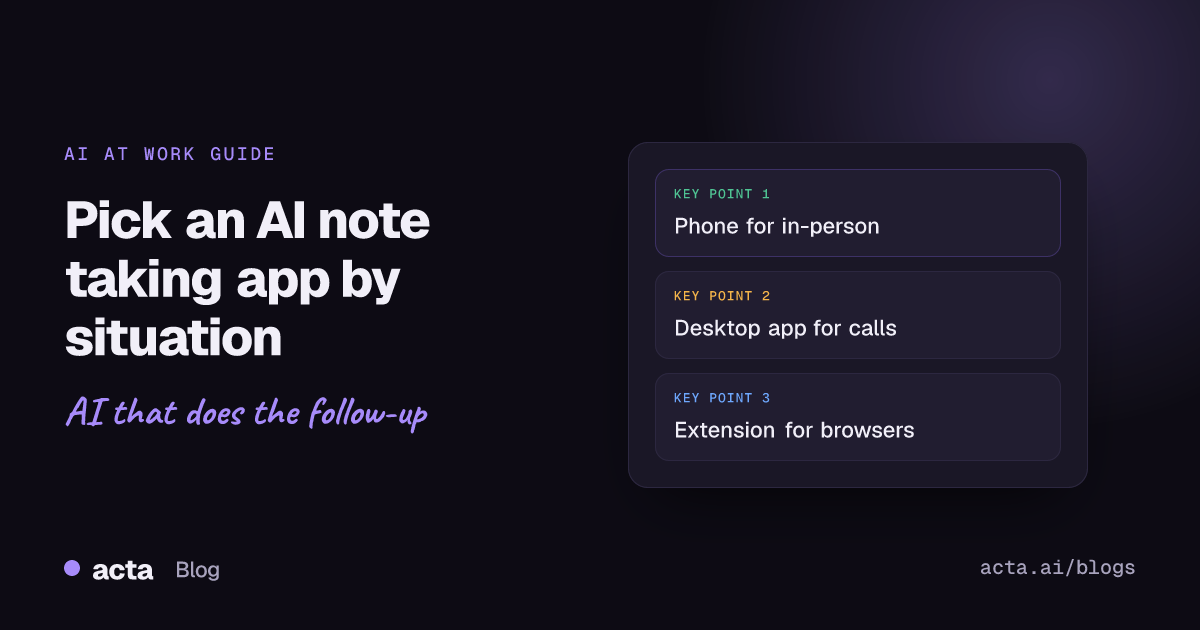
Quick answer: An AI note taking app records speech and turns it into a transcript, summary and action items. Choose by device and situation: a phone app for in-person meetings, lectures and interviews; a desktop app or browser extension for video calls; and a dedicated meeting note taker, rather than a general note app with AI features, if you need owners, deadlines and search across meetings.
"AI note taking app" covers a lot of ground. It can mean a phone app that records a lecture, a desktop app that listens to your Zoom calls, a browser extension for Google Meet, or a familiar notes app that has gained a record button and a summary feature. They are not interchangeable.
This guide sorts AI note taking apps by where you use them and what you need afterwards, so you can match the app to the situation instead of reading another ranked list. If you are new to the idea, start with our explainer on what an AI notes taker is and how it works.
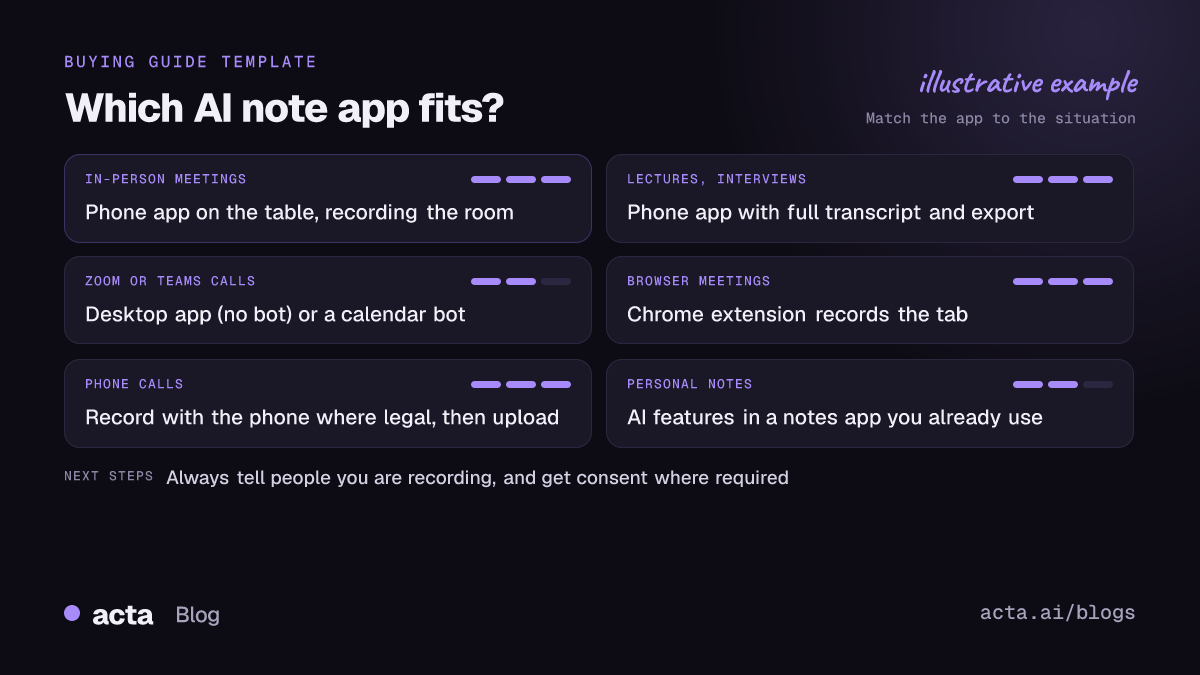
What is an AI note taking app, and what kinds are there?
All AI note taking apps do two jobs: capture speech and turn it into useful text. Where they differ is how they capture, and how much they do with the text.
- Phone apps record the room. Good for in-person meetings, classes, interviews and site visits.
- Desktop apps record your computer's sound and microphone during calls, without a bot joining.
- Browser extensions record meetings that run in a browser tab.
- Meeting bots join Zoom, Teams or Meet calls from your calendar as a visible participant.
- General note apps with AI add recording, transcription or summaries to a notes or docs tool you already use.
Many products combine several of these. The question is which one covers the meetings you actually have.
Which AI note taking app works best on a phone?
Phones are the natural choice when people are in the same room. If you are searching for an AI note taking app for iPhone or Android, think about three common situations.
In-person meetings
Team meetings around a table, client visits, board meetings and 1:1s over coffee all need a device in the room. A dedicated app records, then produces the transcript, summary and tasks once you stop. Acta's mobile apps are built for in-person meetings and feed into the same workspace as your online calls, so action items from a hallway conversation sit next to those from Zoom.
Lectures and classes
Students and trainees want lecture notes they can search and revise from. Otter, for example, describes its app as creating notes for in-person conversations as well as Zoom, Google Meet and Microsoft Teams, and it is widely used in education. Before you record a class, check your school's rules on recording lectures and ask the lecturer if you are unsure.
Interviews and research conversations
For journalists, researchers and recruiters, exact quotes matter more than a neat summary. Choose an app that keeps the full transcript with timestamps and speaker labels, and lets you export it.
What about phone calls?
Phone calls are a different case. Most meeting apps, Acta included, do not record phone calls. The honest route is to record with your phone's own feature where it is available and legal, then upload the audio file to a note taker for the transcript and summary. Our guide on how to record a conversation covers phone calls, in-person chats and video calls.
Do you need a desktop AI note taking app for calls?
If most of your meetings are video calls, a desktop app is often the least intrusive option. Instead of sending a bot into the meeting, it records what your computer plays and what your microphone hears.
Granola is a well-known example of this approach. Its help center explains that it uses your computer's system audio and microphone to transcribe, cannot isolate audio from individual applications, and only transcribes once you have clicked into a note. That last point is a good design for privacy: nothing is captured by accident.
Acta's desktop app for Windows and Mac works in a similar bot-free way. It records the computer's sound and your microphone, does not record your screen, and starts with Zoom and Teams calls. The notes go into the same place as meetings captured by Acta's calendar bot, phone app or uploads.
Desktop apps have trade-offs. They only hear what your computer hears, so if you join from a phone they miss the meeting. And because there is no visible bot, you need to tell people you are recording.
When is a browser extension the better choice?
If your meetings run in a browser, especially Google Meet, an extension can record the tab without a bot or a separate app. This suits people on locked-down work laptops where installing desktop software is hard, and anyone who moves between computers.
Acta's Chrome extension records browser meetings bot-free and sends them through the same transcript, summary and action-item steps as everything else.
General note apps with AI vs dedicated meeting note takers
A note taking app with AI built in is tempting: your meeting notes live next to everything else you write. Two examples:
- Notion AI Meeting Notes. Notion's help center says the feature requires a Business or Enterprise plan, transcribes your meeting, and identifies key points and action items you can share with your team. It connects to Notion Calendar so you can start notes from an event. If your team already runs on Notion, this keeps everything in one workspace.
- Apple Notes. Apple's guide for Notes on Mac explains how to record and transcribe audio in a note, with Apple Intelligence summaries of the transcript. Apple notes that transcription needs a Mac with M1 or later and is not available in all languages and regions. For personal notes, voice memos and quick summaries, it is hard to beat something already on your device.
Where general apps tend to stop is the work after the meeting. A dedicated meeting note taker usually adds:
- Capture across Zoom, Teams, Meet, browser and in-person meetings from one account.
- Action items with owners and due dates, and a view of what is still open.
- A decisions log, so you can see what was agreed and when it changed.
- Search and questions across all meetings, not just one note.
- Report templates for specific meeting types and pushes to CRMs or ticketing tools.
As an example, Acta adds a Follow-ups view, follow-up email drafts, 40 report templates in 11 role groups (such as MEDDPICC and BANT for sales, 1:1s and board minutes), exports to PDF, Word and Markdown, and integrations with Jira, Confluence, Notion, Google Drive, Salesforce, HubSpot and Zoho. If you just want personal notes, that is more than you need. If your team runs on meetings, it is the part that saves the most time.
How do you get good audio from any AI note taking app?
Every AI note taking app is limited by the audio it gets. A few habits make a big difference:
- Put the phone in the middle. For in-person meetings, place it flat on the table between speakers, not next to one person.
- Keep it away from noise. Laptop fans, air conditioning, cafes and keyboards all compete with voices.
- Use a headset on calls. A decent microphone helps the transcription of your own voice, which desktop apps capture through the mic.
- Ask people to say their names. A quick round of introductions helps speaker labels.
- One person at a time. Crosstalk is the most common cause of garbled transcripts.
- Spell out jargon once. Product names, acronyms and client names are where errors cluster; check them in the transcript afterwards.
- Test before it matters. Record a five-minute dry run in the room you will use.
What should you check about privacy before installing one?
Recording people needs consent where the law requires it, and the rules vary by country and state. Tell everyone at the start that you are recording and why, and stop if someone objects. Our guide on whether it is legal to record meetings with AI explains consent and what to say (general information, not legal advice).
Then check the app itself:
- Data use: does the vendor train its AI on your recordings? Acta does not use customer data to train AI models.
- Access: who can see each meeting? In Acta, people only see meetings they have access to.
- Admin controls: can your organisation turn features off or set retention? Notion, for instance, lets workspace owners adjust AI Meeting Notes settings.
- Sharing: where do notes go when you export or push them to other tools?
Which AI note taking app should you pick?
Match the app to your most common situation:
- Mostly in-person meetings or classes: a phone app that records the room.
- Mostly video calls, no bot wanted: a desktop app or browser extension.
- A mix of everything, for a team: a dedicated meeting note taker that covers phone, desktop, browser and calendar bot in one place.
- Personal notes only: the AI features in a note app you already use may be enough.
For named picks by situation, see the best AI note taking app for each use case. For broader comparisons of AI note taking apps, read our top 10 AI note taker tools and our tested picks for in-person 1:1s.
Frequently asked questions
Can I use an AI note taking app on a recording I already have?
Many apps accept uploaded audio or video files. Acta, for example, turns an uploaded recording into a transcript with speakers, a summary and action items.
Can an AI note taking app record phone calls?
Most meeting note takers, including Acta, do not record phone calls directly. Record the call with your phone's own feature where legal and available, then upload the audio file.
Is Apple Notes or Notion AI enough for meeting notes?
For personal notes or a team already living in Notion, they can be. If you need action items with owners, a decisions log and search across every meeting, a dedicated meeting note taker does more.
Do I need to tell people I'm using an AI note taking app?
Yes, in many places the law requires consent to record, and it is good practice everywhere. Announce it at the start of the meeting.
What is the best AI note taking app for iPhone users who also take video calls?
Look for one that has both a phone app and a desktop app or extension feeding the same account, so in-person and online notes end up in one place.
Compare plans and start a free 15-day trial on the Acta pricing page.