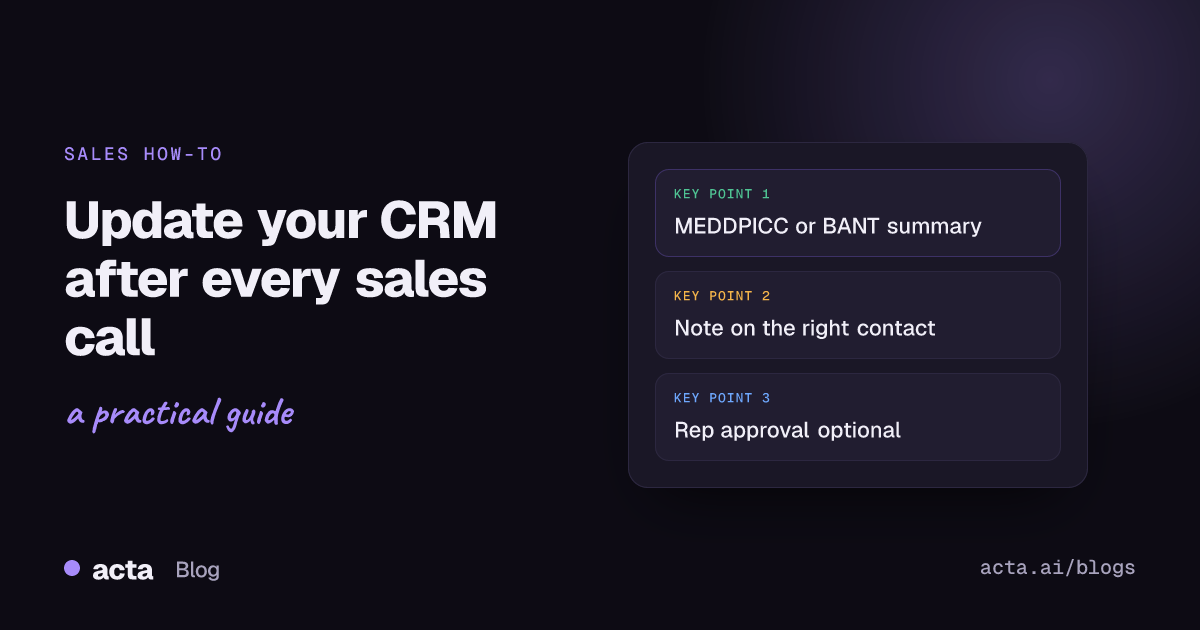
Quick answer: To update your CRM after a sales call without retyping notes, use Acta Agent Builder: trigger on "Meeting ended" with a title filter for sales calls, fetch the call's MEDDPICC or BANT report with an Acta data step, shorten it with an AI step, then add it as a note to the contact in HubSpot, Salesforce or Zoho, matched by email. Add an approval step if you want a rep to check it first.
Every sales manager wants complete CRM records. Every rep knows the cost: ten minutes after each call spent typing up what the buyer said, what was agreed and what happens next. On a day with five calls, that admin gets pushed to Friday, and by Friday the details are gone.
This guide shows how to update CRM after sales call meetings automatically with Acta, step by step, plus what a useful CRM note should contain and how to keep a human check in the loop.
Why should you update CRM after sales call meetings right away?
Notes written the same day are more accurate, and the next person to touch the deal (a manager, a sales engineer, the account manager after close) can act on them. Speed matters in sales generally: in a widely cited Harvard Business Review study, "The Short Life of Online Sales Leads", researchers audited 2,241 US companies and timed how long each took to respond to a web-generated test lead: 24% took more than 24 hours and 23% never responded. The same discipline applies after a call. If the CRM is updated hours later, follow-ups slip and forecasts rely on memory.
Common gaps when reps update the CRM by hand:
- Notes are skipped on busy days.
- Notes say "good call, sending proposal" and nothing about budget, decision process or risks.
- Next steps live in the rep's head, not on the record.
- Different reps write in different formats, so managers cannot compare deals.
What should a CRM note after a sales call include?
A good note lets someone who missed the call understand the deal in under a minute. Aim for:
- Who was there and their role in the decision.
- The customer's problem in their own words.
- Qualification in your team's framework: MEDDPICC, BANT, SPICED or SPIN.
- Objections and risks raised on the call.
- Next steps with owner and date, on both sides.
Acta writes structured reports like this from the conversation using its 40 report templates, including MEDDPICC, BANT, SPICED and SPIN, and can pick the right template automatically. For the framework itself, see MEDDPICC deal reports from every sales call and the discovery call template with BANT and MEDDIC questions.
Where do notes go in HubSpot, Salesforce and Zoho?
Each CRM stores notes on the record so the whole team can see them:
- HubSpot: notes and logged activities appear on the record's timeline. HubSpot's guide to logging activities on records shows the manual route.
- Salesforce: reps often use Log a Call; Salesforce's help article on Log a Call in Lightning explains that saving it creates a completed activity under Past Activity.
- Zoho CRM: notes can be added to leads, contacts, accounts and deals, and Zoho's help article on organizing notes notes that you need the Create permission for Notes.
Acta Agent Builder adds a note to a contact in HubSpot, Salesforce or Zoho, matched by the contact's email address. So the contact must exist in the CRM with the same email the customer used for the meeting.
How to update CRM after sales call meetings automatically (step by step)
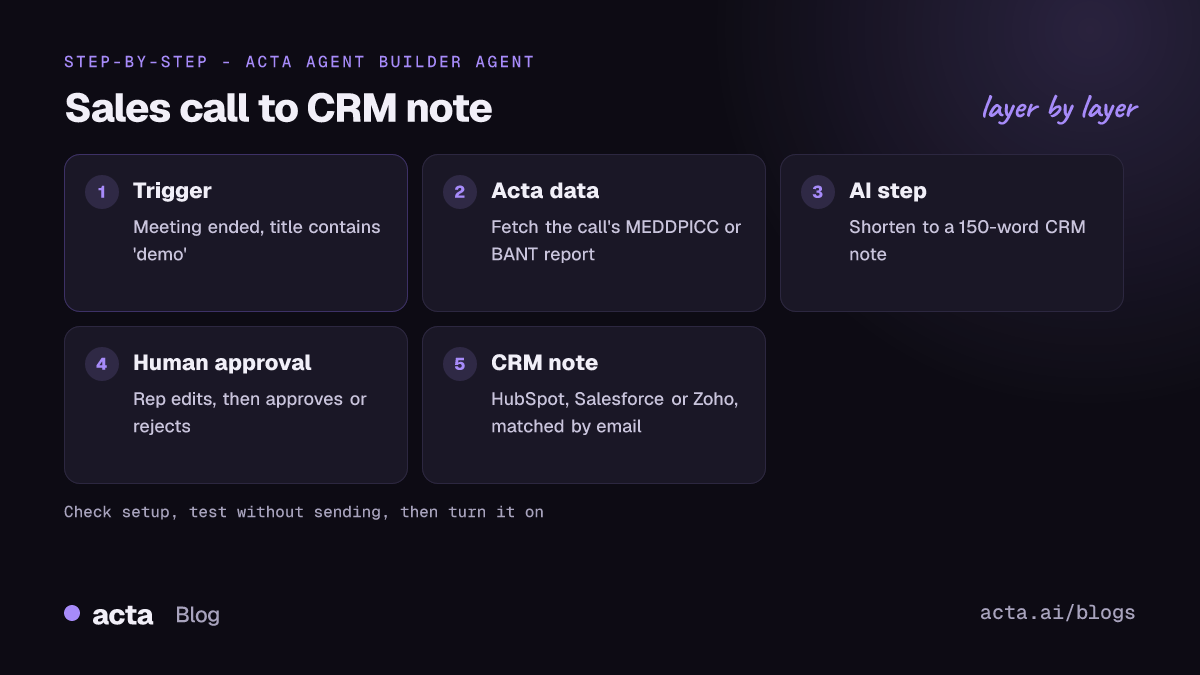
An agent in Acta Agent Builder is one trigger plus steps. You can build it from scratch, start from a template, or describe it in plain words ("after every sales call, add the MEDDPICC summary as a note to the customer's HubSpot contact") and let the AI draft it, with a list of things still to fill in. Here is the full build:
- Make sure the call is captured. Acta can join Zoom, Google Meet and Microsoft Teams calls through a meeting bot from your calendar, or record bot-free with the desktop app or Chrome extension. Tell buyers you are recording and get consent where the law requires it; see is it legal to record meetings with AI.
- Create the agent and pick the trigger. Choose Meeting ended, which fires when the summary is ready, and add a "title contains" filter such as "demo", "discovery" or your company's naming convention for sales calls. Alternatively, use the Acta event Meeting template result ready, so the agent runs once the MEDDPICC or BANT report exists.
- Add an Acta data step. Fetch the meeting template's result for this meeting, for example the MEDDPICC deal report or BANT. You can also fetch the meeting's open action items to add the next steps.
- Add an AI step to shorten it. Ask it to write a CRM note of no more than 150 words: attendees, pain, qualification gaps, risks and next steps with dates. A shorter note is more likely to be read.
- Choose the contact email. Map the customer's email address from the meeting into the CRM step. If several buyers attended, use For each to add the note to each contact, or pick the main contact.
- Add the CRM step. Choose HubSpot, Salesforce or Zoho and "Add a note to a contact". Map the email and the AI step's text.
- Optional: add a Human approval step before the CRM step. The run pauses in the Approvals inbox; the rep can edit the note, then approve or reject. An email with Approve and Reject buttons is optional. If nobody answers before it expires (24 hours by default, up to 7 days), nothing is sent.
- Run Check setup. It flags missing settings and app connections, such as an unconnected CRM.
- Test. A test run shows what would be sent without writing anything to the CRM. Use Test one step on the AI step until the note reads well, or send a test to your own Slack channel or email.
- Turn it on. Each turn-on saves a version you can restore. History shows what every step did on every run.
What about Acta's built-in push to Salesforce, HubSpot and Zoho?
Acta already lets you push reports to Salesforce, HubSpot or Zoho on a paid plan. That is the quickest option if you want the full report on the CRM after a call. Agent Builder is for when you want more control:
- A shorter, rewritten note instead of the full report.
- A title filter so only sales calls go to the CRM.
- A rep approval before anything is written.
- Extra steps in the same run, such as a Slack message to the deal channel or a Gmail follow-up draft (where available).
For a side-by-side of the options, see how to sync meeting action items to Jira, HubSpot and Salesforce.
How can you extend the agent after a sales call?
Once the CRM note works, teams often add a few more steps to the same agent:
Follow-up email draft
An AI step writes the recap email and a Gmail step saves it as a draft for the rep to send. Outlook email is not supported. The full setup is in how to automate meeting follow-up emails.
Tasks for the next steps
Send the call's action items to Asana or Jira so the promised proposal or security review has an owner. See how to send meeting action items to Asana.
Deal alerts in Slack
Use an If/else on the AI step's output (for example "risk mentioned: yes") and post to the deal channel only when something needs attention.
Prep before the next call
A separate agent with the "Before a meeting starts" trigger (1 to 1,440 minutes before, with attendees) can search past meetings with the same people and send the rep a brief in Slack.
Note that Pipedrive is not supported in Agent Builder. HubSpot triggers (new contact, new deal, deal stage changed) can also start agents if you want the CRM to drive the workflow.
Tips for good CRM hygiene with automated notes
- Agree on one format. Use the same template for every rep so managers can scan deals quickly.
- Keep emails clean. Notes match contacts by email; duplicates or missing emails mean missed notes.
- Start with approval on. Let reps review notes for the first few weeks, then remove the step once the output is trusted.
- Do not paste whole transcripts. The note is a summary. The transcript stays in Acta, where people only see meetings they have access to.
- Check promises. Acta tracks promises made in meetings with owner, due date and how late they are, filterable by customer, which helps before renewals.
Sales teams can see more on the Acta for sales page and browse ready-made agents on the Acta agents page.
Frequently asked questions
How do I automatically update CRM after a sales call?
Build an agent in Acta Agent Builder with a Meeting ended trigger, an Acta data step for the call's report, an AI step to shorten it, and a HubSpot, Salesforce or Zoho step that adds a note to the contact matched by email.
Can a rep review the CRM note before it is saved?
Yes. Add a Human approval step. The rep can edit the note and approve or reject it, and if nobody answers before it expires, nothing is sent.
Which CRMs does Acta support for sales call notes?
HubSpot, Salesforce and Zoho. Pipedrive is not supported.
Can I add MEDDPICC or BANT notes to HubSpot automatically?
Yes. Fetch the MEDDPICC or BANT result with an Acta data step and pass it, shortened or in full, to the HubSpot "Add a note to a contact" step. Acta's built-in push of reports to HubSpot is another option on a paid plan.
What happens if the contact is not in the CRM?
The note is matched by email, so add the contact with the right email first. Use a test run to see what would be sent before turning the agent on.
Ready to stop typing up call notes? Try Acta free for 15 days.