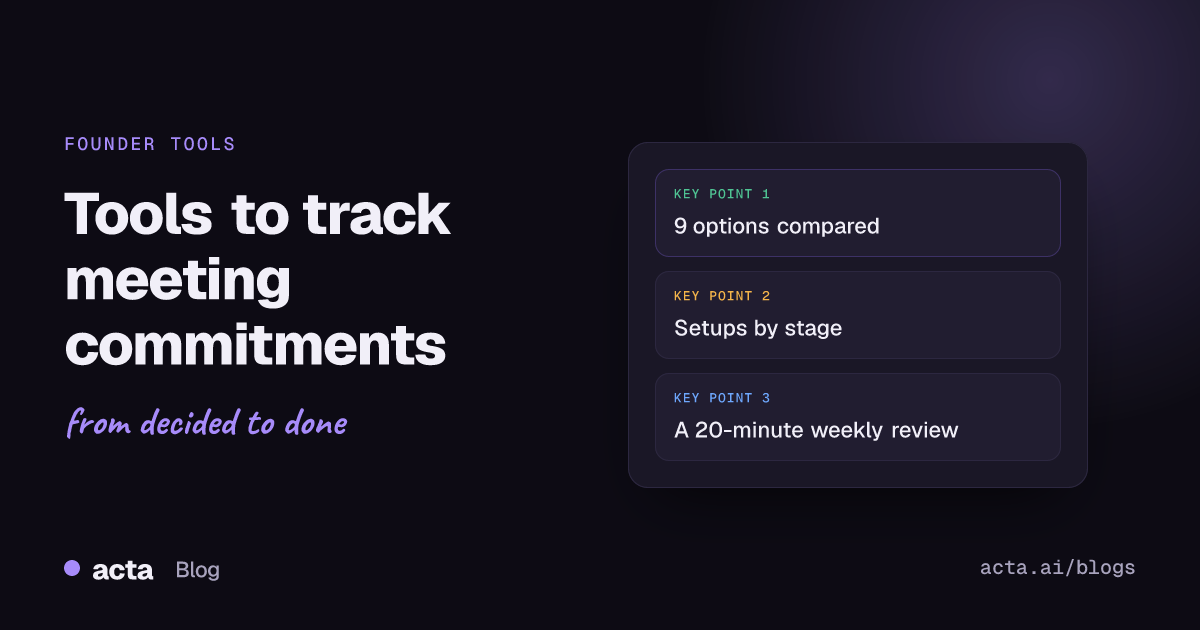
The best way for founders to track meeting commitments is to pair an AI notetaker that pulls out who promised what with one place where those promises live until they're done. For capture, Acta, Fireflies, Granola, Otter and Fathom all extract action items. For tracking, Linear, Todoist or Notion hold them. Solo founders can start with Fathom's free plan and a one-tab spreadsheet.
This guide compares nine options and says which fits a solo founder, a small team and a founder sending monthly investor updates. It assumes you take 15 to 40 calls a week and lose track of some of what you said yes to. If your company already runs on a project tool everyone updates daily, you mostly need the capture half.
Key takeaways
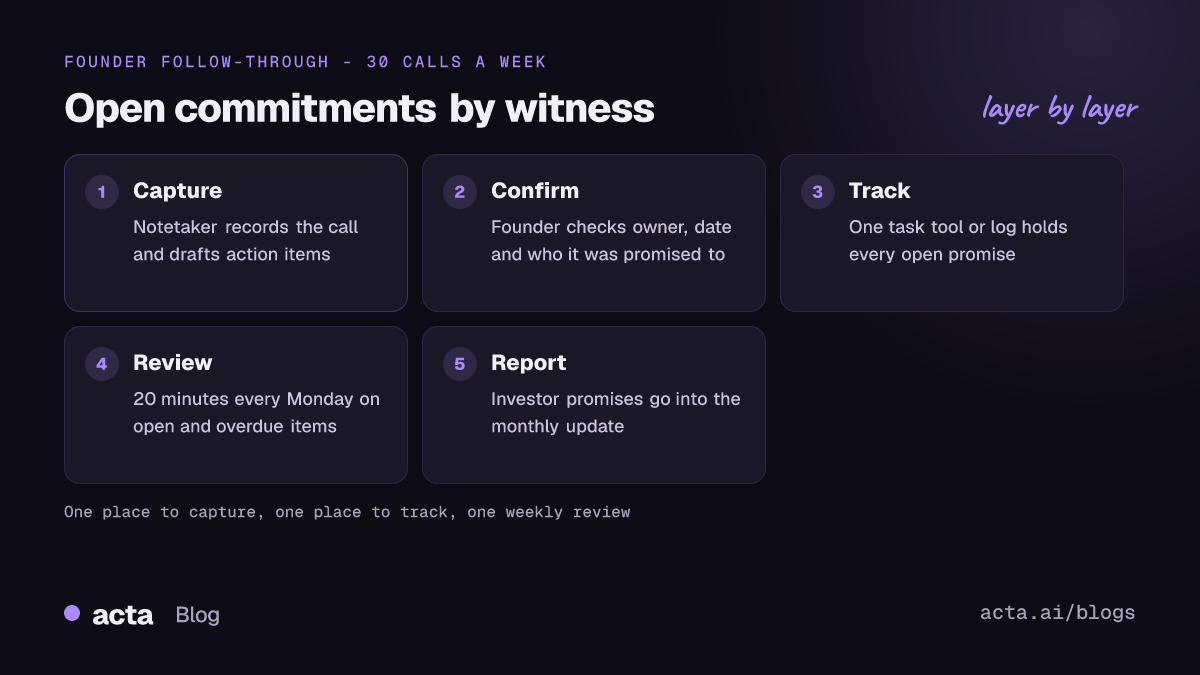
- Write every commitment as owner, action, date and who it was promised to. "Follow up with Dana" isn't a commitment; "Send Dana the revised term sheet by Thursday" is.
- Use one tool to capture commitments and one to track them. Five lists means none of them is true.
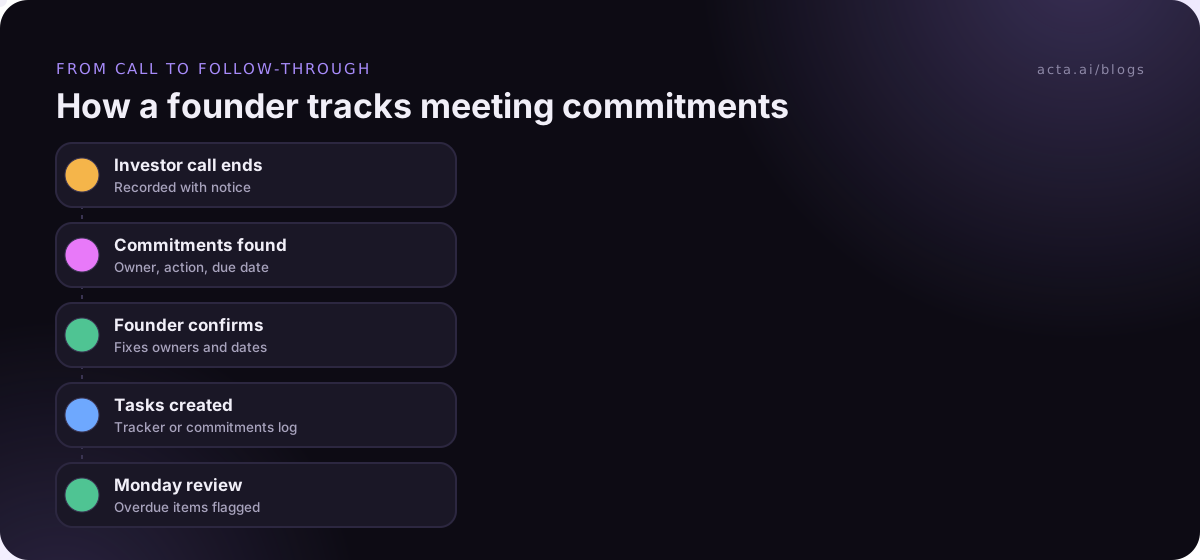
- Confirm AI-extracted action items within an hour of the call; unconfirmed items quietly become nobody's.
- Spend 20 minutes every Monday on open and overdue items, sorted by who you promised: investors, customers, team.
- Commitments you make to investors on calls belong in next month's update, marked done or not.
Table of contents
- A commitment needs an owner, a date and a witness
- Nine ways to track meeting commitments, compared
- AI notetakers catch commitments at the source
- Task tools hold commitments after the call
- A one-tab commitments log still works for solo founders
- The right setup depends on your stage
- A 20-minute weekly review closes the loop
- Frequently asked questions
- Pick your commitment tracking setup
A commitment needs an owner, a date and a witness
Founders make promises in almost every call. "I'll send you the deck." "We'll have SSO by Q2." "Let me intro you to our CTO." Each one is small, and together they're your reputation with investors, customers and your own team. The problem isn't that founders are careless. It's that commitments are spoken, scattered across 30 calls a week, and nobody writes them down the same way twice.
A commitment worth tracking has four parts: who owns it, what exactly they'll do, by when, and who it was promised to. That last part, the witness, is what separates a commitment from a to-do. Missing an internal task costs you a day. Missing a promise to a lead investor costs you trust.
The advice on making this stick is old and consistent. A 2017 Harvard Business Review piece on getting teams to follow through after meetings recommends ending each meeting with specific actions and dates, naming someone to track them, and sending a written summary quickly. Tools just make those habits cheaper. Our guides on why action items don't get done and tracking decisions made in meetings cover the habits in more depth.
Nine ways to track meeting commitments, compared
Prices are the lowest paid tier each vendor lists, per user per month, as of November 2026.
| Tool | Type | Best for | Starting price |
|---|---|---|---|
| Acta | Notetaker | Asking across calls, automations | $8 per seat ($6 annual) |
| Fireflies | Notetaker | Auto-creating tasks in Linear or Asana | Free; Pro $10 (annual) |
| Granola | Notetaker | Bot-free notes, chat for open items | Free; Business $14 |
| Otter | Notetaker | Assigned action items per person | Free; Pro $8.33 (annual) |
| Fathom | Notetaker | Solo founders on a $0 budget | Free; Team $15 (annual) |
| Linear | Task tool | Product teams | Free; Basic $10 (annual) |
| Todoist | Task tool | A founder's personal list | Pro $7 |
| Notion | Workspace | Teams that already live in Notion | Free; Business $20 for AI notes |
| Spreadsheet log | Method | Solo founders, investor updates | $0 |
Updated November 2026. Prices and plans change often; confirm on each vendor's pricing page.
AI notetakers catch commitments at the source
The hardest part of tracking commitments is noticing them. A notetaker solves that by listening for "I'll", "we'll" and "by Friday" so you don't have to. Expect to correct owners now and then, especially on calls where several people say "I can take that".
Acta
Best for: founders who want to ask questions across many calls and automate the follow-up.
Pros: every meeting gets decisions, action items with owners and a follow-up email draft. OneChat answers questions like "what did I promise the seed investors this month?" with sources, and the MCP connector lets you ask the same in ChatGPT or Claude. Agent Builder can run automations such as a Monday digest of open action items. It records with a bot or bot-free from the desktop app or Chrome extension, and connects to Jira, Notion, HubSpot and Salesforce.
Cons: it isn't a task manager, so items you want to tick off daily still belong in a task tool. Notes arrive after the call, not during it.
Price: Pro is $8 per seat per month billed monthly, or $72 a year; 15-day free trial.
Verdict: strongest when you need answers across many calls, not just one recap.
Fireflies
Best for: small teams that want action items to land in their task tool without copy and paste.
Pros: its Linear integration turns action items into issues with a link back to the transcript, and the Asana one can assign tasks by the owner's email.
Cons: by default it sends every action item, so you'll want the "only mine" toggle or a cleanup habit.
Price: Pro $10 per seat per month billed annually; Business $19, as of November 2026.
Verdict: the best pipe from call to tracker among the notetakers here.
Granola
Best for: founders who take their own notes and don't want a bot in investor or customer calls.
Pros: records from your device. Chat across meetings can list open action items from a week of calls with links to each conversation.
Cons: I found no native to-do list; Granola's docs point to Zapier for pushing items into Asana or Linear.
Price: Basic free with 30 days of history; Business $14 per user per month, as of November 2026.
Verdict: pleasant for capture, but pair it with a tracker.
Otter
Best for: teams that want each person to see their own action items.
Pros: Otter assigns AI-generated action items to people after the meeting and lets participants reassign them.
Cons: some items stay unassigned, and you can only assign people the conversation is shared with. Free Basic is capped at 300 minutes a month.
Price: Pro $8.33 per user per month billed annually ($16.99 monthly), as of November 2026.
Verdict: good per-person view; check unassigned items after each call.
Fathom
Best for: solo founders who want commitments captured for free.
Pros: the free plan includes unlimited recordings, transcription and summaries with action items.
Cons: action items stay per call unless you copy them somewhere. Team plans have a two-user minimum.
Price: free; Team $15 per user per month billed annually, as of November 2026.
Verdict: the cheapest way to stop forgetting what you said.
Task tools hold commitments after the call
A notetaker remembers. A task tool nags. You need both, but only one tracker, so pick the one your team already opens every day.
Linear
Best for: product and engineering teams where customer promises become issues.
Pros: the free plan covers unlimited members and 250 issues, which is plenty for a seed-stage team. Fireflies and others can create issues straight from calls.
Cons: awkward for non-product commitments like "send the board the hiring plan".
Price: Basic $10 and Business $16 per user per month billed yearly, as of November 2026.
Verdict: right for product promises, wrong for investor ones.
Todoist
Best for: a founder's personal commitments across every kind of call.
Pros: fast capture, due dates and labels. A label per witness (@investor, @customer, @team) makes the Monday review quick.
Cons: personal by design; shared tracking needs the Business plan.
Price: Todoist's plans FAQ lists Pro at $7 a month or $60 a year and Business at $8 per user per month billed yearly, as of November 2026.
Verdict: the simplest tracker for one busy founder.
Notion
Best for: teams that already keep their wiki and plans in Notion.
Pros: a commitments database with owner, date and witness columns is quick to build, and Notion's own AI Meeting Notes can feed it.
Cons: AI Meeting Notes needs the Business or Enterprise plan, and Notion databases don't remind anyone unless you set that up.
Price: Free; Plus $10; Business $20 per seat per month, as of November 2026.
Verdict: flexible, but only as good as the review habit around it.
A one-tab commitments log still works for solo founders
Before you buy anything, try a spreadsheet for two weeks. It shows you how many commitments you make, which is usually more than you think.
Use these columns: Date, Meeting, Promised to, Owner, Commitment, Due, Status, Link to notes. One row per promise. Here's what three rows look like after a Tuesday:
- 12 Nov, Seed investor check-in, Promised to: Marco (investor), Owner: me, Send churn cohort chart, Due 15 Nov, Open.
- 12 Nov, Pilot call with Northwind, Promised to: Priya (customer), Owner: Dana, Confirm SSO timeline, Due 19 Nov, Open.
- 12 Nov, Team standup, Promised to: team, Owner: me, Approve contractor budget, Due 13 Nov, Done.
Verdict: free and honest, but it depends entirely on you typing rows after each call. A notetaker that drafts the rows for you is usually the first upgrade.
The right setup depends on your stage
There's no single best stack. Match it to how many people make promises on your behalf.
- Solo founder: Fathom's free plan or Granola for capture, plus Todoist or the spreadsheet log. Total cost can be $0.
- Small team (2 to 15 people): one notetaker everyone uses and one shared tracker. Fireflies into Linear works for product teams; Acta with Notion or Jira suits teams that also want answers across calls. Our 1:1 follow-up guide covers the commitments you make to your own reports.
- Founder sending investor updates: filter commitments by "promised to an investor" each month and report them in the update as done, moved or dropped. Asking across calls helps here; our explainer on finding decisions and commitments across calls shows how that works.
If outside guests react badly to a meeting bot, record from your own computer instead; our comparison of notetakers without a bot lists the options. Either way, tell people the call is recorded. Our guide to recording consent covers what to say; it's general information, not legal advice.
A 20-minute weekly review closes the loop
Tools collect commitments. Only a review closes them. Here's the routine I'd use every Monday morning:
- Pull every open commitment due this week or already overdue.
- Sort by witness: investors first, then customers, then team.
- For each overdue item, either do it today, give the person a new date, or tell them it's dropped. Silence is the only wrong answer.
- Check last week's calls for commitments the notetaker missed or assigned to the wrong person.
- Copy anything promised to investors into a draft of this month's update.
If you'd rather not run step one by hand, an automation can send you the list. That's a good first job for any meeting agent, and our roundup of AI tools for decisions and action items compares more options.
Frequently asked questions
What's the simplest way for a founder to track meeting commitments?
Use a free notetaker such as Fathom to capture action items, and copy anything you promised to another person into one list, either Todoist or a spreadsheet with owner, due date and who it was promised to. Review it every Monday. Most founders don't need more than that until other people start making promises for the company.
What's the difference between an action item and a commitment?
An action item is any task that comes out of a meeting. A commitment is an action item promised to someone specific, like an investor, a customer or a teammate, who will notice if it doesn't happen. Tracking the "promised to" field lets you prioritise the ones that affect trust.
Can AI notetakers create tasks automatically?
Some can. Fireflies can create Linear issues and Asana tasks from action items, Acta's Agent Builder can run follow-up automations and create Jira issues, and Granola points to Zapier. Automatic isn't always better: review new tasks after the call so wrong owners and duplicates don't pile up.
How should I track commitments made to investors?
Tag every commitment made on an investor call, keep them in one filtered view, and report each one in your next monthly update as done, moved or dropped. Investors remember what you promised. Showing that you tracked it, even when the answer is "moved to March", builds more trust than a polished update that skips it.
Pick your commitment tracking setup
Start small and add tools only when a real gap shows up. Before you commit to a stack, check these:
- Count your promises: run the spreadsheet log for two weeks to see how many commitments you really make.
- Pick one capture tool: a notetaker everyone on the team uses, not three.
- Pick one tracker: the tool your team already opens daily, whether that's Linear, Todoist or Notion.
- Add the witness field: record who each promise was made to, so investor and customer items rise to the top.
- Book the review: put 20 minutes on your calendar every Monday and protect it.
If you want your calls captured without a bot joining, try Acta's desktop app during the 15-day free trial, or compare plans on the pricing page.