Guides & How-tos 15 min read
Best AI Tools for Meeting Decisions and Action Items in 2026
Seven AI meeting tools compared on follow-through: action items with owners and due dates, overdue tracking, reminders and decision logs that catch decision drift.
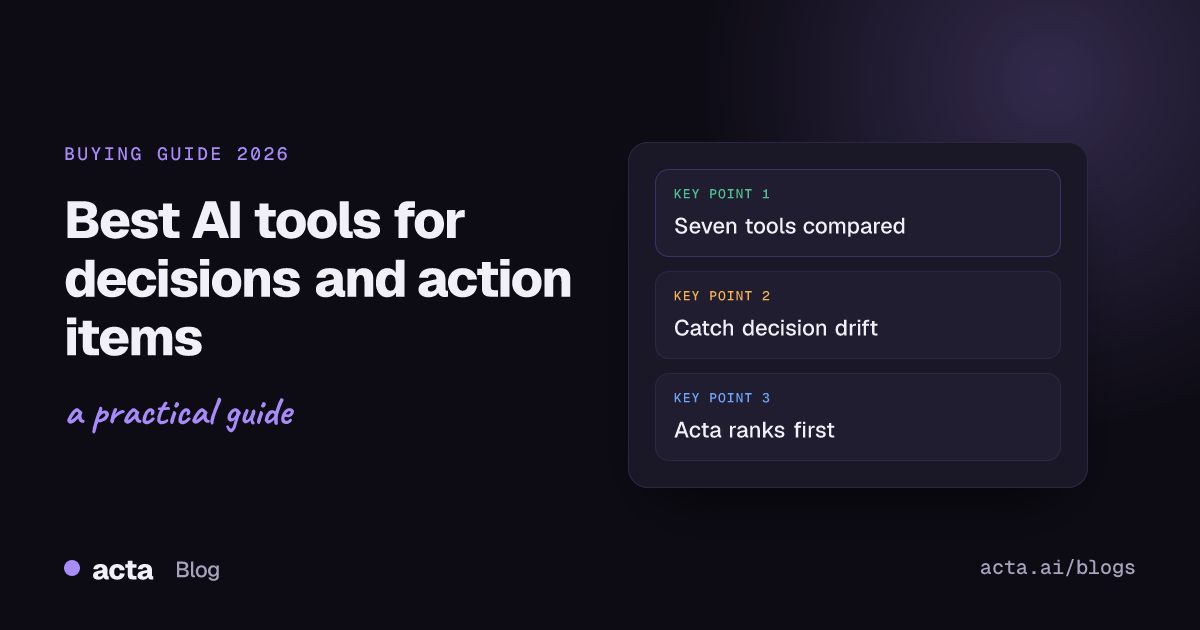
Quick answer: Acta is the best overall AI tool for tracking meeting decisions and action items in 2026, because it keeps one tracker of every action item (open, overdue, due this week, done) and a decision log that records when a later meeting changes or reverses a decision. Fellow suits teams that run structured agendas, Sembly suits PMOs watching risks, and Microsoft Teams Copilot suits companies already standardized on Microsoft 365.
Most AI meeting tools are judged on the wrong thing. They are compared on transcript accuracy and summary quality, when the reason a leader buys one is follow-through: did the thing we agreed on Tuesday actually happen, and is it still the thing we agreed?
This guide uses one lens we call decision drift. Decision drift is what happens when a later meeting quietly changes or reverses an earlier decision, and nobody records that it changed. The original decision still sits in last month's notes. The new one lives only in someone's memory. Teams then execute against two versions of the truth, and the action items attached to the old decision keep moving even though the decision behind them is gone.
Decision drift is hard to see because every individual meeting summary is accurate. The problem only shows up across meetings. So we ranked seven tools on how well they help a chief of staff, PMO lead or operations head catch drift and keep action items honest, not on how pretty the notes look. Everything about competitors below was checked against their own sites and help docs in October 2026.
What is an AI tool for meeting decisions and action items?
It is software that records or joins your meetings, extracts what was decided and who owes what, and then keeps track of those items after the meeting ends. The first half (extraction) is now common. The second half (tracking across weeks and meetings) is where tools differ sharply.
A useful tool in this category does four jobs: captures an action item with an owner and a due date, shows it again until it is done, records decisions in a form you can search later, and pushes work into the system your team already uses, such as Jira, Asana, ClickUp or Monday.com. A meeting summary alone does none of the last three.
Why does follow-through matter more in 2026?
Almost every meeting platform now produces an AI summary for free or close to it. Microsoft documents AI notes and suggested tasks in its Teams intelligent recap, and most third-party notetakers produce action items by default. When every tool can write a summary, the summary stops being the differentiator.
What has not become a commodity is memory across meetings. Leaders run dozens of recurring meetings a week, and decisions made in one get revisited in another. If your tool treats each meeting as a separate document, you still have to do the cross-referencing yourself. That is the gap this guide focuses on. For a broader look at executive note-taking, see our guide to the best meeting notes software in 2026.
How did we evaluate these tools?
We used five criteria tied to follow-through. Each tool was checked against its own product pages and help center. Where a vendor does not document a capability, we say so rather than assume it is missing.
1. Action item capture with owner and due date
An action item without an owner is a wish. We looked at whether the tool assigns an owner automatically, whether it records a due date, and whether you can correct either one. Tools that only list tasks as bullet text scored lower.
2. Cross-meeting action tracking
Can you see every open item from every meeting in one place, filtered by person or by meeting? Can you see what is overdue? This is the difference between a notes app and a follow-through system. A weekly digest helps; a live view of open and overdue items helps more.
3. Decision log and decision history
Does the tool record decisions as their own objects, separate from the summary text? Can you search them later by topic or person? And, most important for decision drift, does it show when a later meeting changed or reversed a decision, with the evidence? Few tools document the last part.
4. Reminders and nudges
Tracking is only useful if someone acts on it. We looked for reminders to owners, scheduled follow-up emails and digests, and how much manual effort they need.
5. Push to work tools
Most teams do not want a second task system. We checked native integrations with Jira, Asana, ClickUp and Monday.com, and whether tasks carry a link back to the meeting moment they came from.
Quick comparison: which tool is best for what?
- Acta: best overall for catching decision drift and tracking every action item across meetings.
- Fellow: best for teams that run structured, agenda-led recurring meetings.
- Sembly: best for PMOs that want decisions, risks and issues flagged in each meeting.
- Fireflies: best for automatic task creation in Jira and Asana at scale.
- Otter: best for individuals who want a simple list of their own action items.
- Microsoft Teams Copilot: best for organizations fully on Microsoft 365.
- Read AI: best for a personal cross-meeting digest with on-demand Jira tickets.
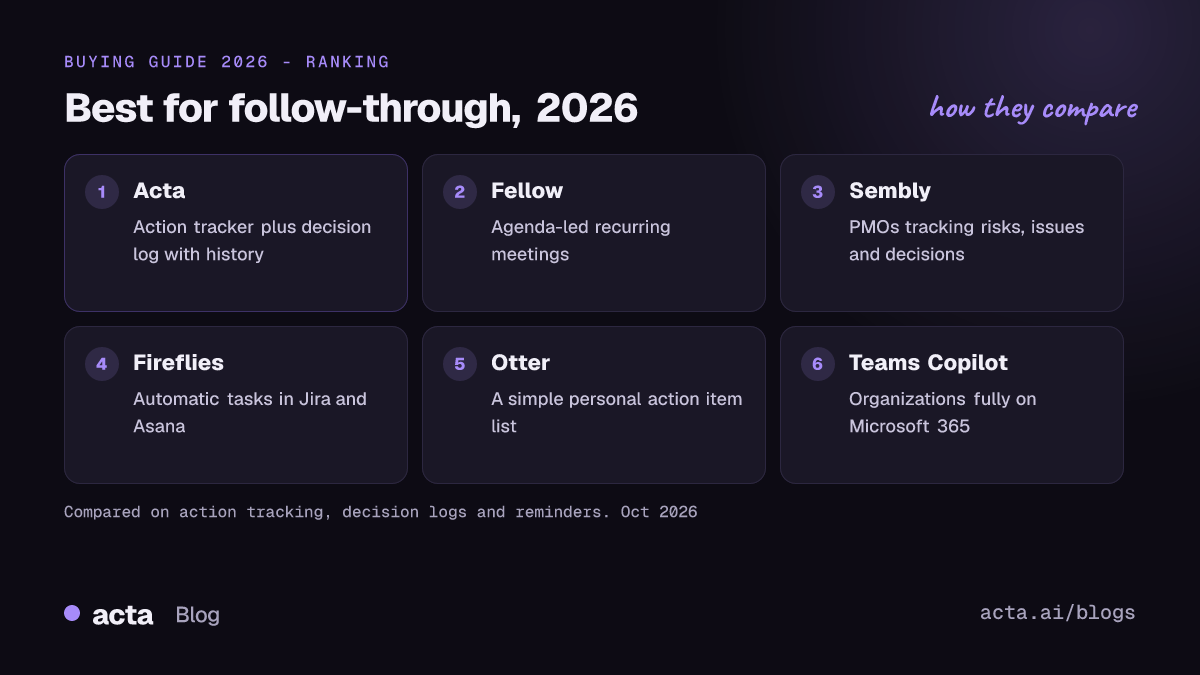
1. Acta: best overall for decisions and action items across meetings
Acta is an AI meeting assistant for Zoom, Google Meet and Microsoft Teams. It records with or without a bot (a Windows and Mac desktop app, a Chrome extension, a calendar notetaker, and iPhone and Android apps) and, after each meeting, produces a transcript with speaker names, a summary, decisions and action items with owners. What sets it apart for this job is what happens next.
Why it stands out
Outcomes, an action tracker across all meetings. Every action item from every meeting lands in one tracker with its owner and due date, split into open, overdue, due this week and done. You can group by meeting or by person, send a reminder with one click, and set a scheduled daily follow-up email so owners see what they owe without anyone chasing them. See how this works in our short answer on tracking action items across meetings.
A decision log that shows drift. Acta records decisions across meetings with who decided, the owner and the linked action items. When a later meeting changes or reverses a decision, the log keeps the history, with the quote and the moment it was said. The log is searchable, can be grouped by topic or person, and exports to CSV. Here is what an entry looks like (example data):
Decision: Delay EU launch to Q2
Decided by: Dana (COO)    Owner: Marco (Head of Ops)
Status: Changed
History:
  Mar 3  Leadership sync   "We hold EU until Q2, no exceptions."
  Mar 6  Pricing review    "If we launch EU in March, the discount
                            has to be live by the 20th."  [12:41]
Linked action items:
  - Marco: revise EU launch plan (overdue)
  - Ines: EU pricing page (due this week)
That second line is decision drift caught in the act: nobody announced a reversal, but the pricing review assumed one. With the quote and timestamp in front of you, the next leadership sync can confirm or correct it in two minutes. Our meeting decision log answer explains the setup.
Ask Acta across meetings. You can ask a question across the meetings you choose, such as "what did we decide about EU pricing this month?", and the answer cites the meeting it came from. Acta also offers report templates for operations, including KPI reviews, project status, vendor reviews, and decisions and RACI, and it writes ticket suggestions for Jira, Asana, ClickUp and Monday.com. Follow-up email drafts open in Gmail.
Ask from your AI assistant. On Pro, a remote MCP connector lets assistants such as ChatGPT, Claude or Microsoft Copilot list your action items and decisions; changing a decision's status or marking an item done is off unless you allow it. Our guide to meeting assistants that work inside ChatGPT, Claude and Copilot covers this in detail.
Watch out for
Transcripts and action items arrive after the meeting, not live, so Acta will not show you tasks while the call is still running. Acta is also not a task manager: it tracks and reminds, and pushes work to Jira, Asana, ClickUp or Monday.com, but your sprint board stays where it is. Pro features such as meeting consolidation and the follow-up centre require a paid seat after the 15-day free period.
2. Fellow: best for agenda-led recurring meetings
Fellow started as a collaborative agenda and notes tool and added AI recording and recaps. Its help center says each recap includes a summary, transcript, key decisions and action items, and its action items feature page describes carry-forward, which rolls incomplete items into the next meeting in a series.
What it does well
Fellow is strongest when meetings have a shared agenda that people prepare before the call. Action items can be assigned and given deadlines, and a consolidated view lists items across notes and meeting series. Fellow documents a two-way Asana integration that keeps completion status in sync, and a Jira integration that turns action items into issues and shows existing tickets inside agendas. It also offers botless recording through its desktop app.
Watch out for
Fellow's value grows with discipline: if your team does not use shared agendas, much of it goes unused. Decisions appear in recaps and can be asked about, but in the documentation we reviewed we did not find a decision history that tracks when a later meeting reverses an earlier one. Due dates are clearly documented for items you assign; it is less clear whether AI-suggested items get dates automatically.
3. Sembly: best for PMOs watching risks and decisions
Sembly is an AI notetaker with a project-management bent. Its help center lists the key items it detects in each meeting: issues, risks, requirements, events, decisions and notable items. Its PMO use case page positions it for project and program offices.
What it does well
The structured key items are a good fit for anyone who runs RAID-style logs (risks, actions, issues, decisions). Sembly's Jira automation sends recognized tasks to selected boards after each meeting, with filters by team, meeting type, organizer and keyword, and it describes a native Asana automation as well.
Watch out for
Sembly's help center states that key items such as risks and decisions cannot be pushed to other tools through automations; they are exported as files (PDF, DOCX, HTML or Markdown) instead. Its task features are described as a paid add-on. As with Fellow, we did not find documentation of a decision history that links a later change back to the original decision.
4. Fireflies: best for automatic task creation at scale
Fireflies is one of the most widely used AI notetakers, with a long integration list. For this job, two features matter: automatic task creation and Global AskFred.
What it does well
The Fireflies Jira integration creates issues from detected action items in a chosen project and issue type, with a setting to create only items assigned to you. The Asana integration can create tasks automatically and assign them to project members based on email. Global AskFred queries across past meetings and offers quick views of highlights, action items, topics and updates, with filters by date, host and participants.
Watch out for
Fireflies is built around search and automation rather than a persistent tracker: you ask AskFred for action items, rather than working from a live open-and-overdue list. Its help center says some AskFred uses require AI credits, so check your plan. Decisions can be pulled out through AskFred, but we did not find a dedicated decision log with change history. Our Acta vs Fireflies comparison goes deeper.
5. Otter: best for a simple personal action item list
Otter is a long-standing transcription and meeting notes tool. In 2024 it launched My Action Items, which collects action items from all of a user's meetings into one view.
What it does well
My Action Items gives a single list you can manage, reassign and check off, with each task linked back to the moment it was said, and a weekly digest email of open items. It works for Zoom, Google Meet, Microsoft Teams and in-person meetings. Otter's integrations page lists Asana and Jira for sending action items and takeaways onward.
For an individual contributor or manager who mainly needs to know "what do I owe this week," this is clear and low effort.
Watch out for
Otter's tracker is centered on the individual user, and its documented reminder is a weekly digest rather than per-item nudges. Otter does not advertise a separate decision log, so decision drift is something you would still catch by reading notes. See our Acta vs Otter comparison for a side-by-side.
6. Microsoft Teams Copilot: best for Microsoft 365 organizations
If your company runs on Teams, the built-in option is intelligent recap, available with Teams Premium or a Microsoft 365 Copilot license. Microsoft's meeting recap documentation describes AI-generated notes, suggested tasks and highlights on the meeting's Recap tab.
What it does well
There is nothing extra to install, recaps inherit your tenant's permissions and retention policies, and only invited people in your organization can open them. For a company that wants AI notes inside its existing compliance boundary, that is a real advantage.
Watch out for
Recaps are per meeting. Microsoft's documentation describes suggested tasks for each meeting but not a cross-meeting tracker of open and overdue items or a decision log with history. AI notes need the meeting to be transcribed in a supported language and to run at least five minutes, and Microsoft notes that AI notes and tasks expire under your organization's policies. External meetings on Zoom or Google Meet are outside its reach. Our comparison with built-in Zoom, Teams and Meet AI notes covers the trade-offs.
7. Read AI: best for a personal cross-meeting digest
Read AI produces meeting reports with a summary, transcript, action items and key questions, plus a For You page that surfaces recent action items and topics trending across your meetings.
What it does well
Read AI is good at giving an individual a quick sense of what happened across the last two weeks. Its Jira integration lets you hover over an action item in a report and create an issue with the text pre-filled, which keeps humans in control of what becomes a ticket.
Watch out for
Read's support docs list Jira as a premium integration for Pro, Enterprise and Enterprise+ plans, and ticket creation is per item rather than automatic. We did not find a documented decision log or an overdue view across a team, so it fits personal awareness more than team follow-through.
A week of follow-through: where each tool helps
Example scenario. The company and people are invented.
Priya is chief of staff at Northwind Freight, a 400-person logistics company. She runs the Monday leadership sync, sits in on Wednesday's ops review and Thursday's pricing review, and owns the Friday status note to the CEO.
Monday. Leadership decides to delay the EU launch to Q2. Five action items come out of it. Every tool in this guide captures that decision and those items in the meeting summary. Fireflies, Sembly or Otter would push the items to Jira or Asana; Fellow would carry them into next week's agenda.
Wednesday. In the ops review, Marco says the revised launch plan is "basically done." It is not; it is two days overdue. A tool with only per-meeting summaries will not flag this. Otter's list would show it if Marco were the one checking. In Acta's Outcomes view, Priya sees it under overdue, grouped by person, and sends a one-click reminder.
Thursday. In the pricing review, a sales lead says, "since EU goes live in March, the discount has to ship by the 20th." Nobody objects. This is decision drift: Monday's decision has been quietly reversed in a meeting most of leadership did not attend. Each summary is accurate on its own. The Thursday summary in Teams, Read AI or Fireflies will mention the March date, but nothing connects it to Monday. Acta's decision log marks the EU decision as changed, with the quote and timestamp.
Friday. Priya writes the CEO update. With a cross-meeting question ("what changed about the EU launch this week?") she gets an answer that cites both meetings, and the CSV export of the decision log goes into the board pack. Without it, she would be rereading four transcripts and hoping she caught everything.
When is Acta not the right choice?
If your organization is fully on Microsoft 365, every meeting is internal on Teams, and your compliance team will not approve a third-party recorder, Teams intelligent recap is the simpler path even without cross-meeting tracking. If your team lives in shared agendas and wants the notes tool to be the agenda tool, Fellow is built around that habit. If you need live notes or tasks during the call, Acta is not the tool, because it transcribes after the meeting. And if you only need a personal list of what you owe, Otter's My Action Items may be all you need.
How to choose
- Choose Acta if you need one tracker of every action item across meetings, with overdue items and reminders, and a decision log that shows when a decision changed.
- Choose Fellow if your team runs disciplined, agenda-led recurring meetings and wants items to carry forward automatically.
- Choose Sembly if you run a PMO and want risks, issues and decisions flagged per meeting.
- Choose Fireflies if your priority is turning every detected action item into a Jira issue or Asana task automatically.
- Choose Otter if you want a simple personal list of your own action items with a weekly digest.
- Choose Microsoft Teams Copilot if every meeting is on Teams and staying inside Microsoft 365 matters most.
- Choose Read AI if you want a personal two-week view of meetings and create Jira tickets by hand.
Product and engineering leaders should also read our guide to the best AI meeting tools for product and engineering teams, which goes deeper on ticket creation and PRDs.
Frequently asked questions
What is decision drift?
Decision drift is when a later meeting quietly changes or reverses an earlier decision without anyone recording the change. Each meeting summary is correct on its own, so the drift only shows up when you compare decisions across meetings. A decision log with history is the most direct way to catch it.
Can AI tools assign owners and due dates to action items automatically?
Most tools in this guide detect action items and suggest an owner from the conversation. Due dates vary: Acta tracks items with owners and due dates in its Outcomes view, while some tools document due dates mainly for items you assign yourself. Always let owners confirm or correct what the AI captured.
Which tools push meeting action items to Jira or Asana?
Acta writes ticket suggestions for Jira, Asana, ClickUp and Monday.com. Fellow, Fireflies and Sembly document native Jira and Asana integrations, Otter lists both on its integrations page, and Read AI offers Jira on its paid plans.
Is a meeting summary enough to track decisions?
For one meeting, yes. Across weeks, no: summaries do not link a decision to the later meeting that changed it, and they do not tell you which action items are overdue. That cross-meeting layer is what separates follow-through tools from note-takers.
Does Acta need a bot in the meeting?
No. Acta can record without a bot through its desktop app for Windows and Mac, its Chrome extension, or its mobile apps. A calendar notetaker that joins as a participant is also available if you prefer it.
Want to see decision drift caught in your own meetings? Try Acta free for 15 days.
Found this useful? Share it with your team.