To standardize meeting notes across a team, agree on one template per meeting type, have one person own each template, and share it so everyone produces notes with the same sections in the same order. With an AI notetaker this gets much easier: a shared custom template fills the same structure from every matching meeting, so consistency no longer depends on who happened to take notes.
Meeting Productivity 11 min read
Standardize Meeting Notes Across Your Team With Shared Templates
How a team gets the same notes format from every meeting: what to standardize, shared templates with one owner, a naming convention, rollout and governance.
By Sarma BKP, Founder & CEO, Acta · Updated
This guide covers what to standardize and what to leave flexible, how sharing and ownership work in Acta, a naming convention, a four-week rollout plan and a light governance routine. It's written for team leads, ops managers and chiefs of staff who read notes from many people. If your team is two people who meet once a week, a shared doc and a habit will do; you don't need a process.
Key takeaways
- Standardize the skeleton (In short, decisions, action items, open questions) across all meetings, and the specific sections per meeting type.
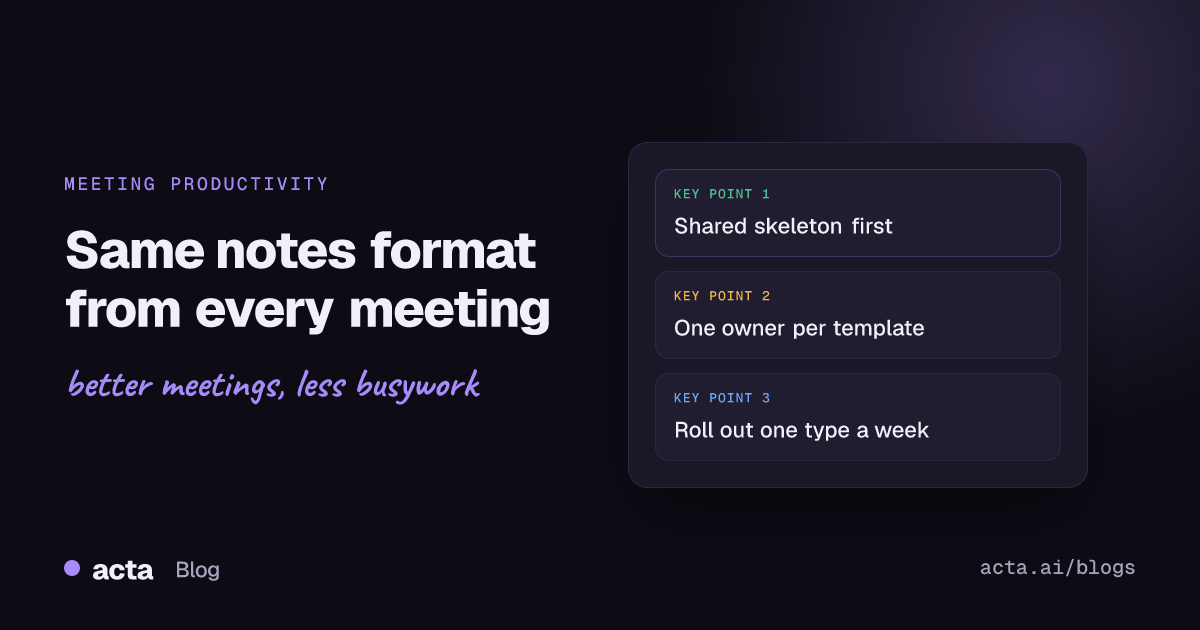
- One owner per template. In Acta only the owner can edit a shared template, which is a feature: it prevents five drifting copies.
- Name templates "Team - Meeting type", for example "Sales - Discovery call", so anyone can pick the right one from the Team filter.
- Roll out one meeting type per week, starting with the meeting where inconsistent notes cause the most trouble.
- Review the set monthly: cut sections that are always "Not discussed" and merge templates that overlap.
Table of contents
- Standard notes make meetings comparable
- Standardize the skeleton, not every word
- Shared templates keep one version because only the owner edits
- A naming convention saves everyone guessing
- Standardize meeting notes in four weeks, one meeting type at a time
- Governance is a short monthly review, not a committee
- Build a team-standard template in Acta
- Frequently asked questions
- Decide what your team standardizes first
Standard notes make meetings comparable
When five people take notes five ways, the notes still exist, but nobody can use them together. One person writes paragraphs, another writes a bullet list of everything said, a third writes only the tasks. A manager reading across the team's client calls can't compare them, and a new person picking up an account has to learn each colleague's style before they can find anything.
Standard notes fix three practical problems. They're scannable: decisions are always second, action items always a checklist, so a reader knows where to look. They're comparable: if every discovery call has a "Decision process" section, you can see which deals are missing one. And they hand over cleanly: when someone is out, a colleague can pick up from notes in a format they already know.
There's an accountability benefit too. Atlassian's meeting minutes template guidance suggests recording decisions along with the reasoning behind them. When every set of notes has that section, missing reasoning stands out. The same goes for tasks: a standard checklist with owner and due date makes an "Unassigned" task visible immediately, which matters because, as our post on meeting follow-through explains, ownerless tasks are where follow-up dies.
Consistent notes also make searching across meetings more useful. If every customer call has an "Objections" section, asking Acta's OneChat which objections came up this month gets a cleaner answer, with sources back to each meeting.
Standardize the skeleton, not every word
The most common failure in standardizing is going too far: one 12-section template for every meeting, mandatory for everyone. People will comply for a week, then quietly stop reading the notes. Standardize in two layers instead.
| Layer | What it contains | Who decides |
|---|---|---|
| Shared skeleton | In short, decisions, action items (checklist), open questions | Team lead, once |
| Meeting-type sections | Discovery: pain, decision process. 1:1: blockers, feedback. Status: risks, deliverables | Template owner per meeting type |
| Personal additions | Anything one person wants for their own use | The individual, in their own templates |
The skeleton goes into every team template, in the same order and with the same names. In Acta, the "In short" summary is added to every report automatically, so your skeleton starts with decisions. Meeting-type sections sit after the skeleton or between decisions and actions, depending on what the reader needs first.
Leave the third layer alone. If someone wants a personal template with an extra section for their own follow-ups, that's fine, as long as the team template still runs on the meeting. Each person can have up to 10 custom templates of their own.
The older way to do this was a shared document template. Atlassian's Meeting Notes Blueprint for Confluence, for instance, lets you edit the template's headings and instructional text so every page starts with the same structure. That still works for teams that write notes by hand, but it relies on each note-taker filling the headings the same way, which is the part that usually drifts.
Shared templates keep one version because only the owner edits
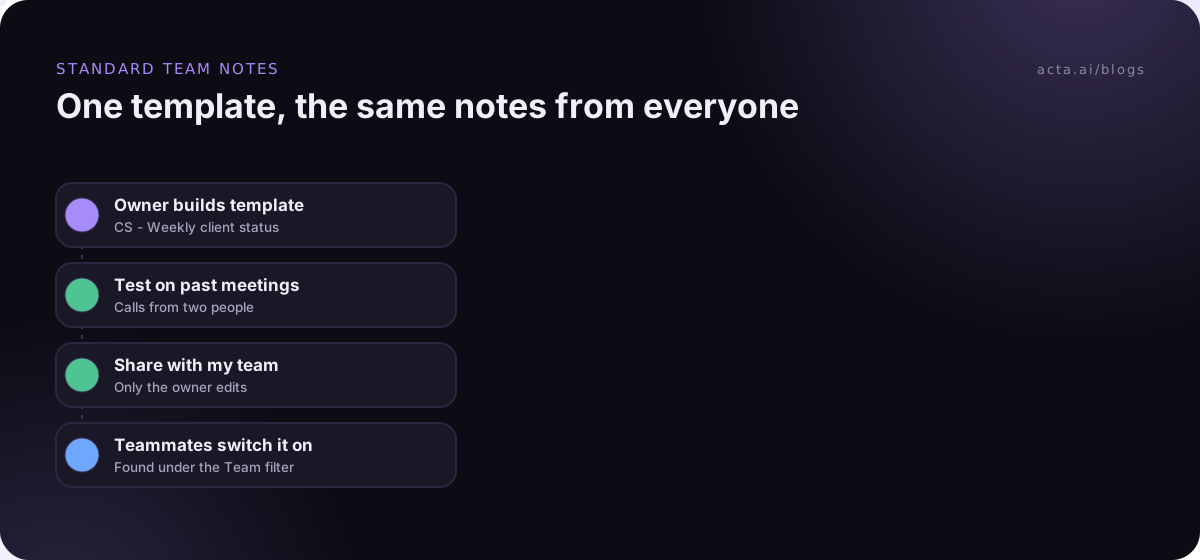
In Acta, a custom template is personal until you tick "Share with my team" in the builder. After that, it appears for teammates under the "Team" filter on the Templates page. Each teammate can switch it on for their own meetings, but only the owner can edit it. When the report is produced, it's labelled "Team template" in the meeting's Templates tab.
The owner-only editing rule is what makes standardization stick. If everyone could edit, the template would drift within a month: one person adds a section, another renames one, a third changes the description and suddenly it stops matching half the meetings. With one owner, changes go through one person, who can test them before they reach everyone.
It also means you should choose owners deliberately. Pick someone who reads the notes regularly and will be around, usually the team lead or an ops person, rather than whoever happened to build the first draft. If your workspace isn't set up yet, the team setup guide covers inviting people and roles.
A naming convention saves everyone guessing
Once a team has more than a handful of shared templates, the Team filter fills up with names like "Discovery v2", "New discovery", "Discovery (Sam)". People switch on the wrong one, or two of them. A naming rule prevents this and takes thirty seconds to agree.
The convention I use is "Team - Meeting type", with nothing else:
- Sales - Discovery call
- Sales - Demo review
- CS - Weekly client status
- Product - Customer interview
- Eng - Sprint review
- All - One-on-one
Avoid version numbers and people's names in template names. The template is edited in place, so there's only ever one current version; a "v2" suggests a "v1" still exists somewhere. If you want a record of changes, keep a short changelog in your team's wiki or in the template owner's notes.
Standardize meeting notes in four weeks, one meeting type at a time
Rolling everything out at once is how standardization projects fail. Roll out one meeting type per week, so each template gets real feedback before the next one lands.
- Week 1: the skeleton and the worst meeting. Agree the shared skeleton. Build the first team template for the meeting where inconsistent notes hurt most, often client calls or sales calls. Test it on three past meetings, share it, and ask everyone to switch it on.
- Week 2: collect feedback and fix. Ask readers two questions: which section do you skip, and what do you look for that isn't there? The owner makes changes. Build the second template.
- Week 3: internal meetings. Add templates for one-on-ones and project status meetings. These usually need fewer sections than client-facing ones.
- Week 4: switch off the old ways. Retire personal copies that duplicate the team templates, archive the old doc template, and tell people the team templates are now the standard.
Use "Only matching meetings" for each meeting-type template so it runs only where it fits, and keep at most one general template on "Every meeting". Our guide to automatic meeting templates covers how to write descriptions that match the right meetings.
Governance is a short monthly review, not a committee
Templates need maintenance, but not much. A 20-minute review once a month, run by the template owners, is enough for most teams. Look at a handful of recent reports from each template and ask:
- Which sections are always "Not discussed"? Acta writes "Not discussed" when a section wasn't covered. A section that's empty every time should be cut or merged.
- Which tasks keep showing "Unassigned"? That's a meeting habit to fix, not a template problem, but the template is how you spot it.
- Are any reports marked not relevant? If so, the description is matching the wrong meetings. Tighten it.
- Are two templates overlapping? Merge them, or add an exclusion line to one description.
- Are we near the limits? Each template can hold up to 12 sections. If you're close, the template is probably doing two jobs.
Keep change requests simple: anyone can suggest a change to the owner, the owner tests it with "Test on a past meeting" and saves it. Nothing in the preview is saved or sent, so testing is free. The HBR guide Running Meetings makes the point that a meeting's value depends on what happens after it; a monthly look at whether the notes are driving follow-up is the governance that matters.
Build a team-standard template in Acta
Custom templates and sharing are part of Acta's paid plans; on the 15-day free trial you can use the built-in templates, and the custom builder shows an upgrade prompt. The custom templates help article has the details.
- Go to Templates in the dashboard sidebar, choose "My templates", then "+ Create template".
- Name it with your convention, for example "CS - Weekly client status".
- Under "Start from", choose "Built-in" if one of the 40 templates is close (Project status often is), otherwise "Describe it" or "Blank". The templates by role list helps you choose.
- In "What should this report do?", describe the meeting type, who's in it and what it's for.
- Add the shared skeleton sections first, then the meeting-type sections. Set each format: Checklist for actions, Table for anything compared across rows.
- Add extra instructions for team style, such as "Write in short sentences. Use first names."
- Set "When should Acta use it?" to "Only matching meetings".
- Click "Test on a past meeting" and run it on meetings run by two different people.
- Tick "Share with my team" and click Save. Tell the team it's under the Team filter.
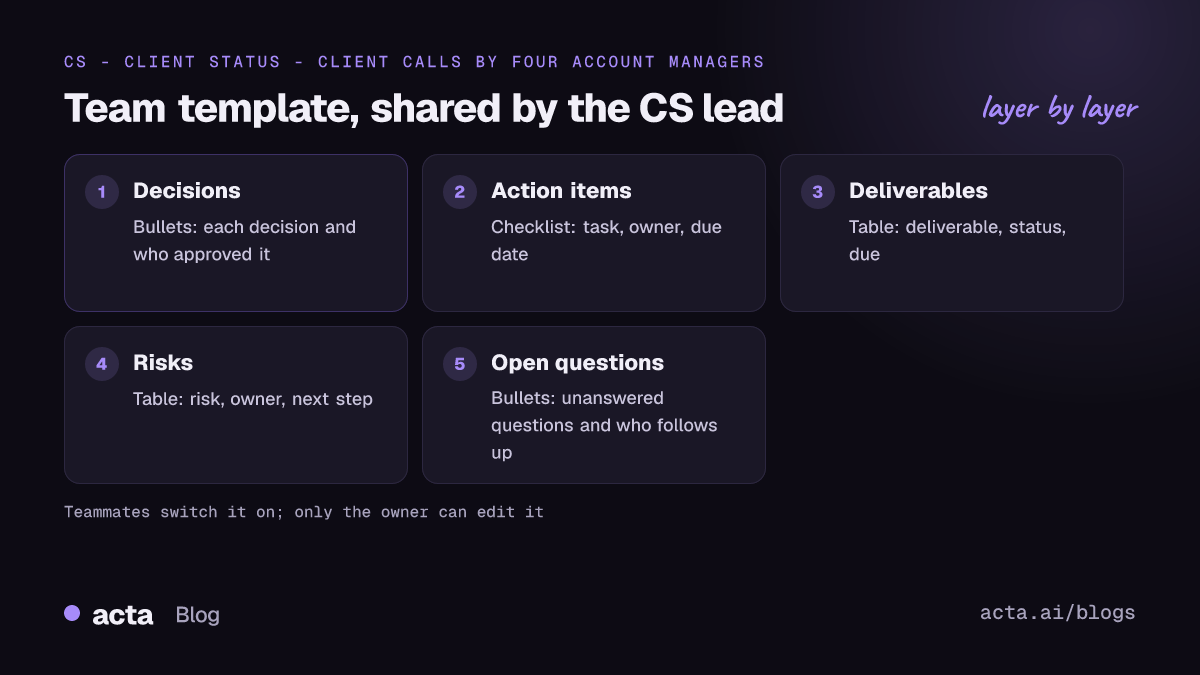
The layout for the example template:
Decisions (Bullets): Each decision made, with who approved it.
Action items (Checklist): Task, owner and due date as stated.
Deliverables (Table: Deliverable, Status, Due): Every deliverable discussed.
Risks (Table: Risk, Owner, Next step): Anything that could delay the work.
Open questions (Bullets): Unanswered questions and who will follow up.
And an illustrative report from two different account managers' calls the same week (names invented), showing the same shape from both:
Priya's call with Fenwick: In short: launch date confirmed, analytics access still pending. Decisions: launch on 3 June (approved by Lena). Action items: Share analytics login - Lena - Friday; Update launch plan - Priya - Monday. Risks: analytics access | Lena | Chase on Thursday. Open questions: Not discussed.
Marco's call with Holt & Co: In short: phase two scope cut, budget unchanged. Decisions: drop the mobile app from phase two (approved by James). Action items: Revise scope doc - Marco - Wednesday; Confirm budget with finance - Unassigned. Risks: Not discussed. Open questions: Does the support contract change?
A manager can read both in under a minute, and the "Unassigned" on Marco's call is obvious. For the basics of what any notes should contain, see our meeting minutes template and the guide to building a custom meeting notes template.
Frequently asked questions
How do I standardize meeting notes across a team?
Agree a short shared skeleton (decisions, action items, open questions), then build one template per recurring meeting type with a single owner. Share the templates so everyone uses the same version, roll them out one meeting type at a time, and review them monthly to cut sections nobody uses.
Can teammates edit a shared template in Acta?
No. When you tick "Share with my team", teammates can find the template under the Team filter and switch it on for their own meetings, but only the owner can edit it. Suggest changes to the owner, who can test them on a past meeting before saving.
Should every meeting use the same template?
No. Use the same skeleton everywhere, but different templates for different meeting types. A discovery call, a one-on-one and a sprint review need different sections. A single template for everything ends up with many sections marked "Not discussed", which teaches people to skip the notes entirely.
How many templates should a team have?
Usually one per recurring meeting type plus one general template, so four to eight for most teams. If you have more than that, look for overlap. Each person in Acta can own up to 10 custom templates, so spreading ownership across two or three people also keeps the set manageable.
What is the difference between meeting notes and meeting minutes?
Minutes are a formal record, often for boards or committees, covering attendance, motions and resolutions. Meeting notes are working notes for the team: decisions, tasks and open questions. Most teams standardizing internal notes want the second; boards and formal committees need the first.
Decide what your team standardizes first
Pick one meeting type and get it right before adding more. A short checklist for the first month:
- Agree the skeleton: Four sections every team template shares, in the same order.
- Name an owner: One person per template who reads the notes and will be around.
- Use the convention: Name templates "Team - Meeting type" with no versions or personal names.
- Roll out weekly: One meeting type per week, with feedback before the next.
- Review monthly: Cut empty sections, fix descriptions, merge overlaps.
For notes without a bot joining, teammates can use the Chrome extension for meetings in the browser or the desktop app for the Zoom and Teams apps; agree as a team how you tell participants about recording, and see our recording consent guide for wording.
Found this useful? Share it with your team.