Quick answer: A meeting minutes template is a fixed set of headings you fill in for every meeting: meeting details, attendees and quorum, approval of previous minutes, agenda items with decisions or motions and their outcomes, action items with owners and due dates, next meeting, and approval. Good minutes record what was decided and who will do what, not a transcript of who said what.
Most people who search for a minutes template need it in the next hour. So this guide starts with what minutes must contain, gives you the template as a list you can copy, then shows a filled-in example for a fictional company called Northwind. After that come short variants for team, board and project meetings, the mistakes that make minutes useless, and how AI can draft them from a recording.
What are meeting minutes?
Meeting minutes are the official written record of a meeting. They are not notes for the person who wrote them. They are a shared record that the group approves, files and can rely on later when someone asks, "Did we actually agree to that?"
The most useful rule comes from parliamentary procedure. The official Robert's Rules of Order site states that minutes are a record of what was done at a meeting, not a record of what was said, and that summarizing the discussion is not only unnecessary but improper (see the Robert's Rules FAQ on summarizing discussion in minutes). The City of Madison's guidance for its committees makes the same point and adds that brevity is the soul of good minutes (City of Madison: taking committee minutes).
Informal team meetings do not have to follow Robert's Rules. But the principle carries over well: record decisions, outcomes and commitments, and keep discussion short.
What must meeting minutes record?
Whatever the meeting, minutes should let someone who was not there answer five questions: who met, when, what was decided, who owns the next steps, and whether the record was approved.
- Meeting details: organization or team name, type of meeting (regular, special, project review), date, start and end time, and place or video link.
- Attendees: who was present, who sent apologies, and any guests. Name the chair and the minute-taker.
- Quorum (formal bodies): boards, committees and associations usually need a minimum number of voting members present before decisions are valid. Record that quorum was present, and note if it was lost when someone left.
- Approval of previous minutes: approved as circulated, or approved as corrected, with the correction noted.
- Motions and decisions: the exact wording of each motion or decision, who moved it, and the result (carried, failed, deferred, referred). Robert's Rules says all main motions belong in the minutes, normally except those that were withdrawn.
- Votes: the result, and the counts where your rules ask for them.
- Action items: the task, the owner and the due date.
- Next meeting and adjournment: date of the next meeting and the time the meeting closed.
For companies there can be a legal duty too. In the UK, section 248 of the Companies Act 2006 requires every company to record minutes of all proceedings at meetings of its directors and keep them for at least ten years from the date of the meeting (Companies Act 2006, section 248). Other countries and your own bylaws may set different rules, so check what applies to you.
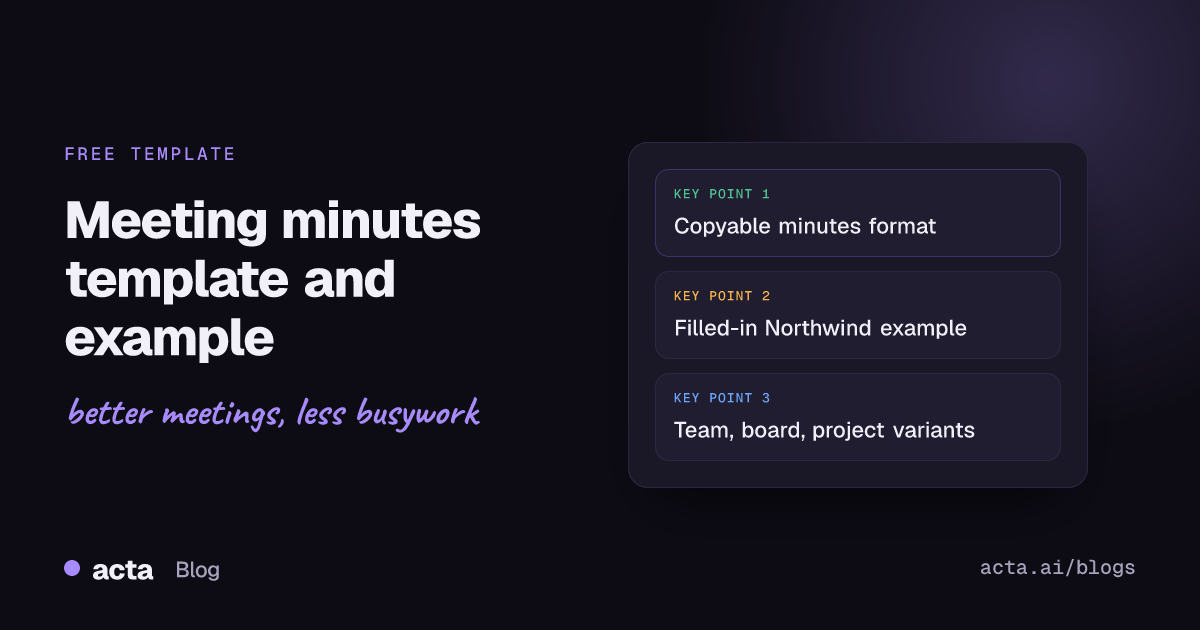
Meeting minutes template (copy and paste)
Copy this list into a document and fill it in. Delete headings you do not need, but keep the order, because readers learn where to look.
- Title: [Organization or team] - [Meeting type] minutes
- Date, time and place: [Date], [start time] to [end time], [room or video link]
- Chair: [Name, role]
- Minute-taker: [Name, role]
- Present: [Names and roles]
- Apologies / absent: [Names]
- Guests: [Names, and the item they attended for]
- Quorum: [Present / not present; number of voting members]
- Approval of previous minutes: [Approved as circulated / approved with these corrections: ...]
- Matters arising: [Status of open actions from last time]
- Agenda item 1 - [Title]: Summary in one to three sentences. Decision or motion: [exact wording]. Moved by: [name]. Result: [carried / failed / deferred], [vote count if required].
- Agenda item 2 - [Title]: same format
- Action items: [Action] - Owner: [name] - Due: [date]
- Any other business: [Items raised, and what happens with them]
- Next meeting: [Date, time, place]
- Adjourned: [Time]
- Approval: Minutes approved by [chair name] on [date]
That is the whole minutes of meeting format. Everything else is detail you add only when your organization requires it, such as attached papers, declarations of interest or closed-session notes.
Meeting minutes example: Northwind operations meeting
Here is the same template filled in. Northwind is a fictional company and everyone named is invented.
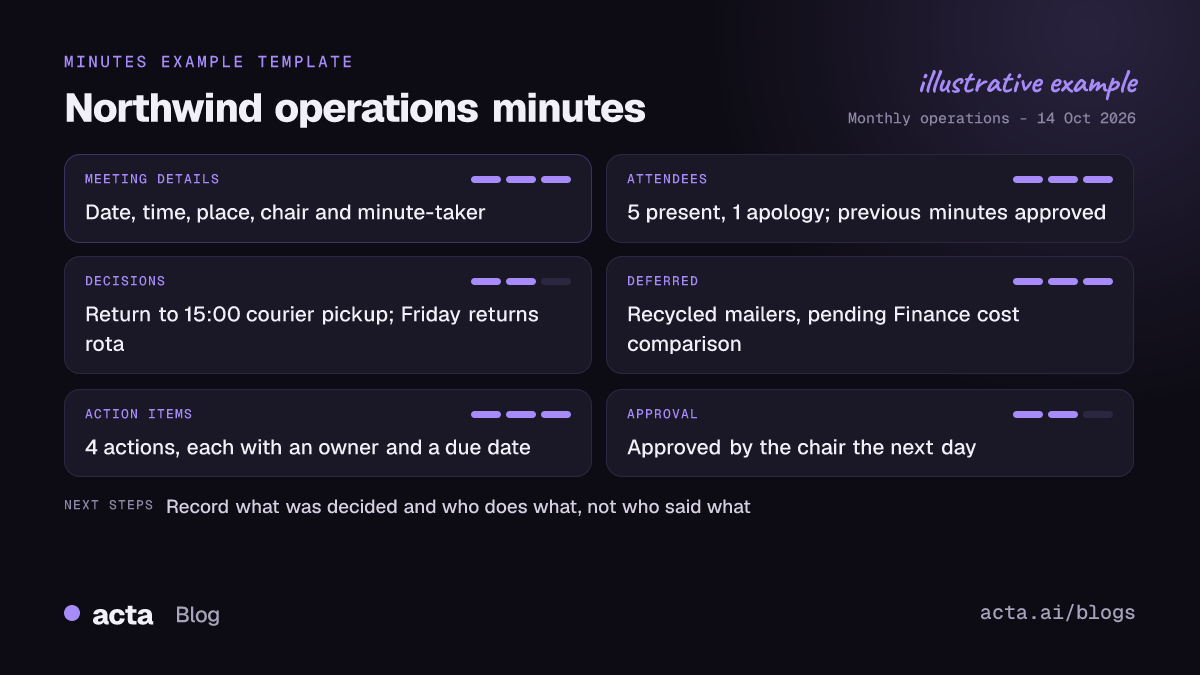
Northwind Ltd - Monthly operations meeting minutes
Date, time and place: 14 October 2026, 10:00 to 10:50, Room 3 and video call
Chair: Dana Ruiz, Head of Operations. Minute-taker: Sam Okafor, Operations Coordinator
Present: Dana Ruiz, Sam Okafor, Priya Lang (Warehouse), Tom Becker (Finance), Lena Ito (Customer Support). Apologies: Marco Hale (IT)
Previous minutes: Minutes of 9 September approved as circulated.
Matters arising: Courier contract review (Tom) complete. Shelf labelling (Priya) 80 percent done, due 31 October.
1. Late deliveries in September: Late orders rose after the move to the new courier's evening pickup. Decision: return to the 15:00 pickup slot from 21 October. Agreed by all present.
2. Returns backlog: Support reported a backlog of unprocessed returns. Decision: assign one warehouse staff member to returns every Friday until the backlog is cleared.
3. Packaging budget: Proposal to switch to recycled mailers at a higher unit cost. Decision deferred to November pending Finance's cost comparison.
Action items:
- Confirm 15:00 pickup with courier - Owner: Tom Becker - Due: 17 October
- Draft Friday returns rota - Owner: Priya Lang - Due: 18 October
- Cost comparison for recycled mailers - Owner: Tom Becker - Due: 4 November
- Update customer FAQ on delivery times - Owner: Lena Ito - Due: 22 October
Next meeting: 11 November 2026, 10:00. Adjourned: 10:50
Approval: Approved by Dana Ruiz, 15 October 2026
Notice what is missing: no "Tom said he thought maybe...", no back-and-forth. Each item has one line of context, then the decision, and every follow-up has a name and a date.
Meeting minutes templates for different meetings
The core template works for almost everything. These variants show what to add or drop.
Team meeting minutes
- Keep it light: date, attendees, updates in one line each, decisions, action items, next meeting.
- Skip quorum, motions and formal approval. A quick "any corrections?" at the next meeting is enough.
- Carry open action items forward to the top of next week's minutes so nothing quietly drops off.
Board meeting minutes
- Add quorum, declarations of interest, papers considered, and each resolution worded exactly as passed.
- Record vote results, abstentions and any director who left the room for an item.
- Keep discussion summaries short and focused on the reasons for a decision, since board minutes can be read later as evidence.
- The chair signs the approved version. For a deeper walkthrough, read board meeting minutes from the recording: resolutions, votes and actions.
Project meeting minutes
- Add status by workstream (on track, at risk, blocked), risks and issues, and scope or deadline changes.
- Log every decision with its reason so the team can trace why the plan changed. A running decision log and RACI built from your meetings helps here.
- Link action items to the ticket or task where the work is tracked.
How to write meeting minutes, step by step
- Before the meeting: get the agenda and paste its items into the template. Pre-fill names, date and the open action items from last time.
- During the meeting: listen for decisions, motions and commitments. Write those down word for word. Everything else can be a short summary.
- Ask when it is unclear: "Can I confirm the decision is X, owned by Y, by Friday?" The chair will usually be glad you asked.
- Right after the meeting: tidy the draft while it is fresh, ideally the same day.
- Send for review: the chair checks the draft before it goes to everyone.
- Circulate and approve: share the draft, then mark it approved, as circulated or as corrected, at the next meeting.
- File it: store approved minutes where people can find them, with a consistent file name such as "2026-10-14 Operations minutes".
What are the most common mistakes in meeting minutes?
- Writing a transcript. Long paraphrases of debate bury the decisions. Robert's Rules calls this improper for formal bodies, and it wastes everyone's time in informal ones.
- Vague decisions. "Discussed pricing" tells nobody anything. Write "Agreed to keep current pricing until Q1 review."
- Action items without owners or dates. "Look into courier options" will not happen. "Tom to send three courier quotes by 4 November" will.
- Missing attendance or quorum. For a board or committee, decisions taken without a recorded quorum can be challenged.
- Taking sides. Minutes should be neutral. Avoid adjectives like "heated" or "excellent".
- Sending them a week later. By then people remember the meeting differently and the actions are already late.
- Never approving them. Unapproved drafts are weak evidence of what was agreed.
Tips for the minute-taker
- Do not chair and take minutes at once. You cannot run the discussion and capture decisions accurately at the same time.
- Use the agenda as your skeleton. Every agenda item gets a heading, even if the outcome is "deferred".
- Use reported speech and the past tense. "The board approved..." rather than "We are approving...".
- Write names for actions, not for opinions. Who owns a task matters. Who argued for what usually does not.
- Keep a shorthand list. For example, D for decision, A for action, Q for open question, so you can scan your notes quickly afterwards.
- Track actions across meetings. Start each set of minutes with last meeting's open actions. Tools that track action items across meetings save you rebuilding that list by hand.
How does AI write meeting minutes from a recording?
AI meeting assistants can now produce a first draft of the minutes from the meeting recording, so the minute-taker reviews and corrects instead of typing from scratch.
Here is how it works in Acta:
- Capture the meeting. Acta records Zoom, Google Meet and Microsoft Teams through a meeting bot that joins from your calendar. Without a bot, you can use the desktop app for Windows and Mac, the Chrome extension for browser meetings, or the mobile apps for in-person meetings. You can also upload an existing recording. Recording people needs their consent where the law requires it, so tell attendees up front; our guide on whether it is legal to record meetings with AI covers what to say.
- Transcript with speakers. Acta transcribes the meeting and labels who spoke.
- Summary, decisions and action items. Acta writes a summary, logs decisions in a decisions log, and lists action items with owners and due dates.
- Minutes in the right format. Acta has 40 report templates in 11 role groups, including a Board Meeting Minutes template. You can choose the template, or let Acta pick one from the conversation.
- Export and share. Export the minutes to PDF, Word or Markdown, and send follow-up email drafts from the Follow-ups view.
AI does not replace the approval step. A person, usually the minute-taker and then the chair, must read the draft, check names, motion wording and vote results against what actually happened, fix anything wrong, and approve it before the minutes are distributed. Treat the AI output as the draft, never as the official record.
Two things make AI minutes more useful than a document on a shared drive. First, decisions and action items are kept across meetings, so you can keep a meeting decision log without copying lines between files. Second, Acta's OneChat answers questions across all your meetings with sources, such as "When did we agree to change the courier pickup time?" If you are comparing options, see our roundup of the best AI tools for meeting decisions and action items, or browse the Acta agents for board, project and team meetings.
Frequently asked questions
What is the correct format for minutes of meeting?
Use this order: meeting details, attendees and quorum, approval of previous minutes, agenda items with decisions or motions and outcomes, action items with owners and due dates, next meeting, adjournment time and approval. Formal bodies should follow their bylaws if they set a different format.
Should meeting minutes include who said what?
Usually not. Robert's Rules says minutes record what was done, not what was said. Name people for motions, votes where required, and action items, and keep discussion to a short neutral summary.
Who approves meeting minutes?
The group approves them, normally at the next meeting, and the chair signs or confirms the approved version. For informal team meetings, the chair reviewing the draft before it is sent is often enough.
How soon should minutes be sent after a meeting?
Aim for the same day or within one to two working days. The sooner people see the action items, the sooner the work starts, and corrections are easier while memories are fresh.
Can AI write official meeting minutes?
AI can write a good first draft from the recording, including decisions and action items. A person must still review, correct and approve it before it becomes the official record.
Want a first draft of your next minutes waiting when the meeting ends? Try Acta free for 15 days.