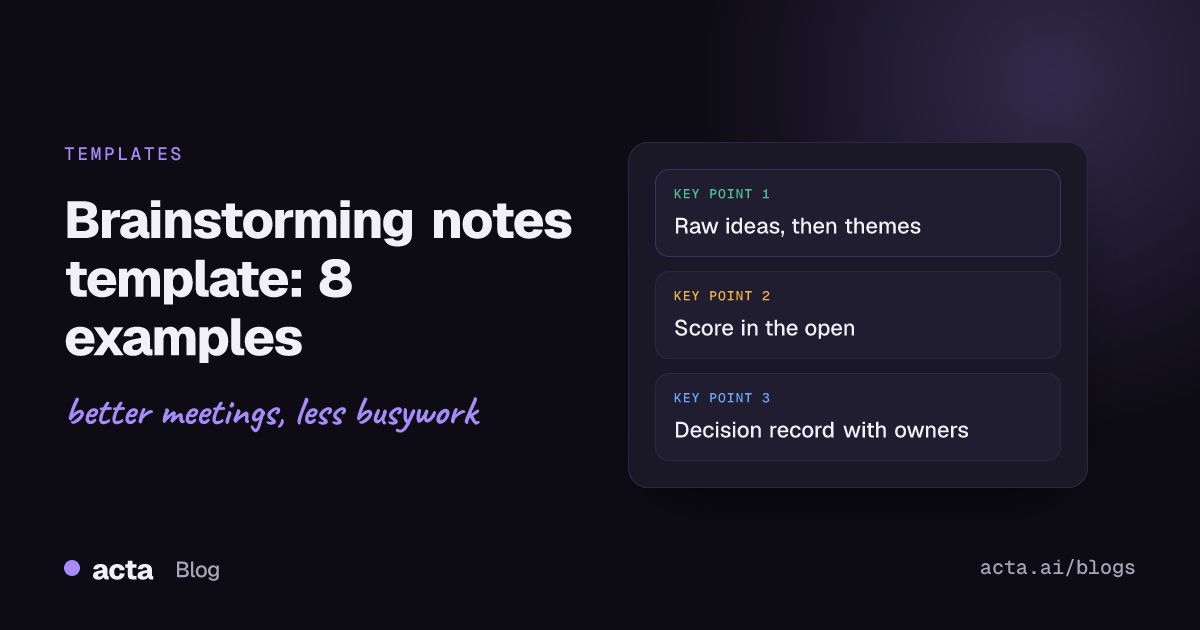
A brainstorming notes template gives you separate places for the raw ideas, the themes they fall into, the shortlist and the decision on what happens next, so a good session doesn't end as a photo of a whiteboard nobody opens again. Below are eight copy-ready templates for live, silent, remote and solo brainstorms, with when to use each.
Meeting Productivity 11 min read
Brainstorming Notes Template: 8 Examples From Raw Ideas to Decisions
Eight copy-ready brainstorming notes templates that keep raw ideas, themes, scores and the final decision apart, for live, silent, remote and solo sessions.
By Sarma BKP, Founder & CEO, Acta · Updated
This guide is for facilitators, product managers, marketers and team leads who run brainstorms and then have to explain afterwards what came out of them. It assumes the session itself follows sensible rules (no judging during idea generation, one conversation at a time). The templates are about the record: what to write down, in which order, and how to turn fifty sticky notes into three things someone will actually test.
Key takeaways
- Keep two phases apart in your notes: generating ideas (write everything, judge nothing) and choosing (score, shortlist, decide).
- Write the problem as a question at the top of every page, such as "How might we get new customers to their first report in week one?"
- Log who suggested each idea and what it builds on. It makes follow-up questions possible a week later.
- End every session with a decision record: the two or three ideas you'll test, an owner and a date for each, and what you parked.
- Try a silent writing round before the open discussion; research summarised by the British Psychological Society suggests people often produce more ideas working alone first.
Table of contents
- Brainstorming notes must keep ideas and decisions apart
- Capture templates keep every raw idea
- Sorting templates turn fifty ideas into five themes
- The decision record is the page people reread
- Remote and solo brainstorms need a lighter template
- Pick the brainstorming notes template by the session's goal
- Where a meeting recorder helps in a brainstorm
- Frequently asked questions
- Choose a template and run your next brainstorm with it
Brainstorming notes must keep ideas and decisions apart
A brainstorm has two jobs that pull in opposite directions. First you want as many ideas as possible, including odd ones. Then you want to narrow them down to a few worth testing. IDEO's Design Kit lists seven brainstorm rules: defer judgment, encourage wild ideas, build on the ideas of others, stay focused on the topic, one conversation at a time, be visual, and go for quantity. Every one of those rules is about the first job. None of them tells you how to decide.
That's why brainstorming session notes go wrong. People either judge during the idea phase ("we tried that in 2023") or never get to the decision phase at all. The session ends at the hour mark, someone photographs the wall, and a month later nobody remembers which idea won.
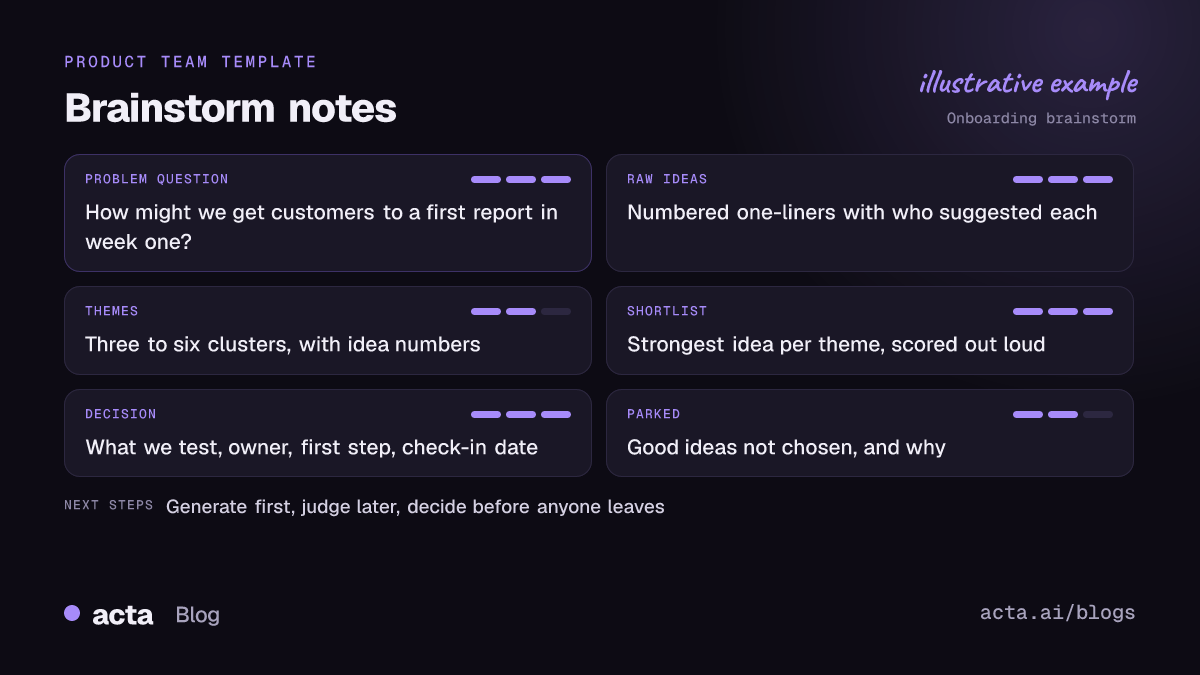
A good brainstorming notes template mirrors the two phases:
- Frame: the problem as a question, constraints, who's in the room.
- Generate: a raw list, unfiltered, with who said what.
- Sort: themes or clusters.
- Choose: a scored shortlist.
- Decide: what you'll test, who owns it, by when, and what you parked.
If you keep only one habit from this guide, make it step 5. Ideas without an owner stay ideas.
Capture templates keep every raw idea
These three templates cover the generating phase. Use one per session, depending on the group.
Template 1: Brainstorming session notes template
When to use it: the default for a live brainstorm of four to ten people, in a room or on a call.
Brainstorm: [topic] / [date] / facilitator [name] / note-taker [name]
Problem question: How might we [outcome] for [who]?
Constraints: [budget, deadline, things that are off the table]
Attendees: [names and roles]
Raw ideas: [numbered list, one line each, initials of who suggested it]
Themes: [3 to 6 clusters, with idea numbers in each]
Shortlist: [3 to 5 ideas with scores]
Decision: [what we'll test] / [owner] / [date]
Parked: [good ideas not chosen, and why]
Filled-in example: "Problem: How might we get new customers to their first report in week one? Raw ideas: 1. Welcome call on day two (PR). 2. Pre-built sample report (MK). 3. Email with one task per day (DN)... 27. Progress bar in the app (JS). Themes: human contact (1, 9, 14), product guidance (2, 7, 27), email nudges (3, 11). Decision: test the sample report with the next 50 signups, owner Marco, review on the 15th."
Template 2: Raw idea log
When to use it: when ideas come fast and the note-taker needs one line per idea without thinking about structure.
# / Idea in one line / Who / Builds on # / Question to ask later
1 / Welcome call on day two / Priya / none / Who makes the call?
2 / Sample report already filled in / Marco / none / Which template?
3 / Sample report per industry / Dana / 2 / How many industries?
The "builds on" column follows IDEO's "build on the ideas of others" rule, and it's useful later: chains of ideas that build on each other usually point to the theme the room cared about most.
Template 3: Silent writing round sheet
When to use it: groups with a few loud voices, mixed seniority, or a topic people feel awkward about. Run it before open discussion.
Round 1 (5 minutes, alone): write three ideas, one per line.
Round 2 (5 minutes): swap sheets; add one idea that builds on each of the three you received.
Round 3: read all sheets aloud, no comments; the note-taker copies them into the raw idea log.
This is a form of brainwriting. The British Psychological Society's research digest covers the research argument for it: people tend to come up with more ideas working on their own than calling them out in a group. In my experience it also gets the quiet people's best idea onto the wall in the first ten minutes instead of never.
Sorting templates turn fifty ideas into five themes
Most brainstorms produce more ideas than anyone can test. These two templates do the narrowing in the open, so people can see why their idea did or didn't make it.
Template 4: Theme clustering notes
When to use it: after any session with more than about 15 ideas.
Theme name: [a short phrase the group agrees on]
Ideas in this theme: [idea numbers]
What the theme is really about: [one sentence]
Strongest idea in the theme: [number and one line]
Outliers: [ideas that fit nowhere; keep them]
Name themes with verbs where you can: "remove the setup step" says more than "onboarding". And keep the outliers list. Wild ideas that fit no theme are often the ones worth a second look next quarter.
Template 5: Idea scoring sheet
When to use it: choosing a shortlist from the strongest idea in each theme. Score as a group, out loud, after the idea phase is fully over.
| Idea | Impact (1-5) | Effort (1-5, 5 = easy) | Confidence (1-5) | Total | Notes |
|---|---|---|---|---|---|
| Sample report per industry | 4 | 3 | 3 | 10 | Start with two industries |
| Welcome call on day two | 4 | 2 | 4 | 10 | Needs CS time |
| Progress bar in the app | 2 | 4 | 2 | 8 | Park until Q3 |
The scores are examples, not a formula. Their job is to make the discussion explicit: "I gave it a 2 for confidence because we have no data on it" is a more useful sentence than "I don't like it". If two ideas tie, the tie-break is a short conversation, not more maths.
The decision record is the page people reread
Nobody rereads raw ideas. People reread the decision. Write it as a separate block at the top of the notes, so anyone opening the document sees it first.
Template 6: Brainstorm decision record
When to use it: at the end of every brainstorm, filled before people leave the room.
We will test: [idea] / [owner] / [first step] / [check-in date]
We will test: [idea] / [owner] / [first step] / [check-in date]
We parked: [idea] / [why] / [revisit when]
We rejected: [idea] / [reason]
Open questions: [question] / [who finds out]
Who needs to know: [people not in the room]
"Rejected, with reason" saves you from rerunning the same brainstorm in six months. If the decision needs sign-off from someone outside the session, our guide on how to run a decision meeting covers getting from a shortlist to a firm yes. For tracking decisions across many sessions, a decision log and RACI keeps the history in one place.
Remote and solo brainstorms need a lighter template
On a video call, people talk over each other less but drift more. On your own, you need structure without ceremony. These two are cut-down versions.
Template 7: Remote brainstorming notes
When to use it: brainstorms on Zoom, Teams or Google Meet, usually with a shared whiteboard or doc.
Before the call: problem question and constraints in the invite; a shared board with one column per phase.
Silent round (8 minutes): everyone adds ideas to the board, cameras optional.
Read-out (10 minutes): facilitator reads ideas, people add "builds on" notes.
Sort and score (15 minutes): drag into themes; dot-vote or score the strongest idea per theme.
Decide (5 minutes): fill Template 6 on screen before the call ends.
Atlassian's Team Playbook has a disruptive brainstorming play that suggests breakout rooms for remote teams and keeping the output visible after the session, both of which fit this template.
Template 8: Solo brainstorm page
When to use it: preparing for a meeting, writing a plan, or getting unstuck on your own.
Question: [one line]
Ten ideas in ten minutes: [no editing]
Flip it: how would we make the problem worse? [three answers, then reverse them]
Pick one: [the idea] / [first step today]
The "flip it" line is a quick way to find ideas you'd otherwise filter out. Ask how to make onboarding slower and you'll get "add another form", which reverses into "remove the second form".
Pick the brainstorming notes template by the session's goal
Don't use all eight at once. Pick by what the session is for.
| Session goal | Use | Skip |
|---|---|---|
| Lots of options, early stage | 1, 2, 3 | 5 (too early to score) |
| Choose what to build next | 1, 4, 5, 6 | 3 if ideas already exist |
| Mixed seniority or loud voices | 3 first, then 1 | Open call-outs at the start |
| Remote team | 7, then 6 | Long read-outs |
| Thinking alone | 8 | Everything else |
Then run the session in this order:
- Send the question in advance. People bring better ideas when they've had a day to think.
- Assign a note-taker who isn't the facilitator. The facilitator can't manage the room and type at the same time.
- Time-box each phase out loud. "Ten minutes of ideas, no comments" works better than a general request to be open-minded.
- Write the decision before anyone leaves. Five minutes at the end beats an email chase next week.
- Share the notes the same day, decision block first, raw list at the bottom.
Mistakes that waste a good brainstorm
- Judging during the idea phase: one "we tried that" and the room goes quiet. The note-taker should write the idea down anyway.
- Only the winning ideas get written down: you lose the parked list, which is your backlog for next time.
- No owner on the decision: "we should test this" means nobody will.
- Photographing the wall as the only record: photos aren't searchable. Type the raw list the same day.
- Too many people: past about ten, split into groups and compare.
For general habits on capturing what people say without missing the point, our guide on how to take meeting notes covers formats and shorthand.
Where a meeting recorder helps in a brainstorm
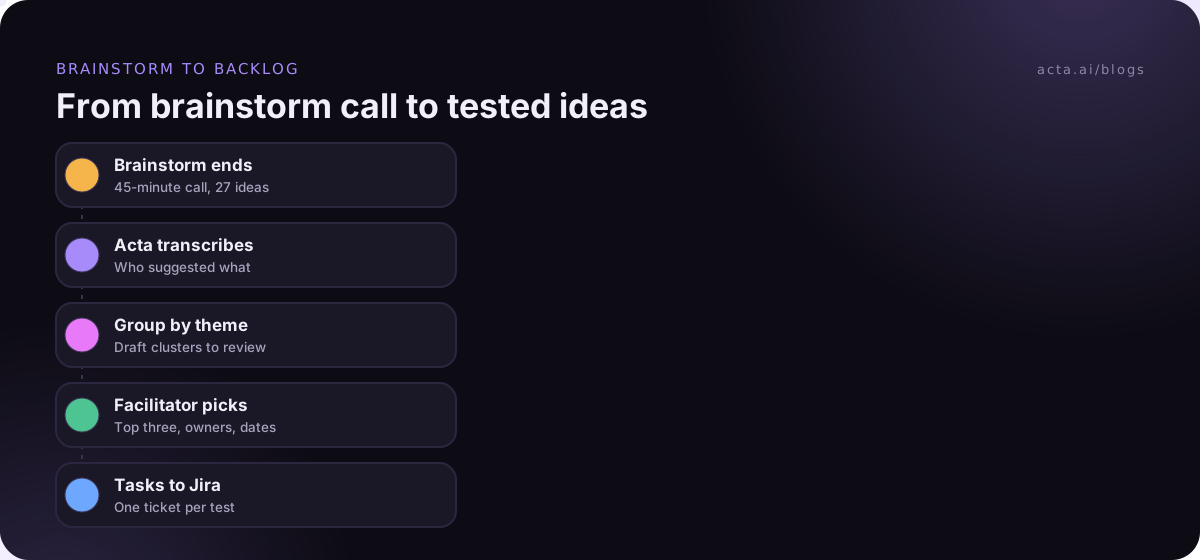
A note-taker writing one line per idea will always miss some of the reasoning behind them. If your brainstorm runs on a call and everyone has agreed to recording, Acta can transcribe it and draft the summary, decisions and action items, so the note-taker can focus on the raw idea log; one of its report templates can follow the structure above, and tasks can go to Jira through the Jira integration. If a bot joining feels intrusive in a creative session, the desktop app records from your own computer. Tell people first; our guide to recording meetings with AI and consent covers what to say.
Frequently asked questions
How do I take notes during a brainstorming session?
Assign a note-taker who isn't facilitating. Write the problem question at the top, then log every idea as a numbered one-liner with the initials of who suggested it, without filtering. Once ideas stop, group them into themes, score the strongest in each, and finish with a decision record listing owners, dates and parked ideas.
What should a brainstorming template include?
It should include the problem as a question, constraints, attendees, a raw idea list, themes, a scored shortlist, and a decision block with what you'll test, the owner, the first step and a check-in date. Add a parked list with reasons, so good ideas that weren't chosen this time are easy to find later.
What is the difference between brainstorming and brainwriting?
In brainstorming, people call ideas out loud in a group. In brainwriting, they write ideas silently first, often passing sheets so others can build on them, and only then discuss. Brainwriting helps when a few voices tend to dominate. Many facilitators combine them: a silent round first, then open discussion and sorting.
How many people should be in a brainstorm?
There's no fixed number, but small groups are easier to run. Atlassian's disruptive brainstorming play is written for 3 to 11 people. With larger groups, split into smaller teams that each produce ideas on the same question, then bring the themes together for scoring and the decision.
Is it OK to record a brainstorming session?
It can be, if everyone knows and agrees. Some people hold back wild ideas when they know they're recorded, so explain why you're recording (usually so the note-taker doesn't miss anything) and who will see the transcript. Check your local recording and consent rules first.
Choose a template and run your next brainstorm with it
Start with one session and three templates, not eight. Here's a short plan:
- Write the question: one "How might we" sentence in the invite, with the constraints.
- Pick your capture template: Template 1 for most groups, Template 3 first if a few voices dominate.
- Name a note-taker: not the facilitator.
- Score in the open: use Template 5 on the strongest idea per theme.
- Decide before you leave: fill Template 6 with owners and dates, and share it the same day.
If your brainstorms happen on calls, try the Acta desktop app during the 15-day free trial and compare its draft with your note-taker's raw list.
Found this useful? Share it with your team.