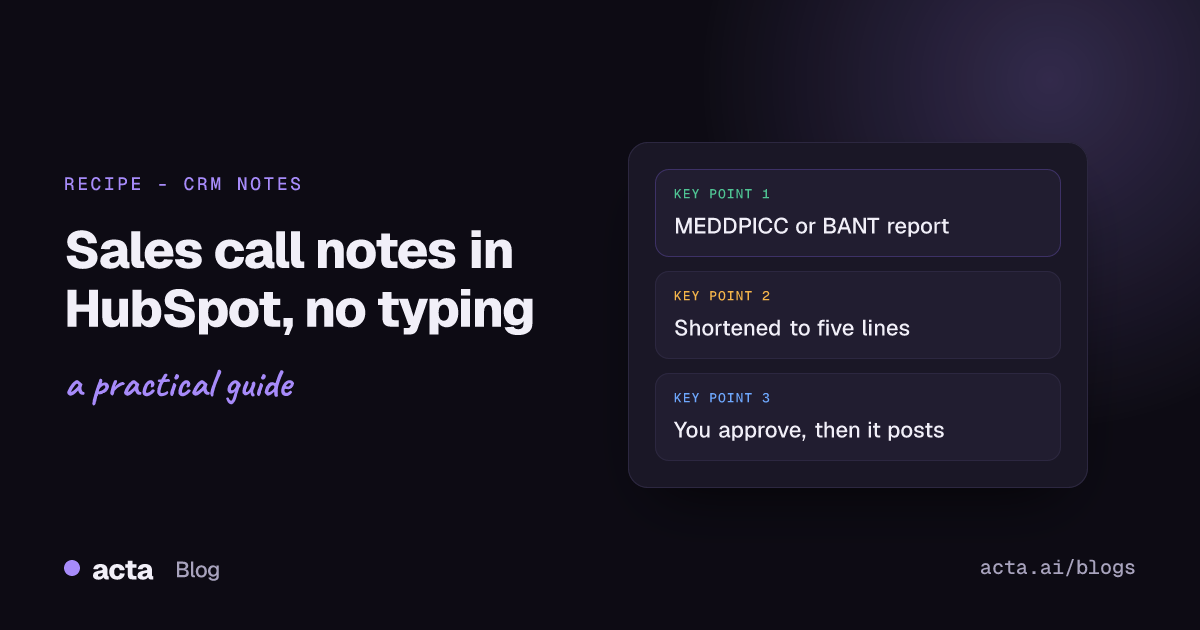
Quick answer: The cleanest way to get sales call notes to HubSpot is to let Acta build a MEDDPICC or BANT report from the call, have an AI step cut it down to a short CRM note, approve it, and add it to the HubSpot contact matched by email. On a paid plan you can also push Acta's full reports straight to HubSpot without building anything.
Most reps don't skip CRM notes because they're lazy. They skip them because the next call starts in four minutes and typing up the last one feels like homework. Nobody wants to log call notes in HubSpot between back-to-back calls. So the notes get written on Friday afternoon from memory, or not at all.
This post is the recipe I'd set up for a rep or a small sales team: what triggers it, what the note should say, where a human checks it, and the mistakes that put the wrong note on the wrong contact.
What should a sales call note in HubSpot actually say?
Before automating anything, agree on what a good note looks like. Otherwise you'll automate a bad one.
For a discovery or demo call, I'd want a note your manager can read in 20 seconds on the contact record:
- The pain, in their words. "Month-end close takes nine days and the CFO wants it at five."
- Who decides and who signs. Names and roles, not "the stakeholders".
- Budget and timing, only if they actually said something. Blank is better than a guess.
- Next step with a date. "Security review call, Tue 17 Nov, Dana joining."
- What you promised. The deck, the pricing, the reference call.
That's the shape of a qualification framework squeezed into five lines. If your team runs MEDDPICC, our guide to the MEDDPICC deal report from sales calls covers each field. If you're earlier in the funnel, BANT qualification from discovery calls is usually enough.
How do you get sales call notes to HubSpot automatically?
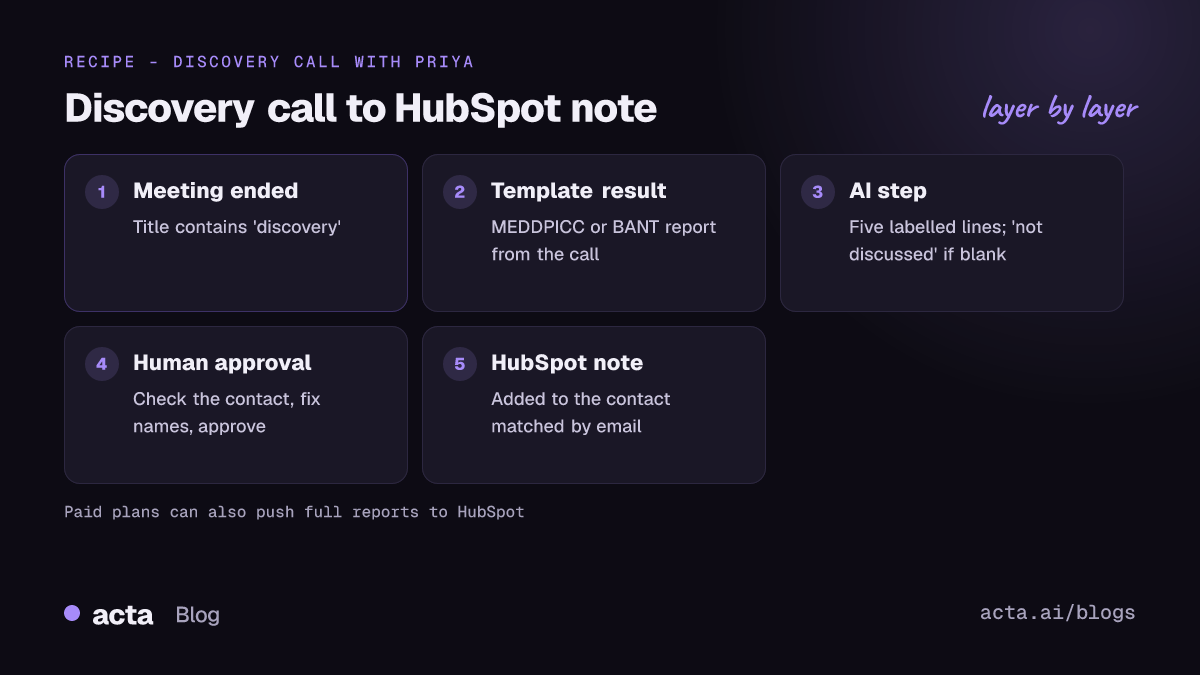
Here's the recipe in Acta Agent Builder (it's new). An agent is one trigger and a few steps:
- Trigger: Meeting ended, with a "title contains" filter such as "discovery". It fires when Acta's summary is ready.
- Acta data: meeting template result. Pull the MEDDPICC deal report or BANT report for that call. Acta has 40 report templates and can pick one automatically from the conversation, but for this agent I'd name the one you want.
- AI step: shorten it. The full report is great inside Acta. On a HubSpot timeline it's a wall of text. Ask the AI step for five lines in the shape above.
- Human approval. The run pauses in your Approvals inbox. You read it, fix a name if needed, approve.
- HubSpot: add a note to a contact. Acta matches the contact by email, using the external attendee on the invite.
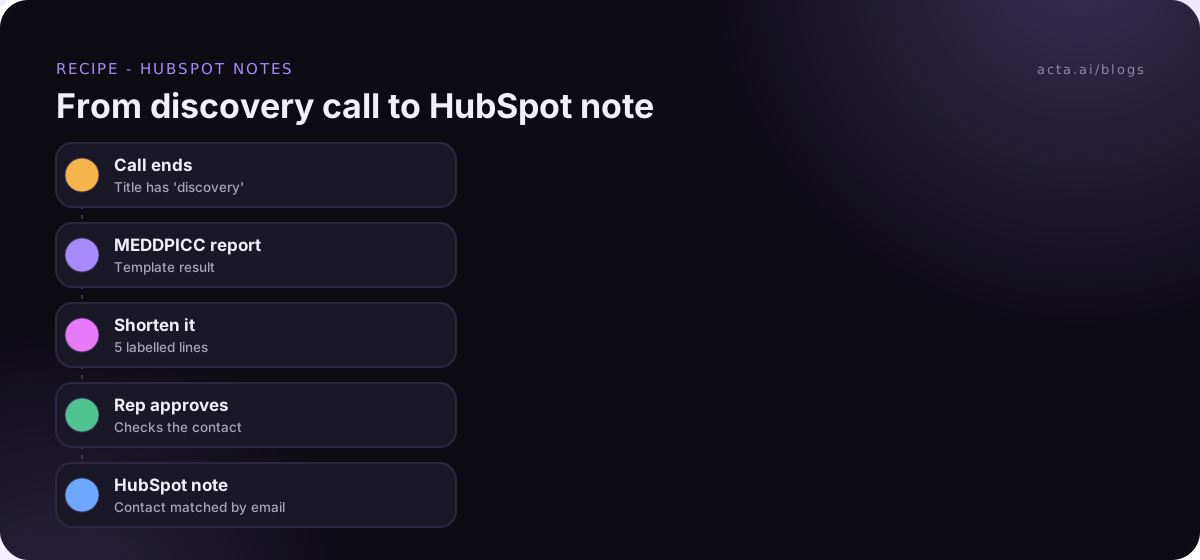
Fastest way to build it: describe it in plain words. Something like "When a meeting with 'discovery' in the title ends, take the BANT report, turn it into a 5-line note, let me approve it, then add it to the HubSpot contact." The AI drafts the agent and gives you a short list of things to fill in. Run "Check setup", which flags missing settings and app connections, then do a test run before you turn it on.
What about calls named "demo" and "discovery"?
The trigger takes one "title contains" filter. If your team names calls inconsistently, you've got three options: fix the naming (best), build two small agents with different filters, or use a broader filter and a Switch step that routes on the title. I'd fix the naming. It pays off everywhere else too.
The prompt for the AI step
Turn this report into a CRM note of 5 lines or fewer. Use these labels: Pain, Decision maker, Budget/timing, Next step, We promised. Only include what the customer actually said; if a field wasn't discussed, write "not discussed". Use names and dates. No adjectives, no sales language.
"Not discussed" matters. Without it, AI steps tend to fill gaps with something plausible, and a made-up budget on a HubSpot record is worse than no budget at all.
Do you need the approval step?
For CRM notes, I'd keep it. A Slack recap that's slightly off gets corrected in a reply. A wrong note on a contact sits there for months and gets read by the next rep, your manager and whoever does the renewal.
The approval step is light. You see the text, edit it if you need to, and hit approve or reject. You can also get an email with Approve and Reject buttons. If nobody answers before it expires (24 hours by default, up to 7 days), nothing is sent. So a rep on holiday doesn't end up with half-checked notes in HubSpot.
After a few weeks, if you're approving everything without changes, you could drop it for internal-facing teams. For anything that goes on a customer's record, we'd leave it in. Our post on human approval in automation goes into when it's worth the click.
Is there a simpler option than Agent Builder?
Yes. On a paid plan, Acta can push its reports to HubSpot (and to Salesforce or Zoho) directly. No agent, no prompt. You get the full template report, MEDDPICC or BANT or whatever you use, on the record.
When I'd use which:
- Push reports if your team actually reads the full qualification report in the CRM, or your manager wants every field.
- Agent Builder if you want a short note, an approval step, or extra steps after the note (a Slack message to your manager, a row in a deal sheet).
And if you want the action items from the call to end up as tasks rather than notes, see our guide to syncing meeting action items to Jira, HubSpot and Salesforce.
What mistakes put the wrong note in HubSpot?
We see the same ones again and again.
The note lands on the wrong contact
The HubSpot step adds the note to a contact matched by email. So it depends on who's on the invite. Things that trip it up:
- The customer's assistant sent the invite, so their email is the one on the meeting.
- Three people from the customer joined, and the one you care about isn't the first match.
- The contact uses a personal email in HubSpot and a work email on the invite.
The approval step is where you catch this. Glance at which contact it's going to before you approve. And keep HubSpot contact emails current; the automation can't match what isn't there.
One useful side effect: in HubSpot, a note logged on a contact is automatically associated with that contact's primary company and its five most recent open deals, as long as those records were already associated before the note was logged. HubSpot's help page on associating activities with records explains the rules. So if your contacts are linked to the right deal, the note shows up on the deal too. If they aren't, fix that first. The guide on associating records in HubSpot covers it.
Internal calls get logged
Your Tuesday "discovery calls review" with the team has "discovery" in the title. Without a guard, it'll try to post a note too. Either use a tighter title filter, or add an If/else step so the run only continues when someone from outside your company was on the call.
The note is too long
If reps start scrolling past the notes on the timeline, they'll stop trusting them. Five lines. If someone needs more, the full call is in Acta.
Nobody records the call
Obvious, but it's the most common failure. Acta can record Zoom, Google Meet and Microsoft Teams through a bot that joins from your calendar, or without a bot through the desktop app for Windows and Mac. Either way, recording a customer needs their consent where the law requires it. Say it at the start of the call ("I'm recording so I don't have to take notes, is that OK?") and read our guide on what to tell participants when you record with AI.
What do good HubSpot call notes look like in practice?
An example, for illustration. A discovery call with Priya, Head of Finance Ops at a mid-sized logistics firm. Here's the note that lands on her contact after the rep approves it:
- Pain: month-end close takes 9 days, CFO wants 5 by Q2.
- Decision maker: Priya runs the evaluation; the CFO, Tom, signs.
- Budget/timing: not discussed.
- Next step: security review call Tue 17 Nov, Dana from IT joining.
- We promised: security questionnaire answers and pricing by Fri.
Five labelled lines, readable in a few seconds. And see the "not discussed" for budget? That's the AI step doing what it was told.
How does this compare to Zapier or a manual process?
The manual way still works: open the transcript, write the note, paste it in HubSpot. It takes a few minutes per call, and on a busy day it's the first thing to slip.
You can also automate CRM notes with a meeting recorder plus Zapier, Make or n8n. That's a fine choice if your team already runs everything through Zapier. The trade-off is that you're stitching together the recording, the summary, the AI step and the approval yourself. We compare the two approaches in how to update your CRM after a sales call, and Acta Agent Builder can also hand the note to an existing Zap with a "Send to a Zap" step if you want to keep part of your setup.
For the sales-specific agents Acta ships, take a look at Acta agents.
Frequently asked questions
Can Acta add sales call notes to HubSpot automatically?
Yes. In Agent Builder, the HubSpot step adds a note to a contact matched by email. On a paid plan, Acta can also push full reports to HubSpot.
Can I use MEDDPICC notes in HubSpot?
Yes. Pull the MEDDPICC template result in an Acta data step and either shorten it with an AI step or push the full report.
Does it update deal properties or stages?
No. The HubSpot action adds a note to a contact. HubSpot's own association rules may attach that note to the contact's company and open deals.
What happens if I don't approve the note?
Nothing is sent. The approval expires after 24 hours by default (you can set up to 7 days) and the run stops.
Does it work with Salesforce or Zoho too?
Yes, the same "add a note to a contact matched by email" action exists for Salesforce and Zoho.
See plans on the pricing page, or start with the 15-day free trial.