The right no code AI agents builder depends on where your agent's work starts. For agents that act across hundreds of apps, start with Zapier Agents or Make. If you want to self-host, n8n is the usual pick. For assistant-style agents that handle email and research, look at Lindy, Relevance AI or Gumloop. Microsoft 365 shops should try Copilot Studio first, and if the trigger is a meeting, a meeting-native builder like Acta's Agent Builder saves the plumbing.
This round-up compares nine options on who each suits, whether there's a free way in, and how pricing works, as of November 2026. It's written for operations, sales and product people who want an agent running without writing code. If your agent needs custom model hosting, strict data residency or complex code-level logic, you'll outgrow most of these and should look at a developer framework instead.
Key takeaways
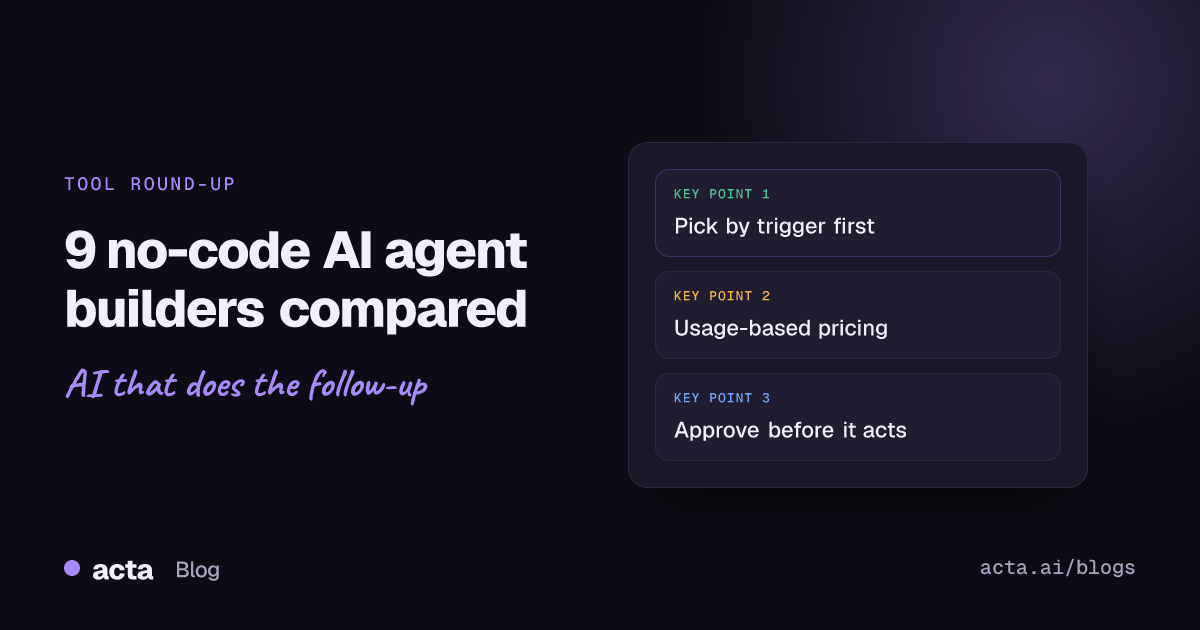
- Choose by trigger first: an email, a form, a schedule, a CRM change or a meeting. The builder that owns your trigger needs the least glue.
- Expect usage-based pricing. Zapier counts activities, Make counts credits, n8n counts executions and Copilot Studio counts Copilot Credits, so one agent run can cost several units.
- Free tiers are for testing. Zapier Agents' free plan, for example, allows 400 activities a month and 10 activities per run.
- Put a human approval step before anything is sent to a customer or written to a CRM, at least for the first month.
- OpenAI announced in June 2026 that it is winding down Agent Builder, so don't start new projects on it.
Table of contents
- Nine no code AI agents builder options compared
- Automation platforms suit agents that work across many apps
- Agent-first builders suit assistant-style work
- Ecosystem builders make sense if you already live there
- Meeting-driven agents need the conversation as their input
- Pick a builder by trigger, data and who approves
- First agents usually fail for the same four reasons
- Frequently asked questions
- Shortlist two builders and test one real task
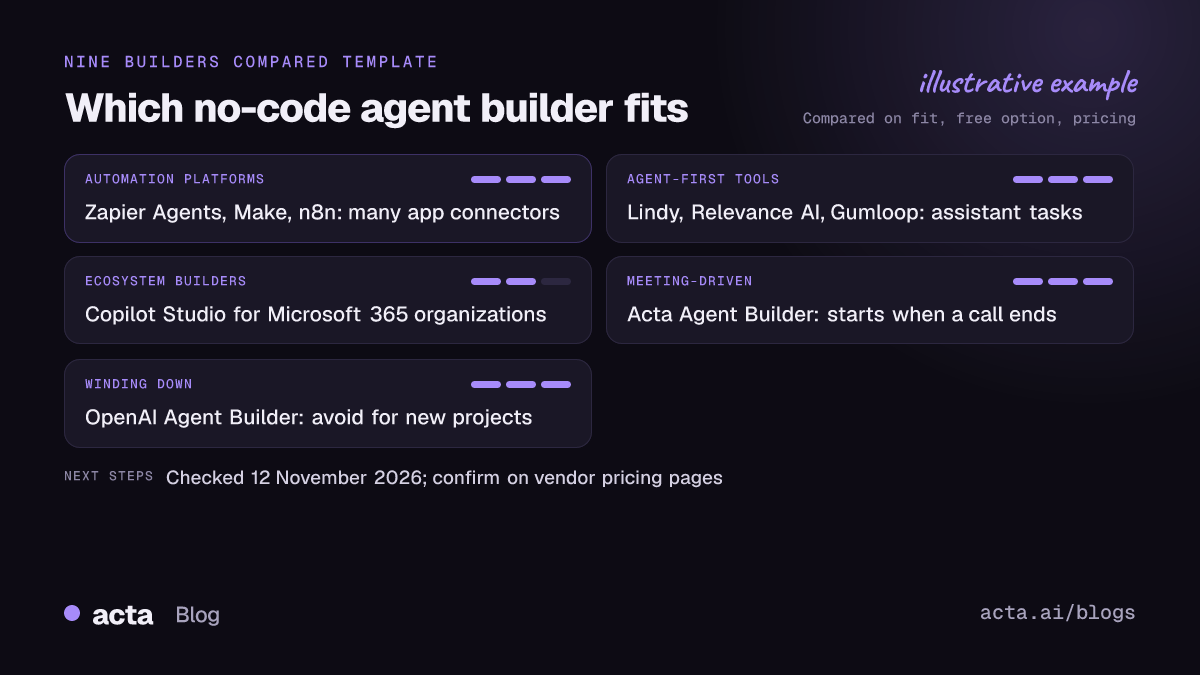
Nine no code AI agents builder options compared
Here's the short version. "Free option" means a way to use the product without paying, not a trial of the full plan.
| Tool | Best for | Free option | Pricing model |
|---|---|---|---|
| Zapier Agents | Agents acting across many SaaS apps | Yes, 400 activities/month | Activities per month |
| Make | Visual, branching scenarios on a budget | Yes, limited credits | Credits per month |
| n8n | Self-hosting and technical ops teams | Yes, self-hosted Community edition | Executions (cloud plans) |
| Lindy | Inbox, scheduling and assistant tasks | Check current plans | Per user, shared credits |
| Relevance AI | Sales and research agent teams | Closed to new signups | Tiered plans, Pro from $19/month |
| Gumloop | Data and web-scraping workflows | Changed in 2026, check site | Credits per month |
| Microsoft Copilot Studio | Microsoft 365 and Teams organizations | No (pay-as-you-go available) | Copilot Credits, $200 per 25,000 |
| Acta Agent Builder | Automations that start from meetings | 15-day free trial | Per seat, Pro $8/month |
| OpenAI Agent Builder | Existing projects only | Billed through API usage | Being wound down |
Checked on 12 November 2026; confirm on each vendor's pricing page.
Automation platforms suit agents that work across many apps
These started as trigger-and-action automation tools and added AI agents on top. Their strength is the connector library. If your agent's job is "read this, decide, then update three other systems", start here. Our Zapier vs Make vs n8n comparison goes deeper on the classic automation side.
Zapier Agents
Best for: Non-technical teams that already use Zapier and want an agent that can act in many apps.
Pros: You describe the agent's job in plain language and give it actions from Zapier's app catalog. Per Zapier's help center, agent usage is measured in activities and doesn't count against your Zap tasks.
Cons: Activities add up fast: each action, knowledge search and web lookup counts. A run that hits its per-run limit (10 activities on Free, 40 on paid plans) pauses and asks you to continue.
Price (as of November 2026): Free plan with 400 activities a month; Pro with 1,500; Enterprise is custom. Check Zapier's pricing page for current dollar amounts.
Make
Best for: People who think visually and want branching logic, with AI agent steps inside a scenario.
Pros: The canvas shows every branch and error route, which makes debugging easier than in list-style builders. Paid tiers are cheap to start with, which makes it easy to experiment.
Cons: Scenarios get complex quickly, and AI agent steps consume credits like any other module, so a chatty agent burns through a small plan.
Price (as of November 2026): Free plan with a small monthly credit allowance; paid Core, Pro and Teams plans billed by credits. Make renamed "operations" to "credits", so older guides may use the old term.
n8n
Best for: Ops or engineering-adjacent teams that want to self-host or need more control than Zapier gives.
Pros: The n8n docs describe a free, self-hosted Community edition with almost the full feature set. It counts a whole workflow run as one execution, not each step, which is kinder to multi-step agents.
Cons: It's the most "low-code" of the no-code tools. Expect to read JSON and handle hosting, updates and credentials yourself if you self-host.
Price (as of November 2026): Community edition free to self-host; cloud plans (Starter, Pro) priced by executions, listed in euros; Business and Enterprise for larger teams.
Agent-first builders suit assistant-style work
These tools were built around agents from the start. They're good at open-ended tasks like triaging an inbox, researching a lead or drafting replies, and lighter on deep app logic.
Lindy
Best for: Individuals and small teams who want an assistant for email, scheduling and follow-ups.
Pros: Built around assistant-style jobs rather than app-to-app plumbing, and a workspace shares one credit pool, so a team can pool usage.
Cons: Credits per task vary with complexity, so costs are hard to predict until you've run an agent for a few weeks. Plan names have differed between Lindy's site and its docs.
Price (as of November 2026): Lindy's pricing docs list Plus, Pro and Max plans charged per user, plus Enterprise. Monthly credits don't roll over.
Relevance AI
Best for: Sales and go-to-market teams building several agents that hand work to each other.
Pros: Designed for multi-agent setups, such as a research agent feeding an outreach agent, with tools you configure without code.
Cons: More setup than a single-assistant tool, and the free route has gone. Per Relevance AI's pricing docs, the Free plan is closed to new signups.
Price (as of November 2026): Paid plans from $19 a month for Pro, with Team and Enterprise tiers above.
Gumloop
Best for: Data-heavy workflows: scraping, enriching spreadsheets, summarizing many documents.
Pros: A drag-and-drop canvas that reviewers mostly use for scraping, enrichment and document processing, which suits ops and growth teams.
Cons: Its free tier changed during 2026 and reports conflict on what's left, so confirm before you plan around it. Less suited to agents that need to talk to people.
Price (as of November 2026): Credit-based paid plans; check Gumloop's pricing page for the current entry tier.
Ecosystem builders make sense if you already live there
Microsoft Copilot Studio
Best for: Organizations on Microsoft 365 that want agents inside Teams, SharePoint and Dynamics.
Pros: Admin controls and data connections your IT team already understands. Per Microsoft's Copilot Studio licensing guidance, people who build agents need a Copilot Studio user license, listed at $0.
Cons: Licensing is genuinely confusing, and costs depend on how many credits each agent action uses. Outside the Microsoft stack, it offers less than the others.
Price (as of November 2026): Capacity packs at $200 per tenant per month for 25,000 Copilot Credits, or pay-as-you-go at $0.01 per credit. Unused pack credits don't carry over.
OpenAI Agent Builder
Best for: Teams with an existing build that need to plan a migration.
Pros: When OpenAI launched AgentKit, Agent Builder offered a visual canvas with no separate platform fee: you paid for model and tool usage through the API.
Cons: OpenAI's AgentKit announcement now carries a June 2026 update saying it is winding down Agent Builder and Evals. Don't start anything new here.
Price (as of November 2026): Standard API usage pricing for existing users.
Meeting-driven agents need the conversation as their input
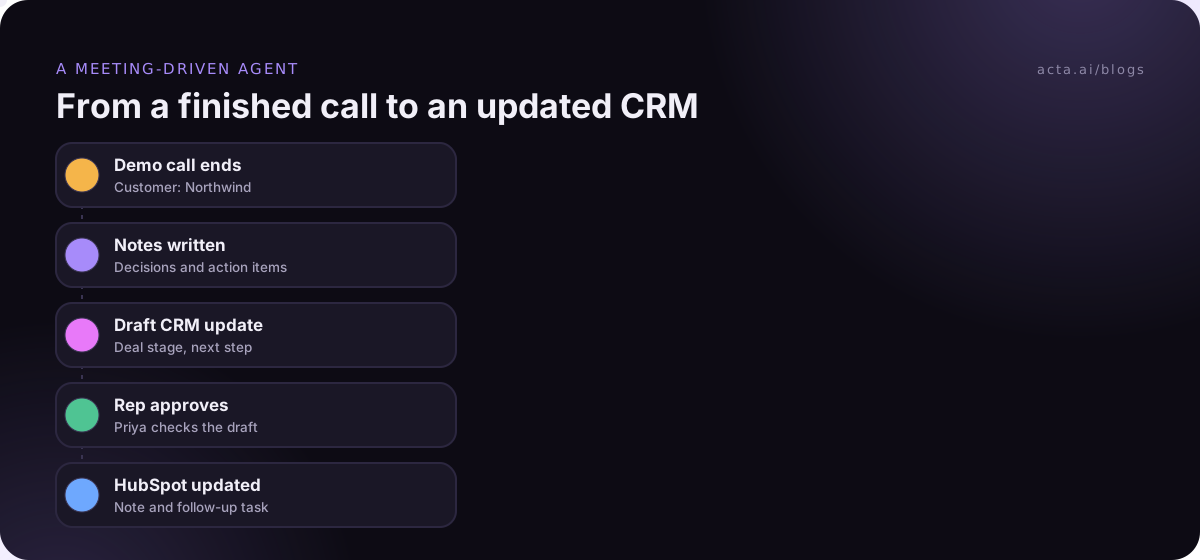
A lot of agent ideas start with "after the call...": update the CRM, create the Jira ticket, send the recap. General builders can do this, but you first need a recorder, a transcript, a summary step and a way to find the right deal or project. That's four places for things to break.
Acta Agent Builder
Best for: Sales, customer success and product teams whose automations start when a meeting ends.
Pros: Acta already has the transcript with speaker names, the decisions and the action items with owners, so the Agent Builder starts from structured meeting data. It connects to Salesforce, HubSpot, Zoho, Jira, Confluence, Notion and Google Drive, and you can add an approval step before anything is written or sent.
Cons: It's built around meetings. It isn't a general automation platform, a CRM or a workflow engine, so for non-meeting triggers you'll still want Zapier, Make or n8n.
Price (as of November 2026): 15-day free trial; Pro is $8 per seat a month billed monthly, or $72 a year billed annually.
Calls can be captured with a meeting bot or, where bots aren't welcome, the desktop app records from your own computer. Either way, tell participants first; here's what to tell people before recording. For a side-by-side with a general tool, see Acta Agent Builder vs Zapier for meeting automation.
Pick a builder by trigger, data and who approves
Feature lists blur together. Four questions sort these tools faster.
- What starts the agent? A new email points to Lindy or Zapier. A row in a sheet or a scraped page points to Gumloop or Make. A Teams message points to Copilot Studio. A finished meeting points to a meeting-native builder.
- Where does the agent's knowledge live? If it's mostly in Microsoft 365, Copilot Studio has a head start. If it's spread across SaaS tools, a big connector catalog matters more than the AI.
- Who approves the output? Pick a tool where you can add a human check before external actions. If you can't, keep the agent to drafts.
- How will you be billed per run? Count the steps in one realistic run and multiply by monthly volume. A five-step agent running 300 times a month is 1,500 units on most usage-based plans.
If you're still deciding what to automate at all, how to pick your first AI agent use case helps narrow it to one job worth testing, and these domain agent use cases by team show what a narrow job looks like.
First agents usually fail for the same four reasons
- Too broad a job. "Handle my inbox" fails. "Draft replies to pricing questions and label them for review" works.
- No test set. Run the agent on 10 to 20 real past examples before turning it on, and compare its output with what a person did.
- Write access on day one. Give it read access and drafts first. Our post on the risks of AI agents at work covers what can go wrong with full permissions.
- Nobody owns it. Name one person who checks the run log weekly. Agents fail quietly when a connected app changes a field name.
Frequently asked questions
What is a no code AI agents builder?
It's a tool that lets you create an AI agent by describing its job, connecting apps and setting rules in a visual editor, without writing code. The agent uses a language model to decide what to do, then takes actions such as sending an email, updating a record or creating a task. Most also let you add approval steps and test runs.
What's the difference between an AI agent and a regular automation?
A regular automation follows fixed rules: when X happens, do Y. An AI agent reads the input and decides which steps to take, so it can handle messier tasks like summarizing a call or choosing which CRM fields to update. That flexibility makes agents more useful for unstructured work and less predictable, which is why approvals matter.
Which no-code agent builder is free?
As of November 2026, Zapier Agents has a free plan with 400 activities a month, Make has a free plan with a small credit allowance, and n8n's Community edition is free if you host it yourself. Relevance AI's free plan is closed to new signups. Free tiers suit testing; real workloads usually need a paid plan.
Can a no-code AI agent update my CRM after a sales call?
Yes. A general builder needs a recording and transcript source first, then a step that finds the right deal and maps fields. A meeting-native builder starts from the call notes directly. Either way, have a rep approve updates for the first few weeks; our guide to building your first AI agent walks through a follow-up example.
Are no-code AI agents safe to use with company data?
They can be, if you limit what each agent can read and change, use the vendor's admin controls, and keep a human approval step for external actions. Check each vendor's data-use terms, especially whether your data trains their models. Acta, for example, states it doesn't use customer data to train AI models.
Shortlist two builders and test one real task
Don't evaluate nine tools. Narrow to two and run the same job through both for a week.
- Write the job in one sentence: Trigger, action and output, such as "after a demo call, draft the HubSpot note and the follow-up email".
- Match the trigger: Pick the two builders that own that trigger natively.
- Count the cost per run: Steps per run times monthly volume, against each plan's units.
- Add an approval: A person checks every output for the first two weeks.
- Measure against a person: Compare 20 agent outputs with what your team would have written.
If your shortlist includes a meeting-driven job, capture a few real calls with the Acta desktop app and try the Agent Builder on them during the 15-day free trial from the pricing page.