Quick answer: AI agents for customer success are most useful on the work around customer conversations: turning the sales-to-CS handoff into an onboarding brief, tracking promises made on calls, preparing QBR decks from a quarter of meetings, and flagging renewal risk when customers mention budget cuts or competitors. The customer success manager still owns the relationship, the tough conversations and every message that goes to the customer.
Customer success has a particular problem: the most important information about an account lives in conversations, and conversations don't update the CRM by themselves. The champion hinted at a reorg in a check-in. The admin complained about SSO twice. Someone on your side promised a fix "by end of month". Six months later that's a churned account and nobody can quite say when it went wrong. That's where agents earn their keep in CS. They don't talk to customers; they keep the record straight.
What are AI agents for customer success, in plain terms?
An agent is software that runs a multi-step job when something happens: a call ends, a renewal is 90 days out, a ticket is escalated. It reads what it's allowed to read (call transcripts, CRM fields, support history), does the steps you set up, and produces something: a draft email, a CRM update, a flag in Slack.
It helps to separate this from support automation. Gartner predicts that by 2029 agentic AI will resolve 80% of common customer service issues without human intervention (Gartner, March 2025). That's about password resets and order status. Customer success is different work. You're managing adoption, outcomes and renewals for accounts where one relationship can be worth a lot of money, and the agent's job is to support the customer success manager, not stand in for them.
Where do agents help across the customer lifecycle?
Walk the lifecycle and you'll find the same pattern at each stage: a conversation happens, something important is said, and it gets lost before the next stage.
The sales to CS handoff
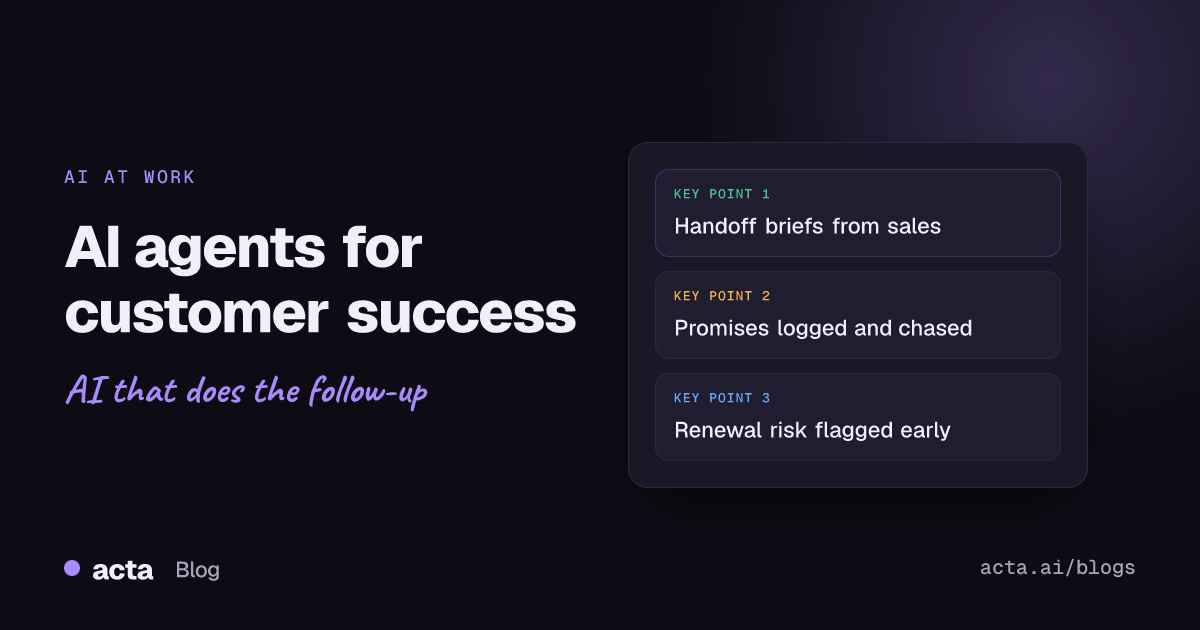
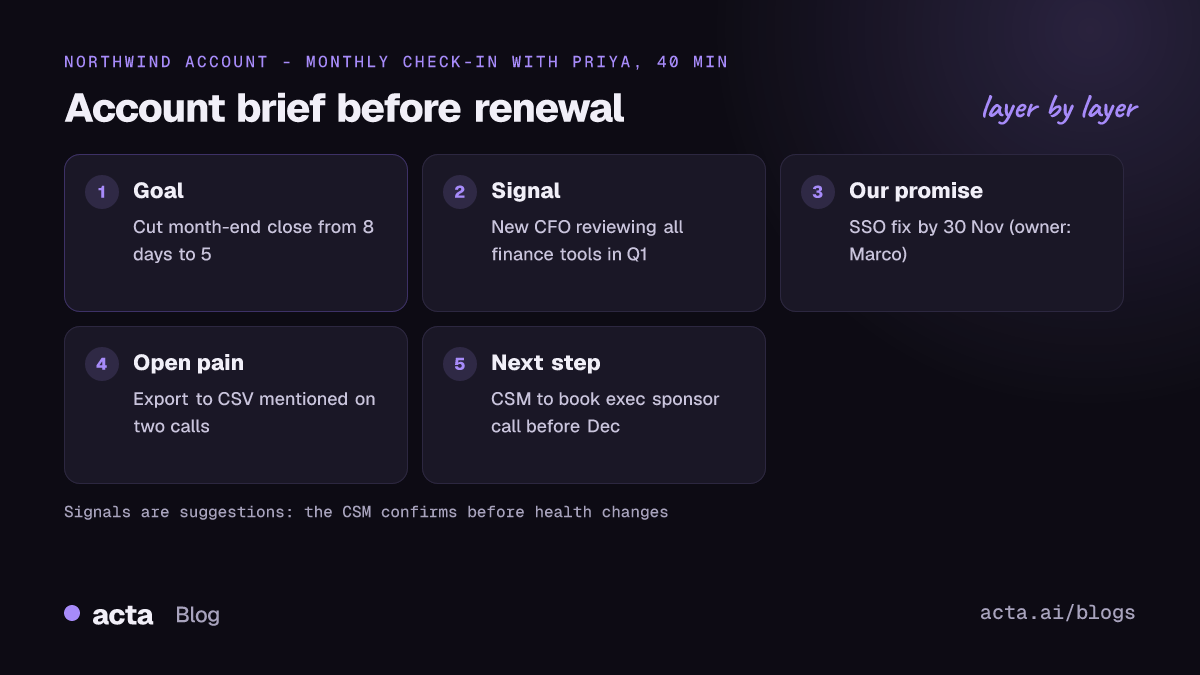
This is the leakiest point in most companies. The AE knows why the customer bought, what was promised in the final call and who the real decision maker is. The CSM gets a CRM record with a closed date and a contract value. An agent can read the last few sales calls and produce a one-page onboarding brief: goals in the customer's words, promises and commitments, stakeholders, known concerns. The sales to CS handoff meeting then becomes a 15-minute check of that brief instead of a memory test.
Onboarding and adoption
During onboarding, every call produces small commitments on both sides: "we'll send the user list Friday", "we'll enable the API for your sandbox". An agent can pull these after each call, assign them, and post a running list that both teams can see. It's dull and it's exactly what slips when a CSM has 40 accounts.
Promise tracking
The promises your own team makes are the ones that come back at renewal. "You said this would be fixed in Q2." An agent that logs every commitment with a date, and nudges the owner before it's due, is one of the cheapest risk controls in CS. We go deeper on this in how to track customer promises and catch overdue ones.
QBR prep
QBR prep usually means rereading three months of notes on a Sunday night. (The meeting itself is a separate skill; see how to run a QBR customers value.) An agent can pull every call with the account for the quarter and draft the review: goals agreed last time, what was delivered, open issues, what the customer said about value, proposed next-quarter plan. You'll rewrite the value story, but you won't start from a blank slide. There's a template for this in customer QBR reports.
Renewal risk
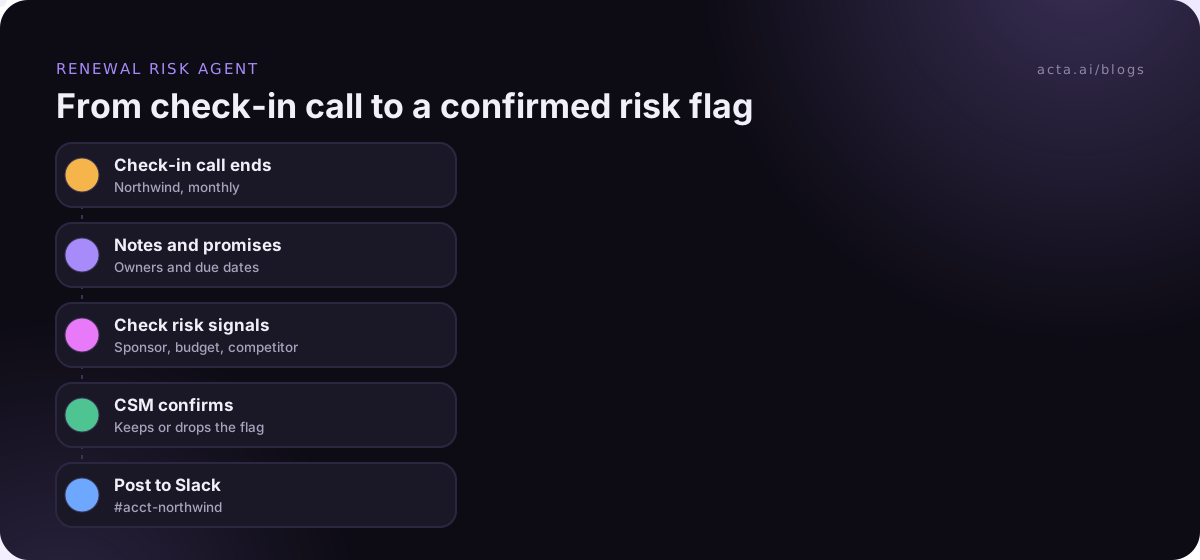
Customers usually tell you they're at risk long before they tell you they're leaving. They mention a new CFO reviewing tools, ask how hard data export is, or name a competitor "just out of interest". An agent scanning calls for those signals and posting them to the account owner gives you weeks you wouldn't otherwise have. Churn risk alerts from customer calls covers which phrases to watch for.
How does an agent read customer health from conversations?
Most customer health scores are built from usage data, support tickets and maybe NPS. They're good at telling you that usage dropped. They're bad at telling you why. Conversations fill that gap.
A practical setup is to have the agent tag each call with a small set of signals you define, for example:
- Sponsor change: new leader, reorg, champion leaving.
- Budget pressure: cost review, "need to justify this", procurement involved early.
- Competitor mention: named tool, "we're looking at options".
- Unresolved pain: the same complaint on two or more calls.
- Expansion interest: new team, new use case, "could we also...".
Keep the list short. Five clear signals that the team trusts beat twenty that nobody reads. And have the CSM confirm a signal before it changes the health score, otherwise one sarcastic joke about "switching to a spreadsheet" turns an account red.
Vendors in the space are pushing further than this. Gainsight, for example, has written about deploying agents as part of the customer success team itself (Gainsight blog). That's worth reading for ideas, but I'd still start with agents that inform the CSM before trying ones that act on the account. Our post on the risks of AI agents at work explains why.
What should a customer success manager never hand to an agent?
My short list:
- Anything sent to the customer without review. Follow-up emails, renewal quotes, escalation replies. Draft them with AI, send them yourself. The human approval step costs a minute and protects a relationship you spent a year building.
- The renewal conversation. Negotiation depends on reading the room. An agent can prep you; it shouldn't be in the room.
- Escalations with an angry exec. Speed matters, but so does someone senior picking up the phone.
- Deciding an account is lost. Agents flag. People decide where to spend effort.
How do you roll out AI agents for customer success safely?
- Start with one workflow and one segment. For example, renewal risk flags for mid-market accounts renewing in the next two quarters.
- Get the inputs right. If half your customer calls aren't captured, the agent will be confidently wrong about half your accounts.
- Write the rules in your team's language. "Flag if a customer mentions a cost review or a competitor by name" is a better instruction than "detect churn intent".
- Run it silently for a month. Compare its flags with what your CSMs already knew. Where it found something new, great. Where it was noisy, tighten the rule.
- Then connect it to the CRM, with drafts or suggested fields rather than direct overwrites at first.
On capturing calls: plenty of customers, especially in finance or healthcare, would rather not see a bot in the participant list. A browser extension such as Acta's Chrome extension records Google Meet, Microsoft Teams in the browser and the Zoom web client from your own tab, with no bot joining. Bot or not, tell the customer you're recording; our guide on what to tell participants when recording with AI has wording you can borrow.
What results should a CS team expect?
Be wary of anyone quoting a precise retention lift from agents. The honest answer is that it depends on how leaky your process was. What you should see within a quarter, if it's working:
- Onboarding kickoffs that start from the customer's own stated goals.
- Fewer "you promised this" moments at renewal, because promises were logged and chased.
- QBR prep measured in an hour or two rather than an evening.
- Risk flags arriving earlier than they used to, with the quote that triggered them.
If none of that is happening after a few months, the problem is usually inputs (calls not captured) or rules (too vague), not the idea.
One mistake I see often: teams switch on five agents in the first week, one for every stage above. The CSMs get a flood of drafts and flags, stop reading them by week three, and the whole thing gets labelled as noise. Add the second agent only once the first one is trusted enough that people would complain if you turned it off. That's a better signal than any dashboard.
Where Acta fits
Acta records customer calls on Zoom, Google Meet and Teams, by bot, desktop app or Chrome extension, and writes summaries, decisions and action items with owners, plus follow-up email drafts. OneChat lets you ask questions across all of an account's meetings with sources, and Agent Builder automations can push results to Salesforce, HubSpot or Zoho. The customer success page shows the templates CS teams tend to start with.
Frequently asked questions
Can AI agents replace a customer success manager?
No. They can take the note-taking, logging and prep work, which in many teams is a big share of the week. The relationship, the judgment about where to spend time and the hard conversations stay with the CSM.
What's the best first use of AI agents for customer success?
Usually the sales to CS handoff brief or promise tracking. Both use calls you already have, both produce something easy to check, and both fix a gap most teams already feel.
How is a CS agent different from a support chatbot?
A support chatbot talks to customers to resolve tickets. A CS agent mostly works behind the scenes for your team: reading calls, updating records, preparing reviews and flagging risk.
Should agents update customer health scores automatically?
Let them suggest changes and show the evidence, and have the CSM confirm. Automatic score changes from conversation signals tend to be noisy at first.
Do customers need to know an AI is processing their calls?
They should know the call is being recorded and that notes are generated from it. Rules vary by country and state, so check what applies to you; this is general information, not legal advice.
To see how this works on your own customer calls, take a look at the features or start the 15-day free trial.