The best domain agents use cases share three traits: the work repeats every week, it follows rules a specialist could write down, and a mistake is cheap to catch before it leaves the building. Think qualifying a sales call against MEDDPICC, drafting a SOAP note for a clinician to sign, or turning a sprint review into Jira tickets. A domain agent does one of these jobs with that field's vocabulary, tools and checks built in.
This guide is for team leads and ops people who keep hearing "agents" and want to know which jobs are worth handing to one. It covers what makes an agent domain-specific, use cases by team and industry, one example traced end to end, and the cases where a general chat assistant is the better choice. If your process changes every week or nobody can describe what "good" looks like, skip agents for now.
Key takeaways
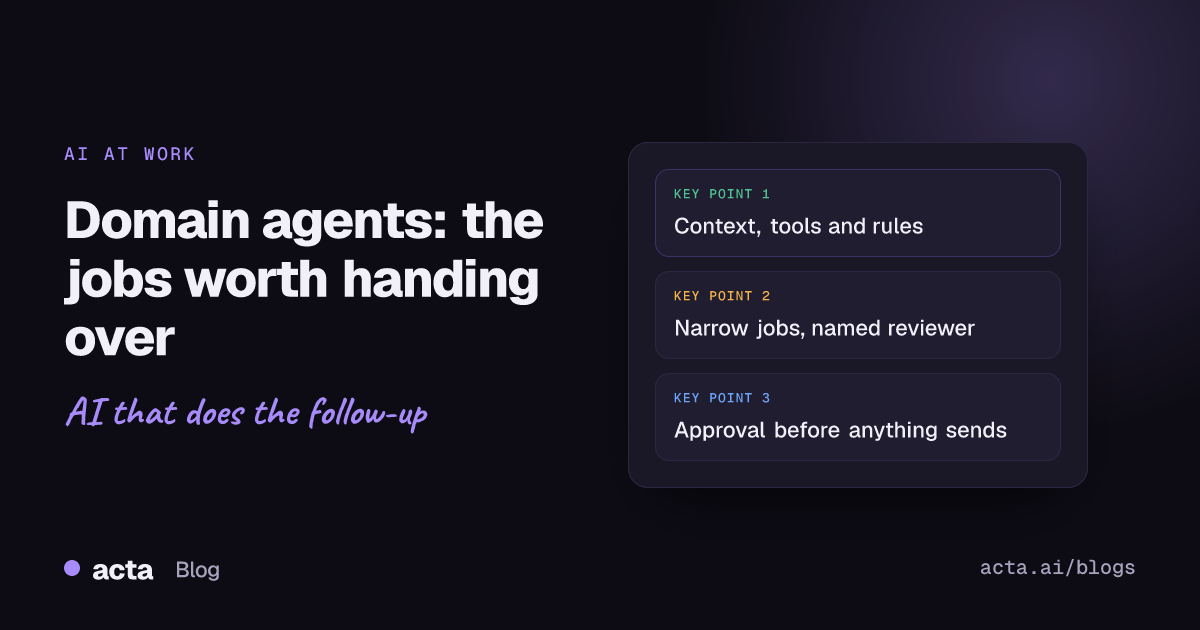
- A domain agent is a general model plus three things: the field's context, the field's tools, and the field's rules for what a correct output looks like.
- Good candidates run at least weekly, follow a checklist you could hand a new hire, and have a person who can review the output in under two minutes.
- Meetings are the easiest input to start with, because the transcript already holds what was said, decided and promised.
- Keep a human approval step on anything that reaches a customer, a patient record or a system of record for the first month at least.
- If you can't name the owner who reviews the agent's work, you don't have a use case yet.
Table of contents
- A domain agent is defined by context, tools and rules
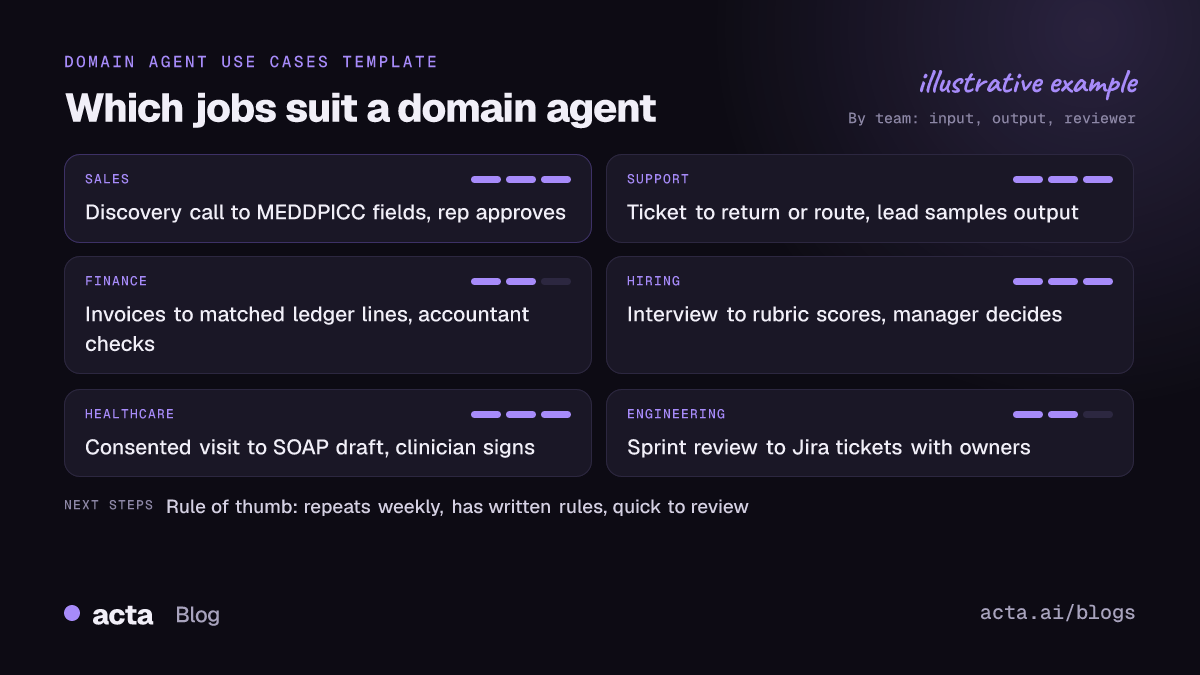
- Domain agents use cases by team and industry
- Meeting transcripts are the easiest starting input
- One sales agent, traced from call to CRM
- A general assistant is enough for many jobs
- Five mistakes sink most domain agent projects
- Where Acta fits
- Frequently asked questions
- Choose your first domain agent
A domain agent is defined by context, tools and rules
Most agents today run on the same handful of general models. What makes one a domain agent isn't a special model. It's what you wrap around it.
- Context: the field's vocabulary and reference material. A sales agent knows what "economic buyer" and "paper process" mean. A clinical documentation agent knows a sign belongs under Objective and a symptom under Subjective.
- Tools: the systems it can read and write. For a support agent that's the order system and the ticket queue. For a project agent it's Jira or Asana.
- Rules: what a correct output looks like and when to stop and ask. "Never promise a refund over $200." "Leave the field blank if nobody said it." "Flag any mention of a competitor."
Anthropic's engineering team makes a useful split in its guide to building effective agents: workflows run models and tools along predefined code paths, while agents let the model direct its own steps. In practice, most domain agents that work in production sit closer to the workflow end. The steps are fixed, the judgment inside each step is where the model earns its keep. I think that's the right call, because predictable steps are what make the output reviewable.
If you want the plain-English version of what an agent is before going further, read what an AI agent is for business teams. For the platform docs and tools worth bookmarking, see our AI agents platform resources.
Domain agents use cases by team and industry
Vendors publish long lists here. IBM's overview of AI agent use cases groups them around customer service, HR, sales, procurement and finance, and Google keeps a running catalogue of real-world gen AI use cases from its customers, sorted by agent type and industry. Those lists are vendor-reported, so read them as a map of what people are trying, not proof of what works. Here's the short version I'd actually start from.
| Team | Job the agent does | Main input | Who checks it |
|---|---|---|---|
| Sales | Fill MEDDPICC or BANT fields, draft the follow-up | Discovery call | The rep |
| Customer support | Check order status, start a return, route the ticket | Ticket or chat | Support lead, by sample |
| Finance | Match invoices, flag odd transactions | Invoices, ledger | Accountant |
| HR and hiring | Score an interview against the rubric | Interview recording | Hiring manager |
| Healthcare | Draft a SOAP note from the visit | Consented visit audio | The clinician, every time |
| Engineering | Turn decisions into tickets with owners | Sprint review, standup | Engineering manager |
| Insurance | Triage claims, pull policy clauses | Claim forms, policy docs | Adjuster |
Notice the last column. Every row has a named person who already does this job and can spot a wrong answer quickly. That's the real filter for domain agents use cases. If the reviewer would need an hour to check the output, the agent hasn't saved anything.
A few use cases sound good and usually disappoint: "an agent that runs our whole sales process", "an agent that answers any HR question", "an agent that manages the project". They're too broad to have rules, so they end up as a chatbot with extra steps. Narrow beats ambitious.
Meeting transcripts are the easiest starting input
Many of the jobs in that table start with a conversation. A discovery call, a patient visit, a sprint review, an interview. The transcript already contains the raw material: who said what, what got decided, what someone promised to do by Friday.
That makes meetings a practical first input for three reasons. The input arrives on its own schedule, so there's a natural trigger ("call ends"). The output format is usually already defined, like a deal report, a SOAP note or minutes. And the person who was in the meeting is the obvious reviewer, because they remember what happened.
Some examples of meeting-driven domain agents:
- A sales agent that writes MEDDPICC deal reports from each call and marks the gaps the rep still needs to cover.
- A clinical agent that produces SOAP note drafts for clinician review, with patient consent recorded first.
- An engineering agent that turns review decisions into Jira tickets with an owner and a due date.
- A hiring agent that maps interview answers to the scorecard, leaving the decision to people.
The catch is capture. If calls aren't recorded, nothing runs. Where bots aren't welcome in the call, a desktop recorder that captures the meeting's sound and your microphone from your own computer is the usual workaround. Either way, tell people you're recording; this guide on recording consent and what to tell participants covers the wording.
One sales agent, traced from call to CRM
Here's a domain agent in the sales field, step by step. The setup: a B2B software team, reps running 30-minute discovery calls, and a sales manager who wants MEDDPICC fields filled in the CRM after every call instead of three days later.
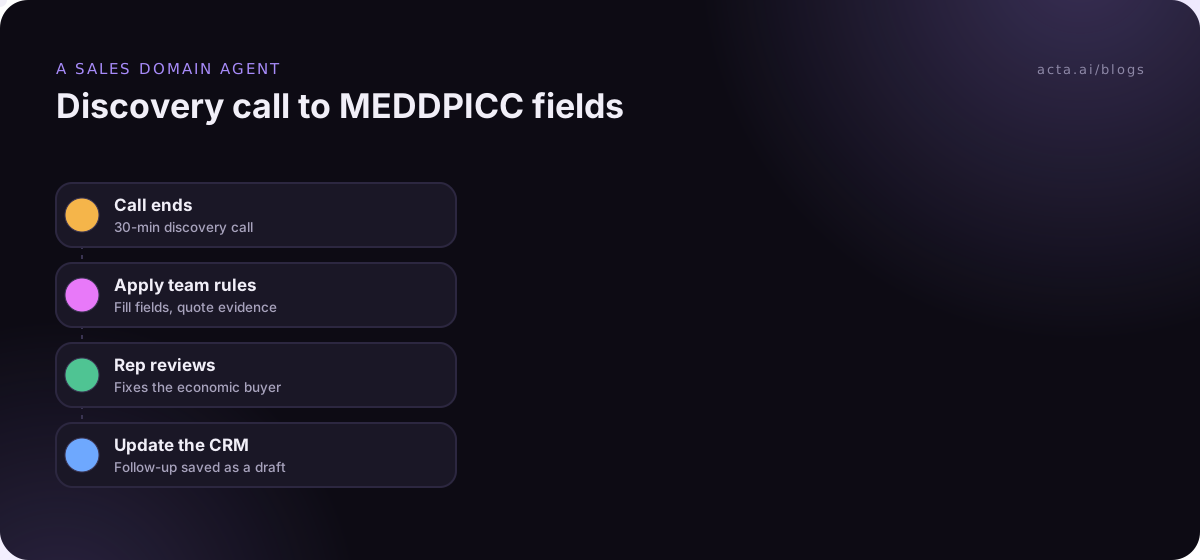
- Trigger: the call ends and the transcript is ready, with speaker names.
- Context: the agent gets the transcript plus the team's MEDDPICC definitions, written in their own words ("Champion means someone who has sold for us internally, not just someone friendly").
- Judgment: it fills each field only from what was said, quotes the line it used, and leaves a field empty when there's no evidence. Empty is fine. Invented is not.
- Approval: the rep sees the draft, fixes the economic buyer (the prospect mentioned a CFO by first name only), and approves.
- Action: the fields go to the CRM and a follow-up email draft lands in the rep's inbox, unsent.
What makes this a domain agent rather than a summary? The rules. A general summary would say "they discussed budget". This agent knows budget is not the same as an identified economic buyer, refuses to guess a decision date, and flags that nobody has asked about the paper process yet. That last flag is often the most useful thing it produces.
The same pattern carries to other fields. Swap MEDDPICC for a hiring rubric and the CRM for an applicant tracking system, and you have an interview agent. More ideas for this kind of hand-off are in AI agents for CRM and sales teams.
A general assistant is enough for many jobs
Not every task needs a domain agent. A general chat assistant with access to your documents and past meetings handles a lot of work well, and it costs far less to set up.
Use a general assistant when:
- The task is a one-off question ("what did the client say about pricing in March?").
- The output goes to you, not to a system or a customer.
- The format changes every time.
- You'd rather read and decide than review and approve.
Build a domain agent when the same job happens on a schedule, the output has a fixed shape, and it ends up somewhere other people rely on. Anthropic's advice in the guide above is the same in spirit: start with the simplest setup that works and add autonomy only when it clearly pays for itself. I'd add one thing: if you can't write the rules on a single page, you're not ready to automate the job.
Five mistakes sink most domain agent projects
- Starting too broad. "Sales agent" is a department. "Fill the MEDDPICC fields after discovery calls" is a use case.
- No written rules. If your best rep and your newest rep define "champion" differently, the agent will pick one at random. Write the definitions first.
- Letting it send. Draft first, send after approval. You can loosen this later when the edit rate drops. Our post on the risks of AI agents at work goes through the failure modes.
- Measuring the wrong thing. Count how often the reviewer edits the output and how long review takes, not how many runs the agent did.
- No owner. Someone has to update the rules when the process changes. Without that person, accuracy drifts quietly.
For a structured way to pick the first job, how to pick your first AI agent use case has a scoring approach that pairs well with the table above.
Where Acta fits
Acta covers the meeting side of these domain agents use cases. It records Zoom, Google Meet and Teams calls, writes summaries, decisions and action items with owners, and has 40 report templates for things like MEDDPICC, SOAP drafts and interview scorecards. Its Agent Builder runs automations after a call, with an approval step, and sends results to tools such as Salesforce, HubSpot or Jira. It isn't a general agent platform, so jobs that don't start from a conversation belong elsewhere.
Frequently asked questions
What is a domain-specific AI agent?
It's an AI agent built for one field's work, such as sales qualification, claims triage or clinical documentation. It usually runs on a general model but adds that field's vocabulary, the tools it needs to read and write, and rules for what a correct result looks like. The rules are what separate it from a general assistant.
What are the most common domain agents use cases?
The common ones are sales call qualification, support ticket routing and returns, invoice matching, interview scoring, clinical note drafting and turning meetings into tickets. They share a fixed output format, a regular trigger and a person who already does the job and can check the result quickly.
Are domain agents better than a general AI assistant?
For repeated, rule-heavy jobs, usually yes, because the rules make the output consistent and reviewable. For one-off questions, research or drafting something only you will read, a general assistant is simpler and cheaper. Many teams use both: an assistant for questions and a few domain agents for scheduled work.
Do domain agents need fine-tuning?
Rarely at the start. Most teams get good results from clear instructions, reference material retrieved at run time and examples of good output. Fine-tuning makes sense later, if you have many reviewed examples and the instructions alone keep missing the same pattern. Try the cheaper options first and measure the edit rate.
How do I keep a domain agent safe?
Give it the least access it needs, keep a human approval step before anything is sent or written to a system of record, and log what it did. Review a sample of outputs each week. When the process changes, update the rules the same day, because stale rules are the most common cause of quiet errors.
Choose your first domain agent
Pick one job, write its rules, and run it with approval on for a month before you widen anything.
- Name the job: one sentence with a trigger and an output, like "after each discovery call, fill MEDDPICC fields".
- Write the rules: definitions, what to leave blank, and what must never be sent without a person.
- Pick the reviewer: the person who already does the job and can check a draft in two minutes.
- Secure the input: make sure the calls, tickets or documents actually get captured, with consent where needed.
- Track the edit rate: if reviewers stop editing, consider loosening approval; if they keep rewriting, fix the rules.
If your first agent starts from meetings, capture them with Acta's desktop app and try it on real calls during the 15-day free trial.