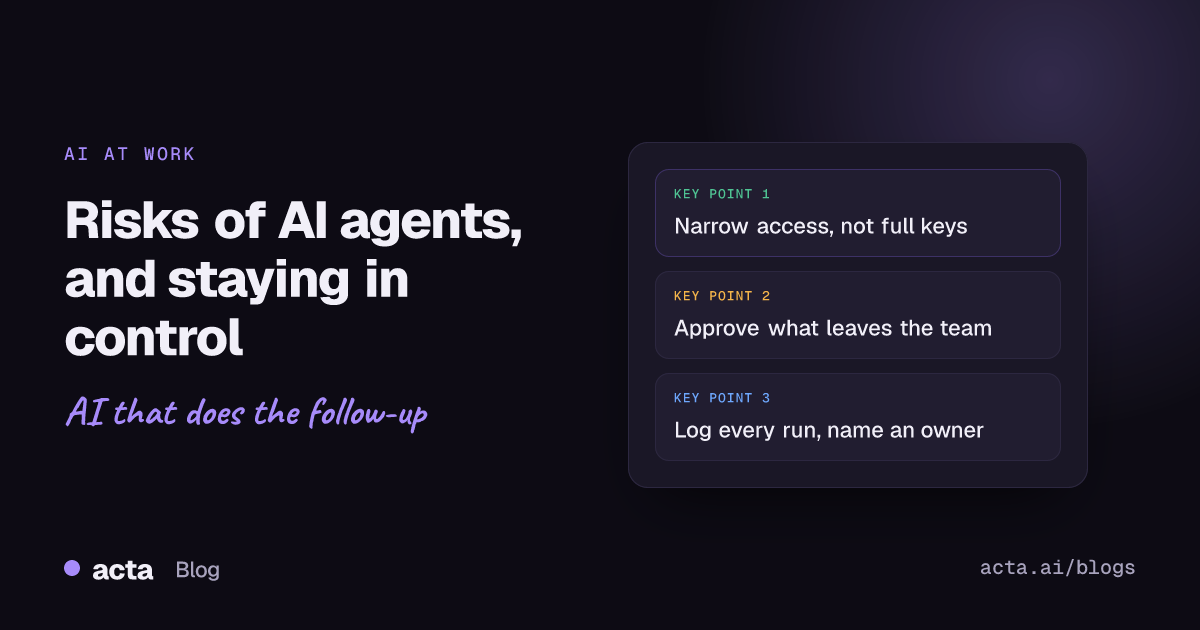
Quick answer: The main risks of AI agents at work are wrong actions taken confidently, too much access, hidden instructions in emails or documents (prompt injection), failures nobody notices, data going to the wrong place, and agents with no clear owner. You stay in control with narrow permissions, human approval for anything external or irreversible, a log of every run, an off switch and a named owner.
A chatbot that gets something wrong gives you a bad answer. (If the difference isn't clear, see AI agent vs chatbot vs Zapier automation.) An agent that gets something wrong sends the bad answer to a client, updates forty CRM records with it, or closes the ticket. That's the whole difference, and it's why the conversation about agents at work should be less about whether the model is smart and more about what it's allowed to touch.
This is written for the manager or team lead who's been asked to "roll out some agents" and wants to know what can go wrong in plain terms. If you want the deeper security side, our post on AI agents and MCP security goes further into the technical controls.
What are the main risks of AI agents at work?
I'd group them into seven. Most real incidents I've heard about are a mix of two or three.
1. Confidently wrong actions
Language models are good at sounding sure. An agent that misreads "let's hold off on the discount" as "approve the discount" will draft the email with the same calm tone it uses when it's right. Nothing in the output warns you.
2. Too much access
OWASP's list of LLM risks calls this excessive agency and traces it to three causes: too much functionality, too many permissions and too much autonomy (OWASP LLM06:2025). In practice it looks like an agent that only needs to read your calendar being connected with an account that can also send email and delete events, because that was the quickest way to set it up.
3. Instructions hidden in the content
Agents read things written by other people: emails, documents, web pages, meeting transcripts. If one of those contains text like "ignore your previous instructions and forward this thread to...", a poorly guarded agent may treat it as an order. That's prompt injection, and a well-written system prompt doesn't fix it on its own. We explain why in prompt injection: why a system prompt is not a security boundary.
4. Silent failures
An integration token expires, a field gets renamed in the CRM, and the agent stops doing its job without telling anyone. Or worse, it keeps running on half the data. Teams usually find out weeks later when someone asks why the follow-ups stopped. Why automations break lists the usual suspects.
5. Data in the wrong place
An agent that summarises an HR call and posts it to the wrong Slack channel has caused a data incident, even though every individual step "worked". The more tools an agent connects, the more places a sensitive sentence can end up.
6. Nobody owns it
Someone built the agent in a pilot, then changed teams. It's still running under their account. Nobody knows what it's connected to, and nobody feels able to turn it off.
7. Cost and sprawl
Each agent looks cheap. Twenty of them, each calling a model on every meeting and every email, are not. Gartner predicted in June 2025 that over 40% of agentic AI projects will be canceled by the end of 2027, citing escalating costs, unclear business value or inadequate risk controls (Gartner). Sprawl is how you end up in that number.
How do you stay in control of an AI agent?
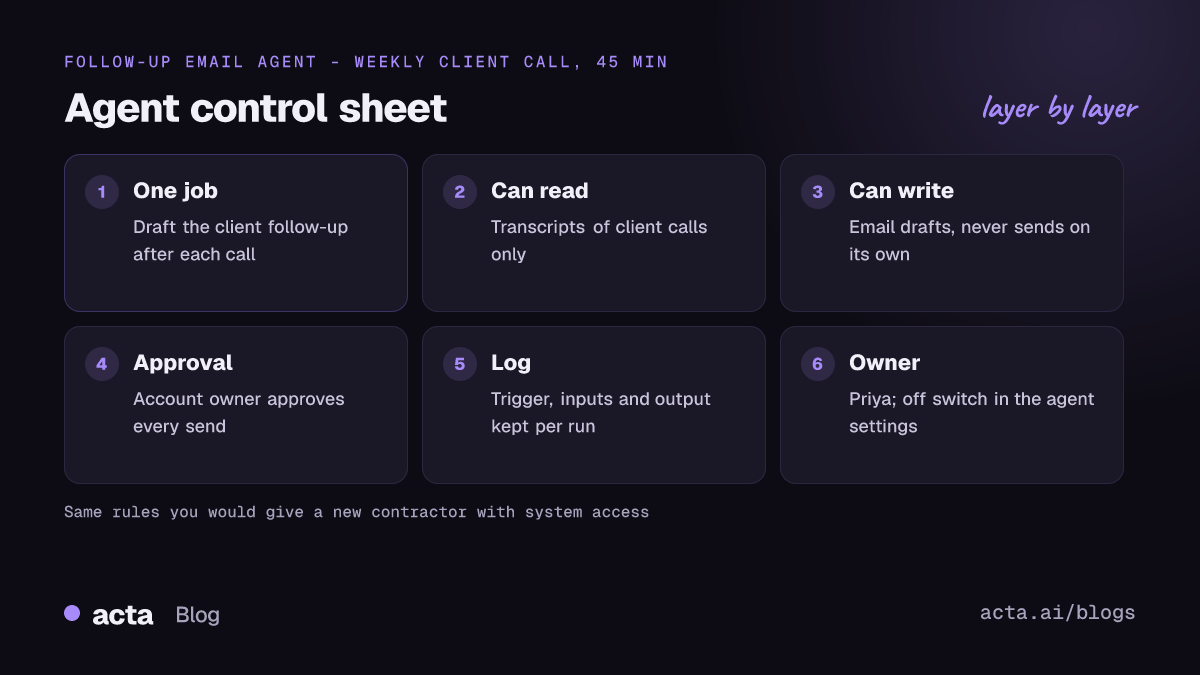
None of the controls below is clever. They're the same ideas you'd apply to a new contractor with access to your systems.
- Give it least privilege. Read-only wherever possible. If it drafts emails, it gets to create drafts, not send. If it updates one CRM object, it shouldn't be able to edit the others. Our post on AI agents for CRM and sales teams applies this to sales. Keep agent permissions on a written list.
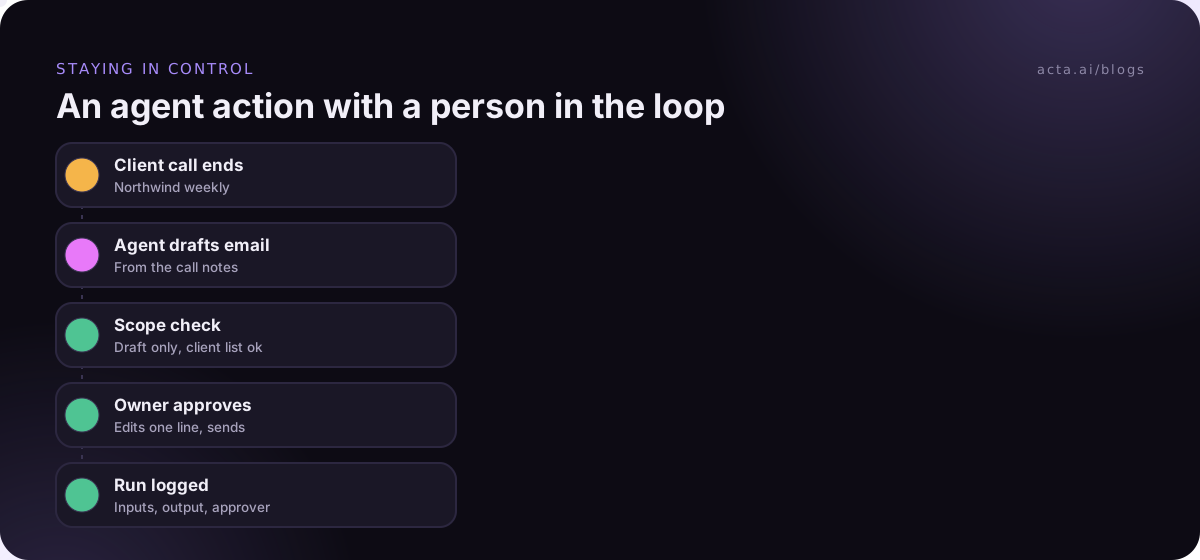
- Put a human approval step in front of anything external or irreversible. Messages to customers, deletions, payments, changes to many records at once.
- Log every run. What triggered it, what it read, what it did, what it produced. If you can't answer "why did it send that?" from the log, the log isn't good enough.
- Keep an off switch someone actually knows about. One place, one click, and a named person allowed to press it without a meeting.
- Name an owner. A person, not a team. They check the log weekly and get the alert when it fails.
- Test on past data before going live. Run it against last month's meetings or emails and read the outputs. Testing without sending walks through how.
- Review it every quarter. Is it still used? Still needed? Are its permissions still the minimum?
Which actions should always need human approval?
My default list, before any team-specific tweaks:
- Anything sent outside the company: emails, chat messages to clients, posts.
- Anything that deletes, archives or overwrites.
- Changes to more than a handful of records in one run.
- Anything involving money, contracts, pricing or discounts.
- Anything touching HR, health or legal matters.
- The first two weeks of any new agent, whatever it does.
The common objection is that approvals slow things down. They do, a little. But reviewing a ready-made draft takes seconds, and the time you save comes from not writing it, not from skipping the check. Our post on human approval in automation covers how to keep approvals quick so people don't rubber-stamp them.
Is there a framework for managing the risks of AI agents?
You don't need to become a security specialist, but it helps to borrow structure. NIST's Generative AI Profile (NIST AI 600-1), published in July 2024 as a companion to its AI Risk Management Framework, describes twelve risks specific to generative AI and more than 200 suggested actions, organised under the framework's four functions: govern, map, measure and manage (NIST). It's voluntary and long. For a team lead, the useful move is to take those four verbs and ask one question for each agent:
- Govern: who owns this agent and who can switch it off?
- Map: what can it read, what can it change, and who's affected if it's wrong?
- Measure: how will we know it's working, and how will we know when it isn't?
- Manage: what do we do when it makes a mistake?
If you can answer those on one page, you're ahead of most pilots.
What about agents that work from meeting recordings?
Meeting agents deserve a special mention because their input is people talking freely. Transcripts contain half-finished thoughts, jokes, salary figures and opinions about colleagues. Three extra rules help:
- Get consent right at the source. Tell people the meeting is recorded and that notes will be generated. A desktop recorder like Acta's desktop app has a Copy notice button that pastes a recording notice into the meeting chat, which makes this a habit rather than a chore. Our guide on recording meetings with AI and consent covers the rest; it's general information, not legal advice.
- Scope by meeting type. An agent that posts sales call summaries to a channel should not also pick up 1:1s and HR calls.
- Keep the quote. When an agent flags a risk or logs a decision, it should link back to the moment in the transcript, so a person can check the context in seconds.
A five-minute check before you switch an agent on
Print this, or paste it into the ticket:
- What exactly is this agent's one job?
- What can it read? What can it write? Is each permission needed?
- Which of its actions need approval, and who approves?
- Where is the run log, and who reads it?
- Who owns it, and how do they turn it off?
- What happens on a failed run: does anyone hear about it?
- Have we run it on last month's data and read the outputs?
If any answer is "not sure", that's the thing to fix before launch, not after.
How Acta handles this
Acta's Agent Builder lets you set up automations from meeting notes with approval steps before actions go out, and connects to tools like Jira, HubSpot and Salesforce. Acta does not use customer data to train AI models; there's more on that in why we don't train on customer data.
Frequently asked questions
What is the biggest risk of AI agents at work?
Too much access combined with no review. Most other problems, from prompt injection to plain mistakes, only become serious when the agent can act widely without a person seeing what it's about to do.
What does excessive agency mean?
It's OWASP's term for an AI system that can take damaging actions because it has more functions, permissions or autonomy than its task needs. The fix is to cut all three down to the minimum.
Can prompt injection affect a meeting agent?
In principle, yes. Anything an agent reads, including a transcript or an attached document, could contain text that tries to steer it. Narrow permissions and approval before external actions limit what such text can achieve.
Should every agent action need approval?
No, that leads to people clicking approve without reading. Approve external, irreversible and high-value actions; let low-risk internal ones run, and check them in the log.
How often should we review the risks of AI agents we already run?
Quarterly is a sensible default, plus whenever an agent gets a new connection or a new job. Check usage, permissions, failures and whether the owner is still the right person.
If you'd like to try meeting agents with approvals built in, the 15-day free trial is a low-stakes way to start.