Quick answer: AI agents for CRM read what happens in sales calls and emails, then log notes, create next-step tasks and propose field changes like stage or close date. The setup that works: let the agent write activity notes and tasks on its own, make it ask before touching pipeline fields, and never let it change ownership, forecast category or delete records.
Every sales leader I know has the same Monday ritual: open the pipeline review, find three deals with a close date last month, and ask the rep what's going on. The answer is almost always "oh, that's moving, I just haven't updated it." Salesforce's State of Sales research found that sellers spend 70% of their time on non-selling tasks, and typing call notes into the CRM is a big slice of that.
This post is about which parts of that typing you can hand to an agent, which parts you shouldn't, and how to set the permissions so a bad guess never lands in your forecast. If you want the step-by-step recipe for logging a single call, we've covered that in updating the CRM automatically after a sales call, and the human side of it in why reps don’t update the CRM.
What do AI agents for CRM actually do?
In practice a CRM agent does four jobs:
- Logs activity. After a call, it writes a short summary to the account or deal: who was there, what was discussed, what was agreed.
- Creates tasks. "Send the security questionnaire by Thursday" becomes a task with an owner and a due date.
- Proposes field updates. The buyer mentioned a June go-live and a second decision maker. The agent suggests moving the close date and adding the contact.
- Sweeps for gaps. Between calls, it flags deals with no activity in weeks, close dates in the past or missing next steps.
The first two are where the time savings live. The third is where the risk lives. The fourth is the one most teams forget, and it's often the most useful for managers.
CRM vendors are building pieces of this into their own products too. HubSpot, for example, sells a Breeze Data Agent that answers questions about customers using CRM records, calls, emails and documents; it was labeled beta on HubSpot's product page as of November 2026. Whether you use the CRM's own agent or one that sits on top of your calls, the design questions below are the same.
Which CRM fields should an AI agent update on its own?
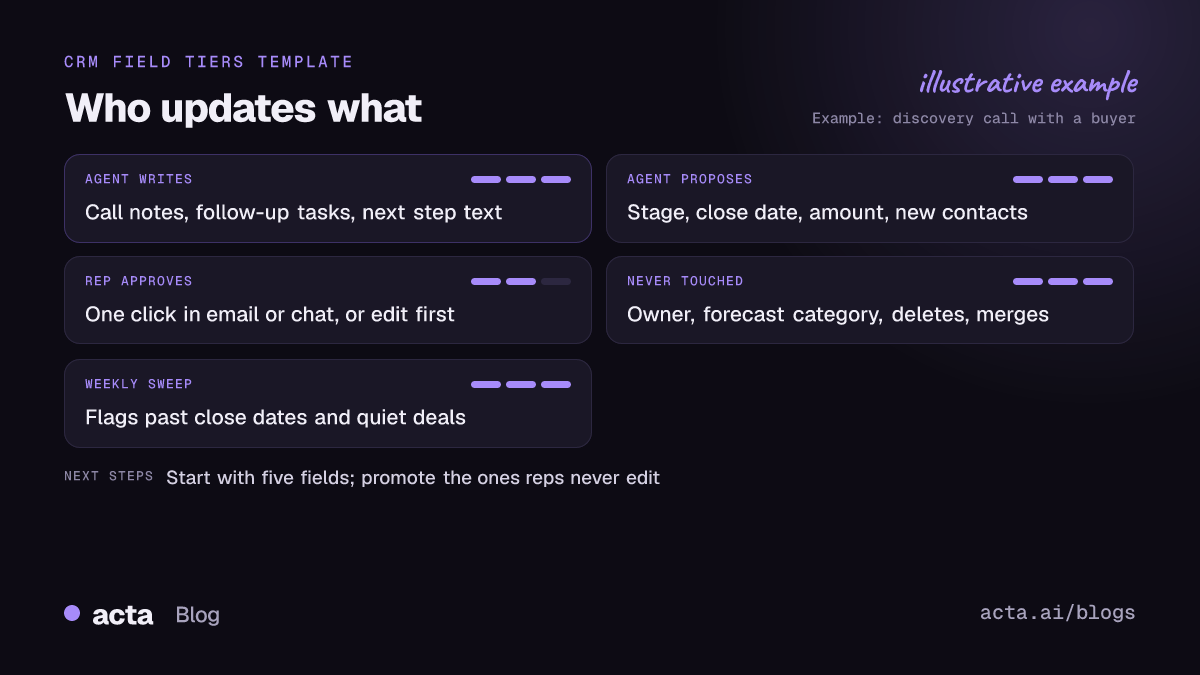
This is the part teams skip, and it's the reason most CRM automation for sales gets switched off after a month. Before you connect anything, sort your fields into three groups.
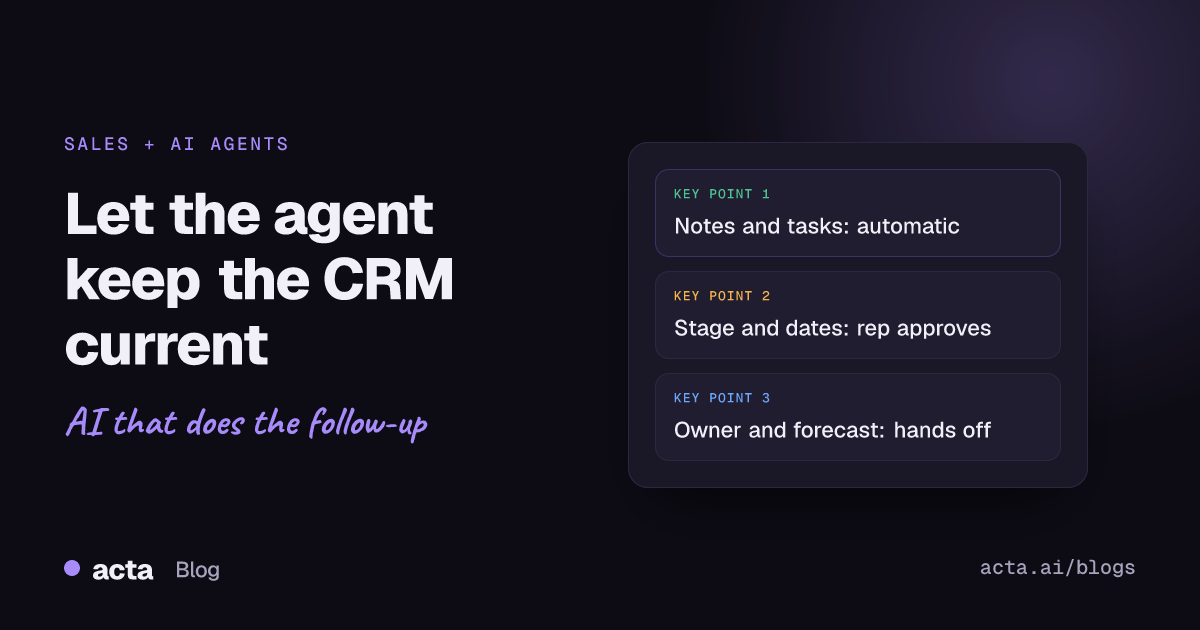
The agent writes these without asking
- Call or meeting notes on the activity timeline
- Follow-up tasks assigned to the rep who ran the call
- The free-text "next step" field
- Links back to the recording or transcript
These are additive and easy to fix. A slightly wrong note on a timeline hurts nobody.
The agent proposes, the rep approves
- Deal stage
- Close date and amount
- New contacts and their roles
- Qualification fields, like MEDDPICC or BANT entries
These feed your forecast. A buyer saying "we'd love to be live by June" is not the same as a June close date, and a model can't always tell the difference. The rep can, in about five seconds. If your team uses a qualification method, our post on MEDDPICC deal reports from sales calls shows how those fields can be drafted from the conversation.
The agent never touches these
- Deal or account owner
- Forecast category, especially "commit"
- Merging or deleting records
- Anything tied to compensation or territory
An agent wouldn't get these wrong every time. It only takes one wrong change here to start an argument nobody wants to have.
How do sales teams set up an AI agent for CRM updates?
Here's the rollout I'd use for a team of five to fifteen reps:
- Pick five fields, not fifty. Start with notes, tasks, next step, close date and stage. You can add more once these are trusted.
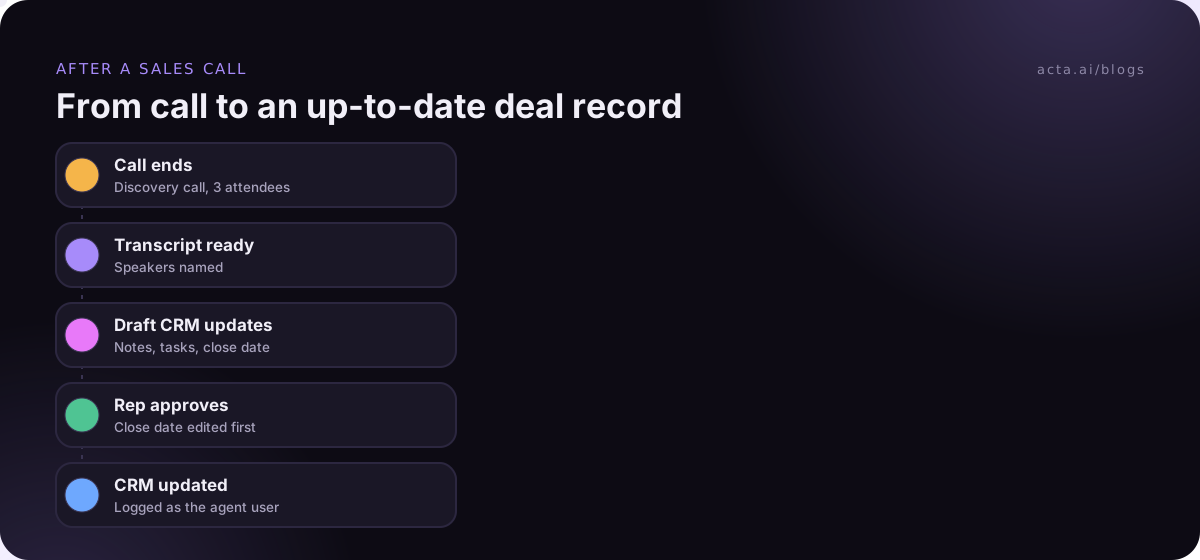
- Make sure calls are captured. The agent can only update the CRM automatically from conversations it can read. Cover Zoom, Meet, Teams and phone calls, and decide what happens with in-person meetings.
- Map each field to its tier. Write it down. "Close date: propose, rep approves in Slack or email."
- Run it in draft mode for two weeks. The agent proposes everything, writes nothing. Reps approve or edit. Track how often they edit.
- Promote fields that never get edited. If notes go through untouched for two weeks, let the agent write them directly.
- Review weekly. Fifteen minutes in the Monday pipeline meeting: what did the agent get wrong, and why?
Step 2 trips up more teams than any setting. Some buyers, especially in finance and healthcare, won't let a bot join the call. In those cases a desktop recorder like Acta's desktop app captures the call audio from the rep's own computer, so nothing joins the meeting. Whatever you use, tell the buyer you're recording; here's our guide to recording consent.
How should you handle CRM permissions for an AI agent?
Give the agent the smallest set of permissions that lets it do its job. OWASP's list of top risks for language model applications calls the opposite problem excessive agency: an agent with more functions, more permissions or more autonomy than the task needs. Its guidance boils down to limiting what the agent can reach and requiring a person to approve high-impact actions. We go through the wider risks of AI agents at work in a separate post.
For a CRM, that means:
- A dedicated integration user, not a rep's or an admin's login, so every change shows up as the agent's in the audit history.
- Write access only to the objects it needs: activities, tasks, deals. No access to user management, settings or bulk delete.
- Field-level restrictions that match your three tiers, where your CRM supports them.
- Approval steps for anything in the "propose" tier, sent to the rep who owns the deal.
It's dull work, but it's the difference between an agent your RevOps lead trusts and one they quietly disconnect.
What about keeping deals current between calls?
Calls are only half the picture. A deal can go stale because nothing happened, and that's harder to spot than a wrong field.
A weekly sweep agent is simple and surprisingly useful. Every Friday it checks open deals and posts a short list to each rep:
- Deals with a close date in the past
- Deals with no logged activity in 21 days
- Deals in late stages with no economic buyer listed
- Tasks from calls that are overdue
It doesn't change anything. It just asks. Reps fix the list in ten minutes on Friday instead of being asked about it in front of the team on Monday.
How do you know AI agents for CRM are working?
Pick measures you can check without a data team:
- Time to log. How long after a call does the note appear in the CRM? Hours is fine, days is the old problem.
- Edit rate. What share of proposed changes do reps edit before approving? This should fall over the first month.
- Stale deal count. How many open deals have a past close date at the Monday review?
- Rep opinion. Ask them. If reps say approving the agent's drafts takes longer than typing, something is set up wrong.
Write down the starting numbers before you switch anything on, or you'll be arguing from memory in a month.
Common mistakes with an AI CRM agent
- Turning on every field at once. Reps get 20 approval requests per call and start clicking "approve all" without reading.
- Sending approvals to the wrong person. The rep who ran the call should approve, not the manager.
- Letting the agent write long notes. A 600-word summary on every call is noise. Five bullets with decisions and next steps is what people read.
- Ignoring internal calls. Deal strategy calls with your own team often hold the real story. Decide whether those get logged and where.
- No owner. Someone in RevOps or sales ops has to own the setup. Otherwise the first field rename breaks it and nobody notices for weeks.
If you'd also like action items going to other tools, see how to sync meeting action items to Jira, HubSpot and Salesforce.
Where Acta fits
Acta records sales calls on Zoom, Google Meet and Teams, by bot, desktop app, Chrome extension or mobile app, and writes the summary, decisions and action items with owners. Its Agent Builder can send those updates to Salesforce, HubSpot or Zoho, and you can see the setup in the CRM integration guide. Acta doesn't use customer data to train AI models.
Frequently asked questions
Can an AI agent update Salesforce or HubSpot automatically?
Yes. Most tools connect through the CRM's official integration and write notes, tasks and field values. The useful question is which fields you allow it to change without approval, not whether it can.
Will reps trust what the agent writes?
Not at first, and they shouldn't. Two weeks of approving drafts is how trust gets built. Once reps see notes going through unedited, they stop checking every one.
Does this replace CRM data entry entirely?
Most of the routine CRM data entry, yes. Reps still own the judgment fields: stage, amount, forecast category. They just confirm a suggestion instead of typing from scratch.
What about calls that happen on the phone or in person?
The agent needs a transcript either way. Phone calls can go through a dialer integration or a recorder on the rep's computer; in-person meetings can be captured with a mobile app. Without a transcript, there's nothing to update from.
Is it a problem if the agent gets a field wrong?
For notes and tasks, rarely. For stage, amount or close date it can distort your forecast, which is why those stay in the approval tier.
You can try this on your own pipeline with Acta's 15-day free trial.