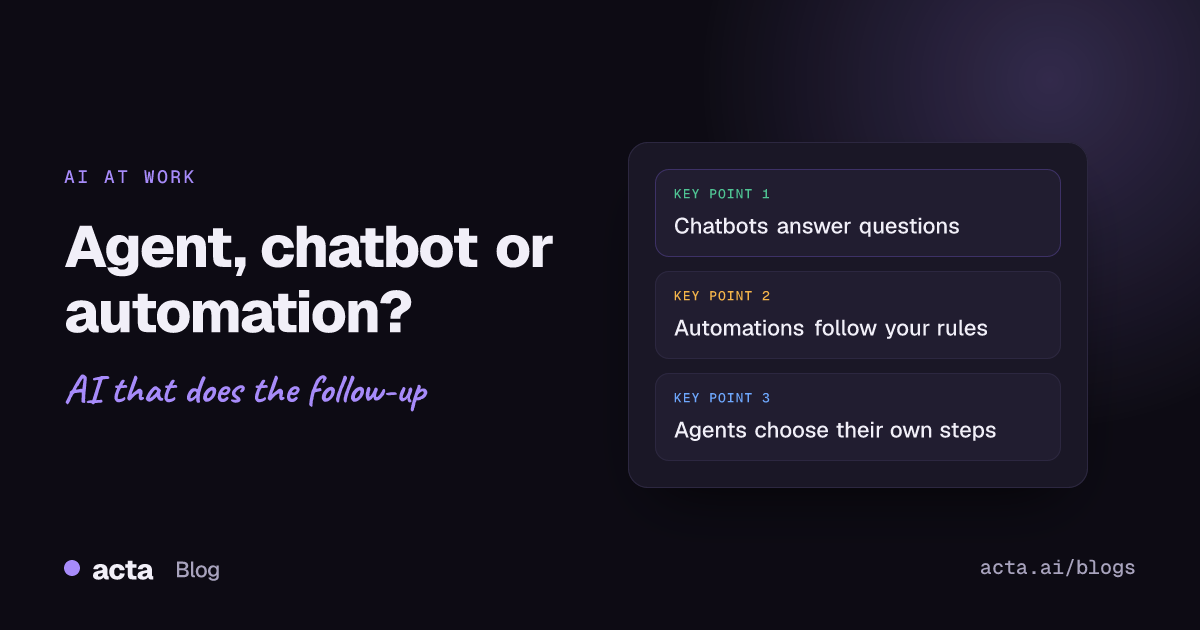
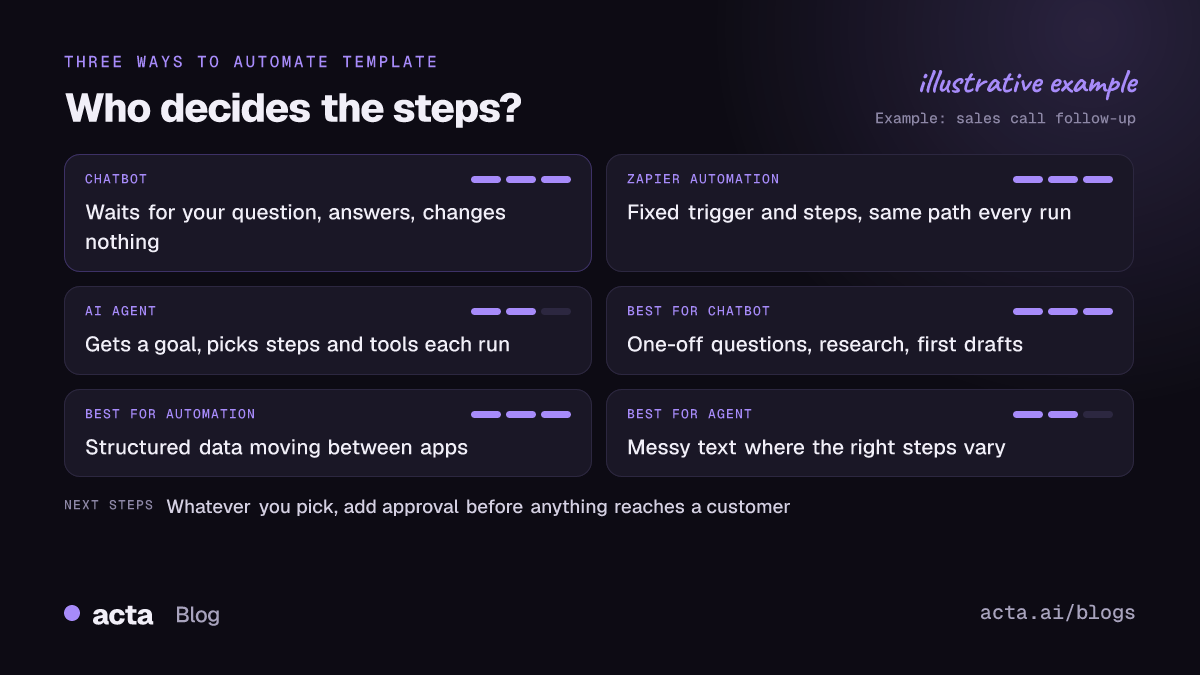
Quick answer: AI agent vs chatbot vs automation comes down to who decides the steps. A chatbot answers when you ask and does nothing else. A Zapier-style automation runs steps you wrote in advance, the same way every time. An AI agent gets a goal and picks its own steps and tools. Use automations for predictable jobs, agents for messy ones.
I get asked this most often by ops and revenue people who already have forty Zaps running and are being pitched "agents" by every vendor they talk to. They want to know whether they're about to pay for the same thing twice. Sometimes they are. Here's how to tell, using one ordinary task done three different ways.
AI agent vs chatbot vs automation: what's the real difference?
Three questions separate them cleanly:
- Who starts it? A chatbot waits for you. An automation and an agent can both start on an event, like a form submission or a call ending.
- Who decides the steps? In an automation, you did, when you built it. In an agent, the model does, each time it runs.
- What can it change? A chatbot usually changes nothing outside the chat. Automations and agents write to other apps.
Microsoft's training material describes an agent as a goal-driven system that can reason, act and adapt with some independence. For a plainer explanation, see what an AI agent is for business teams. Independence is the part to focus on. It's what makes agents useful for messy work, and it's also what makes them harder to trust on day one.
What is a chatbot good at, and where does it stop?
A chatbot is a conversation. You type, it replies. Modern ones are very good at explaining, summarizing and drafting, and some can search your company's documents or past meetings to answer a question with sources.
Where it stops: it doesn't do anything until you ask, and it rarely does anything outside the conversation. If you ask "what did we promise Northwind on Tuesday's call?", a good chatbot gives you the answer. It won't then create the task, update the deal and email the customer. You copy and paste that part.
That's not a flaw. For research, one-off questions and first drafts, a chatbot is the right tool and the cheapest one to run.
What is a Zapier automation good at?
Rule-based automation is the workhorse most teams already have. "When a deal moves to Closed Won, post in the #wins channel and create an onboarding project." You set the trigger, you set the steps, and it runs the same way a thousand times.
That predictability is the point. You can read a Zap and know exactly what it'll do. It's fast, cheap per run, and easy to audit. For moving structured data from one app to another, I'd pick a plain automation over an agent every time.
It struggles when the input isn't structured. A Zap can't read a 45-minute call transcript and decide which of the 12 things mentioned were real commitments. You can bolt an AI step into the middle ("summarize this text"), but the path around it is still fixed. If you're choosing between automation tools themselves, we compared Zapier, Make and n8n separately.
How is an AI agent different from a Zapier automation?
The agent replaces "always do steps 1 to 5" with "here's the goal, here are the tools you're allowed to use, work it out." Anthropic's engineering guide makes the same split: it calls predefined code paths workflows and reserves "agents" for systems where the model directs its own process and tool use.
The line is getting blurry, though. Zapier itself now sells an agent product; its help center describes Zapier Agents as a way to build AI agents that work across the apps Zapier connects to. So "Zapier vs agents" isn't really a fight between two companies anymore. It's a choice between two ways of building, often inside the same tool.
In practice, the difference shows up in three places:
- Variation. An automation does the same thing on every run. An agent may do different things on different runs, which is useful and occasionally alarming.
- Debugging. When a Zap fails, the error points at a step. When an agent does something odd, you read its reasoning and the inputs to find out why.
- Cost per run. Agents call a language model several times per task. For high-volume, simple jobs, that adds up for no gain.
One task three ways: following up after a sales call
Take a 30-minute discovery call with a prospect. Afterwards someone needs to log notes in the CRM, create next-step tasks, and send a recap email.
With a chatbot
The rep pastes the transcript into a chat window and asks for a summary and a draft email. Both come back in seconds. The rep then copies the summary into the CRM, creates two tasks by hand, and pastes the email into Gmail. Time saved: real, but the rep still does the clicking.
With an automation
A Zap fires when the recording is ready, sends the transcript to an AI step that writes a summary, and pastes that summary into a CRM note. Every call gets the same treatment, including the internal pipeline review that didn't need a CRM note at all. Tasks still get created by hand, because the Zap can't reliably tell which "we should" was a real commitment.
With an agent
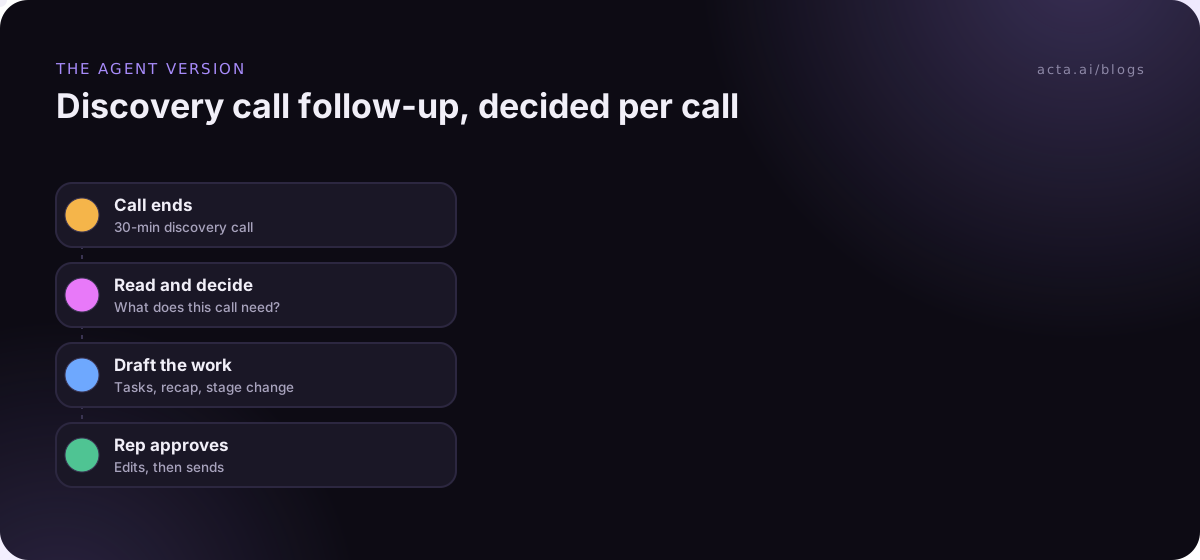
The agent gets the transcript and the goal: "follow up on this call." It reads the call, sees the prospect asked for a security questionnaire and agreed to a demo on the 14th, creates two tasks with owners, drafts the recap email, and proposes moving the deal stage. Then it stops and asks the rep to approve. On the internal pipeline review, it does nothing, because nothing needs doing.
If you've got a recorder feeding Zapier today and wonder whether to switch, we wrote a whole post on a recorder plus Zapier vs one meeting agent.
When to use an AI agent, a chatbot or an automation
Here's the rule set I'd hand a new ops hire:
- Someone needs an answer, once. Chatbot.
- Structured data moves between apps the same way every time. Automation.
- The input is messy text and the right steps depend on what's in it. Agent.
- A mistake would reach a customer or change a reported number. Whatever you pick, add a human approval step. Our guide to picking your first AI agent use case starts with lower-stakes jobs for this reason.
- You're not sure. Start with the automation. Anthropic's guide gives the same advice: begin with the simplest thing that works and add autonomy only when it pays for itself.
The most common mistake I see is the opposite: an agent built for a job a three-step Zap could do. It's slower, costs more per run, and is harder to debug. The second most common is a giant Zap with 14 filter branches trying to fake judgment. When you catch yourself writing branch number six, that's usually the sign the task wants an agent.
Can you combine chatbots, automations and agents?
Yes, and the best setups usually do. A typical pattern:
- An automation handles the trigger and the plumbing: a call ends, the recording lands, the transcript is ready.
- An agent handles the judgment: what happened, who owes what, which records need changing.
- A person approves anything external.
- A chatbot sits on top for questions afterwards: "what did the customer say about budget across the last three calls?"
The input matters as much as the logic. If calls aren't captured, none of this runs. Some clients won't accept a bot joining the call, so a browser extension like Acta's Chrome extension or a desktop recorder that captures audio on your own computer is often the practical route. Either way, tell people you're recording; our guide to recording consent covers what to say.
What does each one cost you in upkeep?
Price per run is the number vendors show you. Upkeep is the number that bites later.
- Chatbots cost almost nothing to maintain. The cost is the human time spent copying answers into other systems.
- Automations break when an app changes a field name, a token expires or someone renames a pipeline stage. Somebody has to own them. Here's why automations break and how to make them sturdier.
- Agents need review. Early on, someone reads every draft. Over time you approve more with fewer edits, but you never quite get to zero.
When you budget, count a few hours a month for whoever owns each one. That person matters more than the line item.
Where Acta fits
Acta sits on the meeting side of this. It records Zoom, Google Meet and Teams calls, writes the summary, decisions and action items with owners, and lets you ask questions across meetings with OneChat. Its Agent Builder runs automations after calls and can send the results to HubSpot, Salesforce, Jira or Notion, so you don't have to rebuild that plumbing in a separate tool.
Frequently asked questions
AI agent vs chatbot: is an agent just a chatbot with tools?
Roughly, yes, plus a trigger and permission to act without being asked each time. A chatbot connected to tools that still waits for your every instruction sits somewhere in between.
Are Zapier AI agents the same as Zaps?
No. A Zap follows the steps you set. Zapier's agents are given instructions and decide which actions to take across connected apps. Many teams run both: Zaps for fixed plumbing, agents for judgment calls. Check Zapier's own pages for current plans and usage limits, which change often.
Is rule-based automation going away?
Unlikely. For structured, repetitive jobs, a fixed rule is cheaper, faster and easier to audit than a model. Agents are adding to it, not replacing it.
Which is safest for customer-facing work?
Any of them, with a human approval step before anything reaches a customer. The risk comes from unchecked sending, not from the type of tool.
What is the cheapest way to start?
Use a chatbot for a week on the task you want to automate and note what you keep copying and pasting. That list is your automation or agent spec.
You can see how an agent handles your own call follow-ups with Acta's 15-day free trial.