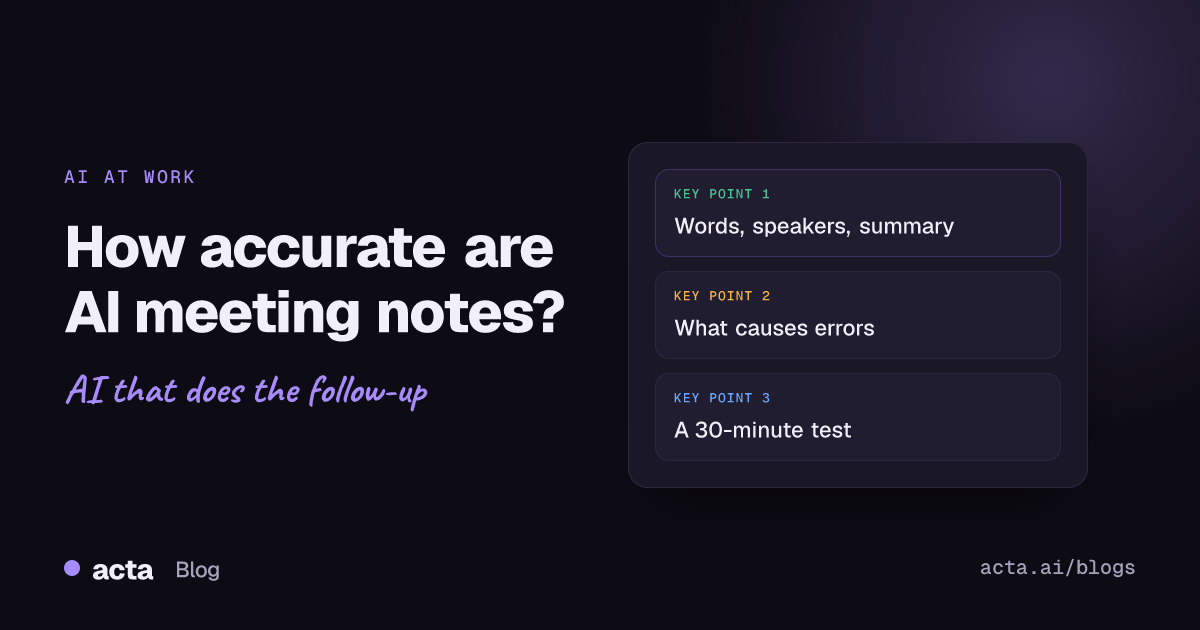
Multilingual meeting notes involve two language choices
Most confusion about multilingual transcription comes from treating "language" as one setting. It's two. The first is the transcript language: the words people said, in the script they belong to. A Hindi conversation comes back in Devanagari, a Telugu one in Telugu script, an Arabic one in Arabic script. You don't really choose this; the meeting does. Your only job is to tell the tool which language to listen for when it can't work that out on its own.
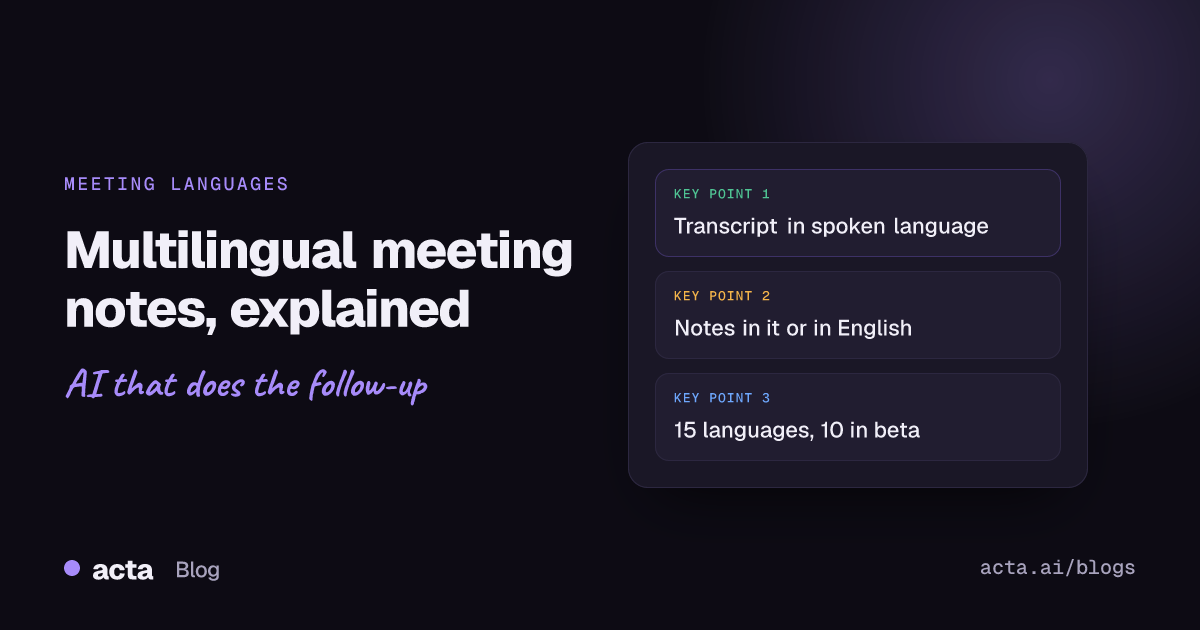
The second is the notes language. This covers everything written about the meeting afterwards: the summary, the decisions, the action items, any report template you run, and the follow-up email draft. Here you do get a choice. Acta offers two options, "Same as the meeting" and "English". So a French client call can give you French notes for the Lyon office or English notes for the regional director in London.
Why keep them apart? Because they serve different people. The transcript is evidence. If someone later asks "what exactly did the supplier promise?", you want their words, not a paraphrase in another language. The notes are for action. They go to people who weren't in the room, sometimes people who don't speak the meeting's language at all. Setting the two independently lets you keep both jobs intact.
One thing that doesn't change: the Acta dashboard, menus and report section headings such as "In short" or "Key quotes" stay in English whatever you pick. The content under those headings is what follows your notes language.
Acta covers 15 languages, five of them on Auto
Acta detects English, Hindi, French, Spanish and German automatically; ten more languages can be chosen in Settings. Those ten are Italian, Portuguese, Dutch, Arabic, Japanese, Telugu, Tamil, Kannada, Marathi and Bengali, and they're marked beta. Beta here means it works and you'll get a usable transcript and notes, but accuracy is still improving, especially for the Indian languages and for strong regional accents.
| Language | How it's selected | Status |
|---|
| English, Hindi (incl. Hinglish), French, Spanish, German | Auto, or pick it | Detected automatically |
| Italian, Portuguese, Dutch | Pick it in Settings | Beta |
| Arabic, Japanese | Pick it in Settings | Beta |
| Telugu, Tamil, Kannada, Marathi, Bengali | Pick it in Settings | Beta |
That list is deliberately specific. Plenty of languages that matter to Acta's readers aren't on it yet: Urdu, Malayalam, Gujarati, Punjabi and Odia in India and the Gulf, or Polish, Swedish and Turkish in Europe. If your team's meetings run in one of those, don't expect usable notes from any setting today. Saying so plainly saves you a wasted pilot.
For context on why Indian coverage is a moving target: the Constitution's Eighth Schedule lists 22 scheduled languages, and the Census of India 2011 tables break mother-tongue data down state by state. Five Indian languages in beta plus Hindi on Auto is a start, not full coverage.
Auto is a shortcut for five languages, not a guess at everything
When "Language spoken in meetings" is set to Auto, Acta listens and decides among exactly five options: English, Hindi, French, Spanish and German. That's useful for a person whose week mixes English stand-ups with Hindi vendor calls, or a Brussels team that drifts between French and English depending on who joined. You set Auto once and stop thinking about it.
The catch is what happens outside those five. Auto will not pick Telugu, Tamil, Japanese or any other beta language. If a Hyderabad team holds a Telugu planning meeting on Auto, the system will try to fit the audio into one of the five it knows, and the transcript will be wrong. The fix is simple: choose Telugu explicitly before the meeting. There's no harm in switching back to Auto afterwards.
A practical rule I'd give any team: use Auto only if every language you meet in is one of the five. The moment a beta language is in the mix, pick languages per person. The salesperson who calls Chennai distributors in Tamil sets Tamil; their manager who only joins English reviews stays on English or Auto.
The default, by the way, is English, not Auto. New users who never open the setting get English transcripts, which is fine until their first Hindi meeting comes back garbled. Telling people where the setting lives saves a lot of support questions.
Names, numbers and quotes are kept as spoken
Good multilingual notes don't "clean up" the facts. Acta keeps names, numbers, dates, amounts, formulas, product names and technical terms as they were said. If someone in a Hindi meeting says the budget is 4.5 lakh, the notes say 4.5 lakh. They don't convert it to 450,000 or to another currency. If a German engineer says "Lastenheft", that term isn't swapped for a loose English equivalent unless the notes are in English and the sentence around it needs translating.
Quotes get the same treatment. When you ask for English notes from a French meeting, the summary and actions are written in English, but anything presented as a quote stays in French. That's the right call. A translated quote is no longer a quote; it's someone's reading of it. Keeping the original lets a French-speaking colleague check the wording, and lets you quote the client back to themselves accurately.
This matters most for the details people argue about later: who owns a task, what date was agreed, what number was quoted. Read the action items in any meeting notes and check three things: is the owner's name spelled the way your CRM spells it, is the date the one actually said, and is the amount in the original unit. If all three hold, the notes are doing their job, whatever language they're in.
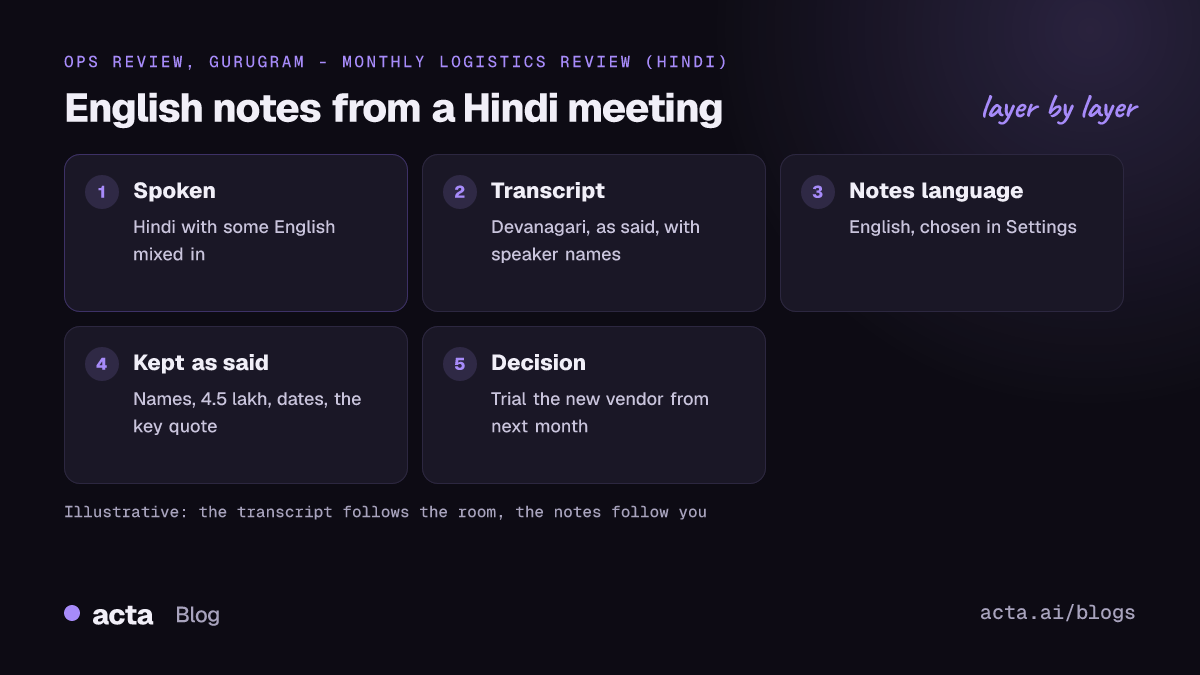
Worked example: a Hindi ops review with English notes
Here's an illustrative example, not a real customer meeting. A logistics team in Gurugram holds its monthly review in Hindi with a fair amount of English mixed in. The regional head in Dubai doesn't read Devanagari comfortably, so the team sets "Language spoken in meetings" to Hindi and "Language for my notes" to English.
A few lines from the transcript, in Devanagari as spoken, with an English gloss:
अनीता: पिछले महीने डिलीवरी में दो दिन की देरी हुई। (Anita: Last month, deliveries were two days late.)
राहुल: ठीक है, अगले महीने से नया वेंडर ट्राई करेंगे। (Rahul: Okay, we'll try the new vendor from next month.)
अनीता: बजट 4.5 लाख से ऊपर नहीं जाना चाहिए। (Anita: The budget shouldn't go above 4.5 lakh.)
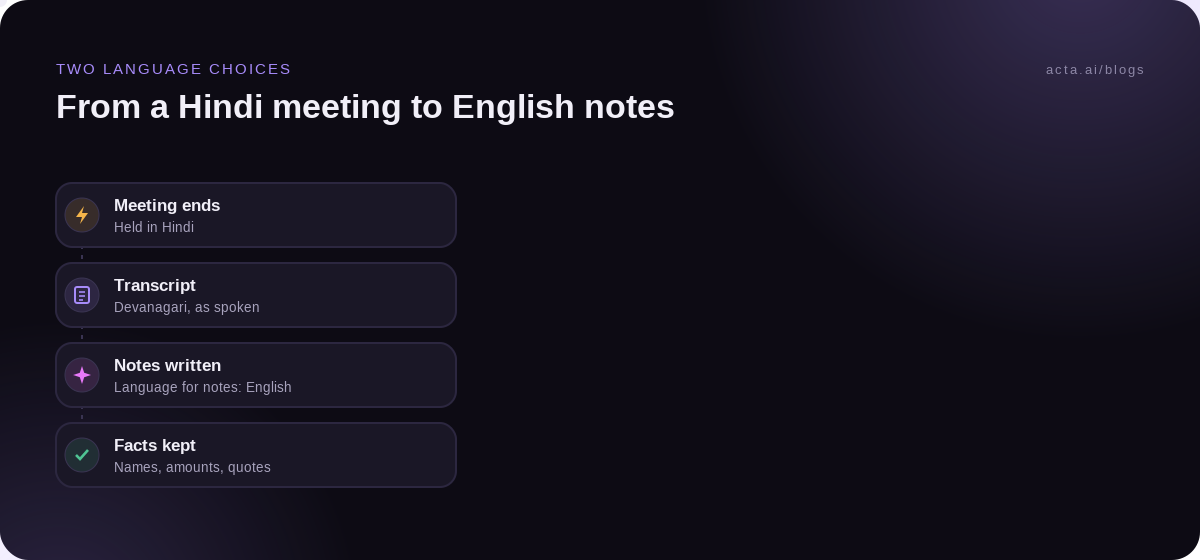
And the English notes Acta would write from it:
In short: Deliveries ran two days late last month. The team will trial a new vendor from next month, capped at 4.5 lakh.
Decision: Trial the new vendor starting next month.
Action item: Rahul to shortlist the new vendor and share terms. Anita to confirm the 4.5 lakh cap with finance.
Key quote: "बजट 4.5 लाख से ऊपर नहीं जाना चाहिए।"
Notice what survived: the names, the amount in lakh, and the exact sentence about the cap in Hindi. The Dubai reader gets a usable record; anyone who wants to check the original words has them. For the transcription side of Hindi and Hindi-English meetings specifically, the older guide on Hinglish transcription goes deeper, and the Hindi meeting transcription guide covers tools and steps for the transcript itself.
English notes work best when the record travels
Choose meeting notes in English when the record will be read by people outside the language of the meeting. Typical cases: a Pune plant reviewing quality issues in Marathi while the global quality lead sits in Stuttgart; a Madrid sales team whose deals are reviewed by an English-speaking board; a Riyadh partner call in Arabic that feeds a project tracker in English. Even the European Commission works internally in English, French and German while publishing in all official languages. A shared working language for the record is normal.
Choose notes in the meeting language when the readers are the people who were there, or people like them. A Kolkata school's Bengali staff meeting, a Lyon team's French retro, a Tamil-speaking field team in Coimbatore: writing their notes in English adds a step for no one's benefit, and some nuance gets flattened.
A rule of thumb that works: if more than one regular reader of the notes doesn't speak the meeting's language, go English. Otherwise, keep the notes in the language of the room. Because the setting is per person, both can be true in the same organisation.
Questions after the meeting follow a different rule. Ask Acta, for a single meeting, and OneChat, across meetings, answer in whatever language you type the question in. A Delhi manager can ask in Hindi about an English meeting and get a Hindi answer; the Dubai head can ask about a Hindi meeting in English.
The limits are real, so plan around them
Beta is beta. Telugu, Tamil, Kannada, Marathi and Bengali transcripts are usable but not as polished as English or Hindi, and they suffer more from poor audio. Choosing the exact language and getting clean sound (one speaker at a time, headsets on laptops, no echoey conference rooms) does more for quality than any other setting. The guide to accents, noise and crosstalk covers the audio side in detail.
One language per meeting. If a Bengaluru meeting runs half in Kannada and half in English, pick the language most of the talk is in and accept that the other part will be weaker. Hindi with English is the exception, because Hinglish is handled as part of Hindi.
A few other limits worth knowing up front:
- Arabic transcripts currently display left-aligned; right-to-left display is being fixed.
- The setting applies to new meetings only. Past meetings keep the language they were processed in.
- If speaker labels aren't available for a language, the transcript still comes back in that language, possibly without speaker names, rather than failing or falling back to English.
- Notes come only in the meeting's language or English. There's no option for Hindi notes from a Tamil meeting, for instance.
None of this is unusual for multilingual transcription in 2026, but it's better to set expectations with your team before the first beta-language meeting than after it.
Set it up in Acta
The whole configuration lives on one card. Here's the path, using the labels you'll see on screen:
- Open the Acta dashboard and go to Settings, then Meetings.
- Find the Language card, just below "Add Acta Notetaker to my meeting invites".
- Under Language spoken in meetings, choose Auto if you only meet in English, Hindi, French, Spanish or German. Otherwise pick the exact language; beta ones are marked "(beta)".
- Under Language for my notes, keep Same as the meeting or switch to English.
- Record your next meeting as usual. A small chip next to the meeting tabs shows the language, with a Change language link back to this card. The notes email shows it too.
It works the same however the meeting is captured: the Acta notetaker bot in Zoom, Google Meet or Teams, the Chrome extension for browser meetings, the desktop app for Zoom and Teams desktop calls and other apps, the mobile apps, or an uploaded file. Before recording anyone, tell them; the post on consent and what to tell participants has wording you can reuse. For teams in India, the DPDP Act recording guide covers the privacy side. The meeting languages help article lists every option.
Where Acta fits
Acta records the meeting, transcribes it in the spoken language and writes the summary, decisions and action items in either that language or English. The same notes language carries into its report templates and follow-up email drafts. For a broader look at other tools and approaches, the earlier guide on transcribing meetings in other languages is a good companion.
Frequently asked questions
What are multilingual meeting notes?
Multilingual meeting notes are notes from a meeting held in a language other than English, or in more than one language. A good setup keeps a transcript in the spoken language and script, then writes the summary, decisions and action items either in that same language or in a shared working language such as English, while keeping names, numbers and quotes exactly as spoken.
Which languages can Acta transcribe?
Acta transcribes 15 languages. English, Hindi (including Hinglish), French, Spanish and German are detected automatically on Auto. Italian, Portuguese, Dutch, Arabic, Japanese, Telugu, Tamil, Kannada, Marathi and Bengali are in beta and must be chosen in Settings. Languages such as Urdu, Malayalam, Gujarati, Chinese and Korean are not supported yet.
Can I get English notes from a Hindi meeting?
Yes. Set the meeting language to Hindi (or Auto) and "Language for my notes" to English. The transcript stays in Devanagari as spoken, while the summary, decisions, action items and email draft are written in English. Quotes stay in Hindi, and names, dates and amounts such as "4.5 lakh" are kept exactly as they were said.
Does it work with Hindi and English mixed?
Yes. Hindi-English mixing, often called Hinglish, is the one language mix Acta supports within a single meeting, and it is detected on Auto as Hindi. Other mixes, such as Tamil with English or Kannada with English, work best if you choose the main language explicitly; the parts in the other language will be less reliable.
Why did my Telugu meeting come out wrong on Auto?
Auto only chooses among English, Hindi, French, Spanish and German. Telugu is a beta language, so Auto will not pick it and tries to fit the audio into one of the five instead. Open Settings, then Meetings, then the Language card, choose Telugu, and record the next Telugu meeting. Past meetings keep their original language.
Can Acta translate notes into a third language?
No. Notes are written in the meeting's language or in English, nothing else. A Spanish meeting can give Spanish or English notes, but not German or French ones. If you need another language, ask your question in that language through Ask Acta or OneChat, which reply in the language you type in.
Decide your team's language rules
Before rolling this out, agree on a few rules so the first week of notes doesn't turn into a support thread:
- List your real meeting languages: write down which languages each team actually meets in, and mark any that aren't among the 15.
- Set Auto only where it fits: people who meet only in English, Hindi, French, Spanish or German can use Auto; everyone else picks a language.
- Pick a notes language per reader: English for records that leave the room, the meeting language for records that stay with the team.
- Check the facts, not the prose: review owners, dates and amounts in the first few beta-language meetings.
- Fix audio first: headsets and one speaker at a time matter more for beta languages than any setting.
To try it on your own calls, install the Acta desktop app or start the 15-day free trial and record your next meeting in the language it's actually held in.