Quick answer: To transcribe meetings in other languages, set the meeting's spoken language before transcription starts (in Teams, Zoom or Google Meet, or in your notetaker), because most tools assume one language per meeting. Decide whether you need a transcript in the original language or a translation. For calls that mix languages, use a tool that supports several spoken languages, or record and transcribe afterwards, then check names and numbers by hand.
The first time I saw a Spanish-language client call transcribed as English, it was oddly convincing: full sentences, sensible punctuation, almost no real words from the meeting. The software hadn't failed so much as been told the wrong thing. That's the main lesson for anyone who runs meetings in French, German, Japanese, Portuguese or any language that isn't the tool's default: the setting matters more than the model. This guide covers how to set it up on the main platforms, what to do when people switch languages mid-sentence, and when you actually want translation rather than transcription.
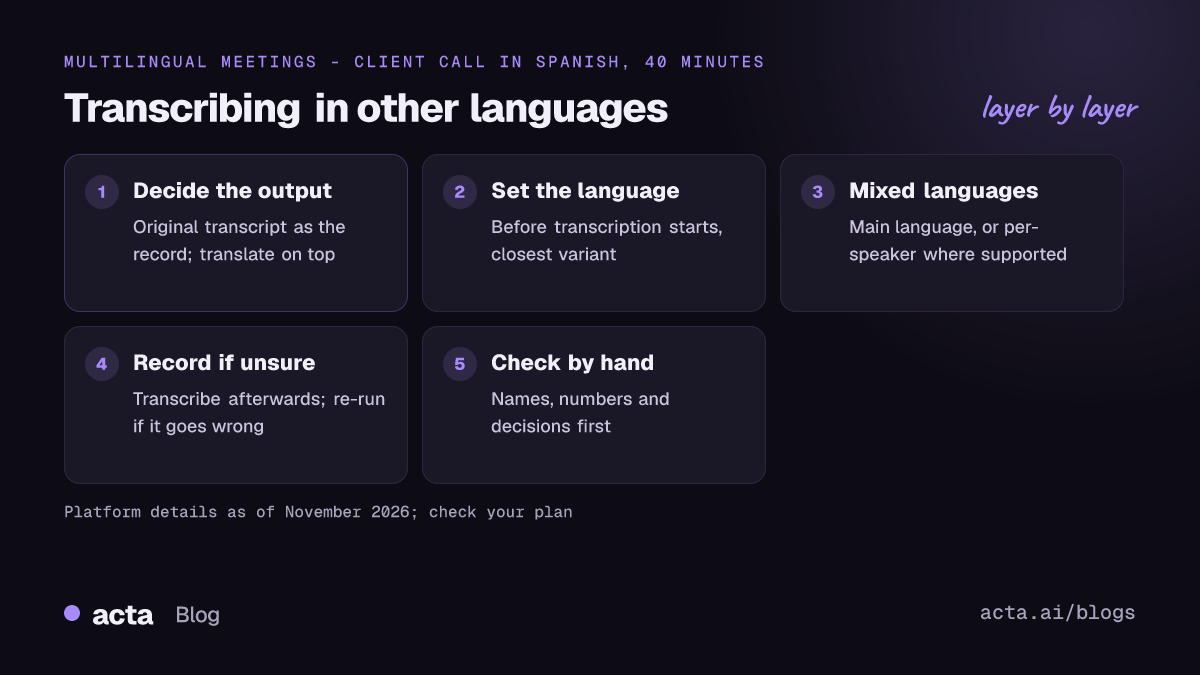
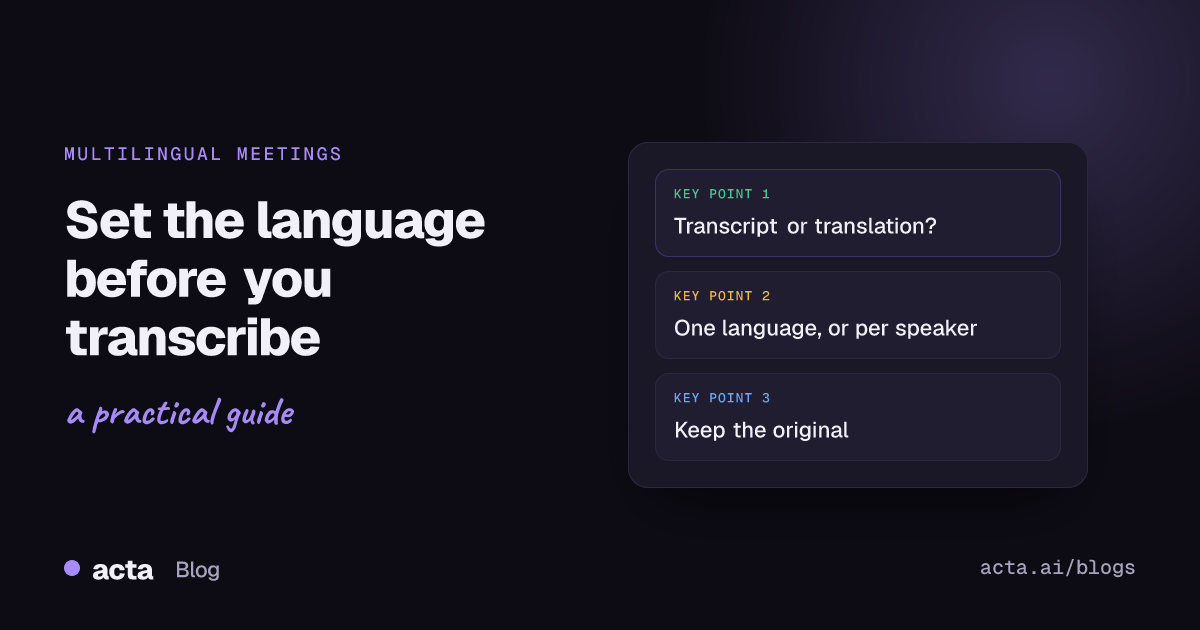
Transcription or translation: which do you actually need?
People mix these up, and the tools treat them very differently.
- Transcription writes down what was said, in the language it was said in. A meeting in Italian gives an Italian transcript.
- Translation turns that text (or the live captions) into another language. A meeting in Italian gives an English transcript or English captions.
- Translated captions are the live version: each person sees subtitles in their own language during the call. Usually nothing is kept afterwards unless the tool says so.
My advice: always keep the original-language transcript as the record, and treat translations as a reading aid. If a decision is ever disputed, you want the words people actually said. Translation also stacks errors on top of transcription errors, so a small mishearing can turn into a confident but wrong sentence in English.
How do you transcribe meetings in other languages on Teams, Zoom and Google Meet?
All three platforms can transcribe more than English, but each needs to be told the language, and the details change often. What follows is accurate as of November 2026; check the linked help pages for your plan.
Microsoft Teams
Teams asks for the spoken language when someone starts recording or transcription, and shows a "language mismatch" notice if what it hears doesn't match the setting. You can change it from the transcript pane under Language settings. Once transcription is running, only the organiser, a co-organiser or the person who started it can change the language, and the change applies to everyone. Microsoft's guide to starting and downloading live transcripts in Teams lists the supported languages and notes that translated transcripts need Teams Premium.
For meetings where people speak different languages, Teams now has multilingual speech recognition, which lets each participant set their own spoken language instead of forcing one for the whole meeting.
Google Meet
In Meet, the language for transcripts and Gemini's "Take notes for me" is chosen under the meeting's settings, in the meeting records section, as Google described in its Workspace update on configuring your preferred language. Transcripts and note-taking support fewer languages than live captions do, and they're tied to paid Workspace editions, so check Google's transcript help page for the current list before you promise anyone a German transcript.
Zoom
Zoom's automated captions can be set to the meeting's spoken language, and its translated captions show live subtitles in another language. Translated captions need automated captions turned on, and they come with certain higher-tier plans or as an add-on, as Zoom explains in its post on Zoom translated captions. The list of supported caption languages has grown since launch, so check Zoom's support pages for the current one.
What happens when people switch languages mid-meeting?
This is called code-switching, and it's normal in a lot of workplaces: a team in Mumbai moving between Hindi and English, a Montreal office between French and English, engineers anywhere dropping English technical terms into another language. It's also one of the harder problems in speech recognition. Researchers have run whole challenges on multilingual and code-switching speech recognition because models trained on one language at a time stumble when a sentence changes language halfway through.
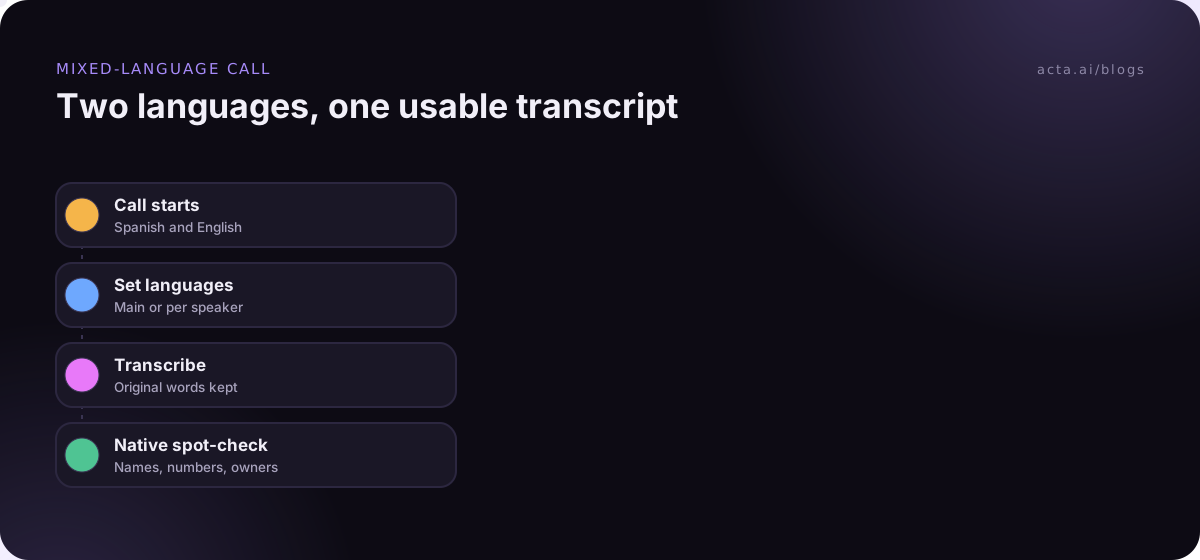
What I'd do in practice:
- Pick the main language. If 80% of the meeting is in Portuguese with English product names, set Portuguese. The model will usually cope with borrowed words better than with the wrong base language.
- Use per-speaker languages where available. If your Teams tenant has multilingual speech recognition, ask each person to set their own spoken language.
- Split long sections by language. For a workshop where the first hour is in German and the second in English, two transcripts (or a recording transcribed in two parts) beat one confused one.
- Agree on a meeting language for decisions. Even in a bilingual team, saying the decision and owner once in one agreed language makes the notes far more reliable.
Should you record first and transcribe afterwards?
Often, yes. Live captions and live transcripts are built for speed. Transcribing from a recording after the meeting lets you choose the language, re-run it if the first attempt was wrong, and use a different tool if the platform's own transcript doesn't support your language.
A typical setup for multilingual teams:
- Record the meeting audio with the platform, a notetaker bot, or a recorder on your own computer. If bots aren't welcome in the call, a desktop recorder captures the meeting's sound and your microphone from your own machine.
- Transcribe in the spoken language using a tool that supports it.
- Translate only what you need, usually the summary and action items rather than every line.
If you already have recordings from elsewhere, many notetakers accept uploads; Acta's guide to uploading audio shows how that works there. Before recording anyone, tell them; consent rules differ by country, and our guide on recording consent and what to tell participants covers the basics (general information, not legal advice). A short notice in the participants' own language is a nice touch.
Why are non-English transcripts often less accurate?
Speech models learn from the audio they're trained on, and there's far more English training audio than, say, Tagalog or Swahili. Accuracy usually tracks that: widely spoken languages with lots of recorded speech tend to do well, while smaller languages and regional varieties trail behind. A few other things make it worse:
- Wrong variant. Portuguese from Brazil and from Portugal, or Spanish from Spain and from Mexico, differ in vocabulary and pronunciation. Choose the closest one where the tool offers it.
- Names and jargon. Company names, people's names and borrowed English terms are often transcribed phonetically in the local spelling.
- Audio quality. Noise, distance from the microphone and people talking over each other hurt every language. Our guide to improving transcription accuracy with accents, noise and crosstalk covers the fixes. They hurt more where the model is already less sure.
If you're curious how speech recognition pipelines decide where speech starts and stops before they transcribe anything, our build guide on speech recognition with voice activity detection goes into it. For translation models specifically, see how to build a translation app with open models.
How do you check a transcript in a language you don't speak well?
This is the awkward part for managers of international teams. Some honest options:
- Ask a native speaker to spot-check. Five minutes on the decisions and numbers is enough. Rotate who does it.
- Check the things that don't need fluency. Numbers, dates, product names and people's names look the same in most scripts that use the Latin alphabet. If those are wrong, the rest probably is too.
- Translate the summary, then ask the meeting owner to confirm. "Here's what I understood: Priya owns the pricing change by Friday. Correct?" is a fair question in any language.
- Keep the original. Never replace the source transcript with a translation in your records.
Teams spread across time zones and languages have their own meeting habits worth getting right; our piece on virtual meetings for global teams covers some of them.
Where Acta fits
Acta records Zoom, Google Meet and Microsoft Teams meetings with a bot, its desktop app or a Chrome extension, and also takes uploaded recordings. It produces a transcript with speaker names, a summary, decisions and action items, which is the part worth translating and sharing. Check which languages it supports for your meetings during the 15-day trial rather than assuming.
Frequently asked questions
Can I transcribe a meeting in one language and get the transcript in another?
Yes, but that's two steps: transcription in the spoken language, then translation. Some platforms do both live (Teams Premium translated transcripts, Zoom translated captions), and the translated version may not be saved after the call.
What language should I choose for a bilingual meeting?
The one most of the meeting is in. If your tool supports per-speaker languages, use that instead, and say decisions once in an agreed language.
Why does my transcript come out as gibberish in English?
The spoken-language setting is almost certainly wrong. The model is forcing non-English speech into English words. Change the language and, if possible, re-run transcription from the recording.
Are live translated captions saved after the meeting?
Often not. Microsoft says translated Teams transcripts aren't stored after the meeting, only the original. If you need a translated record, translate the saved original transcript or summary afterwards.
Is it better to transcribe meetings in other languages live or from a recording?
From a recording, if accuracy matters more than speed. You can pick the language, re-run it and use a different tool if needed. Live captions are best as an aid during the call.
To see what Acta does with your own multilingual calls, look through its features.