Most journalists transcribe interviews in two passes now: an automatic transcript for speed, then a careful listen to check every quote they plan to publish against the audio. The workflow below covers the parts that decide whether that's safe: consent before you record, clean audio, choosing a tool, marking quotes with timestamps, verifying them, and protecting the recording when a source is sensitive.
Use Cases 11 min read
How Journalists Transcribe Interviews Accurately: An 8-Step Workflow
A reporter's workflow for transcribing interviews: consent, clean audio, choosing a tool, timestamped quotes, verifying against the tape and protecting sensitive sources.
By Sarma BKP, Founder & CEO, Acta · Updated
It's written for reporters, freelancers, student journalists and podcast producers who interview for publication. If you're transcribing academic research interviews, the conventions differ, and our guide to qualitative interview transcription fits better. Recording law comes up below; treat it as general information, not legal advice.
Key takeaways
- Settle consent and ground rules (on the record, background, off the record) before you press record, and get the agreement on tape.
- Use automatic transcription to find quotes, never as the source of a quote. Every published quote gets checked against the audio.
- Note a timestamp next to each quote you might use. It turns a 40-minute re-listen into a few minutes of spot checks.
- For confidential sources, decide where the audio goes before you upload it: a cloud service, your own computer, or nowhere.
- Keep the original recording until the story's correction window has passed, unless a source agreement says otherwise.
Table of contents
- Journalists transcribe interviews to find quotes, then verify them
- Consent and ground rules come before the record button
- Clean audio does more for accuracy than any tool
- Pick a transcription method by deadline and risk
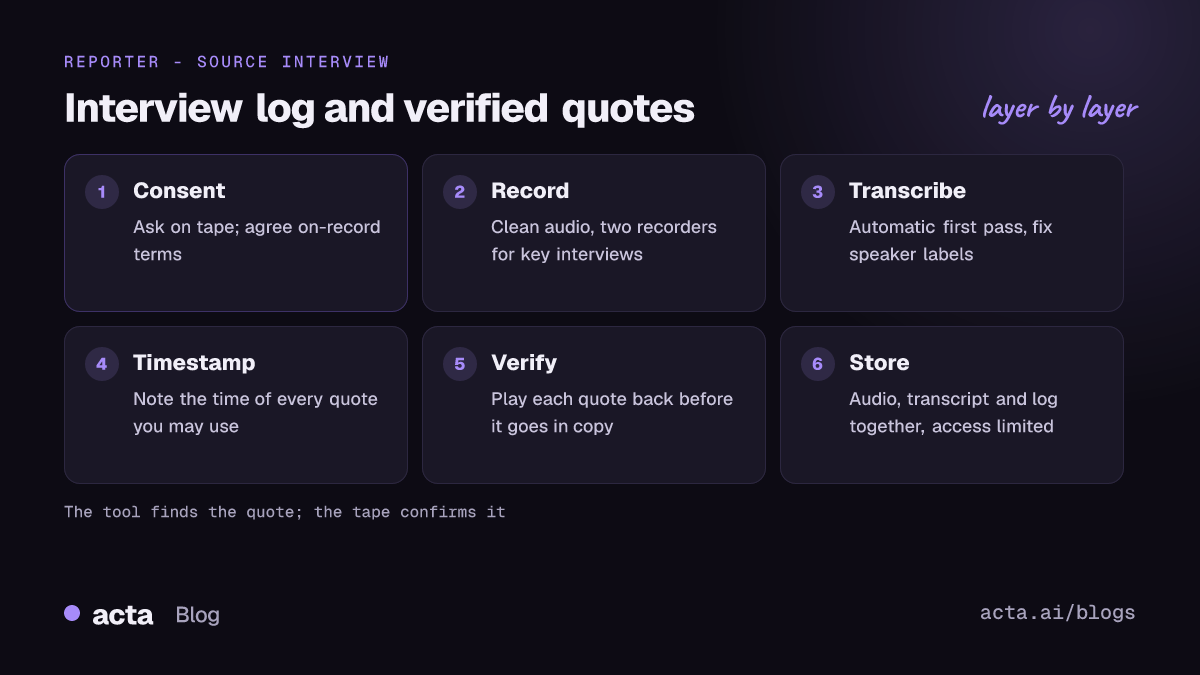
- The eight-step workflow from tape to published quote
- Copy this interview log template
- Fix the common transcription problems before they reach print
- Frequently asked questions
- Set a transcription routine you can trust on deadline
Journalists transcribe interviews to find quotes, then verify them
A transcript does two jobs for a reporter. It's a search tool, so you can find the moment the council member said "we knew in March" without scrubbing through an hour of audio. And it's the raw material for direct quotes, which have to be exactly what the person said.
Automatic speech recognition is very good at the first job and unreliable at the second. Mistakes cluster in exactly the places that matter in reporting: names, numbers, negatives ("can" versus "can't"), jargon and accented speech. There's also a less obvious failure. Researchers who studied OpenAI's Whisper model found that it sometimes inserted whole phrases that were never spoken, including made-up violent content and false associations, in a small share of audio segments. Other tools may behave differently, but the lesson holds: a transcript can be confidently wrong.
The SPJ Code of Ethics asks journalists to take responsibility for the accuracy of their work, to verify information before releasing it, and notes that neither speed nor format excuses inaccuracy. That's the standard a transcription workflow has to meet. The tool gets you to the quote faster; you still check it.
Consent and ground rules come before the record button
Recording consent rules vary. In the US, federal law allows recording a conversation you're part of with one party's consent, but some states require every party to agree, and the rules can differ for phone calls and in-person conversations. The Reporters Committee for Freedom of the Press recording guide is the reference most newsrooms use and covers each state. For calls that cross state or national lines, assume the stricter rule applies until you've checked. Our explainers on one-party versus two-party consent and on recording with AI and what to tell participants go further.
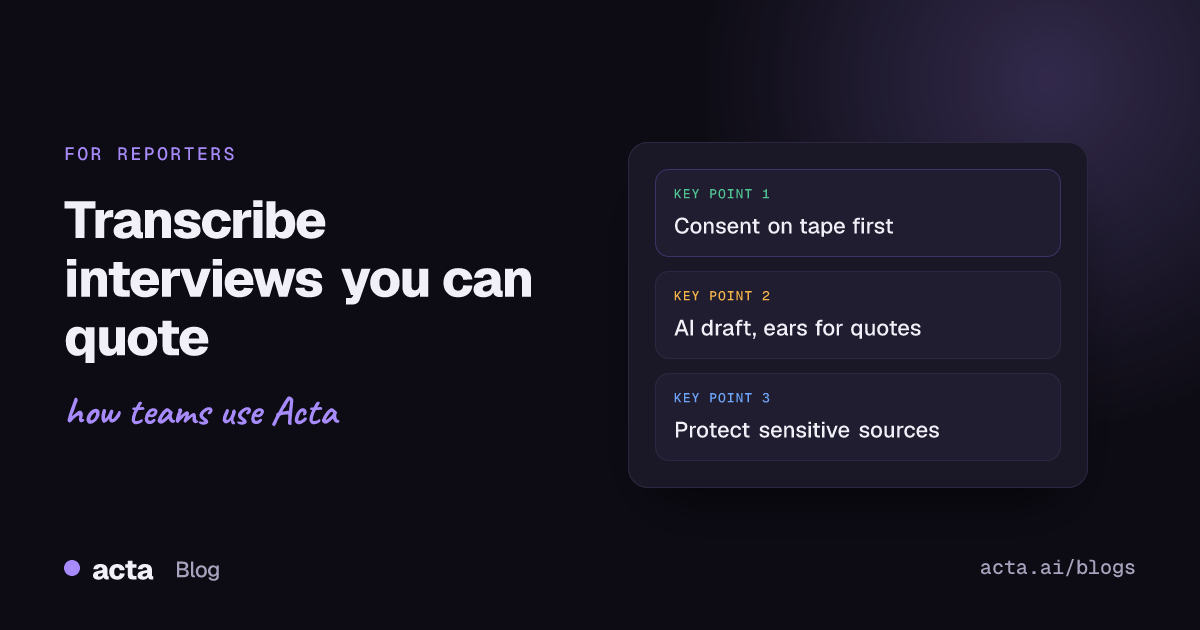
Beyond the law, ask on tape. It takes ten seconds and settles the question later:
"Before we start: I'm recording this so I quote you accurately. I'll use an automatic transcription tool to help me find quotes, and I check anything I use against the recording. This conversation is on the record unless we agree otherwise. Is that all right?"
Mentioning the transcription tool matters more than it used to. Some sources, especially in legal, medical or government roles, will care that their words pass through a third-party service. If they object, you can still record locally and transcribe by hand or on your own machine.
Agree the attribution terms out loud too. If a source moves to background or off the record partway through, say the time on tape ("It's 14:32, we're going off the record"). You'll thank yourself when you read the transcript a week later.
Clean audio does more for accuracy than any tool
Every tool performs better on clear audio, and no tool fixes a source talking into a hand-dryer. A few habits cover most situations:
- In person: put the phone or recorder between you, closer to the source than to you. Turn off the cafe's music if you can, or pick a quieter table. A clip-on lavalier microphone on the source helps for longer interviews.
- Phone calls: phone-line audio is thin and drops consonants. Record both sides; see our guide to iPhone call recording for the options.
- Video calls: record from your computer so you capture the other person's voice cleanly rather than through your speakers. A desktop recorder such as the Acta desktop app captures Zoom, Teams or any calling app on your own computer without a bot joining, which some sources find less off-putting.
- Back up: for an interview you can't repeat, run two recorders. Phones die and apps crash.
Our post on improving transcription accuracy with accents, noise and crosstalk has more on microphones and room setup.
Pick a transcription method by deadline and risk
There are three ways to get from audio to text, and most reporters use all three depending on the story.
| Method | Best for | Watch out for |
|---|---|---|
| Automatic, cloud service | Daily news, long interviews, searching for quotes fast | Where the audio is stored; errors in names and numbers |
| Automatic, on your own computer | Sensitive sources you don't want on a third-party server | Setup effort; same need to verify quotes |
| Manual (you or a human transcriber) | Short key quotes, poor audio, legal-risk stories | Time; a human service is still a third party |
Free and newsroom tools exist. Google's Pinpoint, part of its Journalist Studio, lets you upload audio and creates a transcript with clickable timecodes that jump to the matching audio, according to Google News Initiative's Pinpoint training (as of November 2026; check Google's page, features change). General meeting tools work too, as do open-source models such as Whisper that can run locally if you're comfortable with a command line.
My rule of thumb: if the story could end up in front of a lawyer, transcribe the quotes you use by ear, even if a tool gave you a draft.
The eight-step workflow from tape to published quote
This is how I'd set it up for a reporter doing several interviews a week.
- Prepare the file name. Before the interview, decide the name: date, source, topic (for example 2026-11-12_ShahP_transitbudget). It makes the archive searchable later.
- Record the consent and terms. Start with the consent line above. Note the time if terms change.
- Write timestamps while you talk. Jot the recorder's time when something quotable happens: "11:40 says the March memo existed." Ten notes are enough.
- Run the automatic pass straight after. Upload the file or let your recorder transcribe it. With Acta, you can upload an MP3 or M4A from any recorder and get a transcript and summary back.
- Fix speaker labels first. Rename "Speaker 1" and "Speaker 2" before you read anything else. Misattributed lines are the most damaging error. Our explainer on speaker diarization covers why labels slip when voices overlap.
- Pull candidate quotes. Search the transcript for your timestamp notes and key terms. Copy each candidate into your draft with its timestamp.
- Verify every quote against the audio. Play each one at normal speed. Check names, numbers, negatives and anything that surprised you. Fix the wording to match what was said, not what the transcript says.
- File the recording and transcript together. Store both with your notes in the place your newsroom uses for source material, with access limited to people on the story.
Copy this interview log template
A one-page log sits on top of each transcript. It's what an editor or fact-checker reads first, and it's where you record the decisions you'd otherwise keep in your head.
Interview log
File name: ______ | Date and time: ______ | Location or platform: ______
Source: name, title, contact | Attribution terms: on record / background / off record (with times)
Consent recorded at: ______ | Transcription method: cloud / local / manual
Quotes for use: timestamp | exact words | verified against audio (Y/N) | checked by
Facts to confirm: claim | how to confirm | status
Retention: keep until ______ | sensitive source: Y/N
Here's a filled-in example for an illustrative city budget story:
File name: 2026-11-12_ShahP_transitbudget | 12 Nov, 10:00 am | City hall cafe, in person
Source: Priya Shah, transit committee member | On record; 14:32 to 16:05 background (agreed on tape)
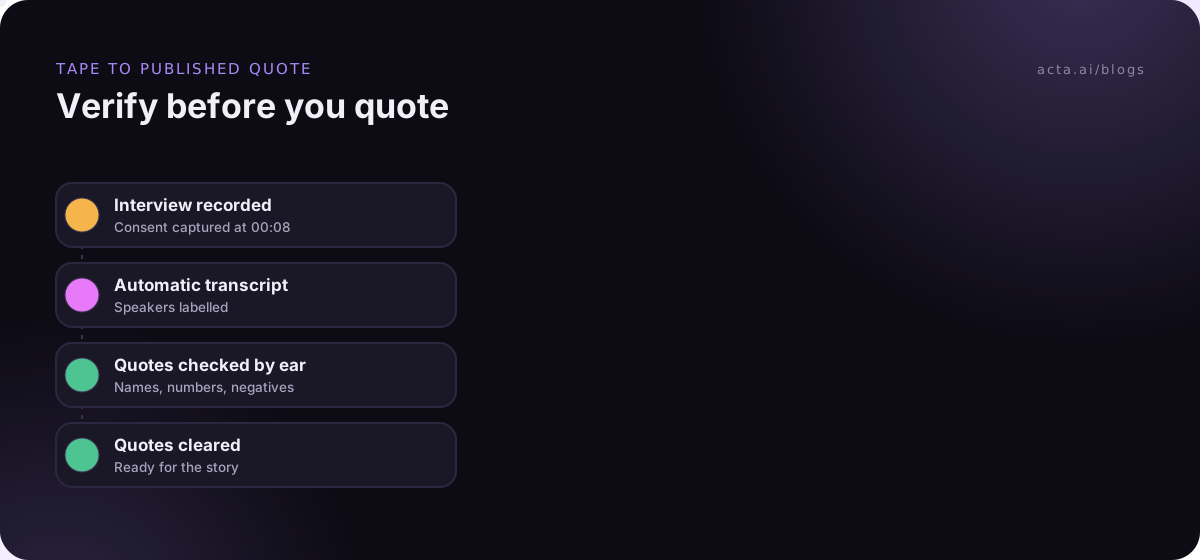
Consent recorded at: 00:08 | Method: cloud transcript, quotes checked by ear
Quote 1: 11:40 | "We had the March memo on our desks, and nobody read it." | Verified Y (transcript had "and somebody read it") | MR
Quote 2: 22:15 | "The shortfall is about a third of what they're saying." | Verified Y | MR
Facts to confirm: existence and date of the March memo | records request to clerk | pending
Retention: keep until correction window closes | sensitive: N
Look at Quote 1. That's the kind of error a transcript makes: one word that reverses the meaning. It's also why the log has a "verified" column instead of trusting the draft.
Fix the common transcription problems before they reach print
Most problems fall into a few patterns, and each has a practical fix.
Mistakes to avoid
- Quoting from the transcript alone. The single most common error. Always go back to the audio for the words you publish.
- Cleaning quotes too much. Removing "um" is normal practice in many newsrooms; changing grammar or meaning isn't. Follow your outlet's style guide.
- Losing the off-record boundary. If the transcript doesn't mark where background began, you can quote something you agreed not to. Add the marker as soon as the transcript lands.
- Uploading a sensitive source by habit. Decide per interview. For a whistleblower, a cloud upload may be the riskiest thing you do all week.
Troubleshooting
- Two people talking over each other: listen to that section at reduced speed and transcribe by hand. No tool is reliable here.
- Heavy accent or second language: tools vary a lot by language and accent. Check the tool's supported languages and listen to every quote, not just the surprising ones. For mixed-language interviews, see transcribing other languages and mixed-language calls.
- Names spelled wrong: ask the source to spell names and organisations on tape at the end. Then search and replace in the transcript.
- Numbers garbled: repeat key figures back during the interview ("so that's 3.2 million?"), which gives you a second, clearer instance on the recording.
Acta fits the middle of this workflow if you want it to. It records calls on your computer without a bot, in-person interviews through the mobile app, or files you upload, and returns a transcript with speaker names and a summary you can search later. It doesn't use customer data to train its AI models, but you still decide whether a given source's tape should go to any cloud service.
Frequently asked questions
How do journalists transcribe interviews quickly?
Most use an automatic transcription tool for a first draft within minutes, then check only the quotes they plan to publish against the audio. Writing timestamps during the interview makes that check fast. Full manual transcription is now usually reserved for short, critical quotes or poor-quality audio.
Is it ethical to use AI to transcribe interviews?
Generally yes, if you verify what you publish and protect your sources. The ethical risk is quoting an error, or exposing a confidential source by uploading their audio to a third party without thinking. Tell sources you use a transcription tool, and check your newsroom's AI policy.
Do I need permission to record an interview?
It depends on where you and the source are. Some places allow recording with one party's consent; others require everyone's. Asking on tape covers you in either case and builds trust. This is general information, not legal advice; check the rules for each location or ask your outlet's lawyer.
Should I clean up quotes from a transcript?
Newsrooms differ. Many allow removing filler words like "um" and false starts, but not changing words, grammar that alters meaning, or order. If you're unsure, quote exactly or paraphrase without quotation marks. Your outlet's style guide is the authority here.
How long should I keep interview recordings?
Many reporters keep them at least until any correction or legal challenge period has passed, so they can prove what was said. Your newsroom may set a policy. For confidential sources, weigh that against the risk of the recording being demanded or leaked.
Set a transcription routine you can trust on deadline
The best routine is one you follow at 6 pm on deadline. Decide these once and write them on a card:
- Use one consent line: the same words at the start of every recorded interview, including the tool you use.
- Mark time as you go: ten timestamp notes per interview, minimum.
- Verify by ear: no direct quote goes into copy without being played back.
- Choose per source: cloud, local or manual, decided before the file leaves your recorder.
- File it together: audio, transcript and interview log in one place, with a keep-until date.
If you want transcripts waiting after your next call, try the Acta desktop app on a 15-day free trial and see whether it shortens the gap between interview and draft.
Found this useful? Share it with your team.