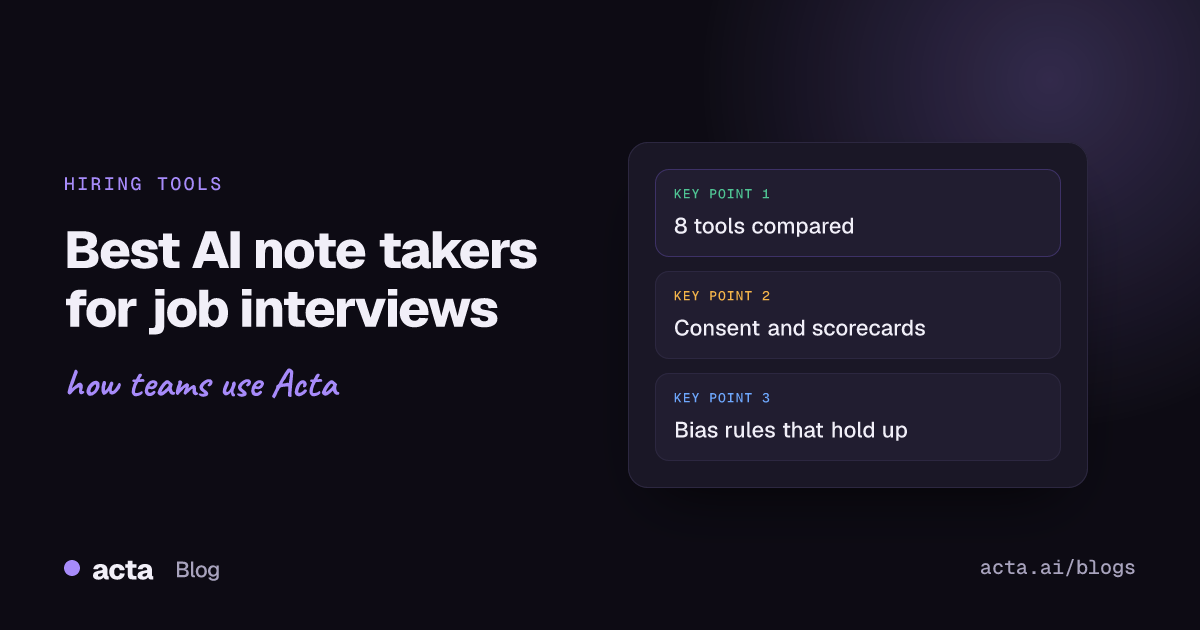
The best AI note taker for job interviews depends on who's doing the hiring. Recruiting teams running structured loops through an ATS get the most from BrightHire or Metaview, which draft scorecards and handle candidate consent. Hiring managers who interview now and then do fine with Granola, Fathom, Otter or Fireflies. Acta fits teams that want bot-free recording plus interview reports, and Zoom AI Companion suits companies that just want a summary.
This guide compares eight tools on what matters in an interview rather than a sales call: consent, evidence per competency, scorecard drafting and bias. It's for recruiters, hiring managers and founders who interview. If you want AI to rank candidates for you, this isn't that list.
Key takeaways
- Pick by hiring volume: under about five interviews a week, a general notetaker is enough; a full recruiting team with an ATS should look at BrightHire or Metaview first.
- Tell every candidate before the interview that it's recorded and transcribed, and give them a way to opt out without penalty.
- Use AI to collect evidence against your rubric. Keep the rating, the hire/no-hire call and any ranking with people.
- Have each interviewer submit a score before the debrief, so the loudest person in the room doesn't set everyone's notes.
- Pilot any tool on five real interviews and check one thing: can you trace every scorecard claim back to the candidate's own words?
Table of contents
- Interview notes need evidence, not a summary
- Eight AI note takers for job interviews compared
- Dedicated interview tools suit structured hiring at volume
- General notetakers work for occasional interviewers
- Candidate consent comes before the first question
- Scorecards and bias controls keep the notes fair
- Run a five-interview pilot before you buy
- Frequently asked questions
- Choose the right tool for your hiring process
Interview notes need evidence, not a summary
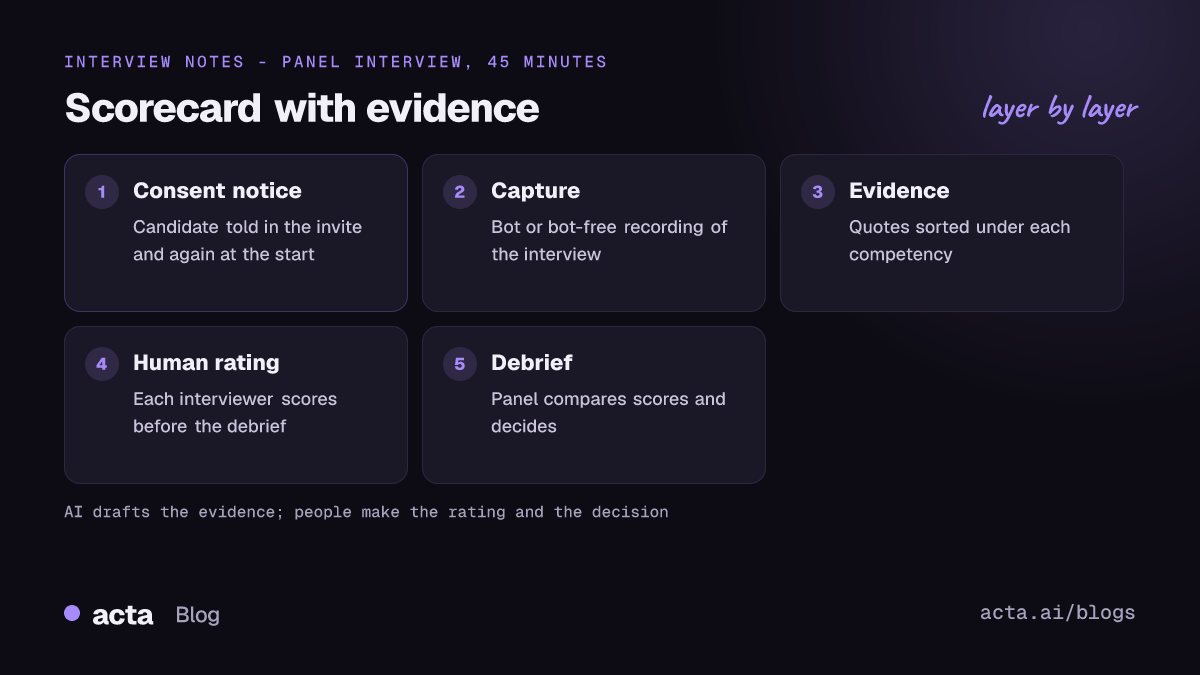
A sales call summary can be loose. An interview summary can't, because someone will make a hiring decision from it and may have to defend it later. "Strong communicator, good culture fit" tells the debrief nothing and invites bias. What you want is evidence. "Described cutting deploy time from 40 to 12 minutes; owned the rollout; didn't mention testing" is something a panel can score.
So I judged each tool on six things:
- Consent handling. Does it notify candidates, or is that left to you?
- Rubric mapping. Can it sort what was said under your competencies, or does it only write a generic recap?
- Scorecard and ATS. Does a draft scorecard reach Greenhouse, Lever or Ashby, or do you copy and paste?
- Traceability. Does every claim link back to the transcript?
- Capture method. A bot in the call, or recording from the interviewer's computer?
- Price and minimums. Self-serve per seat, or a sales quote?
Every tool here works better if you already run structured interviews, because the AI has a frame to sort answers into. Without one, you get a tidy transcript and not much more.
Eight AI note takers for job interviews compared
Prices are the lowest paid tier each vendor lists, per user per month, as of November 2026.
| Tool | Best for | Scorecards / ATS | Starting price |
|---|---|---|---|
| BrightHire | Recruiting teams with an ATS | Draft scorecards, syncs to ATS | Quote, by company size |
| Metaview | Recruiters, high interview volume | Draft scorecard content, ATS | Free plan; Pro $60 |
| Granola | Hiring managers who dislike bots | No, notes and chat | Free; Business $14 |
| Fathom | Occasional interviewers on a budget | No | Free; Team $15 (annual) |
| Otter | Interviewers who want templates | No | Free; Pro $8.33 (annual) |
| Fireflies | Search across many interviews | No | Free; Pro $10 (annual) |
| Zoom AI Companion | Zoom-only teams wanting a recap | No | Included in paid Zoom plans |
| Acta | Bot-free recording plus reports | Report templates, no ATS sync | $8 per seat ($6 annual) |
Updated November 2026. Prices and plans change often; confirm on each vendor's pricing page.
Dedicated interview tools suit structured hiring at volume
BrightHire
Best for: in-house recruiting teams running structured loops through Greenhouse, Lever, Ashby or Workday.
Pros: BrightHire says it sends candidates a consent notice before interviews with an opt-out, joins the call after consent, maps evidence to your rubric and drafts notes and a pre-filled scorecard that the interviewer reviews before submitting. It states that its AI doesn't score, rank or recommend candidates, which is the right line to draw. Its Zoom page also describes detecting and redacting protected-class information that comes up in an interview.
Cons: no public price or self-serve plan. Overkill for a startup hiring two people a year.
Price: its pricing page says Interview Intelligence is priced by company size, as of November 2026.
Verdict: the safest pick for a recruiting function that wants consent, scorecards and ATS sync handled in one place.
Metaview
Best for: recruiters doing many screens a week who want notes and scorecard drafts without a long procurement.
Pros: notes link back to the moment in the transcript they came from, so a reviewer can check a claim in seconds. It drafts scorecard content for the interviewer to review and connects to Greenhouse. Its AI interview notes page lists a free plan with 25 calls per user per month.
Cons: the free plan only keeps the last 14 days of calls. Its own pages describe the Greenhouse scorecard step inconsistently, so test whether yours autofills or needs a paste.
Price: free plan; Pro listed at $60 per user per month with unlimited calls, as of November 2026.
Verdict: the easiest dedicated tool to try before you commit.
General notetakers work for occasional interviewers
If you interview a few times a month, a general notetaker plus a good scorecard template covers most of it. You'll copy evidence into the ATS yourself.
Granola
Best for: hiring managers who take their own notes and don't want a bot in the call.
Pros: records from your device, so no extra participant appears. You type rough notes and Granola fills them in from the transcript; chat across a folder helps compare a loop.
Cons: Granola says it deletes audio after transcribing, so there's no recording to replay if a panel disagrees about what was said. I didn't find a native ATS scorecard push.
Price: Basic is free with 30 days of history; Business is $14 per user per month, as of November 2026.
Verdict: good for a hiring manager's own notes, weaker as the system of record.
Fathom
Best for: founders and managers interviewing occasionally who want a free tool.
Pros: its pricing page lists unlimited recordings and transcription on the free plan, with summaries and action items after each call.
Cons: built for sales and team calls; its scorecards are sales scorecards, not interview rubrics. A bot joins most calls.
Price: free; Team $15 per user per month billed annually ($19 monthly), two-user minimum, as of November 2026.
Verdict: hard to beat at $0 if you'll write the scorecard yourself.
Otter
Best for: interviewers who want a repeatable interview template inside the notetaker.
Pros: custom meeting-type templates let you shape the summary around your competencies. Cheap paid tier.
Cons: the free Basic plan caps you at 300 minutes a month. No ATS link.
Price: Pro $8.33 per user per month billed annually ($16.99 monthly); Business $19.99 annually, as of November 2026.
Verdict: a sensible budget choice once you've built an interview template.
Fireflies
Best for: teams that want to search across dozens of interviews.
Pros: AskFred answers questions across meetings; lots of integrations.
Cons: free plan limits on summaries and storage; nothing interview-specific out of the box.
Price: Pro $10 per seat per month billed annually; Business $19, as of November 2026.
Verdict: useful for search, generic for scorecards.
Zoom AI Companion
Best for: companies that interview on Zoom and don't want another vendor.
Pros: Zoom says meeting summaries are included with eligible paid Zoom Workplace plans, so there's nothing to buy or approve.
Cons: Zoom only, and the summary is a meeting recap, not evidence sorted by competency.
Price: included in eligible paid plans, as of November 2026.
Verdict: a recap, not a scorecard tool.
Acta
Best for: hiring teams that want interviews recorded without a bot and a written report per candidate.
Pros: records Zoom, Meet and Teams with a bot or bot-free through the desktop app or Chrome extension, and the hiring page shows the candidate scorecard reports. An Agent Builder automation can draft a scorecard after each interview and send it to the hiring manager to review, and the MCP connector lets you ask ChatGPT or Claude about your interview notes.
Cons: no ATS integration, so the scorecard reaches Greenhouse or Lever by copy and paste. Bot-free recording needs the interviewer in the call.
Price: Pro is $8 per seat per month billed monthly, or $72 a year billed annually; 15-day free trial.
Verdict: a middle option between a free notetaker and a quote-based hiring platform.
Candidate consent comes before the first question
Whichever AI note taker for job interviews you choose, tell the candidate before the call, in writing, that the interview will be recorded and transcribed, why, who will see it and how long you'll keep it. Then say it again at the start of the call and offer a no-penalty opt-out. Candidates who decline get a human note-taker, not a worse shot at the job.
Laws differ by country and state, and some go further than general recording rules. Illinois's Artificial Intelligence Video Interview Act, for example, requires employers that use AI to analyse applicant video interviews to give notice, explain how the AI works, get consent first, and delete videos within 30 days of a request. This is general information, not legal advice; check the rules where you and the candidate are. Our guides to recording job interviews and consent for AI meeting recording go further.
Bot-free recording doesn't remove the duty to tell people; it just avoids a "Notetaker has joined" moment that can rattle a nervous candidate. Our comparison of AI notetakers without a bot covers the options; Acta's desktop app also has a Copy notice button that pastes a recording notice into the meeting chat.
Scorecards and bias controls keep the notes fair
AI notes cut memory bias, since you no longer score on the two answers you happened to write down. They can add framing bias when the summary uses loaded words like "confident" or "polished". Four rules help:
- Score against a fixed rubric. The U.S. Office of Personnel Management's structured interview guidance suggests assessing a small set of competencies, typically four to six, on a defined rating scale.
- Rate before you talk. OPM's guidance has panel members rate independently before discussing. Have each interviewer submit before the debrief.
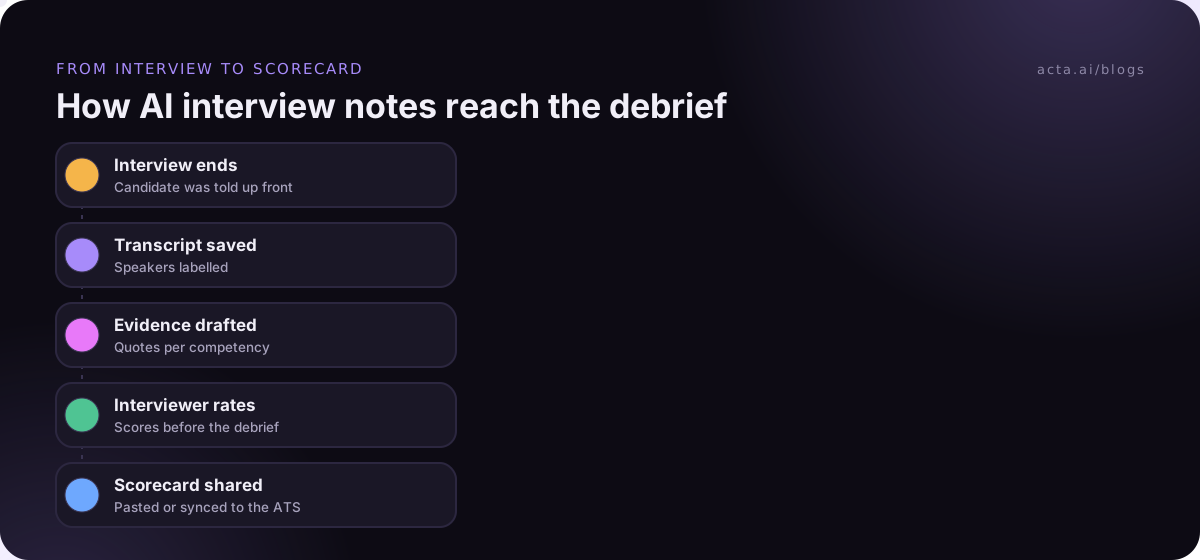
- Let AI draft evidence, not ratings. Our post on interview scorecard automation shows the split: the AI pulls quotes per competency, the interviewer picks the score.
- Strip what shouldn't be there. Delete anything about age, family, health or nationality from notes, even if the candidate raised it. Our guide to reducing bias in interview notes has a checklist.
In your first month, read one AI summary per candidate against the transcript. If adjectives appear without a quote behind them, change the template so it only reports what the candidate said and did.
Run a five-interview pilot before you buy
Demos are clean. Real interviews have bad audio and a panel member who joins late. Test on those.
- Pick one open role with an existing scorecard and four to six competencies.
- Write the candidate notice and get it into your interview invite template before the first call.
- Record five interviews, including one panel and one with poor audio.
- For each, check the draft against the transcript: is every claim traceable, are speakers right, did it invent anything?
- Time how long the interviewer spends getting from draft to submitted scorecard, and compare with handwritten notes.
If a tool fails step four even once on a factual point, don't use it for hiring decisions.
Frequently asked questions
Is it legal to use an AI note taker in a job interview?
In many places it is, provided you tell the candidate and, where the law requires, get consent before recording. Some jurisdictions add rules for AI analysis of interviews, such as Illinois's video interview act. Rules vary by state and country, so check locally. This is general information, not legal advice, and a short written notice in the invite is good practice everywhere.
Should AI score or rank candidates?
No. Use AI to collect and organise evidence against your rubric, and keep ratings and the hiring decision with trained interviewers. BrightHire says its AI doesn't score, rank or recommend candidates, which is a sensible default. If a tool offers automatic candidate scores, ask how it was tested for adverse impact before you turn it on.
What's the best free AI note taker for job interviews?
For a hiring manager who interviews occasionally, Fathom's free plan covers unlimited recordings and transcription. Metaview's free plan suits recruiters, with 25 calls per user per month and 14 days of history. Granola's free Basic plan works if you prefer no bot. All three leave the final scorecard to you, which is fine for low volume.
Can an AI note taker fill in Greenhouse or Lever scorecards?
Dedicated hiring tools can. BrightHire says it syncs notes and draft scorecards to Greenhouse, Lever, Ashby and Workday after the interviewer reviews them, and Metaview drafts scorecard content for Greenhouse. General notetakers, including Acta, don't connect to an ATS, so you copy the evidence across.
Choose the right tool for your hiring process
Start from your volume and your ATS, not from a feature list. Then check these before you roll anything out:
- Size the need: a few interviews a month points to a general notetaker; a recruiting team with weekly loops points to BrightHire or Metaview.
- Fix the rubric first: four to six competencies and a rating scale, written down before any tool sees a transcript.
- Write the candidate notice: what's recorded, why, who sees it, how long you keep it, and how to opt out.
- Keep humans on the ratings: AI drafts evidence; interviewers score independently before the debrief.
- Set retention: decide when interview recordings and transcripts are deleted, and check the tool can do it.
If you'd rather record interviews from your own computer with no bot in the call, try Acta's desktop app during the 15-day free trial, or compare plans on the pricing page.