Guides & How-tos 10 min read
Speaker Diarization for Meeting AI: Keeping "Who Said What" Accurate
A practical guide to speaker diarization for meetings: overlap, room mics, word-to-speaker alignment, naming speakers safely, and measuring DER and cpWER.
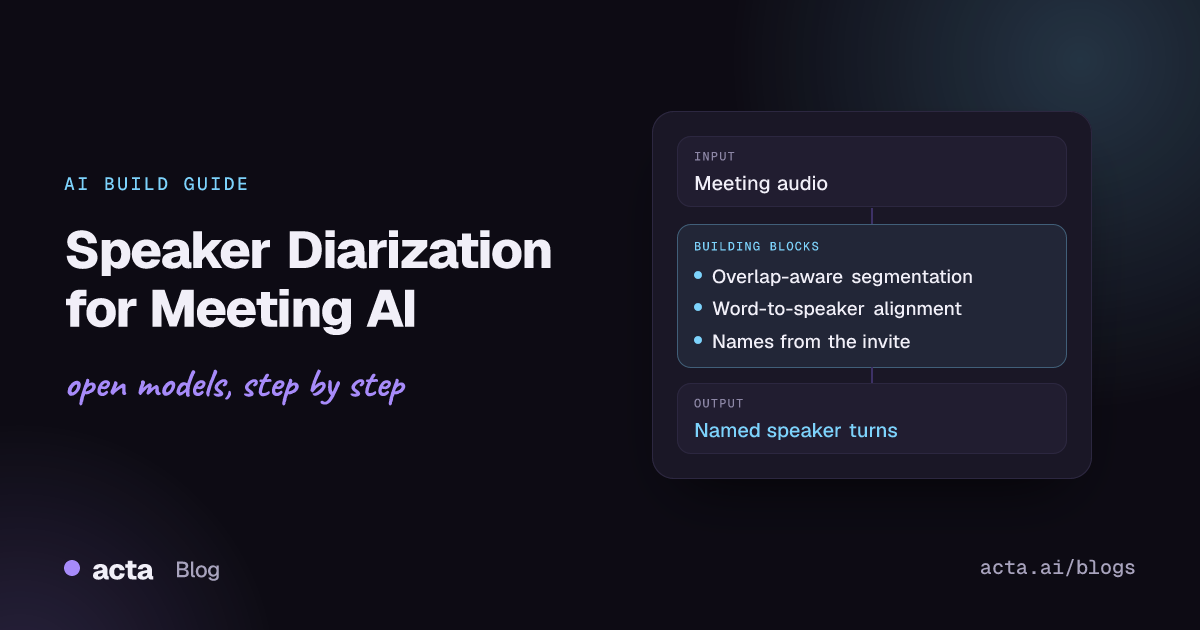
Quick answer: Speaker diarization splits meeting audio into "who spoke when" turns. For meeting AI, run voice activity detection, then an overlap-aware diarizer such as pyannote.audio's community-1 pipeline or NVIDIA's Sortformer, map every ASR word to the speaker turn it overlaps most, and only then attach real names from the participant list. Score it with DER and cpWER on your own labelled meetings.
A meeting transcript with the wrong speaker on a line is worse than a transcript with a typo. "I'll have the pricing deck ready by Friday" turns into an action item with an owner, a decision log entry and a citation in a RAG answer. If the line belongs to the wrong person, every one of those outputs is confidently wrong. This article covers diarization and speaker attribution in depth. Its companion, From Live Transcription to Searchable Meeting Intelligence, shows where diarization sits in the full system, from audio capture to search.
Why is "who said what" so hard in meetings?
Benchmarks of read speech or single-speaker podcasts hide most of the problems that meetings create. Take an example weekly product sync (invented for this article): six people, four in a conference room around one laptop, two remote, 55 minutes long.
- Overlap and crosstalk. People interrupt, finish each other's sentences and say "yeah" or "mm-hm" while someone else talks. A diarizer that assigns one speaker per frame drops the overlapped speaker entirely.
- One device, many voices. The four people in the room share one platform participant and one far-field microphone. Platform metadata says "Conference Room B" is speaking; it cannot tell you which of the four it was.
- Unknown and changing speaker count. Someone joins late, someone speaks once. Clustering has to decide whether a short segment is a new speaker or a noisy sample of an existing one.
- Short turns. "Agreed." "No, Thursday." Two-word turns carry decisions but give a speaker embedding very little audio to work with.
- Drift over long recordings. Over an hour, voices change with distance from the microphone, laughter and fatigue, so one person can split into two labels.
- Timestamp mismatch. ASR word timestamps and diarization boundaries come from different models and rarely line up exactly, so words at turn edges get attributed to the wrong side.
- Sensitive content. Speaker attribution decides who is quoted saying what in HR, legal or sales calls. Voice embeddings used to recognise people across meetings are also personal data and need the same protection as the recording.
What are the core concepts?
- Voice activity detection (VAD): finds speech versus silence or noise. Silero VAD is a small, MIT-licensed model that many pipelines use for this step.
- Segmentation: a neural model predicts, frame by frame, which local speakers are active, including overlaps. pyannote's authors proposed a powerset formulation with dedicated classes for overlapping speaker pairs, described in Plaquet and Bredin's powerset loss paper.
- Speaker embeddings and clustering: each segment gets an embedding vector; clustering groups embeddings into anonymous speakers (SPEAKER_00, SPEAKER_01). This is the classic cascaded design.
- End-to-end diarization: one model outputs speaker activity directly from audio. NVIDIA's Sortformer is a Transformer-based example, documented in the NeMo Speech speaker diarization docs.
- Offline versus streaming: an offline diarizer sees the whole meeting and can cluster globally. A streaming diarizer must commit to labels with little future context; Streaming Sortformer keeps an arrival-ordered cache of speakers it has already heard to keep labels stable.
- Diarization versus identification: diarization produces anonymous labels. Mapping SPEAKER_01 to "Priya Shah" is a separate step that uses participant lists, platform events or enrolled voice samples.
- RTTM: the plain-text format (file, start, duration, speaker) that scoring tools read for reference and system output.
Which open tools should you consider?
- pyannote.audio with speaker-diarization-community-1: the open pipeline that replaces the legacy 3.1 pipeline. The README's benchmark table (last updated 2025-09) reports DER of 17.0% on AMI (IHM) and 19.9% on AMI (SDM), against 18.8% and 22.7% for 3.1. The hosted precision-2 model scores lower still but runs on pyannoteAI's servers. Downloading community-1 requires accepting the user conditions on Hugging Face.
- NVIDIA NeMo Speech Sortformer models: offline and online versions. The streaming Sortformer v2 checkpoint is built for up to four speakers and is listed under CC-BY-4.0; check the card of the exact checkpoint you deploy, because licences differ between versions.
- WhisperX: batched Whisper transcription, forced alignment for word timestamps and a pyannote-based diarization step that assigns speakers to words. The method is described in the WhisperX paper.
- faster-whisper: a CTranslate2 reimplementation of Whisper with word timestamps and built-in Silero VAD filtering, useful if you want to run ASR and diarization as separate services.
Treat any published number as a starting point. AMI is recorded meetings, which is closer to your data than most benchmarks, but your microphones, languages and meeting styles will differ. The AMI Meeting Corpus is still useful as a public sanity check.
How do you build speaker attribution for meetings, step by step?
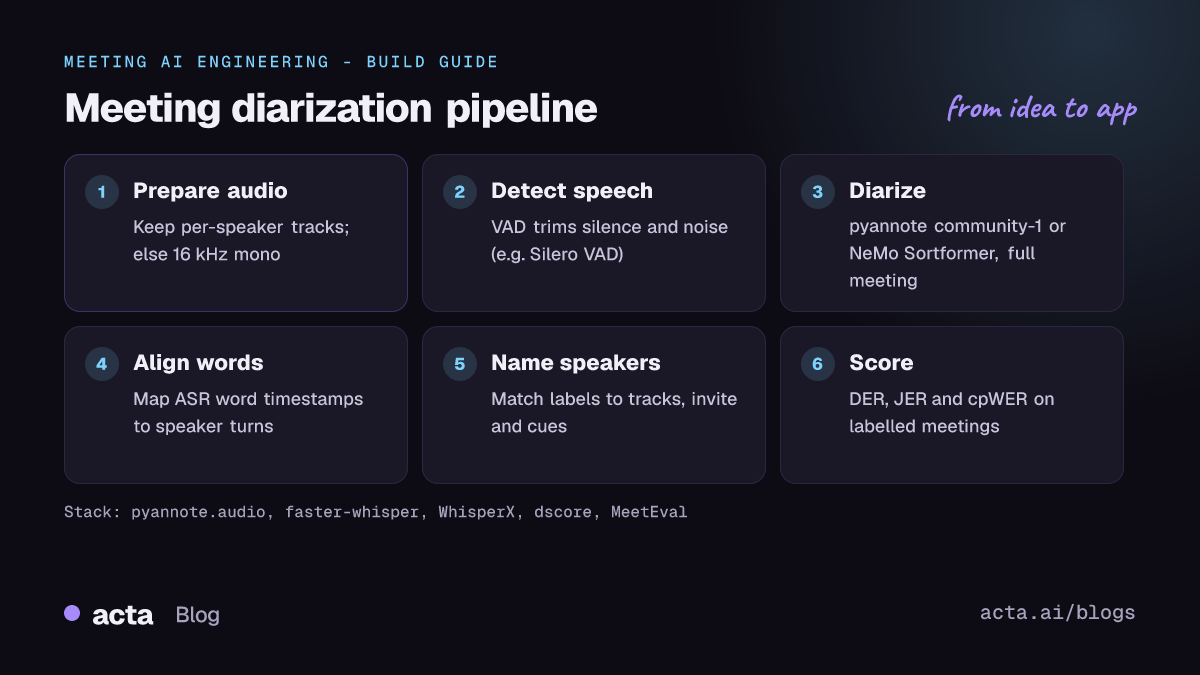
- Keep the best audio you have. If the platform or recorder gives separate tracks per participant, keep them: per-channel audio turns most remote-speaker attribution into a lookup. Otherwise, convert to 16 kHz mono and keep the original file for reprocessing.
- Run VAD. Remove long silences and music so the diarizer and ASR spend time on speech. Keep the speech timestamps; you will need them for alignment.
- Diarize the whole meeting. After the meeting, run an offline pipeline (pyannote community-1 or an offline Sortformer) over the full recording so clustering sees every speaker. Pass a speaker count hint when you know it from the attendee list; WhisperX exposes
min_speakersandmax_speakersfor this. - Transcribe with word timestamps. Use an ASR model that returns per-word start and end times (faster-whisper with
word_timestamps=True, or WhisperX alignment). - Assign each word to a speaker. For each word, pick the speaker turn with the largest time overlap; if no turn overlaps, use the nearest one within a small tolerance. Then merge consecutive words from the same speaker into turns.
- Name the speakers. Match anonymous labels to people with evidence you trust: per-participant tracks, the platform's active-speaker events, the calendar invite's attendee list and in-conversation cues ("Thanks, Marco"). Leave a label as "Speaker 3" when evidence is weak instead of guessing.
- Store turns with provenance. Save speaker label, resolved name, confidence, start and end time per turn, so downstream chunking, citations and corrections all point at the same record.
The diarization step, as shown in the pyannote.audio README for community-1:
import torch
from pyannote.audio import Pipeline

pipeline = Pipeline.from_pretrained(
    "pyannote/speaker-diarization-community-1",
    token="HUGGINGFACE_ACCESS_TOKEN")
pipeline.to(torch.device("cuda"))  # optional, CPU works

output = pipeline("weekly_sync.wav")

for turn, speaker in output.speaker_diarization:
    print(f"start={turn.start:.1f}s stop={turn.end:.1f}s {speaker}")
Word-to-speaker assignment is simple enough to write yourself, which keeps ASR and diarization independent. This sketch assumes words is a list of dicts with start, end and word, and turns is a list of (start, end, speaker) tuples from the loop above:
def assign_speakers(words, turns, tolerance=0.5):
    for w in words:
        best, best_overlap = None, 0.0
        for start, end, speaker in turns:
            overlap = min(w["end"], end) - max(w["start"], start)
            if overlap > best_overlap:
                best, best_overlap = speaker, overlap
        if best is None:  # word falls in a gap: use nearest turn
            mid = (w["start"] + w["end"]) / 2
            start, end, speaker = min(
                turns, key=lambda t: min(abs(mid - t[0]), abs(mid - t[1])))
            if min(abs(mid - start), abs(mid - end)) <= tolerance:
                best = speaker
        w["speaker"] = best or "UNKNOWN"
    return words
The stored turn should keep the anonymous label next to the resolved name, so a wrong name can be fixed without re-running diarization (example record):
{
  "meeting_id": "mtg_weekly_sync_example",
  "turn_id": 42,
  "speaker_label": "SPEAKER_01",
  "speaker_name": "Priya Shah",
  "name_source": "participant_track",
  "start": 1312.4,
  "end": 1318.9,
  "text": "Let's move the launch to the 14th and keep the beta open."
}
What are the trade-offs and pitfalls?
- Offline accuracy versus live labels. Streaming diarization gives labels within a fraction of a second but has to commit early. For records that drive action items and decisions, a full-context pass after the meeting is the safer source of truth.
- Exclusive versus overlapping output. Overlap-aware output is more accurate, but ASR produces one word stream. You need a rule for overlapped regions; assigning each word to its dominant speaker is a reasonable default.
- Room microphones. A single far-field mic shared by several people is the hardest case. Check AMI (SDM)-style results, not only close-talk (IHM) results, before choosing a model.
- Over-splitting and under-splitting. Too many clusters turn one person into two; too few merge two colleagues with similar voices. Speaker count hints from the invite help, but invites are often wrong.
- Naming errors are worse than anonymous labels. "Speaker 2 committed to the deadline" is honest. "Marco committed to the deadline" when it was Ana creates a false commitment.
- Voiceprints. Enrolling people's voices to recognise them across meetings improves naming, but it is biometric-like data. Ask for consent, store it separately and let people delete it.
- Licences and gated models. Check model cards for licence terms and access conditions before shipping, and pin model versions so a silent update does not shift your error rates.
How do you evaluate diarization for meetings?
Build a test set of 20 to 50 of your own meetings (with consent), with human-labelled speaker turns. Include room recordings, remote calls, short and long meetings. Then measure:
- Diarization error rate (DER): missed speech plus false alarm plus speaker confusion, as a share of scored time. The dscore tool used for the DIHARD challenges scores RTTM files with no collar by default and includes overlapped speech; always report which collar and overlap settings you used, because they change the number a lot. pyannote.metrics offers DER and related metrics in Python.
- Jaccard error rate (JER): averages per-speaker errors, so a speaker who talks for two minutes counts as much as one who talks for forty. It was introduced for DIHARD II; see the third DIHARD challenge paper for how the challenge scored systems.
- cpWER and tcpWER: word error rates that check words and speakers together, using the best speaker permutation. MeetEval implements them; its CHiME 2023 paper explains the time-constrained variant. These measure what users see: right words, right person.
- Naming accuracy: share of turns with the correct real name, and share left as "Unknown". Track wrong names separately; they are the costly error.
- Downstream attribution: for a sample of extracted action items and decisions, was the owner or decider correct? This connects diarization to the quality of multi-meeting decision tracking.
Look at the distribution per meeting, not only the average. One bad room recording at 40% DER matters more to that team than a good average.
How does Acta approach speaker attribution?
Acta transcribes after the meeting, not live, and every transcript has speaker names and timestamps. The names come from the meeting itself and from the calendar invite. That attribution is what the rest of the product builds on: action items are tracked with owners, and the decision log records who decided, and keeps the quote and the moment it was said when a later meeting changes a decision. When you ask a question across meetings, Ask Acta answers with retrieval over the transcripts and cites the meeting, so a reader can check the speaker and the words in context.
Frequently asked questions
Do I still need diarization if every participant has their own audio track?
Less of it. Per-participant tracks solve attribution for remote speakers, but a shared room device still mixes several voices into one track, and bleed between tracks can create false speech. Run diarization on shared tracks and VAD on all of them.
Can diarization run live during the meeting?
Yes. Streaming models such as Streaming Sortformer label speakers with low latency. They are a good fit for live captions; for the stored record, a full-context pass after the meeting usually gives more stable labels. The system design guide covers how to combine both.
How many speakers can these models handle?
It depends on the model. The streaming Sortformer v2 checkpoint is built for up to four speakers. Clustering-based pipelines are not built around a fixed count, and WhisperX lets you pass minimum and maximum speaker hints. Test with your largest real meetings.
How should diarized transcripts be chunked for RAG?
Chunk on speaker turns and keep speaker names and timestamps as metadata, so retrieval can filter by person and answers can cite the exact moment. See chunking meeting transcripts for RAG.
Where can I get help with pyannote?
The pyannote.audio GitHub Discussions are the place for usage questions, and the repository's issues track bugs.
Found this useful? Share it with your team.