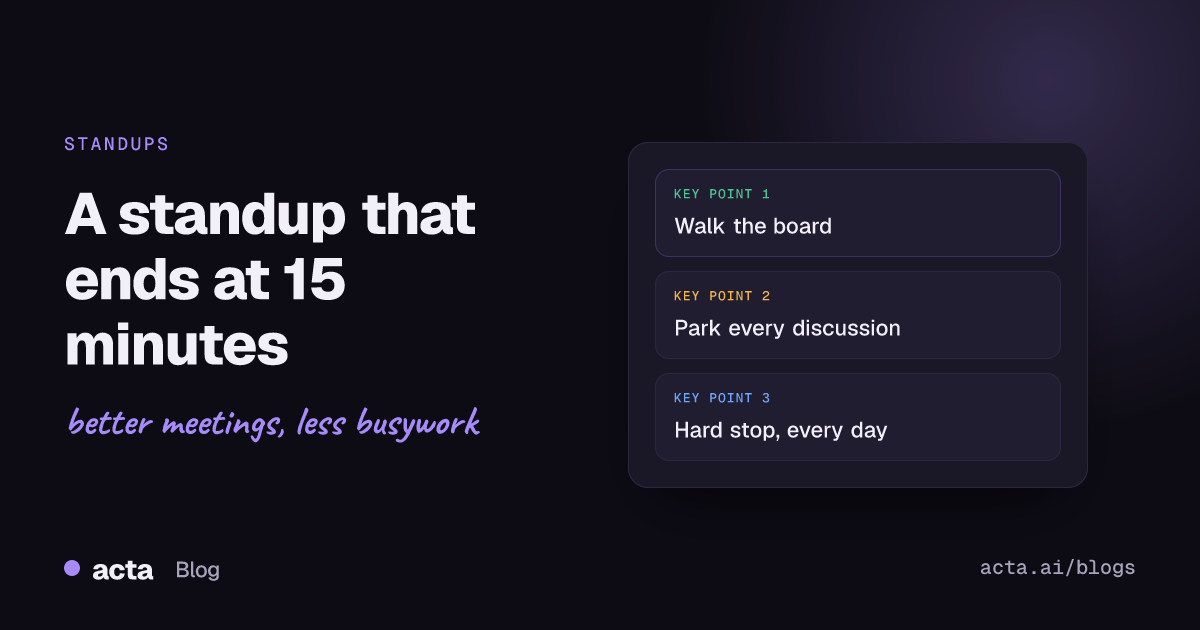
Quick answer: To run a 15 minute standup that really ends on time, start at the same minute every day, walk the board instead of going person by person, talk only about progress toward the goal and blockers, and move every discussion to a parking lot after the meeting. Give someone the job of calling time, and end at 15 minutes even if you're mid-sentence.
Almost every team I've worked with has a standup that's "supposed to be 15 minutes". Most of them run 25. Nobody decides that; it creeps. One person explains a bug in detail, the manager asks a follow-up, two engineers start designing the fix, and a meeting meant to sync the team becomes a slow group status report. What fixes it is a handful of habits, kept up for a few weeks until they stick.
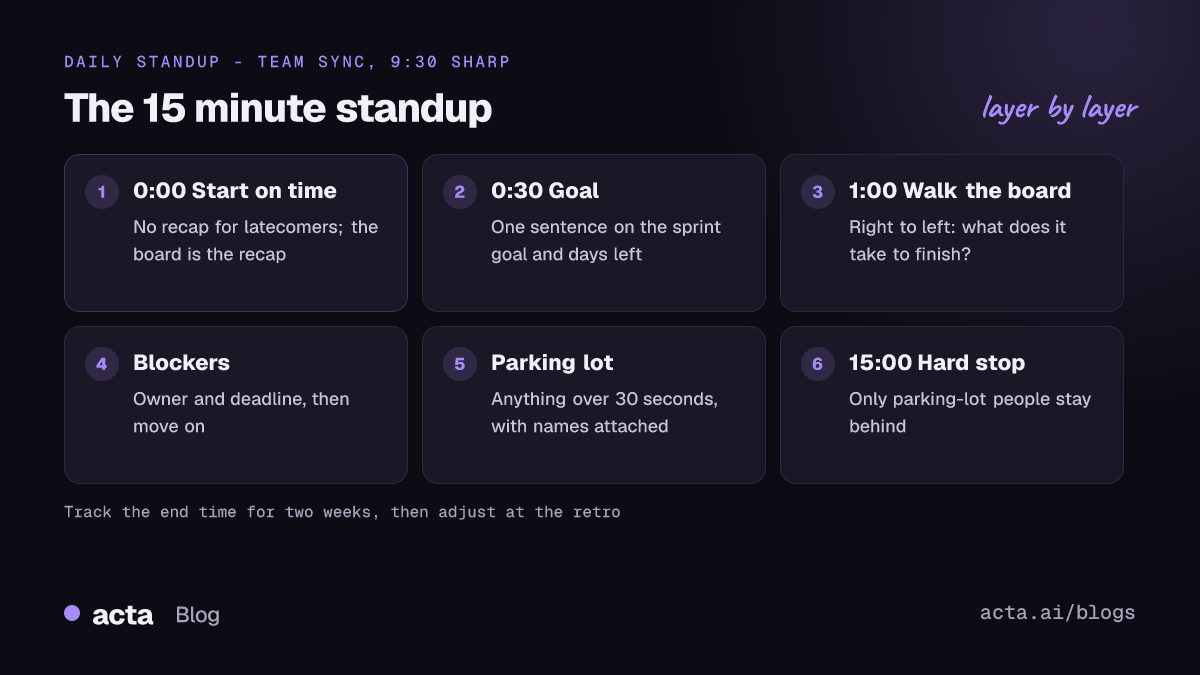
Why does your daily standup run long?
When I watch a standup that overruns, it's nearly always one of these:
- It's a status report to the manager. Everyone faces the lead and justifies their day. Updates get longer because people are performing, not syncing.
- Problems get solved in the room. A blocker comes up and three people start fixing it while five others wait.
- It starts late. Waiting two minutes for the last person, then recapping for them, costs the whole team.
- Too many people. With 14 people, even 60 seconds each is already over time.
- Nobody owns the clock. Everyone notices it's running long; nobody says so.
Fix the first two and you'll get most of your time back.
What should a 15 minute standup cover?
Less than you think. The 2020 Scrum Guide describes the Daily Scrum as a 15-minute event for the Developers to check progress toward the Sprint Goal and adjust the plan. It dropped the famous three questions (what I did yesterday, what I'll do today, what's blocking me) that older versions suggested. Atlassian's guide to stand-up meetings makes a similar point: there's no single right format, and each team ends up with its own.
In practice, a good daily standup answers three team-level questions, not individual ones:
- Are we on track for the goal this sprint or week?
- What's stuck, and who's helping unstick it?
- Does anyone need to change plans today?
Notice what's missing: a list of everything each person did yesterday. If your team still likes the three personal questions, fine, but cap each answer at two sentences. "Yesterday I finished the export endpoint. Today I'm on the retry logic, no blockers" is a perfect update.
Compare that with the version you've probably heard: a three-minute tour of every Slack thread, a code review, a meeting with design and a half-finished thought about caching. None of it is wrong. It just isn't useful to the six people listening, and it trains everyone else to go long too. If someone regularly runs over, have a quiet word after the meeting rather than cutting them off in front of the team.
How do you run a 15 minute standup, step by step?
This is the format I'd start with. Adjust it after two weeks, not before.
- Start at the exact minute. 9:30 means 9:30, not 9:32. Don't recap for latecomers; they can read the board.
- Open with the goal. One sentence from whoever's facilitating: "Sprint goal is the new onboarding flow. Two days left."
- Walk the board, right to left. Start with the items closest to done and ask what it takes to finish them. This keeps the focus on finishing work, not starting it, and it stops people narrating their whole day.
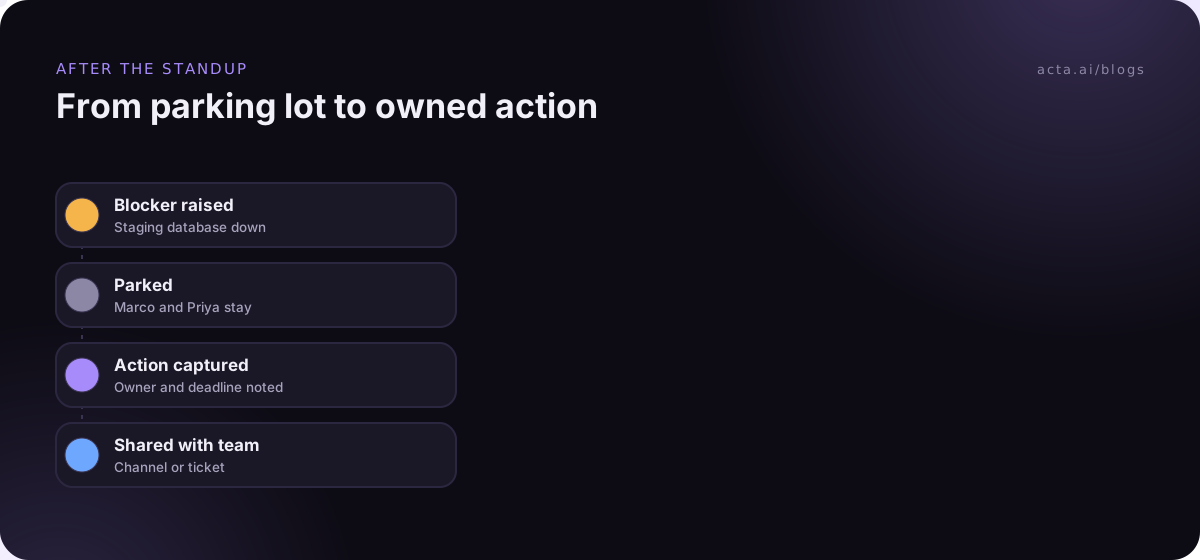
- Call out blockers by name. "The staging database is down, Marco is on it, Priya needs it by noon." Owner and deadline, then move on.
- Park every discussion. The moment two people start problem-solving, the facilitator says "parking lot" and writes it down with the names of who needs to stay.
- Last call. "Anything that changes today's plan?" Wait three seconds. Then stop.
- Hard stop at 15. Release everyone except the people named in the parking lot.
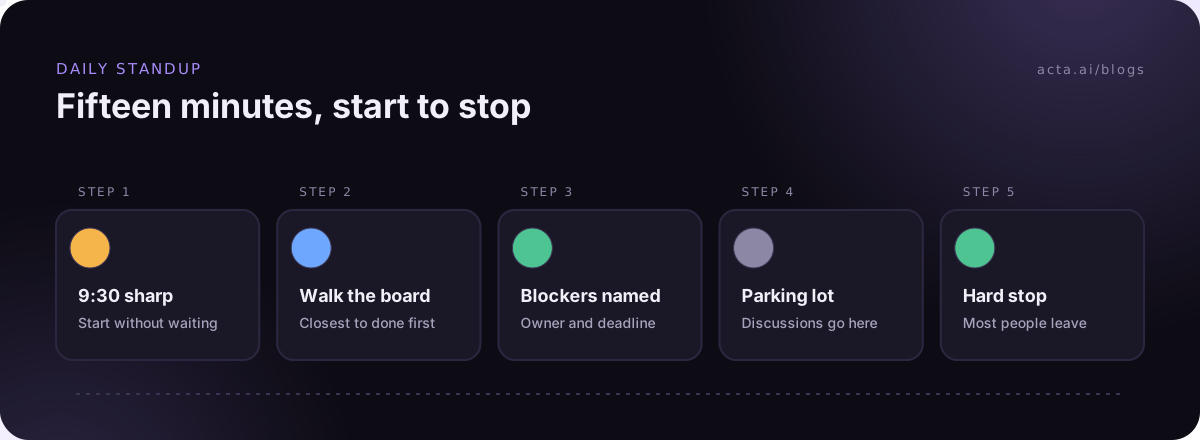
The "walk the board" step is the one that changes the meeting most. It comes from a set of patterns Jason Yip collected in It's Not Just Standing Up, published on Martin Fowler's site, which is still the best thing written about standups. Talking about work items instead of people makes updates shorter almost by accident.
What do you do with discussions that come up?
Get this part right and the clock mostly takes care of itself. A blocker deserves attention, just not from eight people at once.
Use a parking lot: a shared list (a sticky note, a line in the team channel, a column on the board) where any topic that needs more than 30 seconds goes. Each item gets a name next to it. When the standup ends, the people on that item stay, everyone else leaves. Some teams call this the "after-party". It usually takes five minutes and only involves the people who actually care.
The parking lot only works if the items get done. Someone has to write down what was agreed and who owns it, otherwise the same blocker shows up again on Thursday. If nobody wants to be the note-taker, a recorder can pick up action items for you. If bots aren't welcome, a desktop recorder like Acta's captures the call from your own computer. Either way, tell the team it's on; the rules are in our guide on recording meetings with AI and consent. And for why action items slip even when they're written down, see why action items don't get done.
Should you actually stand up?
If you're in the same room, yes, it helps. There's research behind it: a 1999 University of Missouri study by Allen Bluedorn and colleagues found sit-down meetings ran roughly a third longer than stand-up ones, without producing better decisions. The meetings in that study were short and had one decision to make, which is pretty much what a standup is.
The bigger effect is social. When people are standing, nobody settles in, and a long tangent feels awkward in a way it doesn't from a comfortable chair. Yip's patterns call this a "huddle" rather than a meeting, which is the right mindset.
How do you keep a remote standup to 15 minutes?
Remote standups overrun more easily, because there's no physical cue that it's time to go and people talk over each other or wait awkwardly for a turn. A few things help:
- Share the board on screen. The facilitator drives, everyone looks at the same thing.
- Call on the next item, not the next person. No "who wants to go next?" pauses.
- Cameras on if your team is comfortable with it. It's easier to see who wants to speak.
- Rotate the timekeeper. Atlassian mentions this too; when everyone takes a turn, everyone respects the clock.
- Post updates in writing first if you're across time zones, and use the call only for blockers.
For hybrid teams, the people in the room need to stop having side conversations the remote folks can't hear. Our piece on hybrid meetings that don't leave remote people behind has more on that.
What should you move out of the standup?
A 15 minute standup stays short when other meetings carry their own load. Things that don't belong:
- Status for stakeholders. Write it down once a week instead. A manager who needs detail can read the board.
- Design discussions and estimates. Book them separately with the people involved.
- Announcements. Post them in the channel. If it needs discussion, it's a different meeting.
- Demos. Save them for the review.
If you'd like a template for the standup itself and the weekly meeting around it, our standup meeting template has both. For what goes in the weekly one, see these weekly team meeting agenda ideas.
How do you know it's working?
Write down the end time for two weeks. That's all. If you're consistently under 15, good. If you're over, look at the parking lot: is it empty because people are still solving problems in the meeting? Bring the numbers to your next retro (see how to run a retrospective where people speak up) and pick one thing to change.
The other test is quieter: do people leave knowing what's blocked and who's on it? A standup that ends at minute 12 but leaves Dana unsure whether staging is fixed has failed, just faster.
Where Acta fits
If your team wants parking-lot items captured without someone typing, Acta can record the standup with a meeting bot, the desktop app or a Chrome extension, and pull out action items with owners. With the Jira integration, those can become tickets; see how Jira ticket suggestions from engineering meetings work.
Frequently asked questions
How many people can join a 15 minute standup?
There's no hard limit, but with more than about ten people each person gets very little time, and updates start to drift. If you're bigger than that, split into sub-teams and have one person from each share blockers at a short cross-team sync.
Should the manager run the daily standup?
Ideally not. When the manager runs it, people report to them instead of talking to each other. Rotate the facilitator, and have the manager listen, mostly.
What is a parking lot in a standup?
A list of topics that need more than a quick mention. Each gets an owner, and the people involved discuss it right after the standup while everyone else goes back to work.
Is it okay to skip standup some days?
Yes, if the team agrees. Some teams skip it on sprint planning or review days. If skipping it never causes problems, ask whether you need a daily meeting at all or whether written updates would do.
Do the three standup questions still apply?
They're optional. The 2020 Scrum Guide removed them, but plenty of teams still use them. If you keep them, keep the answers short and spend the time on blockers.
If you want to see what a standup's action items look like after the call, you can try Acta on a 15-day free trial.