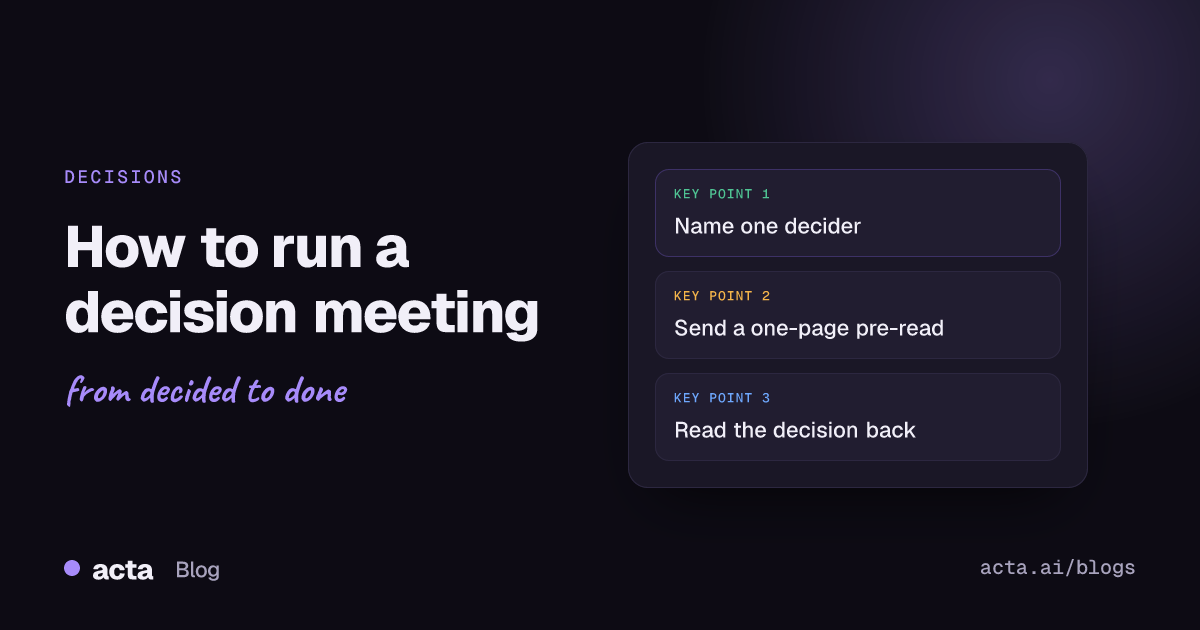
Quick answer: To run a decision meeting, name the one person who decides before you book it, send a short pre-read with two or three options and a recommendation, and use the meeting for objections, not updates. End by stating the decision out loud, who owns the next step and when it can be revisited, then log it where the team will find it.
Some meetings are for sharing information and some are for thinking out loud. A decision meeting has one job: walk in with an open question, walk out with an answer. That sounds obvious, yet most of us have sat through an hour that ended with "let's take this offline" and a second meeting booked for next week.
The fix is mostly preparation and a few habits in the room. Here's how I'd set one up, from the invite to the last two minutes.
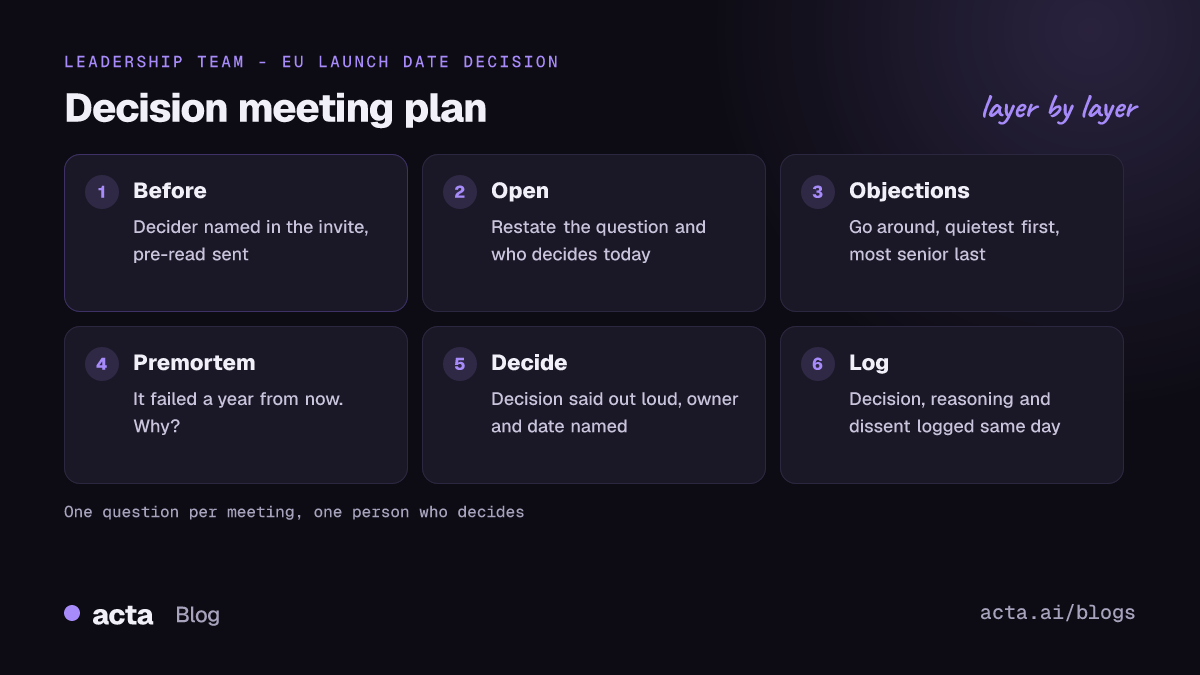
What is a decision meeting, and when do you need one?
A decision meeting is a meeting called to settle one specific question, with the person who has the authority to decide in the room. It's different from a weekly sync, where decisions sometimes happen by accident, and from a brainstorm, where nobody expects an answer.
You need one when the decision affects several teams, when people genuinely disagree, or when it's expensive to undo. You probably don't need one when the owner could just decide and tell people. Plenty of "alignment meetings" are really one person who doesn't want to decide alone.
One-way doors and two-way doors
Jeff Bezos split decisions into two kinds in his 2015 shareholder letter, and Farnam Street has a good write-up of reversible and irreversible decisions. Irreversible ones (one-way doors) deserve care and time. Reversible ones (two-way doors) should be made quickly by a person or small group with good judgment.
Ask this before you book anything. If the decision is a two-way door, a 15-minute call or a written proposal with a deadline for comments is usually enough. Save the full decision meeting for the one-way doors: a pricing change, a vendor contract, a hire, cutting a product line.
Who actually decides?
This is the question that sinks most meetings. If nobody knows who has the final call, the group defaults to consensus, and consensus with eight people means whoever objects loudest has a veto.
Name one decider in the invite. Not "leadership", not "the team". One person. Then be clear about everyone else's role. Bain's RAPID decision-making framework is a useful vocabulary here:
- Recommend: does the homework and proposes an answer.
- Agree: has to sign off, often for legal or compliance reasons. Keep this group tiny.
- Perform: carries the decision out.
- Input: gets consulted. Their view matters; it doesn't bind.
- Decide: makes the call and commits the organization to it.
You don't have to adopt RAPID as a formal decision-making framework. Just writing "Decider: Dana. Recommending: Marco. Input: sales, finance" at the top of the invite clears up a surprising amount. GitLab's handbook does something similar with a directly responsible individual for each decision, who gathers input but isn't responsible for making everyone happy.
What goes in the meeting pre-read?
A meeting pre-read moves the information-sharing out of the meeting, so the time together goes on the hard part. Keep it to one page if you can. Mine usually has:
- The question, written as something you can answer yes or no, or pick from: "Do we move the EU launch from March to May?"
- Why now: what happens if we don't decide this week.
- Two or three options, each with cost, risk and who it affects. Include "do nothing" if it's realistic.
- A recommendation from the person in the recommend role, with their reasoning.
- What's still unknown, stated plainly.
- Who decides, and by when.
Send it at least a day ahead. Then, because people won't all read it, start the meeting with five to ten minutes of silent reading. It feels odd the first time. It also means everyone in the room is arguing about the same document.
How do you run a decision meeting, minute by minute?
For a 45-minute decision meeting with five or six people, this is the shape I use:
- Restate the question and the decider (2 min). "We're here to decide X. Dana makes the call today."
- Silent reading (5-10 min) if the pre-read went out late or is new to anyone.
- Clarifying questions only (5 min). No opinions yet. This catches misunderstandings before they turn into arguments.
- Concerns and objections (15 min). Go around the room so everyone speaks, quietest first, most senior last.
- Quick premortem (5 min). Gary Klein's idea from Harvard Business Review: imagine it's a year from now and this decision failed. Why? Each person writes a reason before anyone shares.
- Decide (3 min). The decider says the decision out loud, or says exactly what's missing and when they'll decide.
- Read back and assign (5 min). Who does what next, by when, and who tells the people who weren't here.
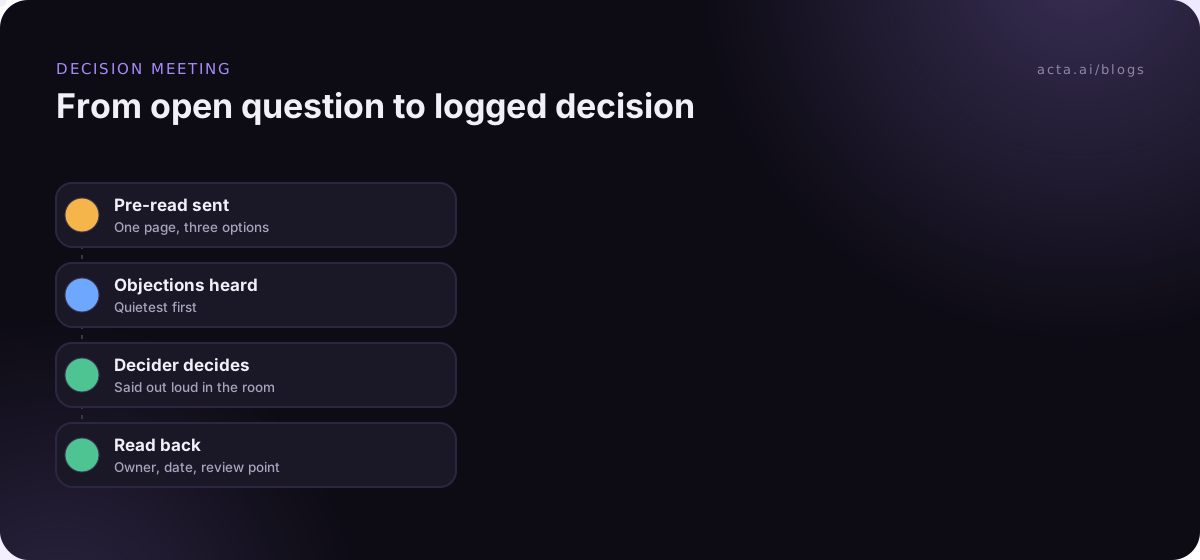
The order matters. Senior people speaking last stops everyone else from just agreeing with the boss. Writing premortem reasons alone first stops the group from fixating on the first risk mentioned.
An example
Say a 40-person software company is deciding whether to move its EU launch from March to May. Dana, the COO, decides. Marco, the product lead, recommends May and sends a one-page pre-read on Monday with three options: hold March and cut two features, move to May, or launch in March to a small beta group. Sales and support give input; legal has to agree because of a contract clause.
On Wednesday the group spends five minutes reading, five on questions, and fifteen on objections. Priya from support is worried about the Q2 ticket load if the launch moves into May. The premortem turns up a risk nobody had written down: a partner's marketing campaign is booked for April. Dana picks May, asks Marco to talk to the partner by Friday, and notes Priya's concern with a review after the first month. The whole thing takes 40 minutes, and nobody books a follow-up meeting.
What if people still disagree?
They often will, and that's fine. The goal isn't unanimity; it's a decision that people carry out properly even if they'd have chosen differently.
"Disagree and commit" is the phrase most people know for this. Bezos used it in his 2016 letter, and GitLab's handbook uses a version of it too. It works when two things are true: the people who disagreed were actually heard, and the decider made the reasoning clear. It fails when it's used to shut down objections that haven't been aired yet.
Two practical habits help:
- Write down the dissent. "Marco disagreed because of the support load in Q2." It costs nothing and shows people they were heard. It's also very useful six months later.
- Set a review point. "We'll look at this again after the first 30 days of data." Knowing there's a checkpoint makes it easier to commit now.
How do you end a decision meeting so the decision sticks?
The last five minutes matter more than the first forty. Our guide to ending a meeting with owners and deadlines covers that close. Before anyone leaves, the decider or facilitator reads back:
- the decision, in one sentence;
- what it doesn't cover;
- who owns the next step, with a date;
- who will tell the people who weren't in the room;
- when, if ever, it gets revisited.
Then it goes in a decision log the same day. Not buried in meeting notes, but a list of decisions with date, decider, reasoning and status. We cover that in how to track decisions made in meetings, and there's a longer piece on building a decision log and RACI from what was said. If you ever need to show who agreed to what and when, meeting audit trails are worth a read too.
A word on capturing the meeting itself. A recording of a decision meeting is handy when someone later says "that's not what we agreed". Tell people at the start and explain why; our guide on recording consent and what to tell participants covers the basics. If you'd rather not add a bot to a sensitive call, a desktop app like Acta's records from your own computer instead, and has a Copy notice button so you can paste a recording notice into the meeting chat.
Common mistakes in decision meetings
- Too many people. Six is plenty. Everyone else can give input beforehand or read the outcome after.
- Mixing decisions with updates. The status round eats twenty minutes and the decision gets rushed at the end.
- The decider isn't there. You'll have the whole debate again next week with them in it. Reschedule.
- No options, just a proposal. A single option invites yes/no fights. Two or three let people compare.
- Treating every decision as a one-way door. Big organizations do this constantly, and it's why everything takes a month.
- "Let's take it offline" with no owner. If the decision is deferred, name who will close it and by when.
How Acta can help
Acta records Zoom, Google Meet and Teams calls and writes up the summary with decisions and action items that have owners, so the read-back at the end turns into a written record without anyone typing. OneChat can answer questions across past meetings with sources, which helps when someone asks why a decision was made. For leadership teams, there's more on decision logs and board minutes.
Frequently asked questions
How long should a decision meeting be?
Most fit in 30 to 45 minutes if the pre-read did its job. If you need two hours, the question is probably too big; split it into smaller decisions.
What's the difference between RAPID and RACI?
RACI (responsible, accountable, consulted, informed) is about who does the work on a project. RAPID is about who has which role in a specific decision, with a clear "decide" role. For decision meetings, RAPID's split between input and decide is usually the more useful one.
Should the decider make the call in the meeting?
Ideally, yes. If something important is missing, it's fine to decide later, but say exactly what's missing and the date the decision will be made, and send it to everyone who was there.
What does "disagree and commit" mean?
It means you can argue against a decision while it's being made, and then put real effort into carrying it out once it's made. It only works if objections were genuinely heard first.
Where should decisions be recorded?
In one shared decision log the team already looks at, with date, decider, reasoning, dissent and status. Meeting notes alone aren't enough, because nobody searches old notes for decisions.
You can see how decisions and owners come out of a call on the features page.