Hindi sales calls lose detail when reps translate from memory
Hindi is the language most Indians reported as their mother tongue in the Census of India 2011 language table, and coverage of that census data shows how far ahead of other languages it sits. For a sales team selling to small businesses, distributors or factory owners across north and central India, that means a large share of calls happen in Hindi, and Hinglish sales calls are the norm, whatever language the CRM is in.
Here's what usually happens. The rep has a good 25-minute call with a shop owner in Kanpur. The owner mentions his son runs the evaluation, the budget is "around 4-5 lakh", and nothing can happen before the Navratri rush. The rep hangs up, gets on the next call, and that evening types "Client interested. Follow up next week." into the CRM. Every useful detail is gone: who decides, how much, and when the window closes.
The problem isn't laziness. Translating a Hinglish conversation into English CRM fields from memory, six times a day, is real work, and it's the first thing to slip. Notes that are already in English, built from what the buyer actually said, remove that step.
Two settings turn a Hindi call into English notes
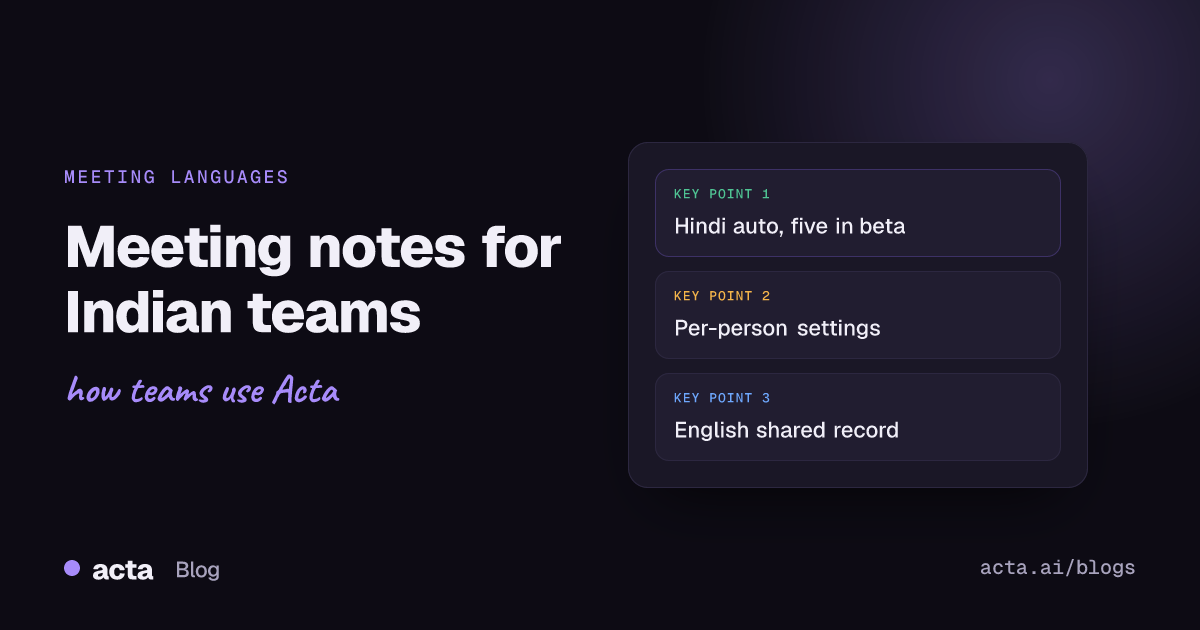
Acta detects English, Hindi, French, Spanish and German automatically; ten more languages can be chosen in Settings as beta. Hindi is one of the automatic five, and Hindi-English mixing (Hinglish) is handled as Hindi, so this is one of the most settled combinations Acta offers.
- In the Acta dashboard, go to Settings and open Meetings.
- On the Language card, set Language spoken in meetings to Hindi. Choose Auto instead if your calls swing between Hindi and English depending on the buyer.
- Set Language for my notes to English. This is the step that makes the notes CRM-ready.
- Record the next call. On the meeting page, the chip next to the tabs shows the language used; if it's wrong, Change language takes you back to the card.
The setting is per person and applies from the next meeting on. A rep in Indore can have Hindi-to-English while a colleague who sells to Gulf clients keeps English-to-English. The meeting languages help article has the full option list.
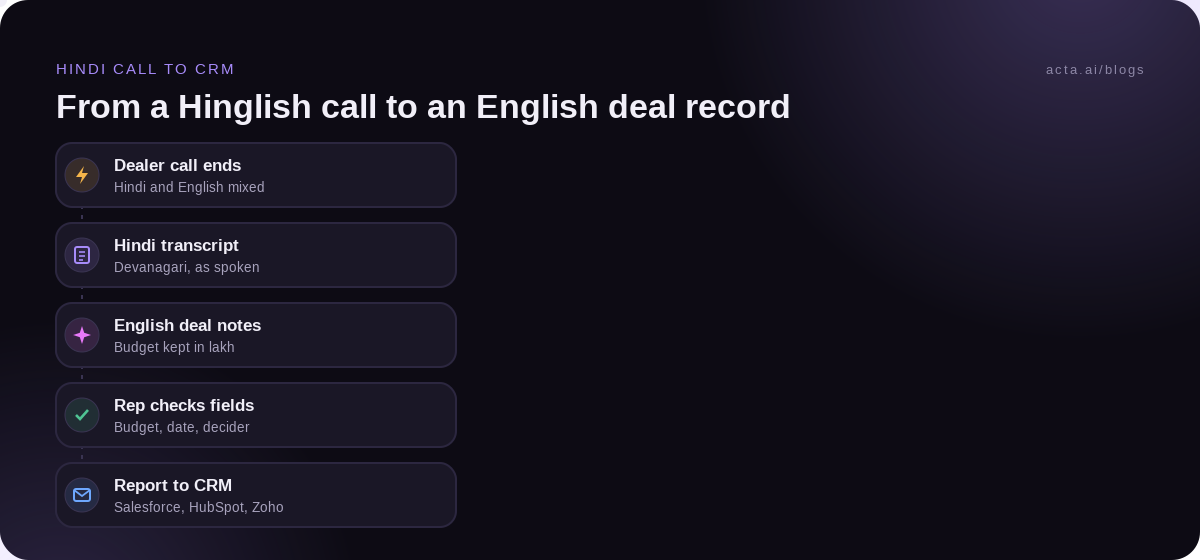
What you'll get: a transcript in Devanagari, and in English the summary, decisions, action items, any report template you run, and a follow-up email draft. Ask Acta about the call in English, and it answers in English; ask in Hindi and it answers in Hindi. For how the transcript handles the mixing itself, see the earlier post on Hinglish transcription.
Hindi sales call notes should answer six qualification questions
Good sales notes answer the same handful of questions every time, whatever framework your team uses. In a Hindi call the answers are there, just phrased in ways that a rushed English summary can miss. Here's what to listen for and how it should land in the notes:
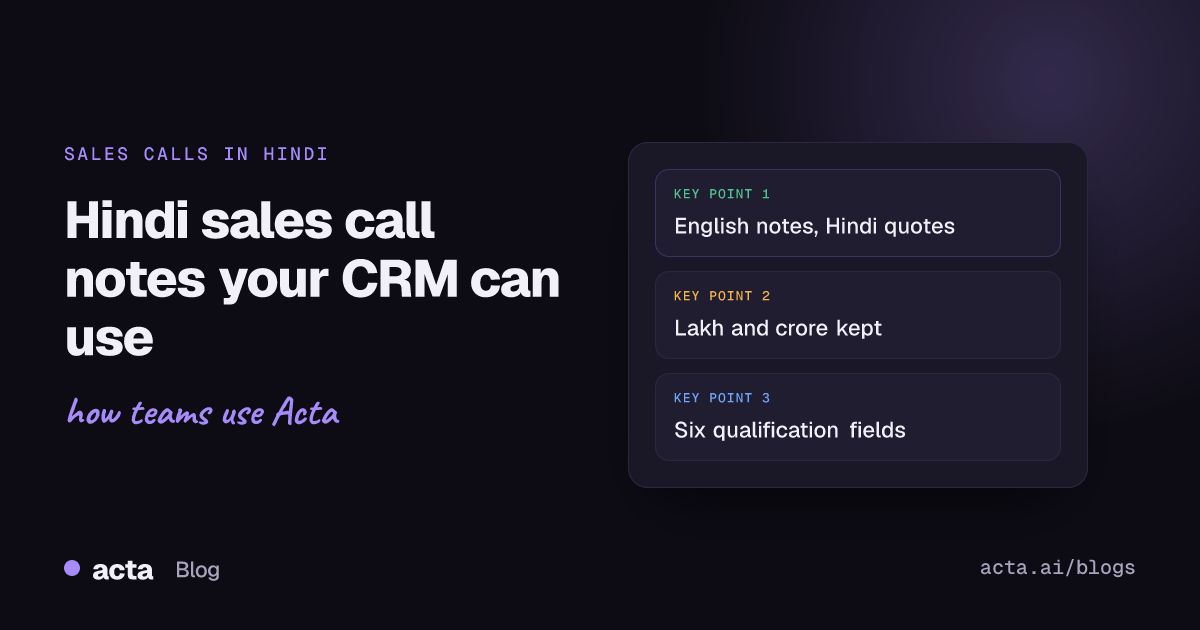
| Field | How buyers often say it | What the English note should say |
|---|
| Budget | "बजट लगभग 5 लाख है" | Budget about 5 lakh |
| Timeline | "हमें मार्च तक चाहिए" | Needed by March |
| Decision maker | "Final decision पापा लेंगे" | Father (owner) makes the final call |
| Need | "Billing में बहुत time जाता है" | Billing takes too long today |
| Competition | "दूसरी company भी demo दे रही है" | Another vendor is also demoing |
| Next step | "पहले demo दिखाइए" | Show a demo first |
Glosses for the left column, in order: "the budget is about 5 lakh", "we need it by March", "Dad will take the final decision", "billing takes a lot of time", "another company is also giving a demo", "show us a demo first".
If your team uses BANT, the first four rows map straight onto it; the guide to BANT qualification from discovery calls goes further. If you run MEDDPICC, Acta's sales call notes with MEDDPICC template runs on Hindi calls too and writes its sections in English. Section headings stay in English either way; only the text under them follows your notes language.
For ready-made layouts, the sales call notes template examples post has eight formats by deal stage. Pick one, and use it as a custom template so every Hindi call comes out in the same shape.
Lakh and crore stay exactly as the buyer said them
Acta keeps names, numbers, dates and amounts as they were spoken. In a Hindi call, that means lakh and crore stay lakh and crore. "डेढ़ करोड़" becomes 1.5 crore in the English notes, not 15,000,000, and "ढाई लाख" (two and a half lakh) becomes 2.5 lakh.
I think that's the right behaviour, for two reasons. First, the buyer thinks in lakh, your sales manager in Delhi thinks in lakh, and a converted number invites a misplaced zero. Second, a note that says what the buyer said is evidence; a note that says what a machine computed from it is an interpretation. When a deal is disputed three months later, you want the first.
The one place you do need to convert is the CRM amount field, which usually wants a plain number. Make that a rep habit: read "5 lakh" in the notes, type 500000 in the amount field, and leave the note text as it is. Watch for vague amounts as well. "चार-पाँच लाख" (four or five lakh) is a range, not a figure, and the honest CRM entry is the lower end with the range noted.
Dates work the same way. "Diwali से पहले" (before Diwali) is kept as said. It's a real deadline in retail and a fuzzy one in the CRM, so put the actual date in the close-date field yourself.
Buyer quotes stay in Hindi, and that protects the deal
When notes are set to English for a Hindi call, the summary and fields are in English but quoted lines stay as the buyer spoke them. For sales, that matters more than it does for internal meetings.
Take objections. "दाम थोड़ा ज़्यादा लग रहा है" (the price seems a bit high) is a negotiation opener. "सोचकर बताएंगे" (we'll think it over and tell you) is, in many deals, a polite way of saying not now. A paraphrase like "client will revert" makes both sound neutral. With the original line kept, a manager reviewing the deal can judge the tone for themselves, and so can a colleague picking up the account later.
Quotes also help with coaching. If a rep keeps hearing "पहले वाला vendor सस्ता था" (the previous vendor was cheaper) across several calls, that's a pricing pattern worth discussing in the weekly review. Searching across calls with OneChat in Hindi or English finds those moments quickly.
A filled example: a Lucknow hardware chain call
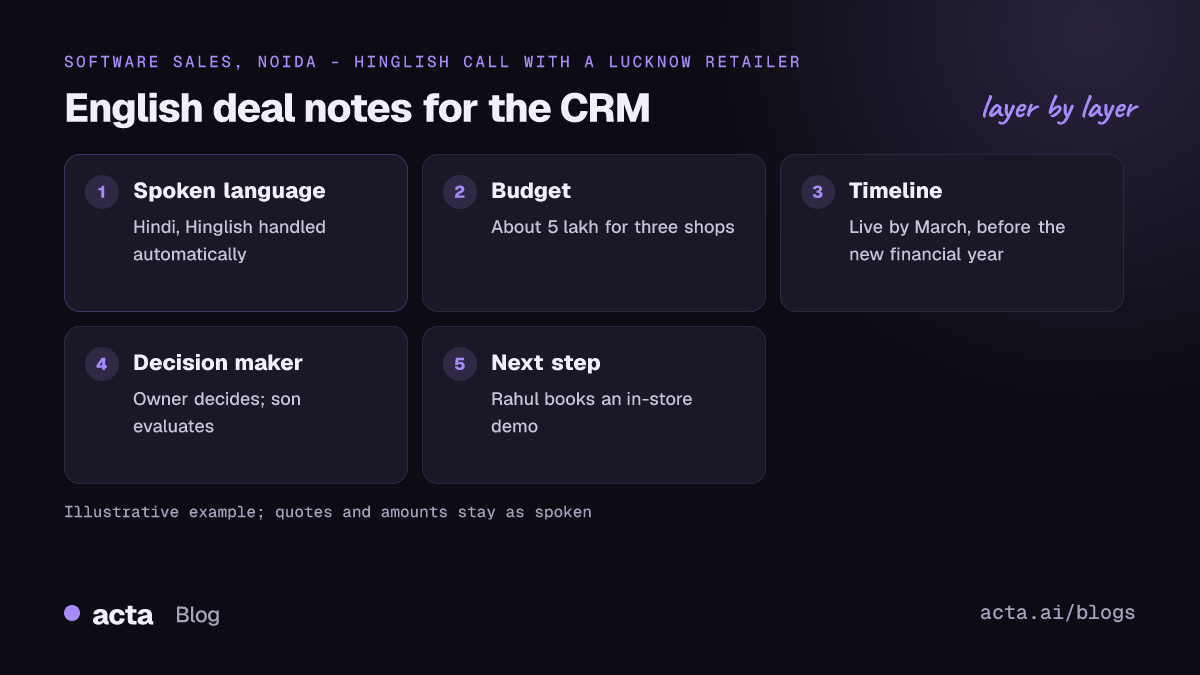
This is an illustrative example, not a real customer. Rahul sells billing and inventory software from a Noida office. He calls Ankit Agarwal, who runs evaluation for his family's three hardware shops in Lucknow. The call is 25 minutes of Hinglish on Google Meet. Rahul's settings: spoken language Hindi, notes language English.
Lines from the transcript:
Ankit: बजट लगभग 5 लाख है, तीनों दुकानों के लिए। (The budget is about 5 lakh, for all three shops.)
Ankit: Final decision पापा लेंगे, पर पहले demo दिखाइए। (Dad will take the final decision, but show us a demo first.)
Ankit: हमें मार्च तक चाहिए, नया financial year से पहले। (We need it by March, before the new financial year.)
The English deal notes Rahul should expect, roughly:
- In short: family-run chain of three hardware shops in Lucknow; billing is slow and stock counts don't match.
- Budget: about 5 lakh for all three shops.
- Timeline: live by March, before the new financial year.
- Decision maker: Ankit's father (owner); Ankit evaluates.
- Competition: none named on this call.
- Next step: Rahul books an in-store demo for Ankit and his father.
- Key quote: "Final decision पापा लेंगे, पर पहले demo दिखाइए".
Before this goes anywhere, Rahul checks four things: is the budget 5 lakh and for all three shops (not per shop)? Is March tied to the financial year? Is the father, not Ankit, marked as the decision maker? Does the next step have Rahul as owner? Then he types 500000 in the CRM amount field and 31 March as the close date, and sends the follow-up email draft after adding the demo slot.
Send the notes to Salesforce, HubSpot or Zoho
Once the notes are in English, getting them into the CRM is the same as for any English call. Acta connects to Salesforce, HubSpot and Zoho; the help guide on sending meeting reports to your CRM shows how to set it up. Most teams send the report template that mirrors their qualification fields, so the CRM record reads the same whether the call was in Hindi or English.
If you want this to happen without a rep clicking anything, the Agent Builder can run a step after each sales call, such as posting the deal notes to the CRM or flagging calls where no next step was agreed. Start with a manual send for the first couple of weeks, though. On Hindi calls you want a person to glance at the budget and decision maker before the record is final.
One habit worth adopting: keep the Hindi transcript linked from the CRM record rather than pasting it in. The English notes are what people read; the transcript is the evidence when someone asks "did they really say March?"
Tell buyers the call is recorded
Sales call recording in Hindi raises the same courtesy question as in any language. Buyers in India are used to "this call may be recorded" on support lines, but less so on a sales call with a rep they know. Say it plainly at the start, in the language of the call: a line such as "यह call record हो रही है, ताकि notes सही बनें" (this call is being recorded so the notes come out right) is enough for most people. The guide to recording consent and what to tell participants covers the wider rules, and the DPDP Act recording guide covers India's data protection law. This is general information, not legal advice.
How you record matters for the buyer too. Some small-business owners are put off by a bot joining the call. A recorder on your own laptop, such as the Acta desktop app, captures Zoom, Teams, WhatsApp and other calling apps on your computer without a bot in the participant list, and its Copy notice button pastes a recording notice into the chat.
Where Acta fits in a Hindi sales team
Acta records the call, transcribes Hindi and Hinglish in Devanagari, and writes English deal notes, templates and a follow-up draft that you can send to Salesforce, HubSpot or Zoho. It keeps lakh, crore, names and quotes as said. It doesn't decide what's true about the deal; the rep still checks it.
Frequently asked questions
Can I get English notes from a Hindi sales call?
Yes. Set the spoken language to Hindi or Auto and "Language for my notes" to English. The transcript stays in Devanagari, while the summary, action items, report templates and follow-up email draft come in English. Buyer quotes keep their Hindi wording, and amounts in lakh or crore are kept as the buyer said them.
Does it work when the call mixes Hindi and English?
Yes. Hindi-English mixing, often called Hinglish, is handled under Hindi, and Auto recognises it too. Product names and technical terms are kept as said rather than translated. It's the one mix Acta supports as a mix; other languages are processed one per meeting.
Will the notes convert lakh and crore into numbers?
No. Amounts are kept as spoken, so "डेढ़ करोड़" appears as 1.5 crore in English notes. That avoids misplaced zeros and keeps the note faithful to the buyer. When you fill a CRM amount field that needs a plain number, convert it yourself, and record ranges like "four or five lakh" as a range.
Can Hindi sales call notes go straight into Salesforce or HubSpot?
Acta sends meeting reports to Salesforce, HubSpot and Zoho once connected. With English notes from a Hindi call, the record looks like any other call. Many teams review the budget, timeline and decision maker manually for the first few weeks before automating the send with an agent.
What about sales calls in Tamil, Telugu or Bengali?
Those are beta languages in Acta, so you choose them by name in Settings; Auto won't detect them. English notes work the same way: transcript in the spoken language and script, notes in English. Expect to check more carefully, since beta accuracy is still improving.
Roll this out to your Hindi sales team
A sales team adopts notes like these quickly if the first week goes well. Use this checklist:
- Set the pair: each rep sets spoken language to Hindi or Auto and notes language to English.
- Pick one template: choose the layout that matches your CRM fields and use it on every call.
- Check four fields: budget, timeline, decision maker and next step, on every call for the first two weeks.
- Convert money once: keep lakh and crore in the notes; convert only in the CRM amount field.
- Say it's recorded: one sentence at the start, in the language of the call.
To try it on your next dealer or customer call, record from your laptop with the Acta desktop app, or from Google Meet in the browser with the Chrome extension.