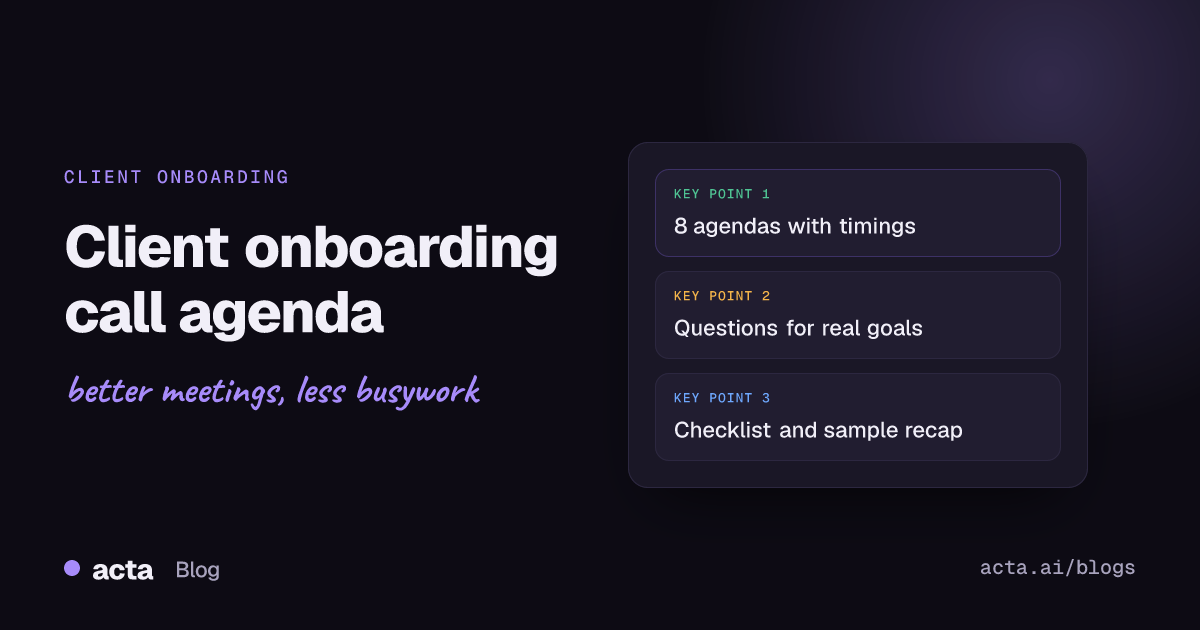
A client onboarding call agenda should fit in 45 to 60 minutes and cover five things in order: introductions and roles, the client's goals in their own words, how success will be measured, the onboarding plan with dates, and who does what next. Below are eight copy-ready agendas for SaaS, agency, professional services and enterprise clients, plus a before-and-after checklist.
Meeting Productivity 11 min read
Client Onboarding Call Agenda: 8 Templates and a Checklist
Eight copy-ready onboarding call agendas with timings, the questions that turn vague goals into success criteria, a before-and-after checklist and a sample recap.
By Sarma BKP, Founder & CEO, Acta · Updated
This guide is for customer success managers, account managers, agency leads and founders who run the first proper call after a contract is signed. It assumes the deal is done and the job now is getting the client to their first real result. If you're planning the internal project kickoff for your own team, our project kickoff meeting agenda fits better, and for the bigger relationship-setting meeting with senior stakeholders, see how to run a client kickoff meeting.
Key takeaways
- Hold the onboarding call within the first two weeks of the start date, while the reasons for buying are still fresh.
- Spend the most time on success criteria: two or three measurable outcomes, each with a date and a client-side owner.
- Read the sales notes before the call so you never ask the client to repeat what they already told your salesperson.
- End with a dated plan and a fixed check-in cadence agreed on the call, not "we'll send something over."
- Send the recap and the draft success plan within 24 hours, and ask the client to correct it.
Table of contents
- A client onboarding call turns a signed deal into a plan
- Every client onboarding call agenda needs five blocks
- Eight onboarding call agendas you can copy
- The right client onboarding questions get measurable goals
- A client onboarding checklist covers before, during and after
- A filled-in example shows what the recap should say
- Five mistakes slow down every new client
- Where Acta fits in onboarding calls
- Frequently asked questions
- Prepare your next client onboarding call
A client onboarding call turns a signed deal into a plan
A customer onboarding call is the first working meeting between a new client and the people who'll deliver for them. Its job is narrow: confirm why the client bought, agree what success looks like, and leave with a dated plan that both sides own. It isn't a training session, a product demo or a sales call, though it borrows a little from each.
Timing matters. GitLab's public customer success handbook, for example, describes the kickoff call as the first conversation between the CSM and the customer, targeted within 14 days of the start date, and expects the ongoing call cadence to be agreed by the end of it. That's a sensible default for most B2B relationships: early enough that the client still remembers the problem they were trying to solve, late enough that contracts and access are in place.
The output of the call is a success plan, a short living document with the client's goals, how you'll measure them, milestones and owners. PostHog publishes its own onboarding success plan template in its handbook, which is a useful reference for the level of detail. Yours can be a single page.
Every client onboarding call agenda needs five blocks
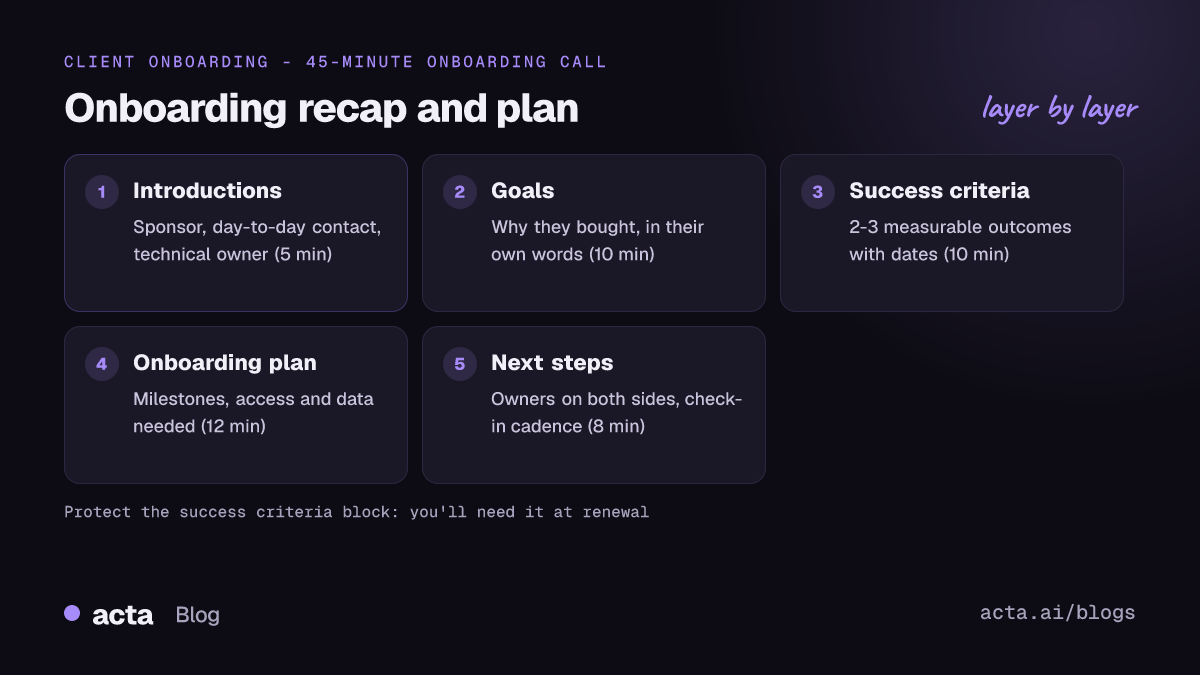
Whatever the industry, the same five blocks hold the call together. Suggested minutes for a 45-minute call:
- Introductions and roles (5 minutes): who's on each side, who the day-to-day contact is, who signs off.
- Goals in their words (10 minutes): why they bought, what changes if this works, what happens if it doesn't.
- Success criteria (10 minutes): two or three measurable outcomes, each with a target date.
- Onboarding plan (12 minutes): milestones, what you need from them (access, data, people) and by when.
- Next steps and cadence (8 minutes): action items with owners, the date of the next call, how you'll communicate.
Of the five, the success criteria block is the one that gets squeezed when introductions run long, and it's the one you'll need most at renewal. Put a hard stop on introductions to protect it.
Eight onboarding call agendas you can copy
Each agenda uses the five blocks, adjusted for a type of client. Edit the minutes and names.
1. SaaS onboarding call (45 minutes)
Use it for a mid-market software customer with an admin and a handful of users.
- 0:00 Introductions; confirm admin, champion and executive sponsor
- 0:05 Recap of what we heard in sales; ask "What did we miss?"
- 0:12 Success criteria: 2-3 outcomes with dates
- 0:22 Setup plan: accounts, integrations, data import, first team live
- 0:35 Training plan: who needs what, when
- 0:40 Action items, next call date, support channels
2. Technical implementation call (60 minutes)
Use it when integration, security review or data migration decides the timeline.
- 0:00 Introductions; name the technical owner on each side
- 0:05 Goals and the go-live date that matters to the business
- 0:12 Current systems, data sources and constraints
- 0:25 Security and access requirements; who approves
- 0:35 Implementation milestones and dependencies
- 0:50 Risks and open questions
- 0:55 Owners, dates, next technical session
3. Agency client onboarding call (50 minutes)
Use it for marketing, design or development agencies starting a retainer or project.
- 0:00 Introductions; who gives feedback and who approves
- 0:05 Business goals behind the brief
- 0:15 Brand, assets and access we need
- 0:25 Scope in plain words: what's included and what isn't
- 0:35 Feedback rounds, approval process and turnaround times
- 0:43 Reporting: what we report, how often
- 0:47 Action items and first deliverable date
Agencies lose the most money on unclear scope; our post on catching scope creep in client meetings pairs well with this agenda.
4. Professional services onboarding call (40 minutes)
Use it for accountants, bookkeepers, consultants or law firms taking on a client.
- 0:00 Introductions; who the client contact is and who at the firm handles what
- 0:05 The client's situation and what they need from the engagement
- 0:15 Documents and information required, with deadlines
- 0:25 How the engagement works: communication, response times, fees as agreed in the engagement letter
- 0:33 Key dates (filing deadlines, review points)
- 0:37 Next steps
For regulated onboarding with identity and source-of-funds checks, see KYC onboarding call notes.
5. Consulting engagement onboarding call (60 minutes)
- 0:00 Introductions; sponsor, working team, steering group
- 0:08 The question the engagement must answer
- 0:18 Hypotheses and what would change them
- 0:30 Interviews, data and access needed
- 0:42 Workplan and checkpoints
- 0:52 Ways of working and next steps
6. Small-business quick onboarding call (20 minutes)
Use it for self-serve or low-touch customers where a long call would be overkill.
- 0:00 What made you sign up?
- 0:04 One goal for the first 30 days
- 0:08 Get the first thing set up together on screen
- 0:16 Where to get help; one follow-up date
7. Enterprise multi-stakeholder onboarding call (60 minutes)
- 0:00 Introductions by workstream; confirm the RACI
- 0:10 Executive sponsor: why this matters this year
- 0:18 Success criteria per workstream
- 0:30 Rollout phases, pilot group and dates
- 0:42 Governance: steering cadence, escalation path
- 0:52 Risks, owners, next meetings
8. Re-onboarding call after a champion leaves (30 minutes)
Use it when your main contact changes mid-contract. Treat the new person as a new client.
- 0:00 Introductions; what the new contact already knows
- 0:05 What was agreed so far and what's been achieved
- 0:12 Are the goals still right? What changed?
- 0:20 Updated plan and owners
- 0:26 Next check-in
| Agenda | Length | Best for | Block to protect |
|---|---|---|---|
| SaaS | 45 min | Mid-market software | Success criteria |
| Technical implementation | 60 min | Integrations, migrations | Dependencies |
| Agency | 50 min | Retainers, projects | Scope and approvals |
| Professional services | 40 min | Accounting, legal | Documents and deadlines |
| Consulting | 60 min | Advisory work | The core question |
| Small business | 20 min | Low-touch customers | First setup step |
| Enterprise | 60 min | Many stakeholders | Governance |
| Re-onboarding | 30 min | New champion | Goals still right? |
The right client onboarding questions get measurable goals
"What are your goals?" gets "to be more efficient." These client onboarding questions get answers you can measure and report on later:
- What made you start looking for this now, rather than six months ago?
- If this works, what will be different in 90 days? How would you notice?
- What number would your boss look at to decide this was worth it?
- What has to be true by [date] for you to call the first phase done?
- Who else needs to see results, and what do they care about?
- What tried and failed before? Why?
- What could slow us down on your side: approvals, access, people on leave?
Write the answers down in the client's own words. "Cut month-end close from eight days to five" is a success criterion; "improve finance processes" isn't. If the client can't put a number on it, agree a qualitative milestone with a date ("all three regional teams using it weekly by March") and revisit at the first check-in.
A simple onboarding call script for the opening also helps: "Thanks for the time. In the next 45 minutes I'd like to make sure we understand what you need, agree how we'll measure it and leave with a plan. I've read the notes from your conversations with Sam; I'll check a few points rather than ask you to repeat everything."
A client onboarding checklist covers before, during and after
Most onboarding problems start before the call (missing context) or after it (no written follow-up). Use this client onboarding checklist for each new account.
Before the call
- Read the sales notes, proposal and contract; note what was promised and any special terms.
- Confirm attendees: decision-maker, day-to-day contact, technical owner.
- Send the agenda and ask the client to add anything.
- Prepare a draft success plan with gaps for the client to fill.
- Set up accounts or access you can prepare in advance.
During the call
- Confirm the goals and success criteria in the client's words.
- Name an owner and date for every action item, on both sides.
- Agree the check-in cadence and communication channel.
- Tell the client if you're recording, and why.
After the call
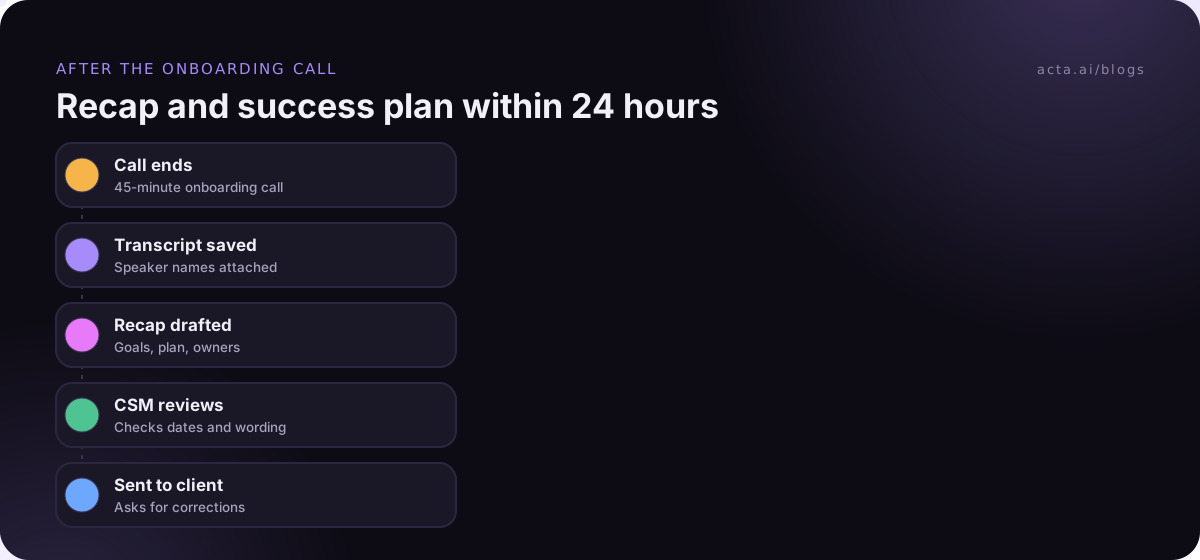
- Send the recap and draft success plan within 24 hours.
- Log the goals, contacts and dates in the CRM.
- Book the next call before the week ends.
- Track client-side actions as closely as your own; our guide to tracking customer promises shows one way.
If you record onboarding calls so the delivery team can hear the client directly, tell the client at the start and say who'll have access. Our overview of recording consent and what to tell participants covers the general rules; it's general information, not legal advice.
A filled-in example shows what the recap should say
An illustrative recap from a SaaS onboarding call. The company and people are made up.
Subject: Northwind onboarding: goals, plan and next steps
Attendees: Dana (ops director, sponsor), Marco (systems admin), Priya (CSM)
Why now: Two regional teams track orders in separate spreadsheets; month-end reconciliation takes four days.
Success criteria: 1) Both regions on the new system by 15 January. 2) Reconciliation down to one day by the end of February. 3) Weekly active use by all 18 coordinators by March.
Plan: Data import 2 December; admin training 4 December; pilot with the north team from 9 December; south team from 6 January.
Actions: Marco sends the order export by 28 November. Priya shares the import template today. Dana confirms the pilot group by 2 December.
Cadence: 30-minute check-in every other Tuesday at 10:00. Next call 3 December.
Please reply with any corrections.
Five mistakes slow down every new client
- Making the client repeat the sales conversation. It tells them your company doesn't talk to itself. Read the notes and confirm instead.
- Vague success criteria. If you can't measure it at the first check-in, you can't defend the relationship at renewal.
- One-sided action items. Most onboarding delays come from client-side tasks such as access, data or approvals. Give them owners and dates too.
- Turning the call into a demo. Save detailed training for separate sessions with the people who'll use the product.
- A late recap. A recap sent a week later is a record nobody reads. Send it the same day or the next morning.
For the email itself, our guide to automating meeting follow-up emails covers templates and timing.
Where Acta fits in onboarding calls
Acta records the onboarding call, writes a transcript with speaker names and drafts the summary, decisions and action items with owners, plus a follow-up email you can edit before sending. It can push meeting reports to Salesforce, HubSpot or Zoho, so the goals land in the CRM. If the client's IT team doesn't allow meeting bots, the Chrome extension or desktop app records from your own computer instead. The customer success page shows more of how CS teams use it.
Frequently asked questions
What is the difference between a client onboarding call and a kickoff meeting?
Many teams use the terms for the same meeting. When they're separate, the kickoff is often a larger meeting with senior stakeholders that sets the relationship, while the onboarding call is a working session that sets goals, the plan and owners. Smaller accounts usually combine both into one 45-minute call.
How long should a client onboarding call be?
Forty-five to sixty minutes for most B2B clients. A low-touch small-business call can be 20 minutes, while complex technical implementations may need an hour plus follow-up technical sessions. If the agenda doesn't fit, move training and detailed setup into separate meetings instead of rushing the success criteria.
Who should attend a client onboarding call?
From the client: the decision-maker or sponsor, the day-to-day contact and, for technical products, the person who controls access and data. From your side: the CSM or account lead, and the implementation or delivery lead if separate. Invite the salesperson only if they can add context the notes don't.
What should I send after a client onboarding call?
Send a recap within 24 hours with attendees, the goals in the client's words, success criteria with dates, the onboarding plan, action items with owners on both sides, and the next call date. Attach or link the draft success plan and ask the client to correct anything that's wrong.
Should I record client onboarding calls?
It often helps: the delivery team hears the client's goals directly, and you can check exact wording later. Ask permission at the start, explain who'll see it and why, and respect a no. Where bots aren't welcome, a recorder running on your own computer avoids an extra participant in the call.
Prepare your next client onboarding call
Run through this list the day before:
- Read the history: sales notes, proposal, contract and any promises made.
- Pick the agenda: choose the template that matches the client and send it ahead.
- Draft the success plan: fill in what you know and leave gaps for the client.
- Confirm attendees: sponsor, day-to-day contact and technical owner.
- Block time for the recap: 30 minutes straight after the call to send it.
If you'd like the recap and action items drafted for you, install the Acta desktop app or the Chrome extension and try it on your next onboarding call during the 15-day free trial.
Found this useful? Share it with your team.