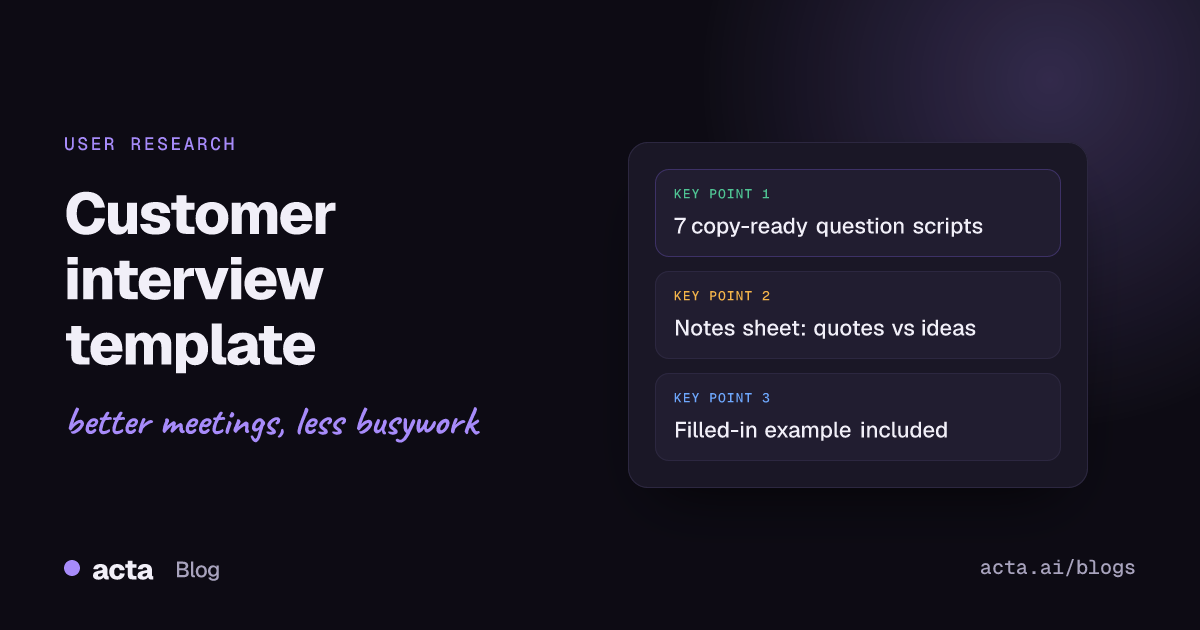
A good customer interview template has three parts: a short script (intro, consent, warm-up), five to eight open questions that ask about specific past events, and a notes sheet that separates what the customer said from what you think it means. Below are seven copy-ready versions, one for each common research goal, plus a notes template and a filled-in example.
Meeting Productivity 13 min read
Customer Interview Template: 7 Question Scripts and a Notes Sheet
Seven copy-ready customer interview scripts for discovery, switching, churn, win/loss and more, with a notes sheet that keeps quotes apart from conclusions.
By Sarma BKP, Founder & CEO, Acta · Updated
This guide is for product managers, founders, designers and researchers who run their own interviews. It settles which questions to ask for which goal and how to write notes you can still use a month later. It isn't the right tool for sales discovery calls, where you're qualifying a deal rather than learning about a problem, or for usability tests where you mostly watch someone use a prototype.
Key takeaways
- Pick one research goal per interview (discovery, switching, churn, win/loss, onboarding, feature feedback or pricing) and use the matching template. Mixing goals produces shallow answers on all of them.
- Ask about the last time something happened, not what people usually do or would do. "Tell me about the last time you..." beats "Would you use...?" every time.
- Keep the guide to five to eight main questions with follow-ups nested under each, and plan 30 to 45 minutes.
- Split your notes into four columns: quote, observation, interpretation and follow-up. Interpretation goes in last, after the call.
- Get consent before you record, and say who will see the recording and the transcript.
Table of contents
- A customer interview template has a script, questions and a notes sheet
- Good customer interview questions ask about real past events
- Seven customer interview templates you can copy
- The notes sheet separates quotes from conclusions
- A filled-in example shows what good notes look like
- Five mistakes ruin otherwise good interviews
- Recording and synthesis turn interviews into decisions
- Where Acta fits in a research round
- Frequently asked questions
- Choose the right customer interview template for your next round
A customer interview template has a script, questions and a notes sheet
A customer interview is a one-to-one conversation where you ask a customer or prospect about their experiences, listen, and follow up to understand their problems, decisions and context. The template is the written plan for that conversation. Nielsen Norman Group's guidance on user interviews describes the interview guide as a small set of well-designed, open-ended questions with follow-ups nested under each one, and it encourages interviewers to skip, reorder or add questions as the conversation goes. That's the right mindset: the template is a map, not a questionnaire.
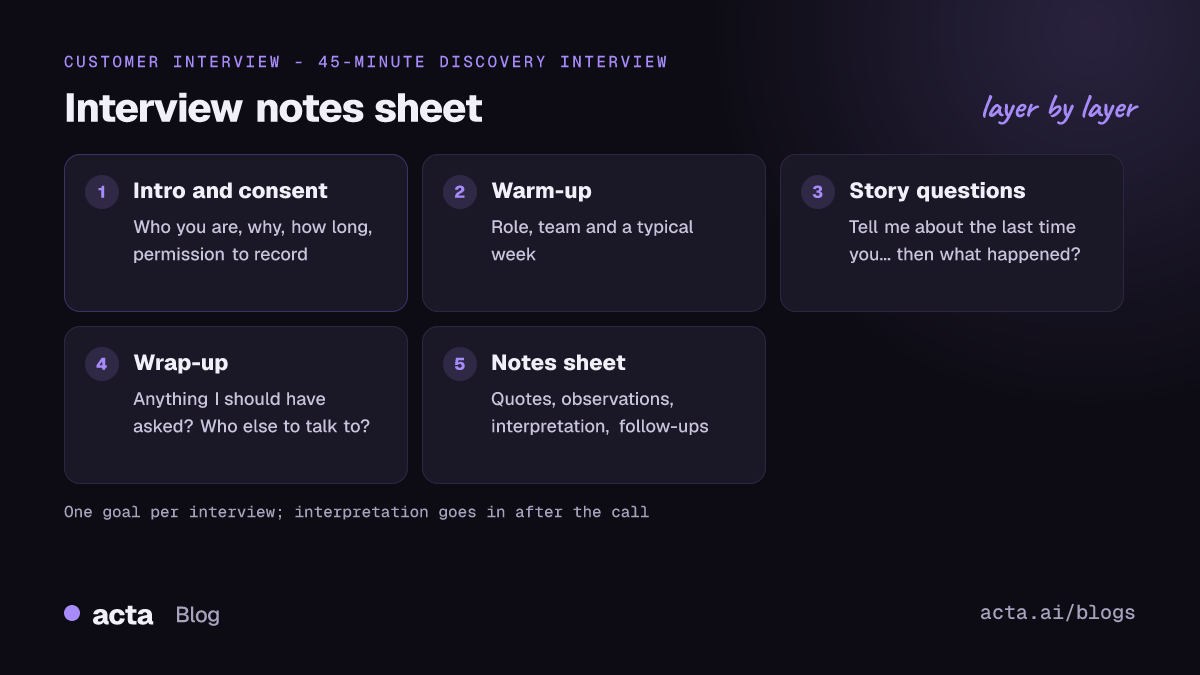
Every template below follows the same skeleton, so you can swap the middle section and keep the rest:
- Intro (2 minutes): who you are, why you're talking, how long it'll take, that there are no wrong answers.
- Consent (1 minute): ask to record, say who will see the recording and notes, and how long you keep them.
- Warm-up (3-5 minutes): their role, team and a typical week. Easy questions that get them talking.
- Core questions (20-30 minutes): the goal-specific section.
- Wrap-up (3 minutes): "Is there anything I should have asked?", who else you should talk to, thanks.
Pilot the guide once with a colleague or a friendly customer before you book a full round. NN/g recommends piloting too, and it's the cheapest way to catch a question that confuses people or a section that runs ten minutes over.
Good customer interview questions ask about real past events
The single biggest improvement you can make to your user interview questions is to ask for stories. Teresa Torres, who writes about continuous discovery at Product Talk, makes the case in her piece on the best customer interview questions: instead of asking how often someone does something or what they like about it, ask them to tell you about the last time they did it. Then dig into the story with prompts like "What happened next?" and "What happened before that?"
Why it works: people are poor at predicting their own behaviour and at averaging their habits, but they can usually walk you through a recent, specific event. The story also carries the context you need, such as who else was involved, what tools they had open and what they tried first.
Use these rules when you write or edit any question:
- Ask about the past, not the future. "Would you pay for this?" gets a polite yes. "What did you do the last time this broke?" gets the truth.
- Keep one idea per question. "How do you plan and review your sprints?" is two questions.
- Don't name your solution. Mentioning your feature in a discovery interview anchors every answer that follows.
- Prefer "how" and "what" to "why". "Why" can feel like an accusation. "What made you decide to..." is softer and gets the same answer.
- Leave the silence. Count to five after an answer before you ask the next question. People often add the useful part then.
Seven customer interview templates you can copy
Each customer interview template below covers the core section only. Wrap it in the intro, consent, warm-up and wrap-up from the skeleton above.
1. Customer discovery interview (problem exploration)
Use it before you build anything, when you want to know whether a problem is real, how often it happens and what people do about it today. This is the classic customer discovery interview.
- Tell me about the last time you had to [task]. Walk me through it from the start.
- What were you trying to get done? What happened first?
- Where did it get hard or slow? What did you do then?
- What tools, people or workarounds did you use?
- How did it turn out? What would you have changed?
- When before that did this come up? Was it the same?
2. Jobs to be done switch interview
Use a jobs to be done interview when a customer recently switched to you (or away from a competitor) and you want the full story of that decision: the first thought, the search, the comparison and the moment they committed.
- When did you first think "we need something different"? What was going on that day?
- What were you using before? What did it do well?
- What did you look at? How did you find each option?
- What nearly stopped you from switching?
- Who else had a say? What did they need to hear?
- What was the first thing you did after you signed up?
3. Churn or cancellation interview
Use it within a few weeks of a cancellation, while the memory is fresh. Go in to learn, not to win them back; a save attempt in the middle of the call ends the honesty.
- Take me back to when you started thinking about cancelling. What happened?
- What had you hoped the product would do when you signed up?
- Where did it fall short? Can you give me a specific example?
- What are you using instead, if anything?
- Was there a moment where something could have changed your mind?
4. Win/loss interview
Use it with buyers after a deal closes either way. Ideally someone outside the sales team runs it, so the buyer feels free to criticise the pitch.
- What problem started this search? Who raised it?
- Which options were on the shortlist and how did they get there?
- What were the two or three things that decided it?
- Where did our team help or hurt the decision?
- If you'd picked differently, what would have been the reason?
5. Onboarding interview (first 30 days)
Use it two to four weeks after a customer starts, to find where new users stall.
- Walk me through your first day with the product. What did you try first?
- When did it first feel useful? What were you doing?
- Where did you get stuck? What did you do to get unstuck?
- What did you have to explain to your team?
- What's one thing you still haven't figured out?
6. Feature feedback interview
Use it after a release, with people who've used the feature at least a few times. Ask about the uses, not the opinions.
- Tell me about the last time you used [feature]. What were you working on?
- What did you expect to happen? What actually happened?
- What did you do right after?
- Is there a time you expected to use it but didn't? What happened instead?
7. Pricing and value interview
Use it when you're reviewing packaging. Don't ask "What would you pay?" Ask how they justified the spend they already make.
- How did you get the budget for this? Who signed off?
- What did you compare the cost against?
- Which part of the product would you defend if someone wanted to cut it?
- What would make it hard to justify at renewal?
| Template | Use when | Talk to | Key question |
|---|---|---|---|
| Discovery | Before building | Prospects with the problem | Last time you did [task]? |
| Jobs to be done switch | After a recent switch | New customers | When did you first think about changing? |
| Churn | Within weeks of cancelling | Former customers | When did you start thinking about leaving? |
| Win/loss | After a deal closes | Buyers | What decided it? |
| Onboarding | Weeks 2-4 | New users | Where did you get stuck? |
| Feature feedback | After a release | Repeat users | Last time you used it? |
| Pricing and value | Before packaging changes | Budget holders | How did you justify the spend? |
The notes sheet separates quotes from conclusions
Most interview notes fail in the same way: the interviewer writes down their interpretation ("she hates the export") instead of what was said ("I copy it into a spreadsheet every Friday because the export drops the owner column"). Two weeks later, nobody can tell which parts were the customer's words. A simple interview note-taking template fixes that by giving each kind of note its own place.
Interview: [number], [date], [interviewer], [note-taker]
Participant: [role], [company size], [customer since / prospect], [segment]
Research goal: [one sentence]
Story summary: [3-5 lines: what happened, in order]
Quotes: [exact words, with rough timestamp]
Observations: [what they did, showed or hesitated over]
Workarounds and tools: [spreadsheets, scripts, other products, people]
Interpretation (after the call): [what you think it means, marked as yours]
Open questions / follow-ups: [what to ask next time or check with others]
If two of you are on the call, let one person interview and the other take notes. If you're alone, don't try to type every word; record the call (with permission) and capture timestamps for the moments you want to revisit. The general method in our guide on how to take meeting notes applies here too, with the stricter rule that quotes stay verbatim.
A filled-in example shows what good notes look like
Here's an illustrative example from a discovery round about how operations teams track supplier issues. The names and company are made up.
Interview: 4 of 8, Tuesday, interviewer Priya, notes Marco
Participant: Dana, operations lead, 120-person manufacturer, prospect
Research goal: Understand how supplier delays are tracked from first report to resolution.
Story summary: Last Thursday a resin shipment was three days late. Dana heard about it from a line supervisor on Slack, emailed the supplier, logged it in a shared spreadsheet and raised it again at Monday's ops meeting because nobody had updated the row.
Quotes: "The spreadsheet is the source of truth until someone forgets it exists." (12:40) "I spend Monday morning chasing people for updates I could have had Friday." (18:05)
Observations: Opened the spreadsheet on screen; 14 rows with no owner. Paused for a while when asked who closes an issue.
Workarounds: Slack thread per supplier, colour-coding in the sheet, a Monday reminder in her calendar.
Interpretation: The pain is ownership after the first report, not logging. Check whether other interviewees describe the same gap.
Follow-ups: Ask the supervisor how they report issues. Ask Dana for the spreadsheet template.
Notice what isn't there: no "Dana would love a supplier tracker." That's a solution, and she never asked for one.
Five mistakes ruin otherwise good interviews
- Pitching. The moment you explain your product, the interview becomes a demo and the customer starts being polite. Save the demo for a separate call.
- Asking leading questions. "Isn't it frustrating when the export breaks?" tells them the answer you want. Ask "What happens when you export?" instead.
- Accepting generalisations. When someone says "We usually...", ask "Can you think of the last time that happened?"
- Talking to the wrong people. A champion who bought the tool and a daily user who's forced to use it tell very different stories. Note the role on every sheet so you can split findings later.
- Synthesising from memory. After six interviews, the loudest story wins. Go back to the quotes before you write conclusions.
Recording and synthesis turn interviews into decisions
Recording lets you listen instead of scribbling, and it gives the team the customer's own words. It also comes with obligations. The UK government's Service Manual says you must get informed consent for user research, that participants need to know who's doing the research and why, and that you should keep a record of their agreement. The same page says to name third parties such as transcription services in your consent materials. Rules differ by country, so read our overview of recording consent and what to tell participants; it's general information, not legal advice.
A short consent line you can read out at the start of a user research interview script:
"Before we start, is it OK if I record this call? Only our product team will see the recording and transcript, we use it to make sure we get your words right, and we delete it after [period]. You can stop the recording at any point."
Then synthesise in a fixed rhythm:
- Within an hour: fill in the story summary and interpretation while it's fresh.
- After every three or four interviews: pull quotes into themes on a shared board.
- At the end of the round: write one page of findings, each backed by at least two quotes from different people.
- Share it: turn confirmed problems into tickets or opportunities; our guide to creating Jira tickets from customer calls shows how to keep the quote attached.
Where Acta fits in a research round
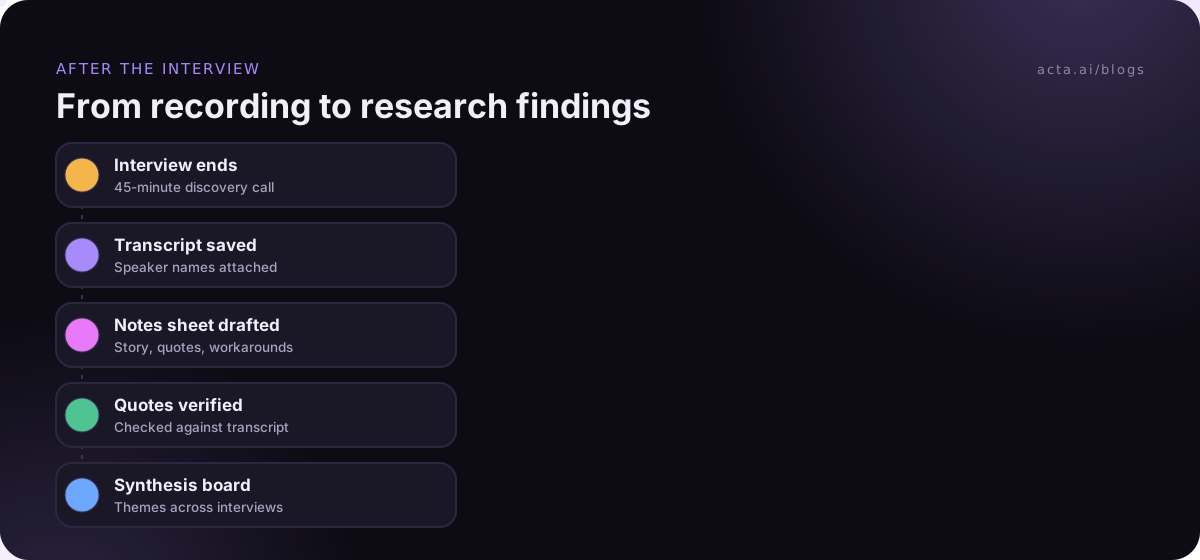
Acta records the interview, writes a transcript with speaker names, and can fill a structured report from one of its report templates so your notes sheet starts half done. If a bot joining the call would make a customer self-conscious, the desktop app or the Chrome extension records from your own computer instead. Later, OneChat can answer questions like "Which interviewees mentioned spreadsheets?" across all your recorded calls, with sources you can check.
Frequently asked questions
How many customer interviews do I need?
Enough to stop hearing new things. For a focused question, many teams start with five or six interviews per segment, review what they've learned, then decide whether to run more. If two segments behave differently, such as admins and daily users, plan a separate small round for each rather than one mixed group.
How long should a customer interview be?
Plan 30 to 45 minutes. Under 30 rarely leaves time for a full story plus follow-ups, and past 60 the participant tires and answers get shorter. Book an hour in the calendar so you aren't rushing the last question, and finish early if you've covered the guide.
What is the difference between a user interview and a customer interview?
They overlap heavily. "User interview" is the term UX researchers use, often focused on how someone uses a product. "Customer interview" is common in product and startup teams and can include buyers, admins and people who never used the product, as in churn or win/loss research. The question rules are the same.
Should I pay customers for interviews?
For prospects and non-customers, a gift card or donation is common and improves show-up rates. For existing customers, many teams don't pay but offer early access or a direct line to the product team. Whatever you choose, say it clearly in the invitation, and check your company's policy on gifts first.
Can I use AI to summarise customer interviews?
Yes, as a first draft. An AI summary is good at the story summary and pulling candidate quotes, but check every quote against the transcript before it goes into a findings deck, and write the interpretation yourself. Tell participants if an AI tool will process the recording.
Choose the right customer interview template for your next round
Before you send the first invite, work through this list:
- Define the goal: write one sentence on what you need to learn and pick the single template that matches it.
- Pick the people: name the segment and role, and recruit at least five who fit.
- Edit the questions: cut to five to eight story questions and remove any that mention your solution.
- Pilot it: run one practice interview and fix whatever ran long or confused people.
- Set up notes and consent: copy the notes sheet, write your consent line and decide where recordings live.
If you'd like the recording and first-draft notes handled for you, install the Acta Chrome extension or the desktop app and try it on your next interview during the 15-day free trial.
Found this useful? Share it with your team.