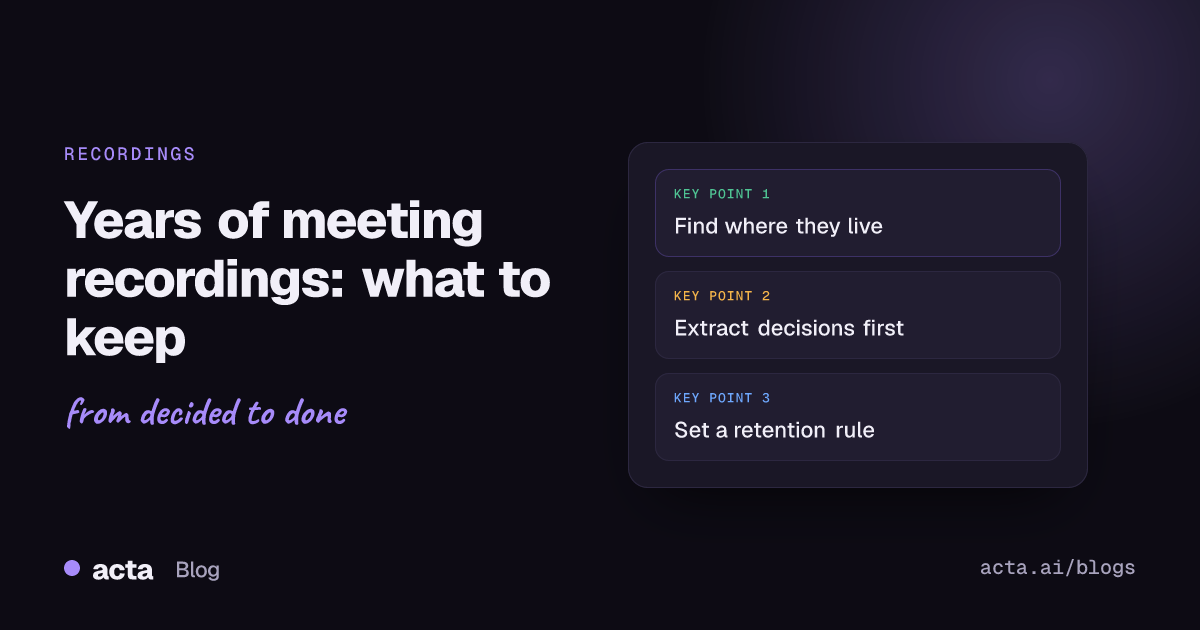
Quick answer: With years of meeting recordings, don't keep everything and don't delete everything. Find where they live, sort them into keep, extract-then-delete and delete, pull decisions and commitments into text before the video goes, and set a meeting recording retention rule (for example 90 days for routine calls) so the pile doesn't grow back.
At some point someone in IT or finance notices the storage bill, or a lawyer asks what you're holding, and a team discovers it has four years of recorded meetings it has never looked at. Thousands of hours. Most of it is standups and status calls. Some of it is the only record of why a contract says what it says.
This is a practical guide to dealing with that archive. It's general information, not legal advice; if you're in a regulated industry or involved in a dispute, talk to your legal team before deleting anything.
Why does meeting recording retention matter?
Three reasons, roughly in order of how often they come up.
Risk. Recordings contain people's voices, opinions, sometimes health or HR details, and offhand comments nobody would put in writing. Under UK and EU data protection law, the storage limitation principle says personal data shouldn't be kept longer than you need it. The ICO's guidance is clear that the law doesn't set fixed periods; it's up to you to justify how long you keep it, based on why you have it. "We never got round to deleting it" isn't a justification. Our GDPR checklist for AI note takers covers the wider picture.
Usefulness. A four-year video archive is close to useless as it stands. Nobody is going to watch a 50-minute call from 2023 to find out what was agreed about a renewal. The value is in a handful of decisions, promises and explanations buried inside it.
Cost. Video takes storage, and storage limits are real. Google Meet recordings, for example, need room in the organiser's Drive, and a full Drive stops new recordings.
Where are your old meeting recordings stored?
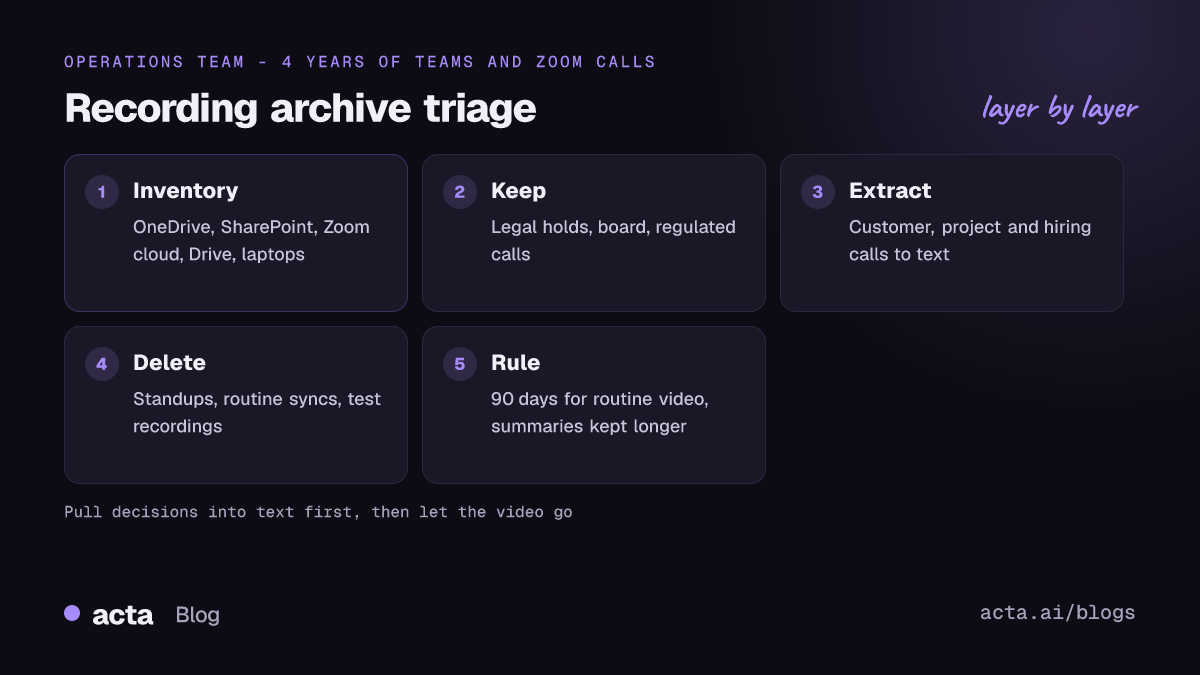
Before deciding anything, make an inventory. Recordings tend to be scattered, and each platform has its own defaults. As of November 2026:
Microsoft Teams
Recordings of non-channel meetings go to the organiser's OneDrive; channel meeting recordings go to SharePoint. Microsoft's documentation on the Teams recording expiration policy says recordings and transcripts expire after 120 days by default, and admins can change that. Changes only affect new recordings, and a Purview retention policy can override the expiry. So if your tenant has had a custom setting or a retention policy for years, you may have far more than 120 days of Teams video sitting in OneDrive. More on Teams recordings and storage here.
Zoom
Zoom's data retention standard says cloud recordings are kept as long as the user's account is active, unless auto-deletion is configured. That's the opposite default to Teams: nothing goes away by itself. Local recordings are another story, since they sit on individual laptops in a Zoom folder and nobody centrally knows they exist.
Google Meet
Meet saves recordings to the organiser's Google Drive, in a "Google Meet" folder with a sub-folder per meeting. Google says the older "Meet Recordings" folder is being renamed "Legacy Meet Recordings" and moved inside the new one. If people have left the company, their Drive (and their recordings) may be in limbo depending on how offboarding was handled.
Everything else
Phone recordings, uploads to shared drives, files from AI notetakers, voice memos from in-person meetings. Ask each team lead where theirs are. You'll find a few surprises.
How do you decide what to keep?
Sort into three piles. You won't review each file one by one (you'd never finish), so sort by meeting type, which you can usually tell from the title, organiser or folder.
Keep as-is
Recordings where the exact words matter, or that you're required to hold:
- Anything under a legal hold or tied to an open dispute.
- Board and committee meetings, if your minutes process depends on them (check what your governance rules say).
- Calls in regulated settings where a rule specifies how long recordings must be kept.
- Training material you actively reuse, such as a recorded onboarding session.
Extract, then delete
This is the big middle pile: customer calls, project kickoffs, design reviews, interviews, planning sessions. The recording isn't worth keeping, but a few things inside it are. Pull those out as text first (see the next section), store the text where people will find it, then delete the video.
Delete
Routine meetings with nothing that outlives the week: standups, weekly syncs that produced no decisions, test recordings, the call where someone forgot to stop recording and it ran for three hours. Zoom's own guidance on cloud recording usage suggests setting an auto-delete policy and notes that recordings are often not viewed after 30 days. That matches what I've seen: the long tail of routine recordings is never opened again.
How do you pull decisions out of old recordings before deleting them?
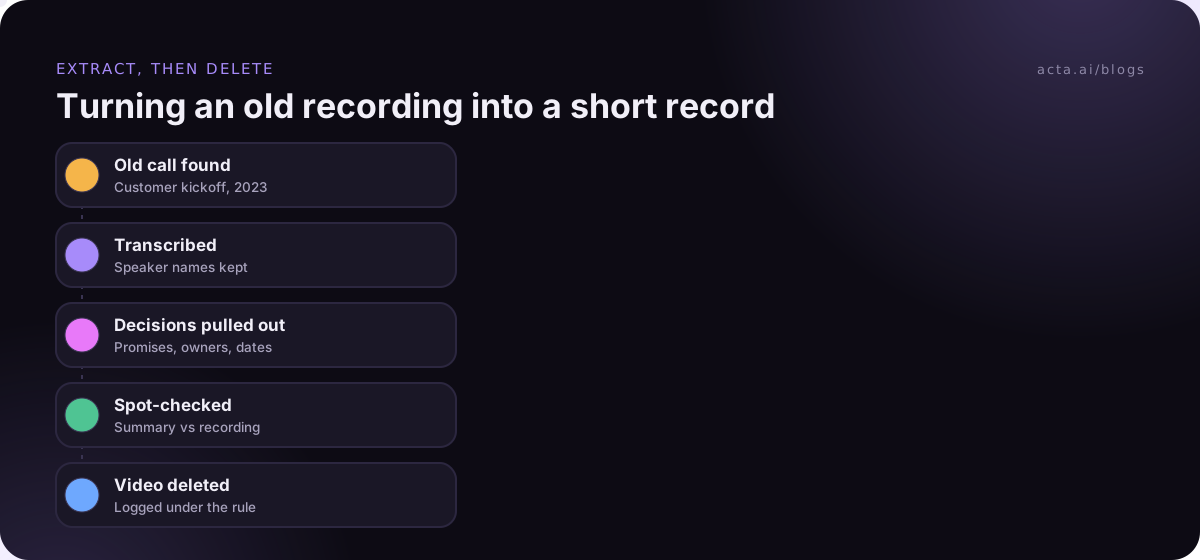
This is the step that makes deletion safe. If the decisions, commitments and reasoning from a meeting exist as searchable text, the video can go.
- Transcribe the extract pile. Run the recordings through a transcription tool. Speaker names matter more than you'd expect, because "who promised this?" is a common question later.
- Summarise into a fixed shape. For each meeting: date, attendees, decisions, commitments with owners, open questions. Keep it short.
- File by customer or project, not by date. A commitment made to a customer belongs on that customer's page. Our guide to a decision log shows a format that works.
- Spot-check. Pick a few important meetings and compare the summary against the recording. Fix the prompt or template if decisions are being missed, before you trust it on the rest.
- Decide on transcripts. Transcripts are much smaller than video but still contain everything that was said, including personal data. Where those transcripts sit inside AI tools is its own question; see meeting data privacy inside AI tools. Many teams keep the summary and delete the transcript along with the video, or keep transcripts for a shorter, defined period.
- Then delete, and log it. Keep a simple record of what was deleted, when and under which rule. If anyone asks later, you can show it was deliberate.
Once the summaries exist, searching them is a different problem, covered in how to ask questions across every meeting you've had.
What should a meeting recording retention policy say?
Once the backlog is dealt with, write down a rule so you're not back here in two years. A one-page policy is enough for most companies:
- Default period. Something like 90 days for routine meeting video. Long enough to rewatch a confusing call, short enough that the pile stays small.
- Exceptions by meeting type. Board, legal, regulated or HR meetings get their own periods, set with whoever owns those areas.
- What survives. Summaries, decisions and action items can be kept longer than the recording, because they hold far less personal data and far more of the value.
- Who can override. Usually legal (for holds) and the meeting owner (to extend one recording, with a reason).
- How it's enforced. Use the platform settings: the Teams expiration policy, Zoom auto-delete, Drive retention rules. A policy that relies on people remembering to delete things won't hold. If you're writing a wider AI notetaker policy, put the retention rules in it.
Make the meeting recording retention period visible to participants too. If you tell people a call is being recorded, telling them how long it's kept is a small step and builds trust. Our post on what to tell participants when you record covers the consent side.
Who should run the cleanup, and how long does it take?
One person should own it, usually someone in operations or IT, with a named contact in legal and one lead from each team that records a lot (sales, customer success and hiring tend to be the big ones). Without an owner it stalls the first time a team lead says "let me check and get back to you."
Timing depends far more on the extract pile than on the total size. Deleting 3,000 standups is an afternoon of setting filters once the rule is agreed. Extracting decisions from 300 customer calls is the real work, and it's worth doing in batches: active customers first, then accounts that renewed in the last year, then everything else. If a batch of old calls produces nothing anyone uses, that's a good sign the remaining ones can go to the delete pile.
Mistakes I'd avoid
- Mass-deleting without checking for legal holds. Ask legal first. It takes one email.
- Keeping everything "just in case". That case almost never comes, and when it does, nobody can find the right file anyway.
- Extracting without a template. Free-form summaries of 500 meetings are nearly as hard to use as the recordings.
- Forgetting local recordings. The files on laptops are often the ones with the least oversight.
- Treating transcripts as harmless. A transcript is the recording in text form. Give it a retention period too.
How Acta handles the extract step
You can upload existing recordings to Acta and get back a transcript with speaker names, a summary, decisions and action items with owners, which covers most of the extract pile. For new meetings, Acta can capture calls through a meeting bot or, where bots aren't welcome, through the desktop app, so the text exists from day one and the video can follow your retention rule. Acta does not use customer data to train AI models.
Frequently asked questions
How long should we keep meeting recordings?
There's no single legal number for most meetings. Many teams use around 90 days for routine calls and longer periods for board, legal or regulated meetings, and keep text summaries longer than video.
Do Teams recordings delete themselves?
By default, yes. Microsoft's documentation says Teams meeting recordings and transcripts expire after 120 days unless an admin changes the setting or a retention policy overrides it.
Do Zoom cloud recordings expire?
Not by default. Zoom keeps cloud recordings while the account is active unless an admin or user turns on auto-deletion.
Is it safe to delete a recording if we have the summary?
For routine meetings, usually yes, once you've checked the summary captures the decisions and commitments. Keep the recording if exact wording might matter, such as a dispute or a regulated conversation.
Should transcripts follow the same retention period as video?
Often they should, or something close. A transcript contains everything that was said, so it carries most of the same privacy risk even though it's smaller.
If you want to turn a backlog of recordings into searchable decisions, Acta has a 15-day free trial.