A sales handoff template is the document an account executive fills in when a deal closes, so the customer success manager knows why the customer bought, what success looks like to them, who matters, and what sales promised. Below are eight copy-ready templates: the core handoff document, a promises register, a stakeholder map, an internal handoff meeting agenda, a customer introduction email, a kickoff brief, an enterprise add-on and a low-touch version.
Use Cases 11 min read
Sales Handoff Template: 8 Sales to Customer Success Examples
Eight copy-ready sales handoff templates so customer success knows why the customer bought, what success means to them, who matters and every promise sales made.
By Sarma BKP, Founder & CEO, Acta · Updated
This is for B2B sales and customer success teams, RevOps and founders who are handing accounts over for the first time. The goal is a customer who never has to repeat what they told sales. If your deals are small and fully self-serve, you need far less than this; skip to Template 8.
Key takeaways
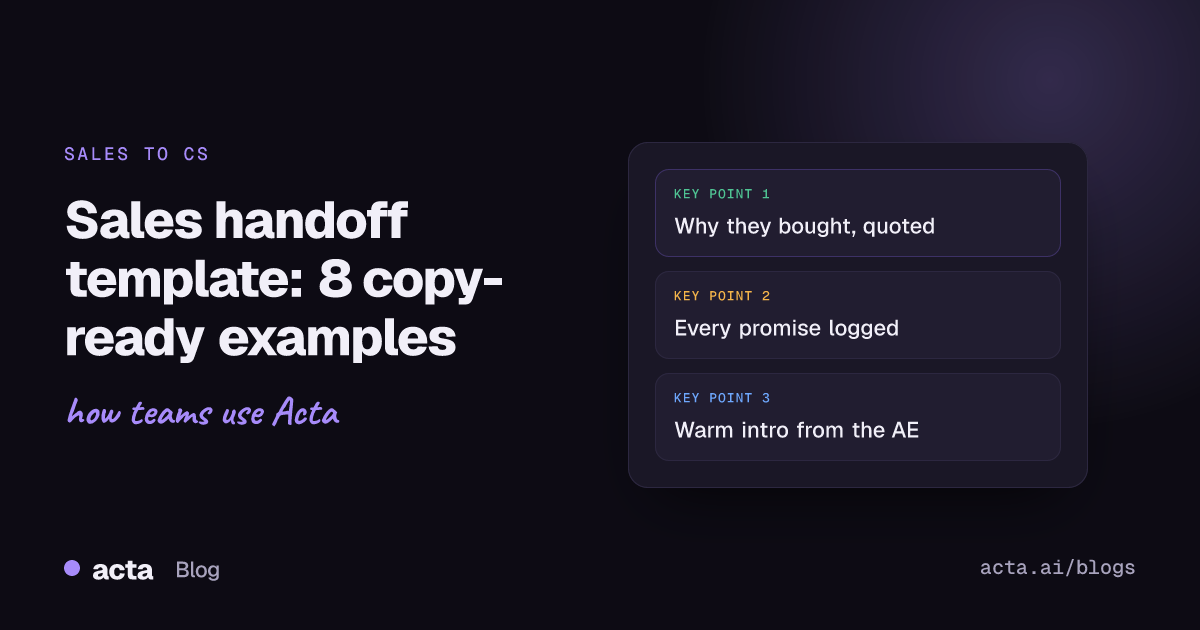
- Capture five things at handoff: why they bought, success criteria in their words, stakeholders, every promise made, and known risks.
- Log every promise sales made as a separate line with who made it and when, including the "yes, we can probably do that" ones.
- Hold a 30-minute internal handoff meeting before the customer kickoff, with the AE, the CSM and the sales engineer if there was one.
- Introduce the CSM to the customer from the AE's own email, before the kickoff, so the relationship transfers rather than restarts.
- Put the handoff fields in your CRM, not only in a doc, so the next CSM can find them in a year.
Table of contents
- A sales handoff template carries the why, the promises and the people
- The core handoff document comes first
- Promises and stakeholders deserve their own pages
- The handoff meeting, intro email and kickoff brief make it warm
- Enterprise and low-touch deals need different depth
- Run the sales handoff in six steps
- Where meeting notes help the handoff
- Frequently asked questions
- Choose your sales handoff template and make it the default
A sales handoff template carries the why, the promises and the people
The sales to customer success handoff is the moment an account moves from the person who sold it to the person who has to make it work. Everything the customer said in discovery, demos and negotiation lives in the AE's head, a few call recordings and some CRM fields. The handoff template's job is to get the parts that matter onto one page.
Gainsight's guide to nailing the handoffs puts the aim well: the customer shouldn't feel they're repeating themselves. It also suggests involving CS before the deal closes, even if that's only a short introduction on a late-stage sales call. In GitLab's public handbook on transitioning accounts from pre-sales to post-sales, the CSM schedules the kickoff once the opportunity moves to Closed Won, which is a sensible default trigger for most teams.
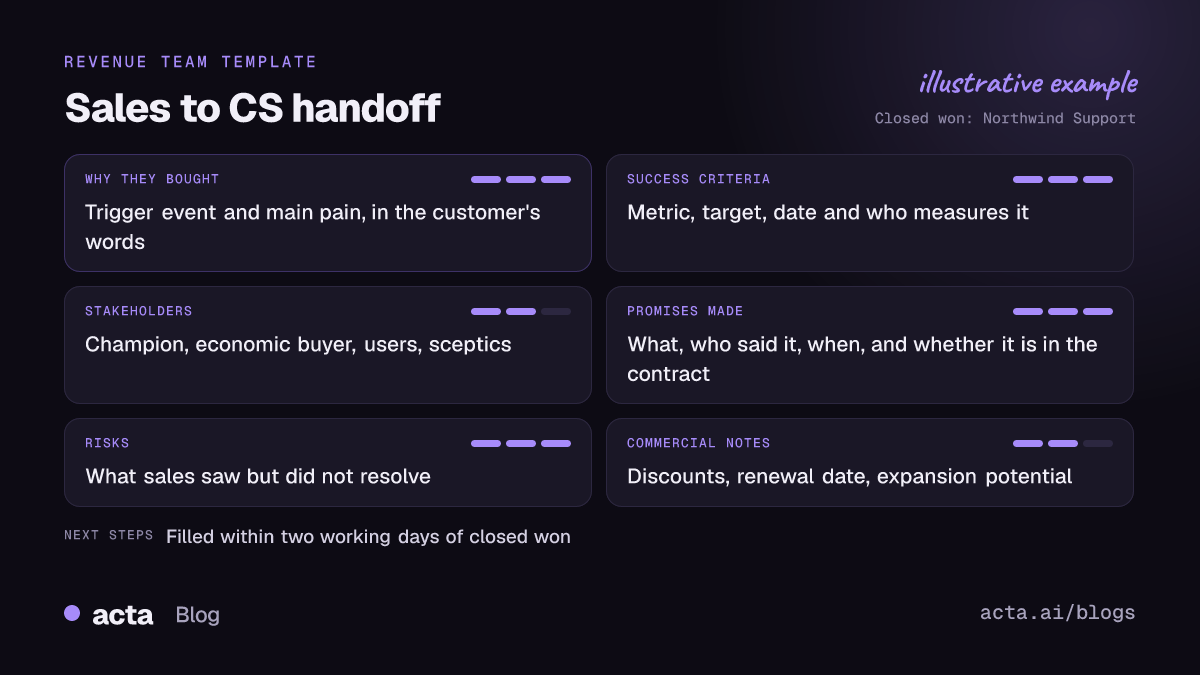
A good sales handoff template answers five questions:
- Why did they buy now? The trigger event and the pain, in the customer's own words.
- What does success look like to them? Measurable, with a date.
- Who matters? Champion, economic buyer, day-to-day users, sceptics.
- What did we promise? Features, timelines, discounts, integrations, support levels.
- What could go wrong? Risks sales saw but didn't resolve.
If your sales team uses a qualification framework, most of this already exists. A MEDDPICC deal report covers metrics, the economic buyer, decision criteria and the champion, which map almost directly onto questions 1 to 3.
The core handoff document comes first
Template 1: Sales to customer success handoff document
When to use it: every new customer above your low-touch threshold. The AE fills it within two working days of Closed Won.
Account: [company] / [segment] / [contract start and term] / [AE] / [CSM] / [SE]
Why they bought: [trigger event] / [main pain, quoted] / [what they used before]
Success criteria: [metric] / [target] / [by when] / [who measures it]
What they bought: [products, seats, tier, add-ons]
Stakeholders: [see Template 3, or top three names and roles]
Promises made: [see Template 2, or list]
Risks: [risk] / [why] / [suggested mitigation]
Commercial notes: [discount and conditions, renewal date, expansion potential]
Competitors considered: [who, and why we won]
Links: [CRM opportunity] / [call recordings] / [proposal] / [signed order]
Filled-in example (fictional): "Why they bought: new VP of Support starts in March and wants response times down before the board meeting in June. 'Our agents spend half their day copying notes into tickets.' Success: first-response time under four hours by 30 June, measured by their support ops lead Dana. Promises: SSO set up in week one; a monthly usage report; one admin training session in their time zone. Risk: IT hasn't seen the security questionnaire yet. Competitors: evaluated two others, chose us on the ticketing integration."
The line I'd never let an AE skip is "main pain, quoted". The CSM will use those exact words on the kickoff call, and the customer will notice.
Promises and stakeholders deserve their own pages
These two templates get their own page because they're where most handoffs fail. Promises get lost, and the CSM meets the champion but never the person who signs the renewal.
Template 2: Promises and commitments register
When to use it: any deal where sales agreed to anything beyond the standard contract, which is most of them.
# / What was promised / Who said it / When and where / In the contract? / CS owner / Due
1 / SSO set up in week one / AE, Marco / Demo call, 12 Oct / No / CSM / Week 1
2 / Monthly usage report / AE, Marco / Proposal email / Yes / CSM / Monthly
3 / "We'll look at a Zendesk field mapping" / SE, Priya / Technical call, 19 Oct / No / SE + CSM / Before go-live
The "In the contract?" column is the important one. A promise that isn't in the contract still feels like a promise to the customer. Our guide on how to track customer promises and catch overdue ones covers keeping this register alive after the handoff.
Template 3: Stakeholder map
When to use it: any account with more than two people involved in the purchase.
Name / role / Role in the deal (champion, economic buyer, user, technical, sceptic) / What they care about / How they like to communicate / Relationship strength (strong / neutral / weak)
Add one line for anyone who opposed the purchase. The CSM should meet the sceptic early, not discover them at renewal.
The handoff meeting, intro email and kickoff brief make it warm
A warm handoff means the CSM arrives with the AE's endorsement and the full story. HubSpot's own sales to customer success handoff playbook describes pairing specific sales reps with specific CS people and using note templates so the context travels with the account. These three templates cover the moments where that happens.
Template 4: Internal handoff meeting agenda (30 minutes)
When to use it: after Closed Won, before the customer kickoff. AE, CSM and SE attend.
5 min: AE tells the story of the deal: trigger, pain, why us.
5 min: success criteria; CSM repeats them back in their own words.
10 min: promises register, line by line; agree an owner for each.
5 min: stakeholders and risks.
5 min: kickoff plan: who attends, what we'll present, what we'll ask.
The CSM's read-back is the test. If they can't say the success criteria in a sentence, the handoff document isn't finished.
Template 5: Customer introduction email (sent by the AE)
When to use it: within a day or two of signature, before the kickoff invite.
Subject: Introducing [CSM], your customer success manager at [Company]
Hi [Champion],
Thanks again for choosing us. I'd like to introduce [CSM], who'll work with you from here on to hit [success criterion, in their words] by [date].
I've walked [CSM] through everything we discussed, including [one specific detail, such as the SSO setup in week one], so you won't need to repeat it. [CSM] will send a kickoff invite for [suggested time].
I'm still around for anything commercial, and I'll join the kickoff to make sure nothing gets lost.
[AE]
The specific detail line is what makes this email work. It shows the customer that the context really did move over. For more on post-call emails, see our sales follow-up email examples.
Template 6: Kickoff call brief (for the CSM)
When to use it: the CSM's one-page prep for the first customer call.
Open with: their pain, in their words: "[quote]".
Confirm: success criteria and date. Ask: "Is this still right?"
Confirm promises: [list], with dates.
Ask only what sales didn't: [gaps from the handoff]
Agree: onboarding plan, meeting rhythm, who on their side owns what.
"Ask only what sales didn't" is the line that stops re-discovery. If the CSM opens by asking "So what are your goals?", the customer hears that nobody passed anything on. Our client onboarding call agenda and checklist covers the rest of that first call.
Enterprise and low-touch deals need different depth
One template doesn't fit a six-figure enterprise rollout and a 10-seat monthly plan. Adjust the depth to the deal.
Template 7: Enterprise handoff add-on
When to use it: large or complex deals, on top of Template 1.
Technical requirements: [integrations, SSO, data migration, environments]
Security and procurement notes: [questionnaire status, open items, legal redlines agreed]
Implementation partner: [name, contact, scope]
Rollout plan discussed: [phases, pilot team, dates]
Executive sponsor contact: [name, how often they want updates]
Mutual action plan: [link, and which items carry over]
Template 8: Low-touch handoff (CRM fields only)
When to use it: small deals with pooled or digital-only success coverage.
Use case: [one line] / Success metric: [one line] / Promise outside standard terms: [yes, what / no] / Risk flag: [yes, what / no] / Main contact: [name, email]
Five fields, all required before the opportunity can move to Closed Won. That's enough for an onboarding sequence to pick the right path.
| Deal type | Templates | Handoff meeting? |
|---|---|---|
| Low-touch, self-serve | 8 | No |
| Mid-market | 1, 2, 4, 5, 6 | Yes, 30 minutes |
| Enterprise | All of 1 to 7 | Yes, plus the SE and any partner |
| Renewal moving to a new CSM | 1, 2, 3 | Yes, old and new CSM |
Run the sales handoff in six steps
- Bring the CSM in before signature on larger deals, even for a 10-minute introduction on a late-stage call.
- Trigger on Closed Won. The stage change creates the handoff task and assigns the CSM.
- AE completes the handoff document within two working days, with links to the call recordings and the signed order.
- Hold the internal handoff meeting using Template 4.
- AE sends the introduction email, then the CSM sends the kickoff invite.
- Save the fields to the CRM so they survive the next CSM change.
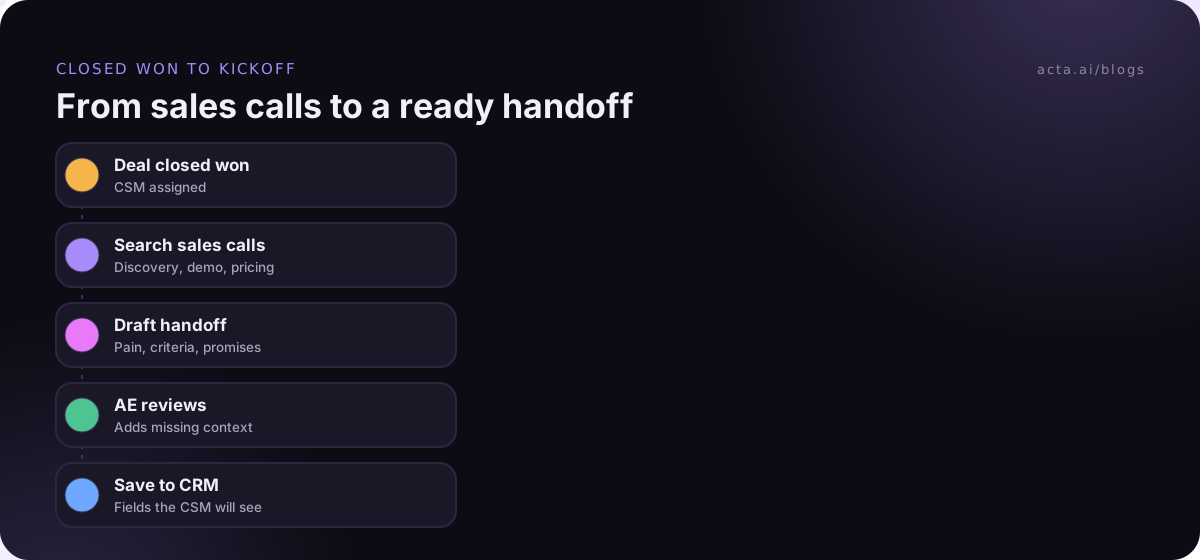
Updating the CRM is where handoffs often die, because nobody wants to retype notes. Our guide to updating the CRM after a sales call automatically covers ways to do that without the retyping.
Mistakes that break the handoff
- Summarising instead of quoting: "customer wants efficiency" is useless. Quote the pain.
- Missing verbal promises: if it was said on a call, it goes in the register, contract or not.
- No read-back: the CSM should repeat the success criteria before the kickoff.
- AE disappears at signature: the AE joins the kickoff and stays reachable for commercial questions.
- Handoff lives only in a slide or chat thread: put it where the next CSM will look, which is usually the CRM.
Where meeting notes help the handoff
Most of what a handoff needs was said out loud on discovery and demo calls. Acta records those calls and writes summaries, decisions and action items with owners; OneChat can answer a question like "what did we promise about SSO?" across all of an account's meetings, with sources, and reports can go to Salesforce, HubSpot or Zoho through the CRM integrations. For calls in Google Meet, Teams in the browser or the Zoom web client, the Chrome extension records without a bot joining. Tell customers you're recording; our guide on recording meetings with AI and consent covers what to say.
Frequently asked questions
What should be included in a sales to customer success handoff?
Include why the customer bought (trigger and pain, quoted), success criteria with a date, what they bought, key stakeholders and their roles, every promise sales made with who made it, known risks, commercial notes such as discounts and renewal date, competitors considered, and links to the CRM record, call recordings and signed order.
When should sales hand off to customer success?
A common trigger is the opportunity moving to Closed Won, when the CSM is assigned and the AE completes the handoff document. On larger deals, bring the CSM in earlier, even briefly on a late-stage sales call, so the customer meets them before signing and the handoff feels like continuity rather than a new start.
Who owns the sales handoff?
The AE owns completing the handoff document and introducing the CSM. The CSM owns reviewing it, asking questions in the internal handoff meeting and running the kickoff. Sales and CS leaders own the template and the standard, and RevOps usually owns the CRM fields and the Closed Won trigger.
How do I stop customers repeating themselves after the handoff?
Quote the customer's pain and success criteria in the handoff document, have the CSM read them back in the internal meeting, and open the kickoff call with them. Only ask questions sales didn't cover. Send the AE's introduction email with one specific detail from the sales process to show the context has moved over.
Is a handoff template different from a mutual action plan?
Yes. A mutual action plan is shared with the customer during the sale and lists the steps to signature and sometimes go-live. A handoff template is internal and carries context: why they bought, promises, stakeholders and risks. On enterprise deals, link the mutual action plan from the handoff and note which items carry over into onboarding.
Choose your sales handoff template and make it the default
Start with the core document and the promises register, then add the rest as your deals grow. A short checklist:
- Pick the depth: Template 8 for low-touch deals, Templates 1, 2, 4, 5 and 6 for most others, all eight for enterprise.
- Set the trigger: Closed Won creates the handoff task and assigns the CSM.
- Make fields required: success criteria, promises and risks can't be blank.
- Hold the 30-minute meeting: with a read-back of the success criteria.
- Review after a quarter: ask CSMs which questions they still had to ask the customer, and add fields for them.
If your sales calls run in Meet, Teams or Zoom in the browser, try the Acta Chrome extension during the 15-day free trial and see how much of the handoff document is already in the call notes.
Found this useful? Share it with your team.