Rotating meeting times means a recurring meeting moves between two or three fixed slots, so each region takes its turn at the early or late hour instead of the same people always losing sleep. To run meetings across time zones this way, map everyone's working hours in UTC, pick slots that each inconvenience one region, rotate them on a published schedule, and give whoever drew the bad slot an async way to contribute.
Meeting Productivity 11 min read
Rotating Meeting Times Across Time Zones: A Fair Rotation Guide
How to run recurring meetings across time zones fairly: map overlap in UTC, set up a rotation, add async updates and notes, and handle daylight saving changes.
By Sarma BKP, Founder & CEO, Acta · Updated
This guide is for team leads running a weekly or fortnightly meeting across three or more regions. It covers the rotation itself, the async pieces that make it work and the daylight saving traps. For one-off scheduling tips, such as finding a single slot for a client call, our post on scheduling meetings across time zones is the better read. If your team shares a comfortable overlap of two hours or more, you don't need a rotation at all: keep the meeting in the overlap.
Key takeaways
- Rotate only when there's no slot inside everyone's working hours. If a shared overlap exists, use it and stop there.
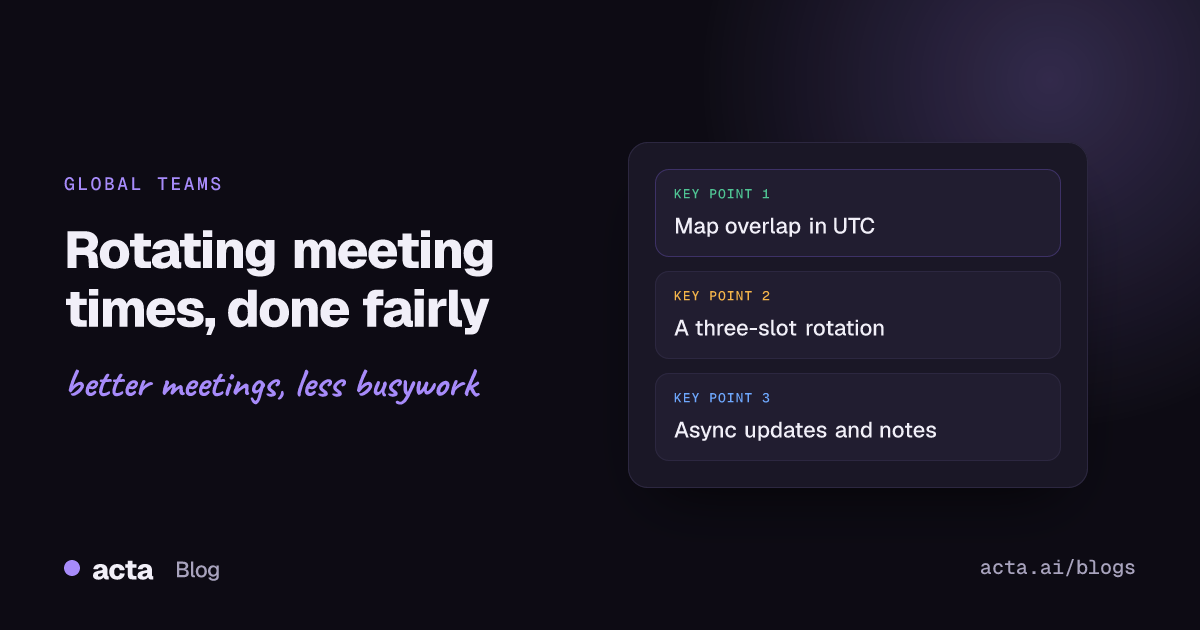
- Three slots, each bad for one region, is the usual pattern for teams spread across the Americas, Europe and Asia-Pacific. Each region then gets the unsociable hour one week in three.
- Publish the rotation for the whole quarter and write it in UTC, so nobody has to work out whose turn it is.
- Pair the rotation with async inputs: a written update before the meeting and notes within a set time afterwards, so the person in the bad slot can skip without losing their voice.
- Recheck the slots twice a year. The US and Europe change clocks on different weekends, which shifts the gap between them for a few weeks.
Table of contents
- Rotating meeting times works when there's no fair fixed slot
- Map working hours in UTC before you pick slots
- Set up rotating meeting times in six steps
- A worked example for New York, London, Bengaluru and Sydney
- Async inputs make meetings across time zones fair
- Daylight saving breaks rotations twice a year
- Common mistakes and troubleshooting
- Frequently asked questions
- Make your rotation stick
Rotating meeting times works when there's no fair fixed slot
A fixed meeting time is always someone's 7 a.m. or 10 p.m. When the spread is small, say London and New York, that's a mild cost and a fixed slot in the shared afternoon is fine. Once a team spans the Americas, Europe and Asia-Pacific, there's no hour that falls inside everyone's working day. A fixed slot then means the same region joins at night, every week, indefinitely. That's the group that quietly stops speaking up, then stops coming.
Rotation spreads the cost. It doesn't remove it. You're choosing that everybody has an awkward meeting sometimes, rather than one region having it always. In my experience that trade is worth it for team meetings, planning and retros, where everyone's input matters. It's not worth it for meetings that one region mostly runs, such as a regional sales review, where the meeting should just sit in that region's day.
Some teams avoid the problem by not meeting live at all. GitLab's handbook on all-remote meetings treats async as the default and asks organisers to review every participant's time zone when a meeting really is necessary. That's a good test before setting up any rotation: does this meeting need to be live?
Map working hours in UTC before you pick slots
Write every location's working day in UTC, side by side. Local times invite mistakes, because people convert in their heads and forget that a Tuesday evening in New York is already Wednesday morning in Sydney.
- List each location and its current UTC offset.
- Convert a working window, for example 08:00 to 18:00 local, into UTC for each location.
- Mark the time zone overlap: where at least two regions share working hours, and where every region does (often nowhere).
- Note hard limits: school runs, religious days, public holidays and anyone who has said they can't do early mornings.
Your calendar can do some of the work. As of November 2026, Google Calendar lets you show a secondary and tertiary time zone next to your own, as described in Google's time zone help page, and Outlook lets you add extra time zones to the calendar view, as described in Microsoft's Outlook time zone settings. The options differ between Outlook versions, so check Microsoft's page for yours. Either way, set it up for the organiser's calendar before you draft the rotation.
Set up rotating meeting times in six steps
Once you have the UTC map, the rotation itself takes about half an hour to design.
- Pick two or three candidate slots. Each slot should be inside working hours for most regions and inconvenient for one. Avoid any slot that puts someone between midnight and 06:00 local more than once in a cycle.
- Decide the cycle. Weekly meetings usually rotate week by week through all slots. Fortnightly meetings can alternate between two slots.
- Write the schedule for a whole quarter. List every date with its UTC time and the local time for each region. Share it in the invite description and a pinned doc.
- Create separate recurring invites per slot. One series per slot, each repeating every third week, is easier to keep correct than one series you edit every week.
- Set the async rule. Whoever is in the night slot can skip and post a written update instead, with no penalty.
- Review after one cycle. Ask each region if the slots are workable and adjust before the pattern sets.
Here's a template you can copy into the invite or a shared doc.
Meeting: ___ | Cycle: every ___ weeks, rotating through slots A, B, C
Slot A: ___ UTC | Region 1 ___ | Region 2 ___ | Region 3 ___ | Inconvenient for: ___
Slot B: ___ UTC | Region 1 ___ | Region 2 ___ | Region 3 ___ | Inconvenient for: ___
Slot C: ___ UTC | Region 1 ___ | Region 2 ___ | Region 3 ___ | Inconvenient for: ___
Dates this quarter: ___ (A), ___ (B), ___ (C) ...
Async rule: written update in ___ by ___ hours before; notes posted within ___ hours after
Decisions stay open for comments for ___ hours
Next review of the slots: ___ (and after each clock change)
A worked example for New York, London, Bengaluru and Sydney
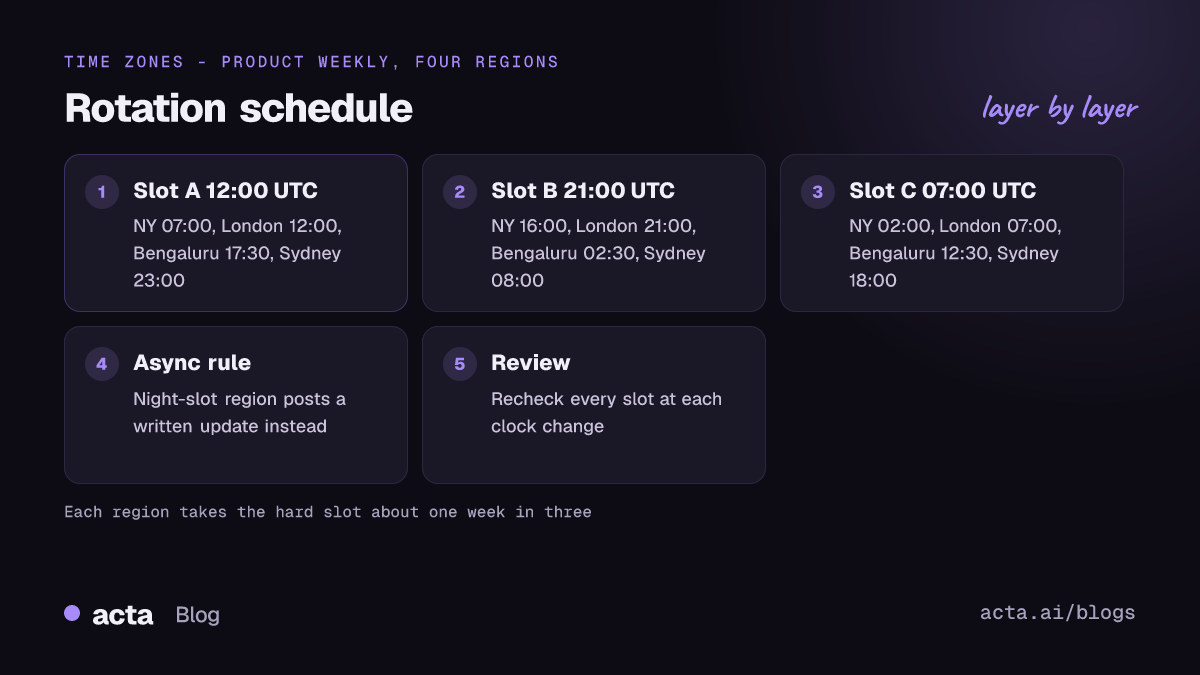
Take a product team with people in New York, London, Bengaluru and Sydney, meeting weekly for 45 minutes. In November, New York is UTC-5, London is UTC+0, Bengaluru is UTC+5:30 and Sydney, on summer time, is UTC+11. There's no hour inside 08:00 to 18:00 for all four. So the team uses three slots.
- Slot A, 12:00 UTC: New York 07:00, London 12:00, Bengaluru 17:30, Sydney 23:00. Late for Sydney, early for New York.
- Slot B, 21:00 UTC: New York 16:00, London 21:00, Bengaluru 02:30, Sydney 08:00 the next day. Night for Bengaluru, evening for London.
- Slot C, 07:00 UTC: New York 02:00, London 07:00, Bengaluru 12:30, Sydney 18:00. Night for New York.
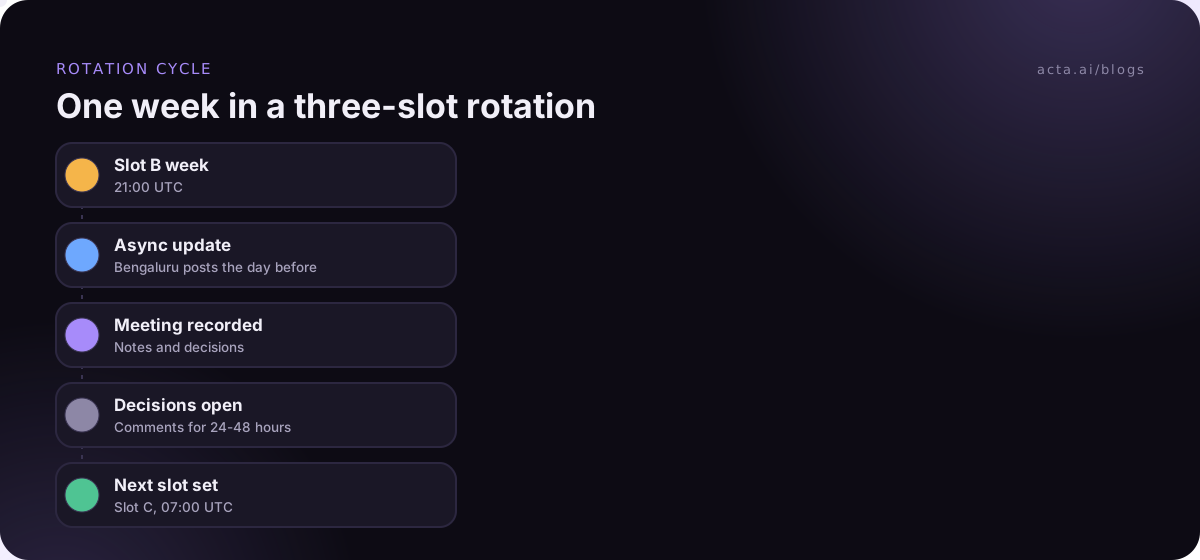
The rotation runs A, B, C, repeating. Each region has a hard slot about one week in three, and no region is in the middle of the night two weeks running. Bengaluru's 02:30 and New York's 02:00 are the slots where the async rule applies: Arjun in Bengaluru posts his update in the team doc the afternoon before Slot B and reads the notes the next morning. Nobody expects him live.
Notice the date line in Slot B. A Tuesday 21:00 UTC meeting is Wednesday 08:00 in Sydney. Put both days in the schedule, or the Sydney team will turn up a day late at least once.
GitLab's Support team runs a version of this: its leadership sync page describes a meeting that rotates through one region each week. It's a useful model to show a sceptical manager that rotation works in practice.
Async inputs make meetings across time zones fair
A rotation without async updates just moves the unfairness around. The person in the night slot either joins exhausted or misses decisions. The fix is to make the meeting the middle of a process, not the whole of it.
- Before: everyone posts a written update or questions in a shared doc by a set time, at least a working day before. The meeting starts from that doc instead of round-the-table updates. An async standup template works well as the format.
- During: the facilitator reads out written questions from people who aren't there, so their points get discussed, not just filed.
- After: notes with decisions, owners and dates go out within a fixed time. GitLab's meetings guidance, for example, says recordings are shared within 12 hours.
- Decisions: important decisions stay open for comments for a set window. GitLab's handbook mentions 24 to 48 hours so people in other time zones can weigh in.
Notes are where most teams fall down, because the note-taker is often the person who's least awake. Recording the meeting and generating notes afterwards removes that job. Tell participants you're recording; our guide to AI meeting recording, consent and what to tell participants covers what to say. If you'd rather not have a bot in the call, a desktop recorder like the Acta desktop app or the Acta Chrome extension records from the organiser's own computer.
Acta writes a transcript with speaker names, a summary, decisions and action items with owners after each recorded meeting, and can draft the follow-up email. Someone who slept through Slot B can ask "what did we decide about the launch date?" in OneChat and get an answer that links back to the meeting. For a wider view of written-first working, see our async meetings guide.
Daylight saving breaks rotations twice a year
Clock changes are the most common reason a careful rotation suddenly puts someone at 06:00 instead of 07:00. Regions change on different dates, and some don't change at all. According to timeanddate.com, the US starts daylight saving time on the second Sunday in March while most of Europe starts on the last Sunday of March, and in autumn Europe ends a week before the US. For those weeks, the New York to London gap is an hour shorter than usual.
The southern hemisphere moves the opposite way, so Sydney's offset changes in the other direction from London's and New York's. A slot that was fine in November can be an hour worse in April.
- Schedule a slot review in early March and late October, before the changes take effect.
- Write the quarter's schedule with local times for each date, not just UTC, so the shift is visible in advance.
- If you set the series in UTC, local times will move; if you set it in one city's time zone, the other regions' times will move. Pick one deliberately and tell people which.
Common mistakes and troubleshooting
- Rotating when you don't need to: If a two-hour overlap exists, a fixed slot inside it beats any rotation. Check before you complicate things.
- The organiser's region never takes a bad slot: People notice. Put the organiser's region in the rotation like everyone else.
- Attendance drops in one slot: That's expected for the night slot. If it drops in a "good" slot, the slot is worse than it looks; ask that region directly.
- Decisions only happen in one slot: If big topics wait for the slot that suits headquarters, the rotation is cosmetic. Move decisions to the async window or rotate big agenda items too.
- Invites keep breaking: Use one recurring series per slot rather than editing one series weekly, and check the next three dates after any clock change.
- People don't know whose turn it is: Put the slot letter in the invite title, for example "Product weekly (Slot B, 21:00 UTC)".
Our posts on remote team alignment without more meetings and virtual meeting tips for global teams cover the wider habits that keep distributed teams in step.
Frequently asked questions
How do you schedule a meeting across multiple time zones fairly?
First check whether any slot falls inside everyone's working hours; if it does, use it. If it doesn't, choose two or three slots that each inconvenience a different region and rotate them on a published schedule. Back it with written updates before the meeting and notes afterwards, so whoever has the bad slot can contribute without attending.
How often should you rotate meeting times?
For a weekly meeting, rotate every week through all the slots, so each region has the hard slot about one week in three. For a fortnightly meeting, alternate between two slots. Avoid rotating less often than that, because a region stuck with the bad slot for a month or more feels the unfairness most.
Should recurring meetings be set in UTC?
It's a reasonable default for teams spread across many regions, and GitLab's handbook suggests considering UTC for recurring meetings. The trade-off is that local times shift for everyone when clocks change. If most attendees are in one region, setting the series in that region's time zone keeps their time stable instead.
What is the best time for a meeting between the US, Europe and India?
There's rarely a slot comfortable for all three. A morning in the US eastern time zone usually falls in the European afternoon and the Indian evening, which works for many teams if Indian colleagues agree. If that's too late for India regularly, rotate with a slot in the Indian afternoon and European morning, and accept an early US start.
Is it OK to skip a meeting in a bad time zone slot?
It should be, if the team sets it up that way. Agree that whoever is in the night slot can post a written update instead of attending, and make sure notes with decisions and owners go out promptly. Skipping only works when the async inputs are read in the meeting and decisions stay open briefly for comments.
Make your rotation stick
A rotation lives or dies on the first month. Get the basics right before the first meeting.
- Check for overlap first: confirm there's no slot inside everyone's working hours before you design a rotation.
- Publish the quarter: share every date with UTC and local times, and the slot letter in each invite title.
- Write the async rule down: say who can skip, where updates go and when notes will be posted.
- Hold decisions open: give people in other time zones a fixed window to comment before a decision is final.
- Review at each clock change: recheck every slot in early March and late October.
If notes are what keeps the night-slot region in the loop, try recording the next cycle with the Acta desktop app during the 15-day free trial.
Found this useful? Share it with your team.