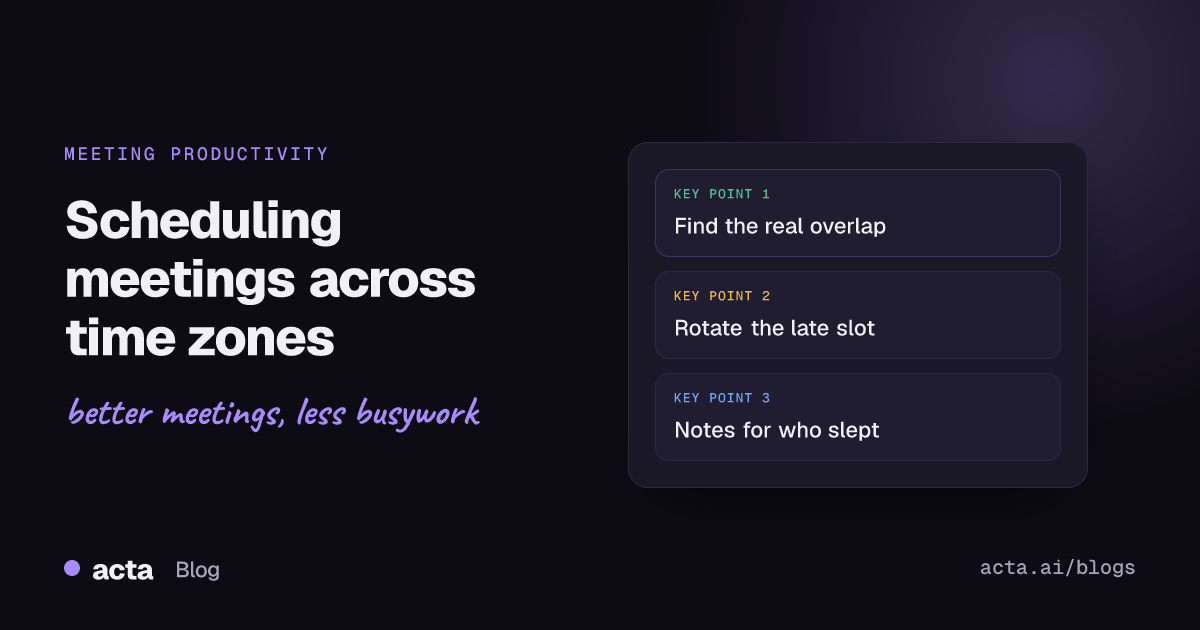
Quick answer: Scheduling meetings across time zones works best when you find the real overlap window first, keep only the meetings that need everyone live, rotate the inconvenient slot so the same people don't always take it, and set working hours and a second time zone in your calendar. For anyone who can't make it, record the call and share notes they can act on.
Take a pretty common setup: a team in New York, London and Bangalore. In northern winter, 9am in New York is 2pm in London and 7:30pm in Bangalore. There's no slot that's comfortable for all three. Somebody is always early, late, or eating dinner on camera.
You can't fix geography, but you can stop making it worse. These are the scheduling habits that make the biggest difference, plus the calendar settings that do some of the work for you. For the broader case for virtual meetings with distributed teams, see our post on virtual meeting tips for global teams; this one is about the clock.
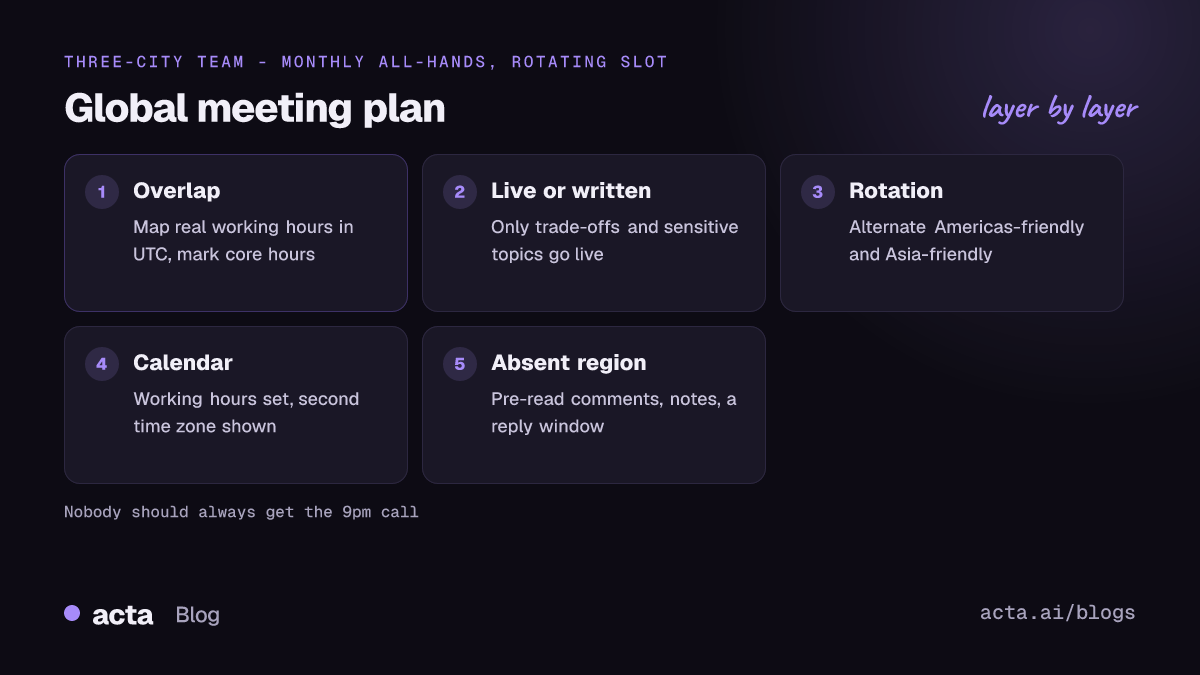
Why is scheduling meetings across time zones getting harder?
Because more of our meetings cross them. Microsoft's Work Trend Index special report, Breaking down the infinite workday, found that roughly 30% of meetings now span multiple time zones, and that meetings starting after 8pm were up about 16% year over year (as of the June 2025 report). The report ties that late-evening growth largely to cross-time-zone work.
The cost doesn't land evenly. Teams near headquarters tend to get the comfortable slots, and teams far away absorb the 7am and 9pm calls. Over a year, that's a real difference in who's tired, who's missing family dinners, and who quietly starts looking for another job.
Step 1: Find your real overlap window
Before you book anything, map everyone's working hours side by side and find the hours where they overlap. Not the theoretical 9-to-5 overlap; the hours people actually work. Some people start at 7, some can't do anything before school drop-off.
- List each location and each person's normal working hours, in their local time.
- Convert them to one reference zone (UTC is easiest, because it doesn't shift for daylight saving).
- Mark the hours where everyone is working. That's your core overlap.
- Mark the "stretch" hours: an hour early or late that people say they can do occasionally.
For New York and London you'll usually find three or four comfortable hours. Add India or Australia and the overlap often shrinks to zero, which tells you something useful: that group shouldn't have a standing meeting with everyone in it. It should work mostly in writing and meet in smaller, regional combinations.
Step 2: Decide which meetings need everyone live
Most meetings across time zones don't need to be live for everyone. Status updates, demos, and FYIs can be written or recorded, which is how remote teams stay aligned without more meetings. Keep live time for:
- Decisions with real trade-offs where people need to argue it out
- Sensitive conversations (reorgs, performance, bad news)
- Kickoffs and the first meeting with a new team or client
- Problems that are stuck after a couple of written rounds
Everything else should start as a written update with a reply-by time. If it gets stuck, then book a call. That ordering alone removes a lot of the 7am meetings.
Step 3: Rotate the inconvenient slot
If a recurring meeting has to include everyone and there's no comfortable time, rotate meeting times so the pain is shared. Alternate the slot so one week it suits the Americas and the next it suits Asia-Pacific. GitLab's communication handbook advises rotating meeting times to accommodate more time zones and recording the meetings, which is the right instinct.
A few rotation patterns that work:
- Alternate weeks. Week A at 8am New York, week B at 8am Singapore. Simple, easy to remember.
- Two sessions, same agenda. Run the meeting twice, once for each half of the world, and have one person attend both to carry questions across. Good for all-hands.
- Regional pairs. Americas plus Europe in one slot, Europe plus Asia in another. Europe sits in the middle and joins both, so check that's not wearing them out.
Whatever you pick, say it out loud: "We rotate so nobody always gets the late one." People tolerate a 9pm call much better when they know it's their turn, not their permanent position.
Step 4: Set up your calendar to show the time zones
A lot of scheduling pain is simple mistakes: someone books 3pm thinking it's 3pm for everyone. Calendar settings catch most of these.
Google Calendar
Set your working hours in Google Calendar's settings. According to Google Workspace help on working hours and location, Calendar can suggest working hours based on your time zone and schedule, and you can set different start and end times per day, including split days, so colleagues in other regions can see when you're actually around. You can also add a secondary time zone so both appear down the side of your calendar.
Outlook
In Outlook you can show extra time zones next to your calendar. Microsoft's guide to adding, removing or changing time zones explains how; in current Outlook for Microsoft 365 you can display up to three, each with its own label. When you book, the Scheduling Assistant shows each attendee's free and busy times, which is handy when they're spread across zones.
In the invite itself
Write the time in each main zone in the invite description: "Tue 15:00 London / 10:00 New York / 20:30 Bangalore." Calendars convert automatically, but people skim the description, and spelling it out prevents the "I thought it was tomorrow" problem across the date line.
Watch out for daylight saving changes
This catches global teams every year. The US and Europe change their clocks on different weekends, so for a week or more in spring and autumn the gap between them shifts by an hour. The AP explainer on why the US-Europe gap shrinks for a week covers the autumn version. Many countries, including India, don't change clocks at all, so their gap to both regions moves twice a year.
What to do about it:
- Anchor recurring meetings to the time zone of the person most constrained, so their slot doesn't move.
- Put a reminder in the team channel the week before each change.
- Check any meeting that sits on the edge of someone's working day, since a one-hour shift can push it to 7am or 10pm.
How to include people who can't attend live
With some teams there's simply no time that works. Then the question becomes how the people who slept through the call get the same information and still get a say.
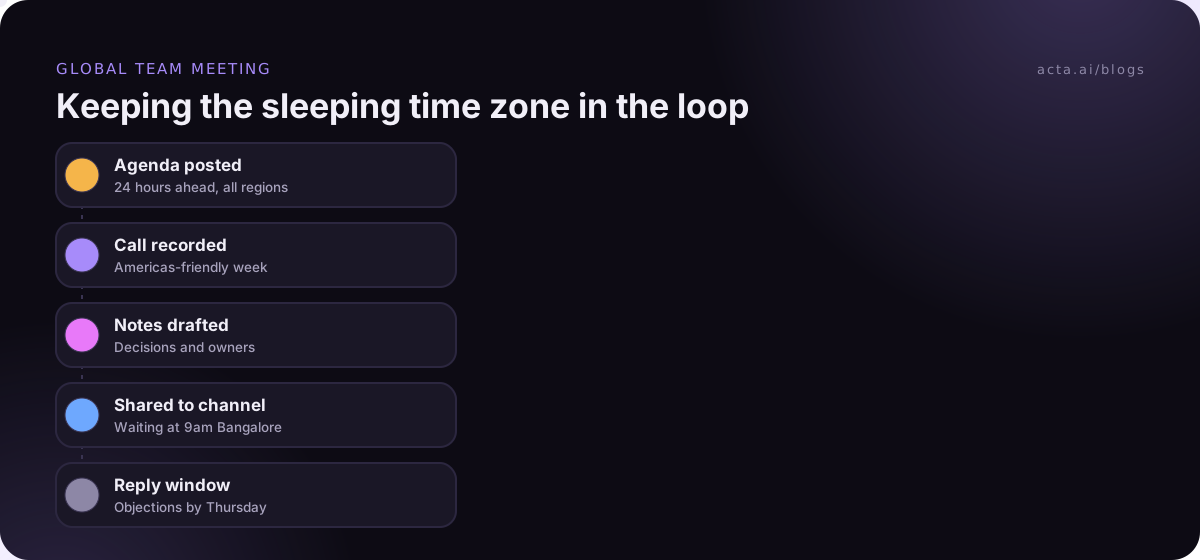
- Collect input before the call. Post the agenda 24 hours ahead and ask the absent region for written comments. Read them out in the meeting so they're part of the discussion.
- Record and summarize. A recording on its own is a 45-minute video nobody watches. A summary with decisions and action items is something people read with their morning coffee. If bots aren't welcome on a call, a desktop recorder can capture it from your own computer. Tell everyone you're recording; our guide on recording consent and what to tell participants covers this.
- Leave decisions open for a reply window. For anything that affects the absent group, write "decided, unless Bangalore objects by 10am their Thursday." It's a small courtesy that stops people feeling overruled while asleep.
- Post outcomes where they work. The team channel or tracker, with owners and dates. See our post on Slack meeting recaps for one way to automate it.
Common mistakes when scheduling meetings across time zones
- Defaulting to HQ hours. If the comfortable slot always matches head office, everyone else notices.
- Booking Friday afternoon in the Americas. That's Saturday morning in much of Asia-Pacific.
- Long meetings at bad hours. If a call is at 9pm for someone, keep it to 30 minutes and put the heavy reading in a pre-read.
- Forgetting public holidays. A meeting on a holiday in one country quietly excludes that whole office. Add their holiday calendars.
- Expecting instant replies. Agree response windows that respect the other side's working day, such as "within one working day in your time zone."
Where Acta fits
Acta records meetings on Zoom, Google Meet and Microsoft Teams, with a bot or bot-free, and writes a summary with decisions and action items with owners. For a global team, that means the people asleep during the call wake up to notes they can act on, and OneChat lets them ask what was said and see the source. It doesn't fix a meeting time that's unfair; you still have to rotate. The features page has the details.
Frequently asked questions
What's the best time for a meeting across US, Europe and Asia time zones?
There often isn't a good one. A common compromise is early morning in the US, afternoon in Europe and evening in Asia, but it's better to rotate the slot or split into two regional meetings than to always ask the same group to stay late.
Should I schedule meetings in UTC?
Use UTC for planning, because it doesn't change with daylight saving. In invites, write the local time for each main location so nobody has to convert.
How do I stop people booking meetings outside my working hours?
Set working hours in Google Calendar or Outlook so your availability is visible to anyone booking. When an invite still lands at 6am, decline it with a suggested time instead of quietly accepting.
How often should a global team meet live?
Less often than a co-located team, and with a clear reason each time. Weekly regional syncs plus a monthly all-hands in a rotating slot is a reasonable starting point for many teams.
How do we handle daylight saving time changes?
Anchor recurring meetings to the most constrained person's time zone, warn the team the week before each change, and check any meeting near the edge of someone's working day.
If your team spans time zones and you want notes waiting for whoever missed the call, try Acta with a 15-day free trial.