Quick answer: Remote team alignment comes from a few written artifacts everyone can find, not from more calls: a short goals page, a decision log with the reasons behind each decision, a weekly written update, and one live sync for the things that need discussion. If anyone on the team can answer "what are we doing, what did we decide, who owns what" without asking, you're aligned.
When a remote team drifts, the first instinct is to add a meeting. A daily sync, then a weekly all-hands, then a "quick alignment call" before the alignment call. Calendars fill up and people still build slightly different things, because what they heard in the call was never written anywhere they could check later.
Some teams spread across four time zones stay tightly in step, and some teams sharing one office can't agree on what they agreed. The difference is rarely the number of meetings. It's whether the important stuff lives somewhere other than people's memories.
What does remote team alignment actually mean?
Alignment gets used loosely, so here's a working definition: a team is aligned when any member can answer three questions the same way their teammates would.
- What are we trying to do this quarter, and why?
- What have we already decided, and what's still open?
- Who owns each piece, and by when?
Try it. Ask three people on your team those questions separately in a DM. If the answers match, you're fine, whatever your meeting count. If they don't, more calls won't fix it, because the gap is in what's written down, not in how often you talk.
In an office, a lot of alignment happens by accident: you overhear a conversation, see a whiteboard, catch someone at lunch. Remote teams lose that, which is why remote team alignment has to be designed rather than left to chance.
Why do remote teams drift out of alignment?
Decisions live in calls nobody wrote up
The most common cause by far. Five people agree something on a Tuesday call. Two of them remember it differently by Friday. The person who wasn't there finds out three weeks later when their work collides with it.
Context sits in DMs
Someone asks the product lead a question privately, gets a useful answer, and acts on it. Nobody else sees the answer. Multiply that by a team of twelve and you get twelve slightly different versions of the plan.
Goals were announced once
The quarterly goals were in a slide deck from week one. By week seven nobody has looked at it, and priorities have shifted in conversation without the deck changing.
New joiners rebuild everything by asking around
If the only way to understand why things are the way they are is to ask someone who was there, every new hire costs the team a dozen interruptions, and the answers they get vary.
The four written pieces that keep remote teams aligned
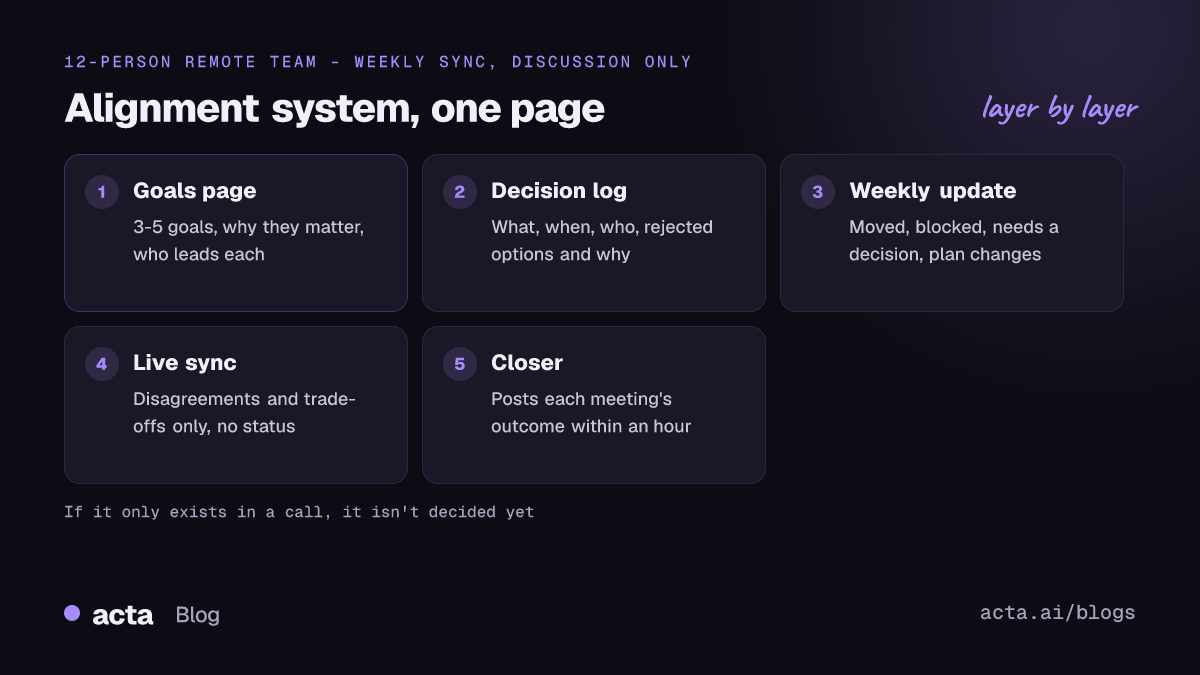
You don't need a big documentation program. Four small things, kept current, cover most of it.
1. A one-page goals doc
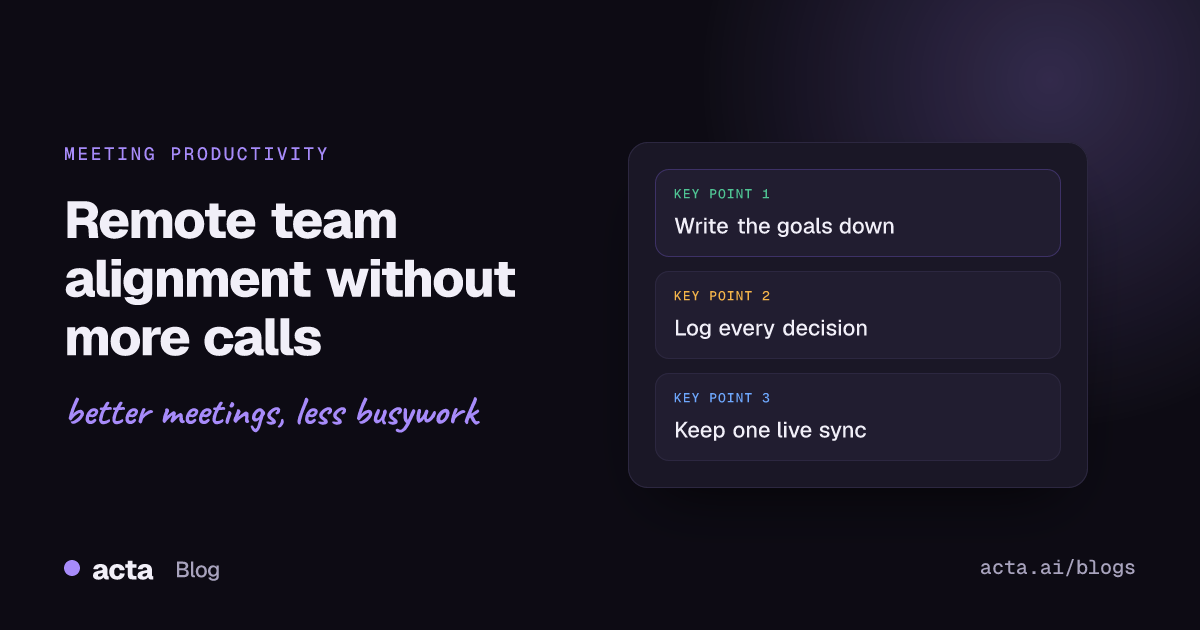
Three to five goals for the quarter, each with one sentence on why it matters and who leads it. Put it somewhere everyone opens weekly and link it from the weekly update. When priorities change, change the page and say so. A goals page that's out of date is worse than none, because people trust it.
2. A decision log
Every meaningful decision gets one entry: what was decided, the date, who decided, the options you rejected and why. That last part matters more than it sounds. HashiCorp's write-up of its writing practices and culture makes the point that meetings are good for brainstorming, but a written record is what lets people see how a decision was reached once the team has grown and changed. If you want a ready structure, our post on a decision log and RACI from meetings has one.
3. A weekly written update
One post per team per week, same format every time: what moved, what's blocked, what needs a decision, what changed in the plan. Our async meetings guide has more formats like this. Keep it short enough to read in two minutes. The useful habit is that it links back to the goals doc and to any new decision log entries, so the update is a map, not a wall of text.
4. One live sync that's only for discussion
Keep a single recurring call, weekly or fortnightly, and protect it for the things writing handles badly: disagreements, trade-offs, sensitive news, anything where tone matters. Status updates stay out. If the agenda is empty because the writing did its job, cancel it and enjoy the time.
How do you keep decisions from getting lost after a call?
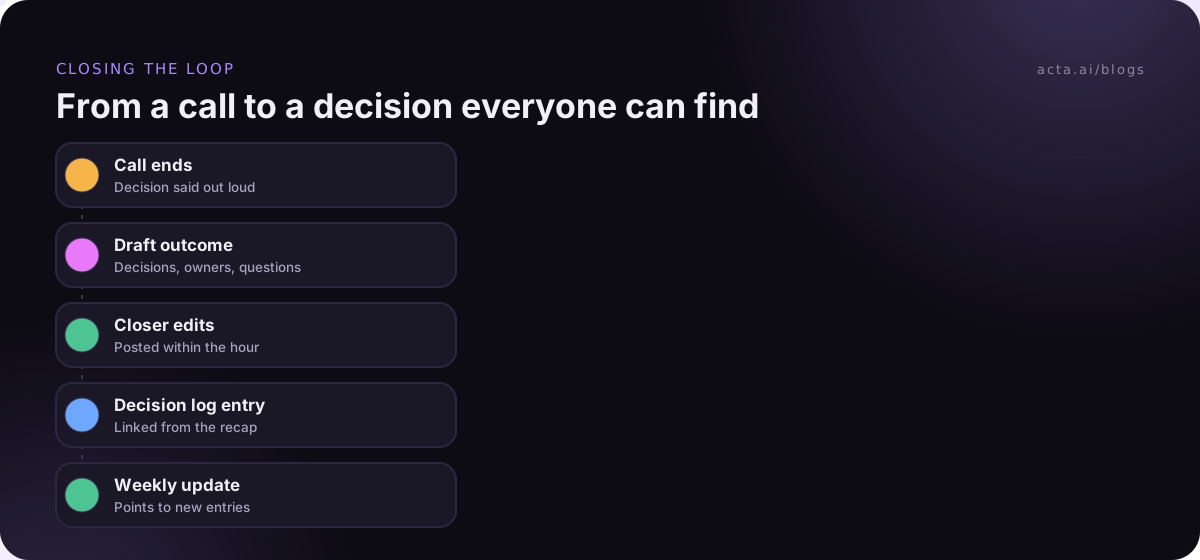
This is where most remote teams leak. A good call happens, a real decision gets made, and then nothing records it. A few habits close the gap:
- Name a closer for every meeting. One person is responsible for posting the outcome within an hour: decisions, owners, open questions. Not the full minutes, just the outcome.
- Say decisions out loud before the call ends. "So we're going with option B, Marco owns the migration, done by the 20th. Anyone disagree?" If it can't be said in one sentence, it wasn't decided.
- Post outcomes where the work happens. The team channel or the project tracker, not an email thread that half the team archives. Our guide to Slack meeting recaps shows one way to do this without typing it each time.
- Link the log entry. The recap points to the decision log; the decision log points to the recap. Both are findable later.
Recording helps here because nobody has to rely on memory or frantic typing. If the call is on Google Meet, a browser extension can record it from your own tab without a bot joining, and an AI summary gives the closer a draft to edit instead of a blank page. Let people know you're recording; our post on recording consent and what to tell participants covers that.
Async first, but not async only
GitLab is the company most people point to here. Its handbook section on asynchronous communication treats async as the default, partly because it removes time-zone barriers for a team spread across many countries. When you do need a live call, our guide to scheduling meetings across time zones helps share the awkward hours fairly. It also keeps a "handbook first" habit: a change gets written into the handbook, and announcements link back to it, so there's one place to look. McKinsey's interview on how GitLab has run all-remote from day one is a good read on why that discipline matters at scale.
You don't need to copy GitLab to borrow the useful bit. The lesson is that the written version is the real one, and the call is where you talk about it. If a decision exists only in a call, it isn't really made yet.
That said, I'd push back on teams that try to go fully async. Some conversations are faster and kinder live: giving hard feedback, resolving a disagreement that's gone three rounds in comments, welcoming someone new. Async-only teams tend to replace meetings with long, tense threads, which is not an improvement.
How to tell if your remote team is drifting
Drift rarely announces itself. These are the early signs I watch for:
- Two people build overlapping things without knowing.
- Someone says "wait, I thought we decided..." more than once a fortnight.
- The weekly update keeps listing the same blocker with no owner.
- People ask in DMs questions the goals doc should answer.
- Meetings get longer because the first ten minutes go to re-explaining context.
When you see two or more of these, don't schedule an alignment workshop. Check the four pieces: is the goals doc current, does the decision log have last week's decisions in it, did the weekly update go out, and is the live sync being used for discussion or for status?
A 30-day plan to fix remote team alignment
- Week 1: Run the three-question test with everyone, privately. Write the goals page based on where the answers differ.
- Week 2: Start the decision log. Backfill the five biggest decisions from the last quarter, with the reasons, so people trust it from day one.
- Week 3: Replace the status part of your recurring calls with a weekly written update. Keep the call, but only for open questions.
- Week 4: Re-run the three-question test. Compare. Fix whichever piece people didn't use.
It's not glamorous work. It does mean the next person who joins can get up to speed by reading for an afternoon instead of booking eight intro calls.
Where Acta fits
Acta records your Zoom, Google Meet and Microsoft Teams calls, with a bot or without one, and writes the summary, decisions and action items with owners. OneChat answers questions across past meetings with links back to the source, which helps when someone asks "when did we decide that?" It's support for the written habits above, not a replacement for keeping a goals page and a decision log yourself. You can see the details on the features page.
Frequently asked questions
How do remote teams stay aligned without daily meetings?
With a short goals page, a decision log, a weekly written update and one live call reserved for discussion. Daily meetings mostly repeat status that's faster to read than to hear.
What should go in a decision log?
What was decided, the date, who made the call, the options considered and why they were rejected, and a link to the meeting or thread where it happened. One line per field is enough.
Is async communication better than meetings for remote teams?
For updates and reviews, usually yes. For disagreements, sensitive topics and building trust, live conversation still works better. Most well-aligned remote teams default to writing and meet for the rest.
How often should a remote team have a live sync?
Weekly or every two weeks is enough for most teams, provided status updates are handled in writing. If the agenda is empty, cancel that week's call.
Who should own remote team alignment?
The team lead owns the goals page and makes sure the weekly update goes out, but every meeting needs its own closer who posts the outcome. Alignment fails when it's everyone's job and no one's task.
If you'd like your calls to turn into notes, decisions and owners without anyone typing them up, try Acta free for 15 days on the pricing page.