A recording retention policy is a short written rule that says how long each kind of meeting recording, transcript and AI summary is kept, who can see it, and when it's deleted. The workable version sorts meetings into four or five types, keeps raw audio for weeks or months rather than years, keeps the approved notes longer, and has a legal hold clause that pauses deletion when a dispute or investigation starts.
Privacy & Security 11 min read
Recording Retention Policy: 8 Template Clauses and Examples
Eight copy-ready clauses for a meeting recording retention policy, a sample schedule by meeting type, legal hold wording, and the platform settings that enforce it.
By Sarma BKP, Founder & CEO, Acta · Updated
Below are eight clauses you can copy into your own policy, with when to use each, plus a summary schedule and the platform settings that enforce it. This is general information, not legal advice. Your retention periods depend on your sector, your country and your contracts, so have legal or compliance sign off on the numbers before you publish them.
Key takeaways
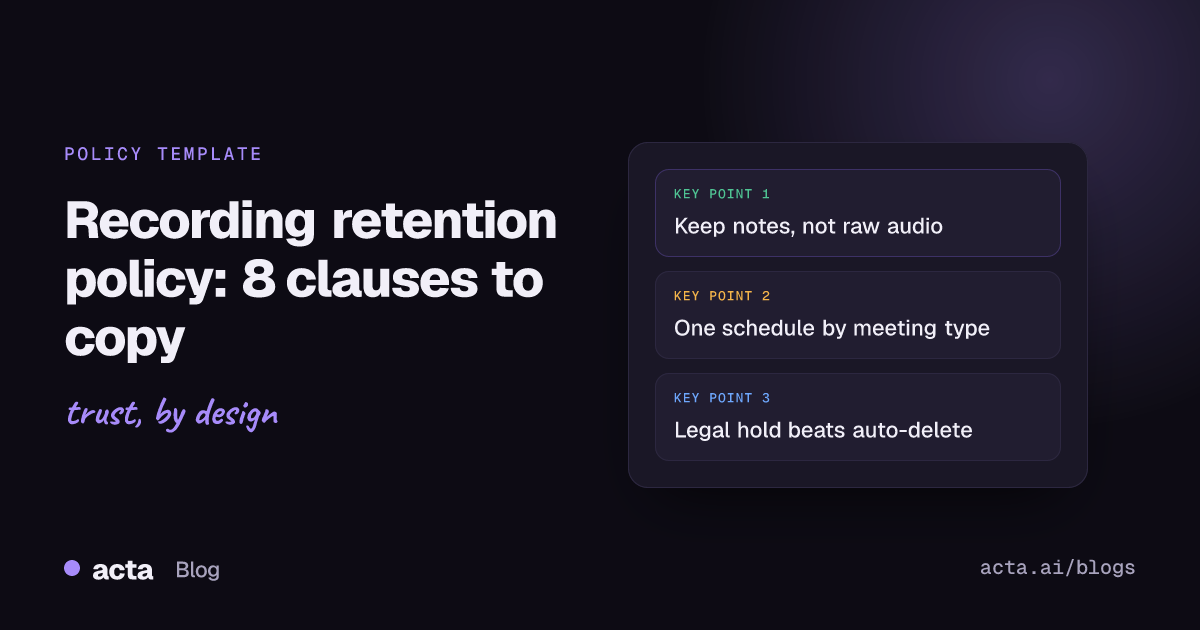
- Split the recording from the record: raw audio and video usually need the shortest life, while approved minutes, decisions and action items can be kept longer.
- Use one schedule with four or five meeting types (internal, customer, HR and sensitive, board, regulated) instead of one number for everything.
- Treat transcripts and AI summaries as part of the recording for retention, access and deletion, not as loose files.
- Always include a legal hold clause that overrides automatic deletion, with a named owner who can apply and lift it.
- Enforce it in the tools: Microsoft Teams, for example, sets a default expiry of 120 days on new meeting recordings, which admins can change, as of November 2026.
Table of contents
- A recording retention policy sets how long each recording lives
- Keep the record longer than the recording
- Four core clauses every policy needs
- Four clauses cover sensitive and regulated meetings
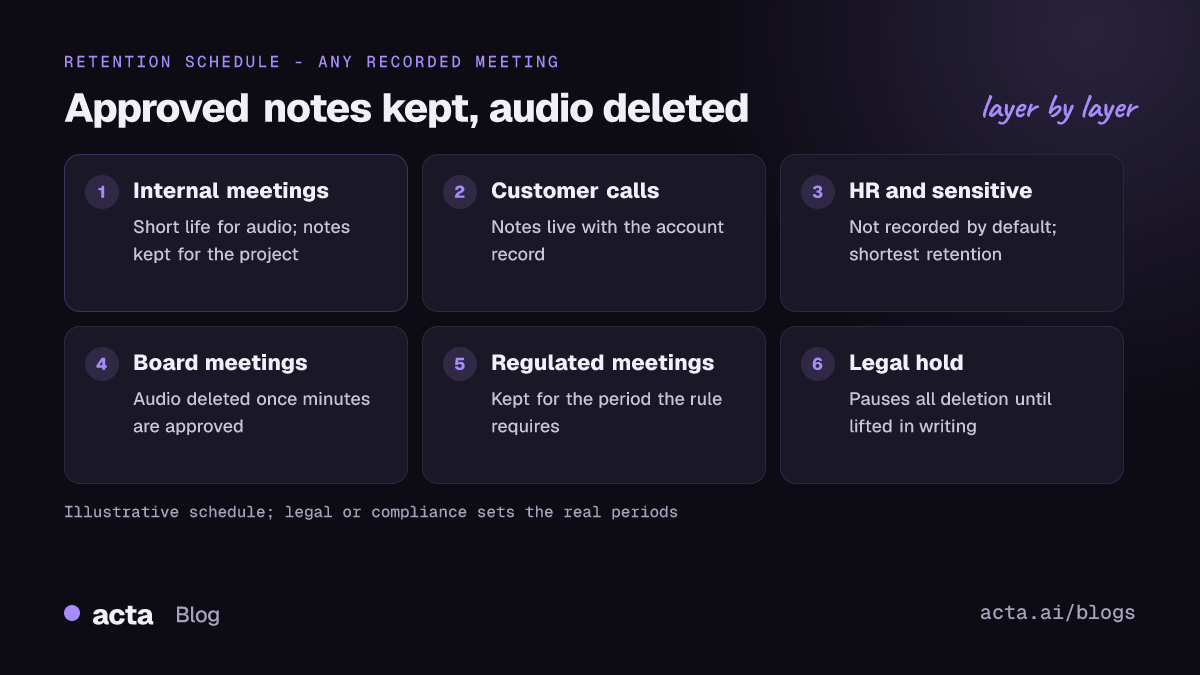
- One schedule maps meeting types to retention periods
- Platform settings turn the policy into practice
- Five mistakes make a policy unenforceable
- Where Acta fits
- Frequently asked questions
- Roll out your recording retention policy
A recording retention policy sets how long each recording lives
Most companies already have a document retention schedule for contracts, invoices and HR files. Meeting recordings tend to fall outside it, because they arrived quietly: someone pressed record in Zoom, a notetaker started joining calls, and three years later there are thousands of hours of audio nobody has listed, let alone reviewed.
A meeting recording retention policy fixes that by answering five questions for each type of meeting: do we record it at all, where is it stored, who can access it, how long do we keep it, and what happens at the end. It covers the audio or video file, the transcript, any AI summary, and copies pushed into other tools such as a CRM or shared drive.
In the UK and EU, data protection law adds a reason to do this properly. The UK GDPR's storage limitation principle says personal data shouldn't be kept longer than you need it for your purpose, and the ICO's guidance on storage limitation says a clear retention policy makes it easier to deal with questions about retention and requests for erasure. Recordings of people talking are personal data, so the principle applies to them.
For the bigger picture on what is worth keeping from years of calls, read meeting recording retention: what to keep. This post is the template side of that question.
Keep the record longer than the recording
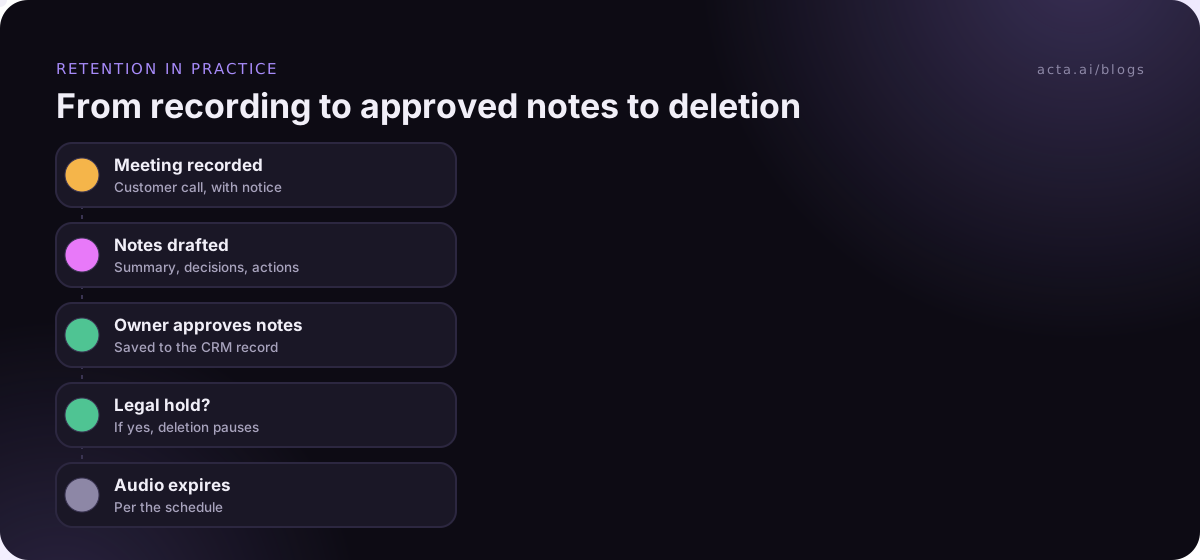
The single most useful idea in a retention policy is the difference between a recording and a record. The recording is the raw audio or video. The record is what the meeting produced: minutes, decisions, action items, a signed-off summary. You almost always need the record longer than the recording.
A board's approved minutes may need to be kept for a long time; the audio the secretary used to write them usually doesn't. A sales call's CRM notes matter for the life of the account; the 45-minute recording of it rarely gets replayed after the deal closes. Writing this split into the policy lets you delete most audio early without losing anything people actually use.
It also cuts risk. A recording captures everything, including the off-hand comment, the speculation about a colleague and the half-formed idea nobody meant to commit to. The approved summary captures what the group agreed. If you ever have to produce documents in a dispute, a tidy set of approved notes is easier to defend than a pile of unreviewed audio.
Four core clauses every policy needs
Copy and adapt these. The periods in square brackets are placeholders to show the shape, not recommended values; your legal or compliance team sets the real numbers.
1. Scope and purpose
When to use it: at the top of every policy, so people know which files are covered.
This policy covers audio and video recordings of meetings and calls held for [Company] business, together with transcripts, AI-generated summaries and any copies of them, wherever they are stored. We record meetings only for a stated purpose: producing accurate notes, sharing content with people who couldn't attend, training, or meeting a legal or regulatory requirement. We keep recordings no longer than that purpose needs.
2. Default retention period
When to use it: as the catch-all for any meeting not listed elsewhere.
Unless a longer period is set out in the retention schedule, meeting recordings and transcripts are deleted [90] days after the meeting. Approved notes, decisions and action items may be kept for [the life of the project plus 1 year] in [the team's shared workspace]. Deletion runs automatically where the platform allows it.
3. Transcripts and AI summaries
When to use it: whenever you use an AI notetaker, so derived text doesn't outlive the policy.
Transcripts and AI-generated summaries are treated as part of the recording they come from. They follow the same access rules and retention period, unless a person reviews and approves a summary as the official notes of the meeting, in which case the approved notes follow the retention period for meeting records.
4. Access and sharing
When to use it: always; retention without access control just means a long-lived leak.
Access to a recording is limited to the meeting's invitees and [their managers / the record owner]. Recordings may not be downloaded to personal devices or shared outside [Company] without approval from [the record owner]. Shared links must be restricted to named people, not "anyone with the link".
Four clauses cover sensitive and regulated meetings
5. HR and sensitive conversations
When to use it: for disciplinary, grievance, performance and health conversations.
HR and sensitive conversations are not recorded by default. Where recording is agreed with everyone present, the recording is stored in [the HR system] with access limited to [HR case owner], and is deleted once written notes are agreed with the participants, or after [30] days, whichever is sooner, unless a legal hold applies.
The guide to recording sensitive HR, legal and board calls covers when not to record at all.
6. Board and committee meetings
When to use it: for boards, committees and any meeting with formal minutes.
Recordings of board and committee meetings are used only to prepare the minutes. They are deleted once the minutes are approved at the next meeting. The approved minutes are kept in [the board portal] for the period required by [Company]'s records schedule.
7. Regulated communications
When to use it: in financial services, healthcare or any sector with recordkeeping rules.
Where a law or regulator requires [Company] to keep records of client communications, recordings, transcripts and notes of those meetings are kept in [the approved archive] for the period that rule requires, and this policy's shorter defaults do not apply. [Compliance] maintains the list of meeting types covered.
For US broker-dealers, FINRA meeting recording and recordkeeping rules explains how those requirements reach meeting notes.
8. Legal hold
When to use it: in every policy, without exception.
When [Legal] issues a legal hold, all recordings, transcripts and notes covered by the hold are preserved, and automatic deletion is suspended for them, until [Legal] lifts the hold in writing. Anyone who knows of a likely claim, investigation or audit involving a meeting must tell [Legal] promptly and must not delete related recordings.
One schedule maps meeting types to retention periods
Put the clauses together in a one-page data retention schedule people can actually read. Here's an illustrative example for a mid-sized company; the periods are placeholders to show the pattern, not advice.
| Meeting type | Record by default? | Raw recording kept | Notes kept |
|---|---|---|---|
| Internal team meetings | Optional | [90 days] | [Project life + 1 year] |
| Customer and sales calls | Yes, with notice | [180 days] | [Life of account] |
| HR and sensitive | No | [Until notes agreed, max 30 days] | [HR file period] |
| Board and committees | For minutes only | [Until minutes approved] | [Records schedule] |
| Regulated client meetings | Per compliance | [Regulatory period] | [Regulatory period] |
Keep the categories few. Every extra row is a decision someone has to make before pressing record, and people stop making it after the third or fourth option.
Platform settings turn the policy into practice
A policy nobody enforces is a description of good intentions. The fix is to make the default setting in each tool match the default clause, so deletion happens without anyone remembering to do it.
- Microsoft Teams: new meeting recordings and transcripts in OneDrive and SharePoint expire after a default period, 120 days as of November 2026, which admins can change in meeting policies, according to Microsoft's page on the recording expiration policy. Microsoft also notes that retention policies in Purview take precedence over that setting.
- Zoom cloud recordings: look in the account's cloud recording settings for an automatic deletion option and set it to your default period. Confirm what's available on Zoom's own help pages for your plan; options change.
- Your AI notetaker: ask the vendor what retention controls exist for audio, transcripts and summaries, and whether deleting a meeting removes every copy, including in integrations.
- Shared drives and CRMs: recordings and transcripts copied into Google Drive, SharePoint or a CRM need their own rule, or they'll outlive the original.
If you need to delete meeting recordings that pre-date the policy, do it in one documented clean-up: list what exists, apply the schedule, check for legal holds, delete, and record what was removed and when.
Five mistakes make a policy unenforceable
- One number for everything. "Keep all recordings for seven years" is easy to write and keeps far too much. "Delete everything after 30 days" breaks regulated teams. Use the schedule.
- Forgetting derived data. The recording is deleted but the transcript lives on in a notetaker, a CRM note and a Slack thread. Clause 3 exists for this.
- No owner. If nobody owns the schedule, nobody updates it when a new tool arrives. Name a role, not a person.
- No legal hold process. Automatic deletion during a dispute is a serious problem. Write clause 8 and test that someone can actually pause deletion.
- Policy without notice. Retention doesn't replace telling people they're being recorded. See is it legal to record meetings with AI for the general consent rules, and put your notice wording in your AI notetaker policy.
Where Acta fits
Acta writes the record side for you: a transcript with speaker names, a summary, decisions and action items with owners, so the approved notes can outlive the raw audio. OneChat answers questions across those notes with links to the source meetings. If you record without a bot, the Chrome extension or desktop app captures the call from your own computer, and Acta does not use customer data to train AI models.
Frequently asked questions
How long should meeting recordings be kept?
There's no single legal answer for all meetings. Keep raw recordings only as long as their purpose needs, often weeks or months for internal meetings, and keep approved notes longer. Regulated sectors may have specific periods for client communications, and those override your defaults. Have legal or compliance set the final numbers.
Do transcripts need the same retention as recordings?
Treat them the same by default. A transcript contains nearly everything the recording does, so keeping it after deleting the audio doesn't reduce much risk. The exception is a reviewed summary approved as the official notes, which can follow your retention rule for meeting records instead.
What is a legal hold?
A legal hold is an instruction to preserve specific information, including recordings and transcripts, because of a likely or actual dispute, investigation or audit. It suspends normal deletion for those items until it's lifted in writing. Every recording retention policy should say who can issue a hold and how deletion is paused.
Is a recording retention policy required under GDPR?
GDPR's storage limitation principle requires that personal data isn't kept longer than needed, and you have to be able to show how you meet that. The ICO says a clear retention policy helps with this. A written policy is the practical way to show it, though how you document it is up to you.
Who should own the retention schedule?
Usually a records, compliance or legal role owns the schedule, with IT owning the platform settings that enforce it. Each meeting type also needs a business owner who confirms the periods still make sense. Review the schedule at least once a year and whenever you adopt a new recording or notetaker tool.
Roll out your recording retention policy
A short policy that's enforced beats a long one that isn't. Use this checklist to go from draft to working rule.
- List what exists: every tool that records, transcribes or stores meeting content, including notetakers and shared drives.
- Pick the categories: four or five meeting types, each with a record-by-default decision.
- Set the numbers: raw recording and notes periods per type, signed off by legal or compliance.
- Configure the tools: match each platform's default expiry to the policy and test that deletion runs.
- Write the hold process: who issues a legal hold, how deletion pauses, and how it's lifted.
When you want the notes to be the lasting record, try Acta's desktop app or extension during the 15-day free trial and see how the summaries hold up against your policy.
Found this useful? Share it with your team.