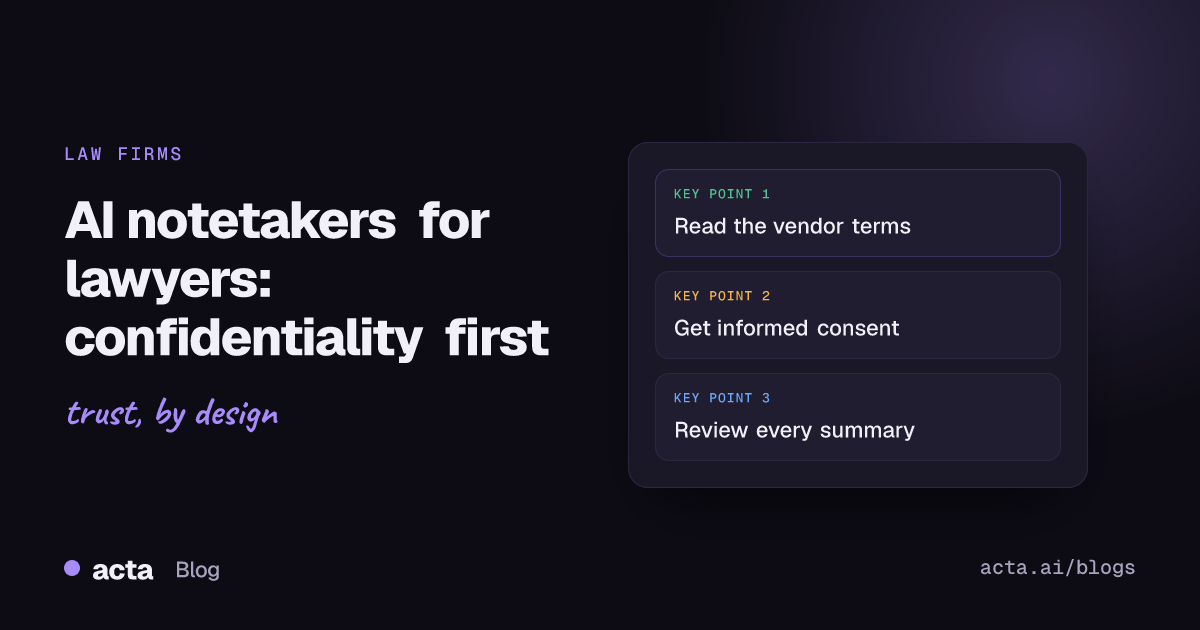
Quick answer: An AI notetaker for lawyers is usable, but confidentiality has to come first. Before it touches a client call, check who can access the recording and transcript, whether the vendor trains on your data, and how long files are kept. Tell the client and get informed consent, keep it off calls with opposing counsel or witnesses unless there's a reason, and review every summary yourself.
Most professionals ask one question about meeting AI: does it save time? Lawyers have to ask a different one first. If this tool hears what my client tells me, who else can now get to it? That's the whole post, really. The time savings are real, but they come second, and the bar opinions published since 2024 say roughly the same thing in more formal language.
I'll go through what the ethics guidance says, where the privilege risk actually sits, what to ask a vendor, and a setup that a small firm can live with. This is general information, not legal advice, and your own state bar's opinions are the ones that count for you.
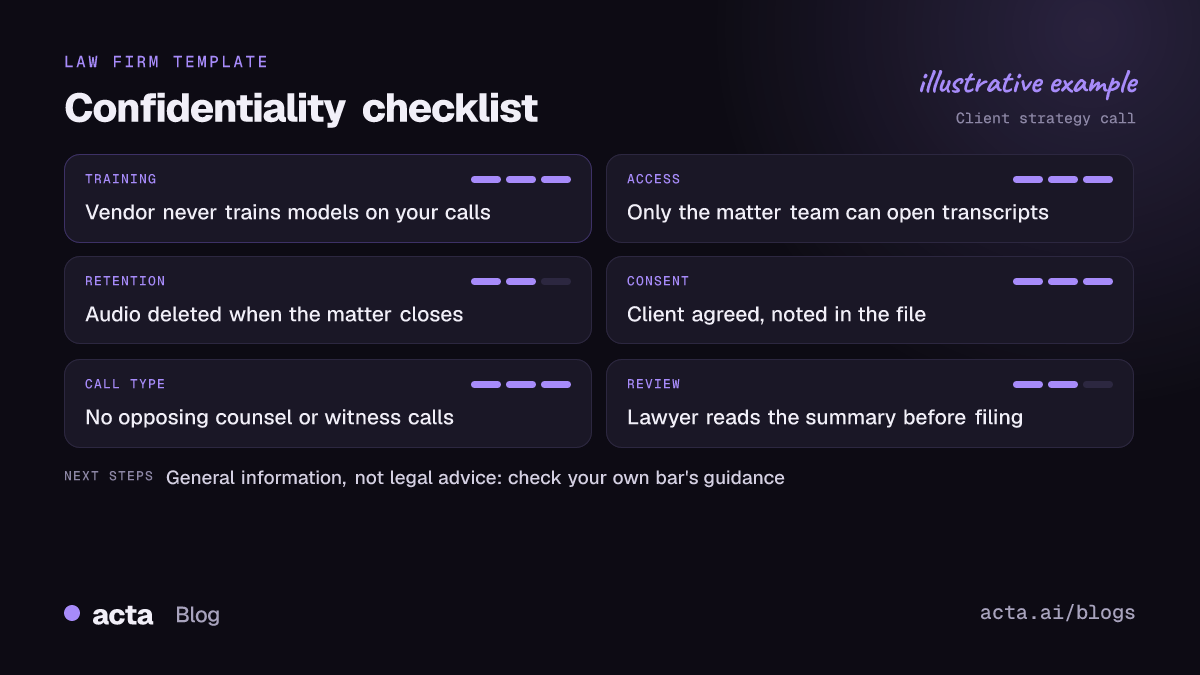
Why is an AI notetaker for lawyers a confidentiality question first?
Because the duty of confidentiality is broader than privilege, and it applies before anything goes wrong. Under ABA Model Rule 1.6(c), a lawyer has to make reasonable efforts to prevent inadvertent or unauthorized disclosure of information relating to the representation. A meeting tool is, by design, a copy machine for that information. It produces an audio file, a full transcript, a summary and often a list of action items, and all of it sits on somebody's servers.
A paralegal's handwritten notes stay in the file. An AI transcript of a 40-minute strategy call with a client can end up in a shared workspace, synced to a document drive, forwarded in a follow-up email, and kept long after the matter closes. None of that is a reason to ban the tools. It's a reason to decide, deliberately, where each copy goes.
The ABA's own GPSolo eReport ran a piece on exactly this, on confidentiality risks in meeting transcription and note-taking software, and its message is the one I'd give a new associate: read the terms before you click install.
What does ABA Formal Opinion 512 say about AI tools?
ABA Formal Opinion 512, issued in July 2024, was the ABA's first formal ethics opinion on generative AI. It isn't binding law, but it's the reference point most state guidance now builds on. A few parts matter directly for notetakers:
- Informed consent before client information goes into certain tools. Where a self-learning tool could expose client information, the opinion says you need the client's informed consent before you put information relating to the representation into it.
- Boilerplate doesn't count. A clause buried in the engagement letter isn't informed consent. The opinion describes it as a real conversation about why you're using the tool, the specific risks and the benefits.
- Competence and review. You're responsible for the output. A summary that misstates what the client said is your problem, not the vendor's.
- Fees. If the tool changes what you bill, that has to be handled openly with the client.
The ABA Litigation Section has a readable walk-through of the confidentiality piece in its generative AI and confidentiality newsletter if you want more than my summary.
State bars are saying similar things
Florida got there early. Florida Bar Ethics Opinion 24-1, adopted in January 2024, allows generative AI but only to the extent the lawyer can still meet their ethical obligations, and it ties the confidentiality analysis to Florida's version of Rule 1.6. In December 2025 the New York City Bar issued Formal Opinion 2025-6, which deals specifically with using AI to record, transcribe and summarize conversations with clients; summaries of it stress getting the client's consent before recording and checking the AI output for accuracy. As of November 2026 more bars are publishing on this, so look up your own before you roll anything out.
Can an AI notetaker put attorney-client privilege at risk?
Honest answer: nobody can promise you it can't. Privilege generally depends on a communication staying confidential between lawyer and client, and the classic way to lose it is to bring a third party into the room. Whether a software vendor that stores the transcript counts as that third party hasn't been squarely settled by the courts, and the early cases on AI-generated material don't all point the same way.
What commentators agree on is where the risk concentrates:
- Vendor access. If the vendor's staff can read transcripts, or the terms let it share data with others, the "confidential" part gets harder to argue.
- Training use. A tool that uses your recordings to train its models is the worst case. Our piece on meeting data privacy inside AI tools explains where else your data goes. Your client's words become, in some diluted form, part of a product other people use.
- Consumer accounts. A free personal account an associate signed up for on their own is the setup most likely to have terms nobody at the firm has read.
- Calls with outsiders. A recording of a call with opposing counsel, a witness or a counterparty was never privileged in the first place, and now it's a discoverable file.
The ABA Journal reported that some lawyers simply advise keeping humans as the notetakers for sensitive meetings. That's a defensible position for board-level or litigation strategy calls. We cover the board and HR side in recording sensitive HR, legal and board calls. I don't think it has to be the rule for every call, but it should be the default for the riskiest ones.
What should you ask a notetaker vendor before using it with clients?
Put these to the vendor in writing and keep the answers in your file. If a vendor won't answer clearly, that's your answer.
- Do you use customer recordings or transcripts to train AI models? You want a plain no, in the contract or terms, not only in a marketing FAQ.
- Who on your side can access our data, and when? Support access should be limited and logged.
- Which subprocessors handle audio and text? Transcription and language models are often third-party services. Ask for the list.
- Can we set retention and delete on demand? You should be able to delete a recording when the matter closes, or sooner.
- Can the firm administer accounts centrally? You want to see who is using the tool, not discover it during an audit.
- How does sharing work? Check whether a transcript link can be opened by anyone with the URL or only by named users.
- What happens to our data if we cancel? Get the timeline for deletion.
Our post on why we don't use customer data to train AI models explains why the training question matters so much, and if your firm can't put client audio in any outside cloud, an on-premises meeting assistant is the other route.
How do you get informed client consent for an AI notetaker?
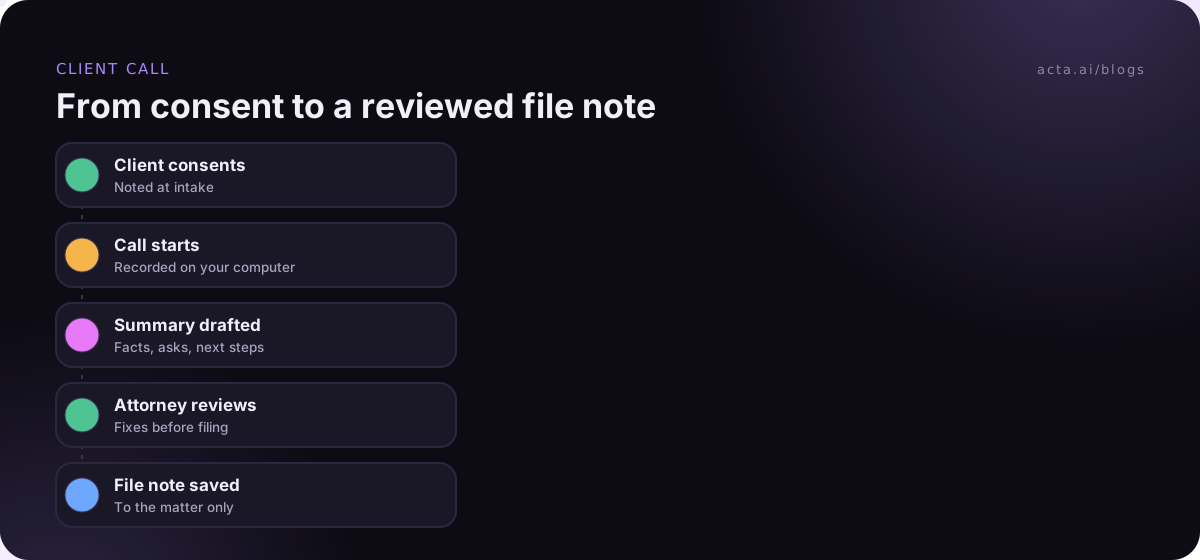
Treat it as a short conversation at intake, then confirm it in writing. Something like this works for most practices:
"We sometimes use an AI tool that records and transcribes our calls so we can focus on you rather than on note-taking. The recording and transcript are stored by the tool's provider under a contract that doesn't let them train on it, only our team can access them, and we delete them when your matter closes. You can say no, for any call or for all of them, and it won't change anything about how we work for you. Is that okay?"
Then do three things. Note the answer in the client file. Send a short email confirming what was agreed. And ask again at the start of any call where the topic shifts into something more sensitive, like a criminal exposure question or a settlement number. Consent to record a scheduling call is not consent to record everything.
Separate from ethics, recording law applies too. Some places require everyone's consent to record, and the rules for a call with participants in several states get messy. Our guide on whether it's legal to record meetings with AI covers the consent basics.
Which calls should you never put through a notetaker?
My working list, which you should adjust for your practice:
- Calls with opposing counsel or the other side. No privilege to protect, and you've just made a perfect record of every concession your side floated.
- Witness interviews, unless you've thought hard about work product and why you want a verbatim record.
- Calls where the client hasn't agreed, including the first call with a prospective client before you've had the consent conversation.
- Anything involving a third party you didn't expect. If the client's spouse or business partner joins, stop and think about privilege before you keep recording.
- Calls where someone else's bot shows up. If the other side brings its own notetaker into your meeting, you don't control that copy. Ask for it to be removed or reschedule.
That last one comes up more than people expect. It's a big part of why some companies block meeting bots entirely.
Bot, desktop app or browser extension: which setup suits a law firm?
A meeting bot joins as a visible participant. That's honest, which is good, but it can also surprise a client who hasn't been told, and some clients' IT departments block bots outright. A recorder running on your own computer captures the call without adding a participant, which keeps the room the way the client expects. If you go that way, a desktop recorder handles Zoom and Teams desktop calls, and a Chrome extension covers Google Meet, Teams in the browser and the Zoom web client.
Bot-free doesn't mean secret, though. Whatever you use, the client should already know. Our comparison of meeting bots, desktop apps and Chrome extensions goes through the trade-offs in more detail.
A firm policy that fits on one page
A long AI policy that nobody reads is worse than a short one people actually follow. If you're rolling out an AI notetaker for lawyers at a small firm, this is what I'd put in the policy:
- Approved tools only. One tool, firm accounts, no personal sign-ups.
- Consent first. No recording of a client call without documented informed consent, and the client can withdraw it anytime.
- No-record list. Opposing counsel, witnesses, prospective clients before consent, and anything the responsible partner flags.
- Attorney review. Every AI summary is read by the lawyer on the call before it goes in the file or to the client.
- Retention. Recordings deleted at matter close, or earlier if the file note is enough. Transcripts follow the firm's normal file retention.
- Sharing. Summaries go to the client by email from the lawyer, never as a public link.
The attorney review step is the one people skip. AI summaries are good at the gist and occasionally wrong about the one detail that matters, like who agreed to what, or whether the client said "we didn't sign" or "we did sign." Read it while the call is still fresh.
Where Acta fits
Acta records Zoom, Google Meet and Teams either with a meeting bot or from your own computer, then writes the transcript with speaker names, a summary, decisions and action items. Acta doesn't use customer data to train AI models, and the desktop app has a Copy notice button so you can paste a recording notice into the meeting chat. It's still your job to get consent and review what it writes.
Frequently asked questions
Do lawyers need client consent to use an AI notetaker?
Under ABA Formal Opinion 512 and several state opinions, informed consent is expected before client information goes into AI tools that could expose it, and a boilerplate clause isn't enough. Recording laws may require consent separately. Check your own bar's guidance.
Does using an AI notetaker waive attorney-client privilege?
Not automatically, and courts haven't settled the question. The risk rises when the vendor can access or train on transcripts, or when third parties are on the call. Choosing a vendor that doesn't train on your data and limiting access reduces it.
Is a free AI notetaker okay for a law firm?
Usually not. Free consumer tools tend to have broad terms about data use, and the firm has no central control over accounts. Pick a tool the firm administers and whose terms you've read.
Should I send the AI summary to the client?
Only after you've read and corrected it. Send it from your own email as your note of the call, not as a raw AI output or a shared link.
How long should we keep call recordings?
As short as you can. Many firms keep the reviewed file note and delete the audio once the matter closes or sooner. Align it with your existing file retention policy.
If you want to try this on your own internal calls first, Acta has a 15-day free trial.