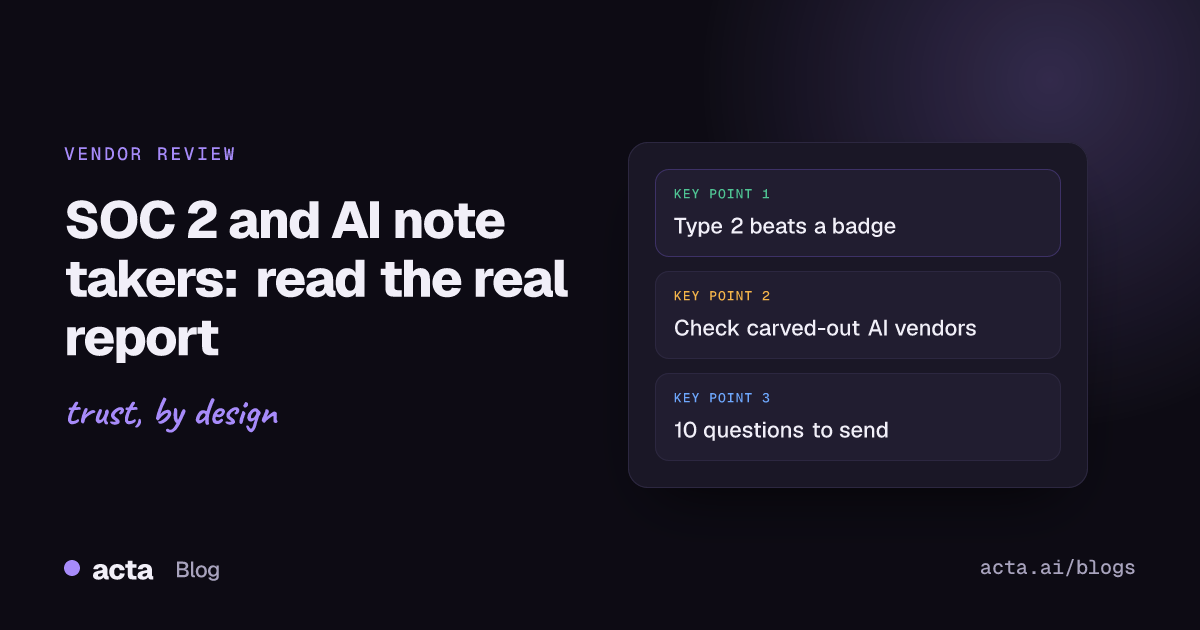
A SOC-2 AI note taker review means reading the vendor's actual SOC 2 report, not trusting a badge on its website. Ask for a current Type 2 report under NDA, check that the audited system includes the transcription and AI pipeline, see which subprocessors were carved out, list the controls you must run yourself, and read every exception. That takes about an hour and tells you far more than any trust page.
Privacy & Security 12 min read
SOC 2 AI Note Taker Checklist: What to Ask Before You Buy
How to review an AI note taker's audit report: Type 1 vs Type 2, scope, carved-out AI subprocessors, user controls, exceptions, plus 10 questions to send the vendor.
By Sarma BKP, Founder & CEO, Acta · Updated
This guide is for IT, security and procurement people who have to approve or reject an AI notetaker, and for team leads who've been asked "is it SOC 2?" and don't know what to send back. It's general information about how these reports work, not legal or audit advice, and it doesn't replace your own security team's process.
Key takeaways
- SOC 2 is an attestation report from an independent CPA firm, not a certification. There's no official "certified" status, so treat "certified" and "compliant" badges as marketing until you've seen the report.
- Prefer a Type 2 report, which tests whether controls worked over a period, over a Type 1, which only checks design on a single date.
- Check three scope items first: is the meeting recording, transcription and AI summary service in the system description, which subprocessors (cloud, speech-to-text, LLM provider) are carved out, and what period the report covers.
- Copy the complementary user entity controls into your own onboarding checklist; the vendor's controls assume you run them.
- Ask AI-specific questions the report may not answer: model training on your data, retention of audio and transcripts, and who can access recordings.
Table of contents
- A SOC 2 report is an auditor's opinion, not a certificate
- A Type 2 report tells you more than a Type 1
- AI note takers raise questions a generic report can miss
- Read the report in a fixed order
- Use this vendor checklist for any AI note taker
- A worked example shows what a review finds
- Five mistakes turn a review into a rubber stamp
- SOC 2 sits alongside privacy and sector reviews
- How this applies to Acta
- Frequently asked questions
- Decide on the vendor with evidence
A SOC 2 report is an auditor's opinion, not a certificate
SOC 2 is an examination in which an independent CPA firm reports on a service organization's controls against the AICPA's Trust Services Criteria. The AICPA describes it as part of its SOC suite of services, alongside SOC 1 (controls relevant to financial reporting) and SOC 3 (a short general-use version). The output is a report: management's description of the system, management's assertion, the auditor's opinion and, in a Type 2, the tests the auditor ran and what they found.
The trust services criteria are grouped into five categories: security, availability, processing integrity, confidentiality and privacy. Security is always in scope; the vendor chooses whether to add the others. For an AI notetaker that stores recordings of confidential meetings, a report that also covers confidentiality is more useful than one limited to security.
Because it's an opinion on a defined system for a defined period, there's no such thing as being "SOC 2 certified" in the way a product is certified. A vendor either has a recent report with a clean opinion for the system you're buying, or it doesn't. Everything else, such as "SOC 2 ready" or "aligned with SOC 2", is a description of intent.
A Type 2 report tells you more than a Type 1
A Type 1 report says the controls were suitably designed as of a single date. A Type 2 report adds whether those controls operated effectively over a period, with the auditor's tests and results listed. The AICPA publishes an illustrative service auditor's Type 2 report if you want to see the structure before your first real one arrives.
| Report | What it shows | Who gets it | Useful for |
|---|---|---|---|
| Type 1 | Control design on one date | Customers, under NDA | A young vendor's first step |
| Type 2 | Design plus operation over a period, with tests | Customers, under NDA | Approving a vendor for real data |
| SOC 3 | Summary opinion, no test detail | Anyone, often public | A quick signal, not a review |
A Type 1 from a startup isn't a red flag on its own; it's often the first step towards a Type 2. But it doesn't show that anyone followed the controls for months, so approve it for less sensitive use or set a date by which you expect the Type 2.
Watch the period. A Type 2 covering January to June that you receive in November leaves a gap of several months. Vendors usually cover that with a bridge letter: a statement from the vendor's management (not the auditor) that nothing material has changed since the period ended. It helps, but it's the vendor's word, not tested evidence.
AI note takers raise questions a generic report can miss
A meeting notetaker handles some of the most sensitive data a company produces: recordings of board calls, HR conversations, sales negotiations and customer escalations. The audio becomes a transcript, the transcript goes through one or more AI models, and the results get pushed into CRMs, task tools and email. Each hop is a place where data can leak or be kept longer than you expect.
A SOC 2 report covers the controls in the system the vendor chose to describe. It won't necessarily tell you:
- whether the speech-to-text or large language model provider is inside the audited boundary or carved out as a subservice organization;
- whether your recordings or transcripts are used to train or improve models, theirs or a third party's;
- how long raw audio is kept after the transcript is made, and whether deleting a meeting deletes every copy;
- how a meeting bot gets into a call, and whether it can join meetings nobody invited it to;
- which integrations can read meeting data once connected.
None of that makes the report less useful. It means you read it for what it covers and ask the rest directly. The guide on what happens to your meeting data inside AI tools goes through those data flows in more detail.
Read the report in a fixed order
Most reports run long, and the useful parts are spread out. This order gets you to a decision fastest.
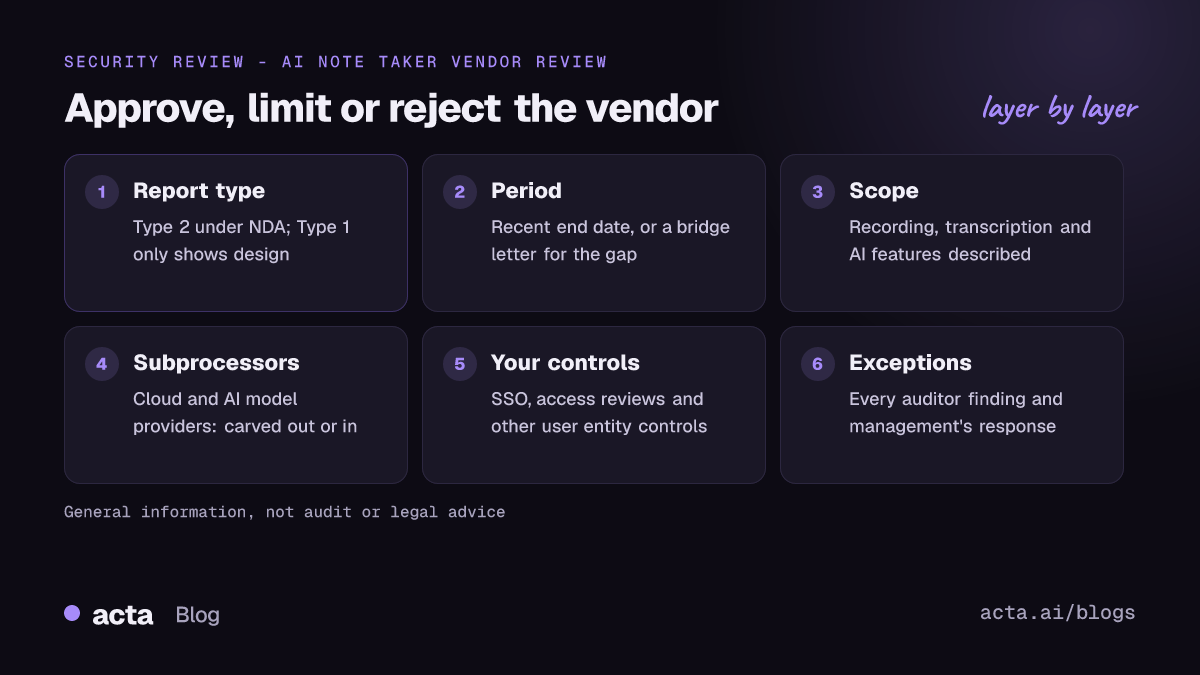
- Opinion. Find the auditor's opinion near the front. An unqualified opinion is what you want; a qualified opinion means the auditor found something material, so read why.
- Type and period. Confirm Type 1 or Type 2, the dates covered, and how old the period end is today. Ask for a bridge letter if there's a gap.
- System description. Check the product name, the services, the infrastructure and the data types described. If the description covers "the platform" but not the recording or AI features you're buying, that's a scope gap.
- Subservice organizations. Look for the carve-out or inclusive method. With the carve-out method, a provider such as a cloud host is excluded from testing, and the report lists the controls the vendor assumes that provider runs. Ask for those providers' own reports if they matter to you.
- Complementary user entity controls. These are the controls the vendor expects you to run, such as managing who has accounts, turning on single sign-on, and reviewing access. Copy them into your rollout plan.
- Tests and exceptions. In a Type 2, read every exception the auditor noted and management's response. One missed access review may be minor; repeated exceptions in access control or change management are not.
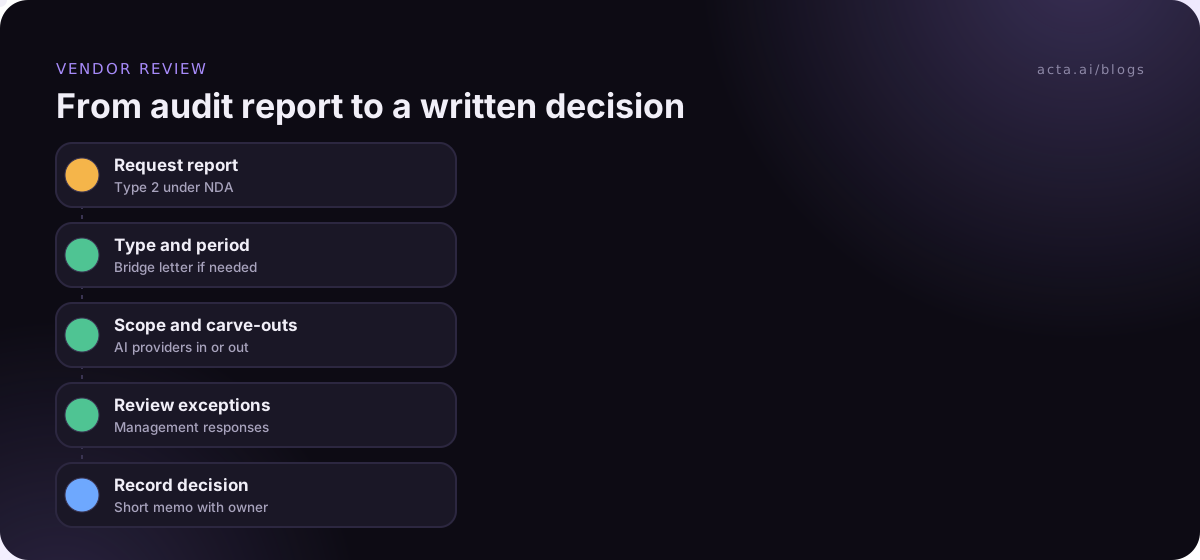
Write down what you found for each step in a short memo. Six lines are enough, and they're what an auditor of your own company will want to see later; turning AI policies into compliance evidence covers the rest of that paper trail.
Use this vendor checklist for any AI note taker
Send these questions with your request for the report. A vendor that answers them clearly in writing is easier to approve than one with a perfect badge and vague replies. This is the core of a vendor security review for a SOC-2 AI note taker.
Audit evidence
1. Please share your most recent Type 2 report and, if the period ended more than three months ago, a bridge letter.
2. Does the system description include meeting recording, transcription, AI summaries and integrations?
3. Which trust services criteria categories are in scope?
Subprocessors and AI
4. List your subprocessors, including cloud hosting, speech-to-text and language model providers, and say which were carved out.
5. Are our recordings, transcripts or summaries used to train or improve any model, yours or a third party's?
Data handling
6. How long do you keep raw audio, transcripts and summaries by default, and can we set our own retention?
7. When we delete a meeting, what is deleted, from where, and how quickly?
Access
8. Who at your company can access customer recordings, and how is that access approved and logged?
9. Do you support single sign-on and admin controls over who can record and share?
Our side
10. Which complementary user entity controls do you expect us to run?
Question 6 links to your own policy. If you don't have a retention rule for recordings yet, the recording retention policy templates give you wording to start from.
A worked example shows what a review finds
Here's a fictional SOC-2 AI note taker review, so you can see how the steps play out. A 300-person company wants to roll out a notetaker from a vendor we'll call NoteCo. The security lead, Dana, gets the report under NDA.
- Opinion and type: Type 2, unqualified. Good.
- Period: 1 January to 30 June; review date is in November. Dana asks for a bridge letter and gets one.
- Scope: security and confidentiality. The system description covers the web app and storage but describes the AI summary feature only as "processing by third-party providers".
- Subservice organizations: the cloud host and the language model provider are carved out. NoteCo shares the cloud host's report; for the model provider it shares a data processing agreement stating no training on customer data.
- User entity controls: six items, including "customers enforce SSO" and "customers review user access quarterly". Dana adds both to the rollout plan.
- Exceptions: one: two terminated employees kept access for longer than policy allowed; management says it automated offboarding afterwards.
Dana's decision: approve for general internal meetings, with SSO required and a 90-day retention setting, and hold off on HR and board meetings until next year's report shows whether the offboarding fix held. That's a typical outcome; reviews rarely end in a flat yes or no.
Five mistakes turn a review into a rubber stamp
- Accepting a logo. A badge on the website says nothing about scope, period or exceptions. Ask for the report.
- Ignoring the date. A report whose period ended over a year ago is stale. Ask for the current one or the date the next one is due.
- Not reading the carve-outs. The part of an AI notetaker you care most about, the AI processing, is often handled by a subprocessor outside the tested boundary.
- Skipping user entity controls. If the report assumes you enforce SSO and you don't, part of the vendor's assurance doesn't apply to you.
- Treating it as the whole review. SOC 2 doesn't settle recording consent, privacy law or sector rules. Those still need their own checks.
SOC 2 sits alongside privacy and sector reviews
A SOC 2 report answers "are this vendor's controls designed and working?" It doesn't answer "is our use of this tool lawful?" For EU and UK teams, data protection rules add questions about lawful basis, processors and transfers; the GDPR checklist for AI note takers covers them. Healthcare teams handling patient data need a separate review of business associate terms, covered in what to check before choosing an AI scribe. Some vendors also hold ISO/IEC 27001 certification, which is a certificate against a management-system standard rather than a CPA's report; it's a useful complement, not a substitute.
Recording consent is its own question again. Whatever the vendor's audit says, people in the meeting should know they're being recorded; see is it legal to record meetings with AI for the general rules. Your internal rules belong in a written policy, and how to write an AI notetaker policy walks through one.
How this applies to Acta
If you're evaluating Acta, the same checklist applies. Acta doesn't use customer data to train AI models, which answers question 5, and its security page describes how meeting data is handled. For anything else on the list, including audit status, ask the team through the contact page and judge the written answers the way you would any vendor's.
Frequently asked questions
Is SOC 2 a certification?
No. SOC 2 is an attestation: an independent CPA firm examines a service organization's controls against the AICPA trust services criteria and issues a report with its opinion. There's no official certificate or registry. When a vendor says "certified", ask for the report and check the type, period and scope.
What is the difference between a Type 1 and a Type 2 report?
A Type 1 report evaluates whether controls were suitably designed at a single point in time. A Type 2 report also tests whether they operated effectively over a period, and lists the auditor's tests and any exceptions. For a tool that will hold recordings of confidential meetings, a Type 2 gives much stronger evidence.
Can a vendor share its report publicly?
Usually not. SOC 2 reports are generally restricted to the vendor's customers, prospects and their auditors, and are shared under an NDA, often through a trust portal. A SOC 3 report is the short general-use version that vendors can publish, but it leaves out the control tests and results.
Does a SOC 2 report cover the AI model provider?
Only if the provider is included in the audited system. Many vendors use the carve-out method for subprocessors such as cloud hosts and AI model providers, which means those providers' controls weren't tested. Check the system description and the subservice organization section, then ask the vendor for the provider's terms or report.
What is a bridge letter?
A bridge letter is a statement from the vendor's management covering the time between the end of the report period and today, saying no material changes to controls have happened. It's signed by the vendor, not the auditor, so treat it as a reasonable stopgap and still ask when the next report is due.
Decide on the vendor with evidence
A good review ends with a short written decision you could defend to your own auditor. Use this list to get there.
- Get the right report: a Type 2 under NDA, plus a bridge letter if the period ended months ago.
- Check the scope: recording, transcription, AI processing and integrations named in the system description.
- Map the subprocessors: note each carved-out provider and get its terms or report.
- Own your controls: copy the user entity controls into your rollout plan with an owner each.
- Ask the AI questions: training, retention, deletion and access, answered in writing.
If part of your concern is meeting bots joining calls, a desktop app that records from your own computer is worth comparing too, and you can try Acta's during the 15-day free trial.
Found this useful? Share it with your team.