Quick answer: A good AI notetaker disclosure tells clients, before the call and again at the start, that an AI tool will record and transcribe the meeting, why you use it, who sees the notes, and how they can say no. Put it in your engagement letter, send a short email before the first recorded call, add a line to the invite, and say it out loud when the call begins.
Most clients don't mind AI notes. What they mind is finding out halfway through a call, or afterwards, when a polished summary lands in their inbox and they realise everything was captured. The fix is cheap: a few honest sentences at the right moments. Below are the templates I'd use, plus what to put in them and what to do when someone says no.
Why tell clients you use an AI notetaker at all?
Two reasons, and the legal one isn't always the bigger one.
The legal reason: recording a conversation is regulated almost everywhere. Some places require everyone's consent (the one-party vs two-party consent split), and data protection laws like the GDPR expect you to tell people what you're collecting and why. An AI notetaker records audio to transcribe it, so the same rules apply. Our post on whether it's legal to record meetings with AI covers the consent side. This post is general information, not legal advice.
The trust reason: clients share things on calls they'd never put in an email. If they find out later that it was all transcribed, they start wondering what else you didn't mention. Telling them up front costs nothing and tends to make you look organised rather than sneaky.
Some professions have their own rules. Lawyers are the obvious example; see AI notetakers for lawyers and client confidentiality. For US lawyers, the ABA's Formal Opinion 512 (July 2024) says a client's informed consent is needed before their confidential information goes into a self-learning generative AI tool, and commentary on the opinion notes that boilerplate in an engagement letter isn't enough. The ABA's note on generative AI and confidentiality is a good primer. Financial advisers, healthcare providers and recruiters should check their own regulator's guidance as well.
What should an AI notetaker disclosure include?
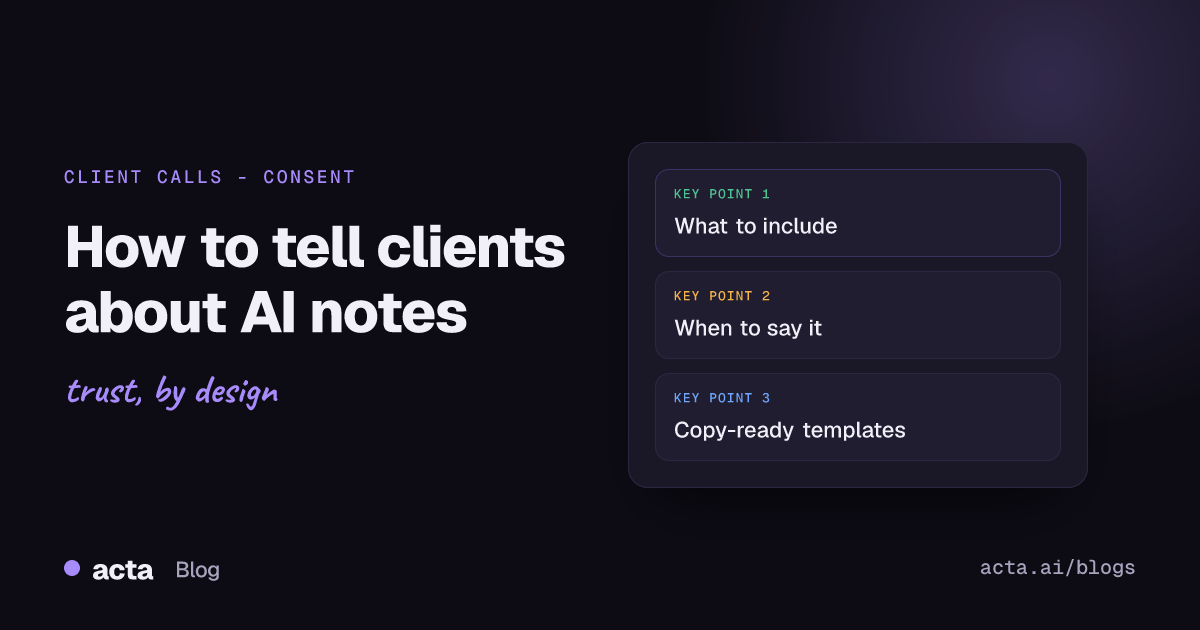
Keep it short, but answer the questions a careful client would ask:
- What happens: the call is recorded and transcribed by an AI tool, which then drafts a summary.
- Why: so you can follow up accurately and don't miss commitments. One line is enough.
- Who sees it: you, your team on the account, and the client if you share the notes.
- Where it goes: name the tool if the client is likely to ask, and say whether the vendor trains AI models on customer data.
- How long you keep it: even "we delete recordings after the project ends" beats silence.
- How to say no: make it clearly easy, and mean it.
Don't promise things you can't check, such as security certifications, if you haven't confirmed them with your vendor. "I can send you our provider's security page" is a better answer than a guess.
When should you tell clients?
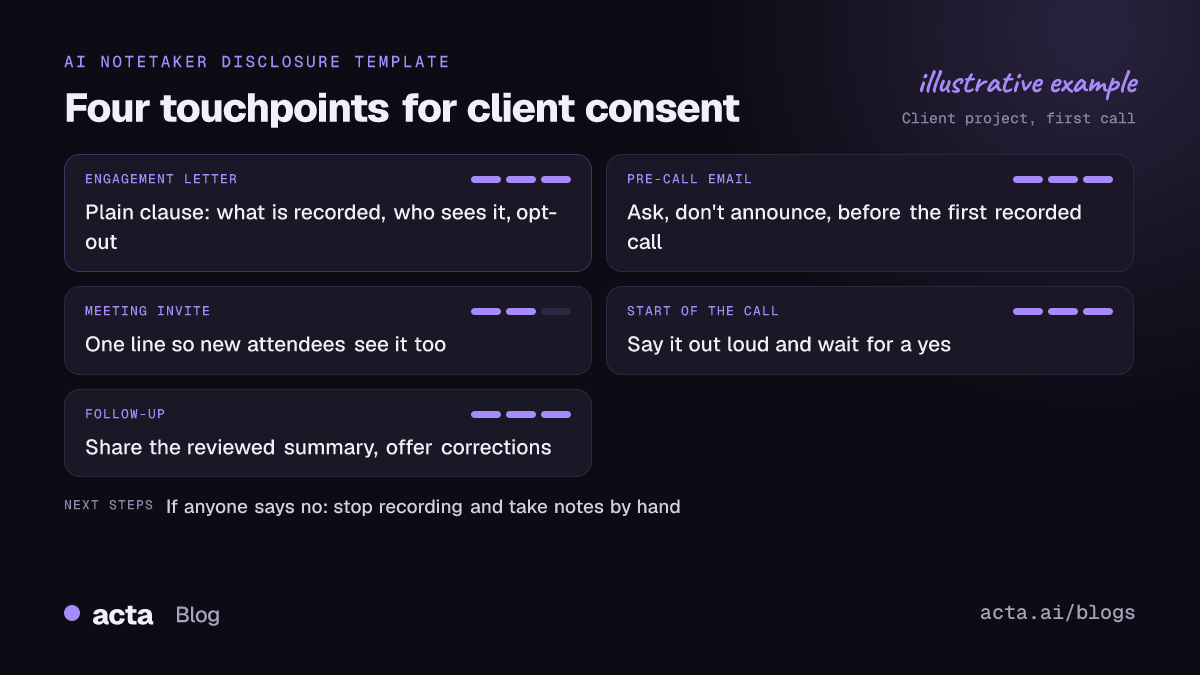
Telling them once is rarely enough. People forget, staff change, and new people join calls. I'd use four touchpoints:
- At onboarding: a clause in the engagement letter or welcome pack.
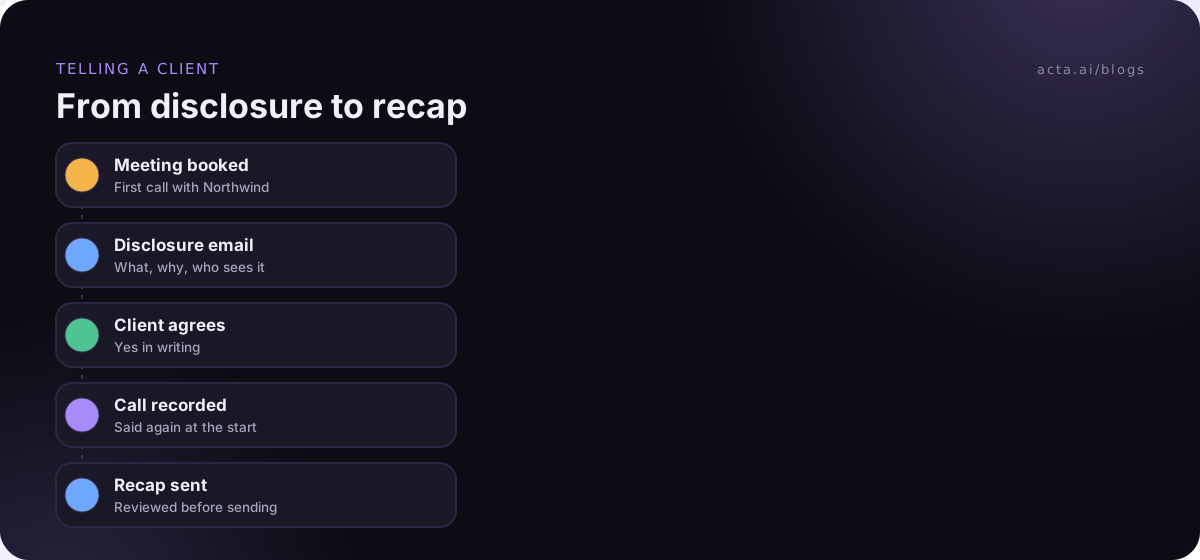
- Before the first recorded call: a short email that asks, rather than announces.
- In every meeting invite: one line, so new attendees see it too.
- At the start of every call: one spoken sentence, plus a note in the chat.
AI notetaker disclosure email templates
Edit these to sound like you. Clients can tell when a paragraph was pasted from a policy document.
Template 1: engagement letter or onboarding clause
Meeting notes. With your agreement, we use an AI notetaker on our calls. It records and transcribes the conversation and drafts a summary and action items, which we review before sharing. Recordings and notes are only available to the team working on your account, and our provider does not use customer data to train its AI models. We keep them for [period]. You can ask us not to record any call, or all calls, at any time, and we'll take notes by hand instead.
Replace the bracket and check the training claim against your own vendor before you send it. Remember the ABA point above: in some professions, this clause on its own isn't enough, so keep the other touchpoints too.
Template 2: email before the first recorded call
Subject: Notes for our call on Thursday
Hi Dana,
Looking forward to Thursday. One quick thing: I'd like to use an AI notetaker on our call. It records and transcribes the conversation, so I can send you an accurate summary and list of next steps afterwards instead of scribbling while we talk.
Only our project team sees the recording and notes, and I'm happy to share the summary with you. If you'd prefer I don't record, just reply and say so. No problem at all.
Thanks, Sam
Note the shape: what, why, who sees it, and an easy no. Asking a question gets you a clear yes in writing, which is worth more than a notice nobody replied to.
Template 3: meeting invite line
This meeting may be recorded and transcribed by an AI notetaker so we can share accurate notes. Let [organizer] know if you'd prefer it isn't.
Template 4: follow-up email with the notes
Hi Dana,
Thanks for today. Below is the summary and next steps from our call, drafted from the AI transcript and checked by me. If anything looks wrong or you'd like something left out of the record, tell me and I'll fix it.
[Summary]
[Action items with owners and dates]
That last sentence matters more than it looks. It shows the client they still control what's kept on record, and it catches transcription errors before they turn into disagreements.
What should you say at the start of the call?
Even after the email, say it again. Late joiners and colleagues the client brought along didn't get your message.
"Before we start, I've got my AI notetaker running so I can send a proper summary after. Everyone OK with that?"
Then wait for an answer. A pause and a few nods is fine. Rushing straight into the agenda isn't.
Platform features help, but only when you use the platform's own recording. Google Meet tells participants when a recording starts and stops. Microsoft Teams admins can switch on explicit recording consent, which asks attendees to agree before they're recorded; it's off by default. A third-party notetaker usually shows up in the participant list, which is a visible signal of its own. Recording from your own computer triggers none of these, so the spoken sentence matters more. If you use a bot-free recorder like the Acta desktop app, its Copy notice button pastes a recording notice into the meeting chat, where late joiners will see it.
What if a client says no?
Say "no problem" and mean it. Turn the notetaker off, or don't start it, and take notes by hand. Don't try to talk them round on the call. That turns a reasonable preference into a trust issue.
A short reply you can use if they decline by email:
Of course, thanks for letting me know. I won't record our calls, and I'll take notes myself. If that ever changes, just say.
Make a note of the preference somewhere your whole team will see it, such as the CRM record or the client folder. The fastest way to lose a client's trust is for a colleague to turn up to the next call with a bot after they've already said no.
Some clients are fine with notes but not with a bot joining, often because their own IT blocks meeting bots. Ask which part bothers them. Our post on AI notetakers when bots aren't allowed covers that case, though recording without a bot still needs their agreement.
Common mistakes with client disclosure
- Hiding it in an email signature. A footer saying "calls may be recorded" isn't disclosure. Nobody reads it.
- Calling it "taking notes". If software is capturing every word, say so.
- Forgetting the client's colleagues. Your contact agreed. Their CFO, who joined late, didn't.
- Sharing the raw transcript widely. Send the reviewed summary. Raw transcripts include small talk and half-finished thoughts people didn't expect to see in writing.
- No answer to "does it train on our data?" Find out before a client asks. It's the most common question.
Consultants and agencies, who live on client calls, might also like our piece on AI meeting notes for tracking client promises.
Where Acta fits
Acta records client calls with a bot or from your own computer, then drafts the transcript, summary, action items with owners and a follow-up email you can edit before sending. It doesn't use customer data to train AI models, which gives you a straight answer to the question clients ask most. The disclosure itself is still yours to make.
Frequently asked questions
Do I have to tell clients I'm using an AI notetaker?
In many places the law requires it, because the tool records the call. Even where it doesn't, telling clients is good practice and avoids awkward surprises. Some professions, like law, have their own rules about client consent.
Is a clause in my engagement letter enough?
It's a good start, but on its own it often isn't enough. People forget, and new attendees never saw it. Back it up with a line in the invite and a spoken notice at the start of each call.
What's the shortest disclosure I can use on a call?
"I've got an AI notetaker recording this so I can send a summary after. OK with everyone?" Then wait for a response.
Should I share the AI notes with the client?
Usually, yes, after you've checked them. Sharing a reviewed summary builds trust and gives the client a chance to correct mistakes. Avoid sending raw transcripts unless they ask.
What if one person on the call objects?
Stop or don't start recording, and take notes by hand. One objection is enough. Their agreement matters as much as anyone else's.
If you'd like your follow-up email drafted from the call, ready for you to check, Acta's 15-day free trial is on the pricing page.