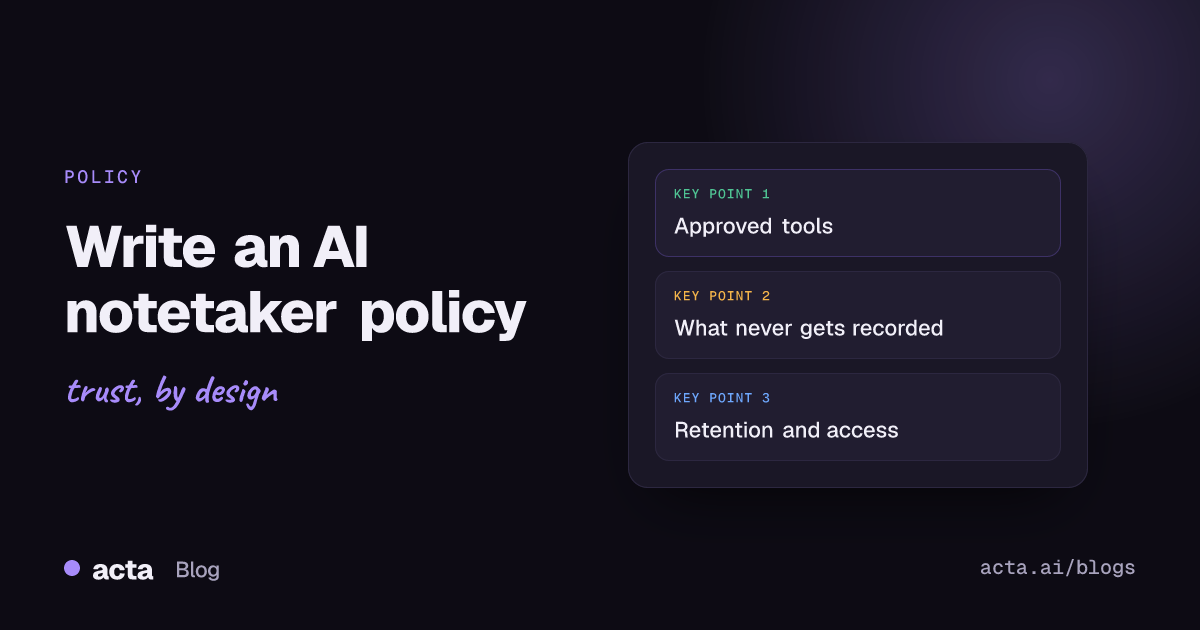
Quick answer: An AI notetaker policy says which tools are approved, which meetings can and can't be recorded, how participants are told, who can see the notes, how long recordings are kept, and who checks the output before it's shared. Keep it to two pages, name an owner, and review it every six months as tools and laws change.
Most companies end up writing this policy after something goes wrong. A notetaker bot shows up uninvited in a client call, or a summary of a performance review lands in a shared channel, and suddenly legal wants rules by Friday. It's much easier to write it calmly beforehand. This is the structure I'd use, section by section, with wording you can adapt.
Why does your company need an AI notetaker policy?
Because people are already using these tools, whether you approved them or not. Someone signs up for a free notetaker with their work email, connects their calendar, and from then on a bot joins every meeting they're invited to, including the ones they don't attend. The transcripts sit in an account your IT team has never heard of.
A short policy fixes three problems at once. It tells staff what's allowed, so careful people stop avoiding useful tools. It gives you a basis to remove the tools you don't want. And it shows clients and regulators that you've thought about it, which matters more each year. If you already run an AI governance program, the NIST AI Risk Management Framework is a useful reference for the broader process; a notetaker policy is one small, concrete piece of that.
What should an AI notetaker policy include?
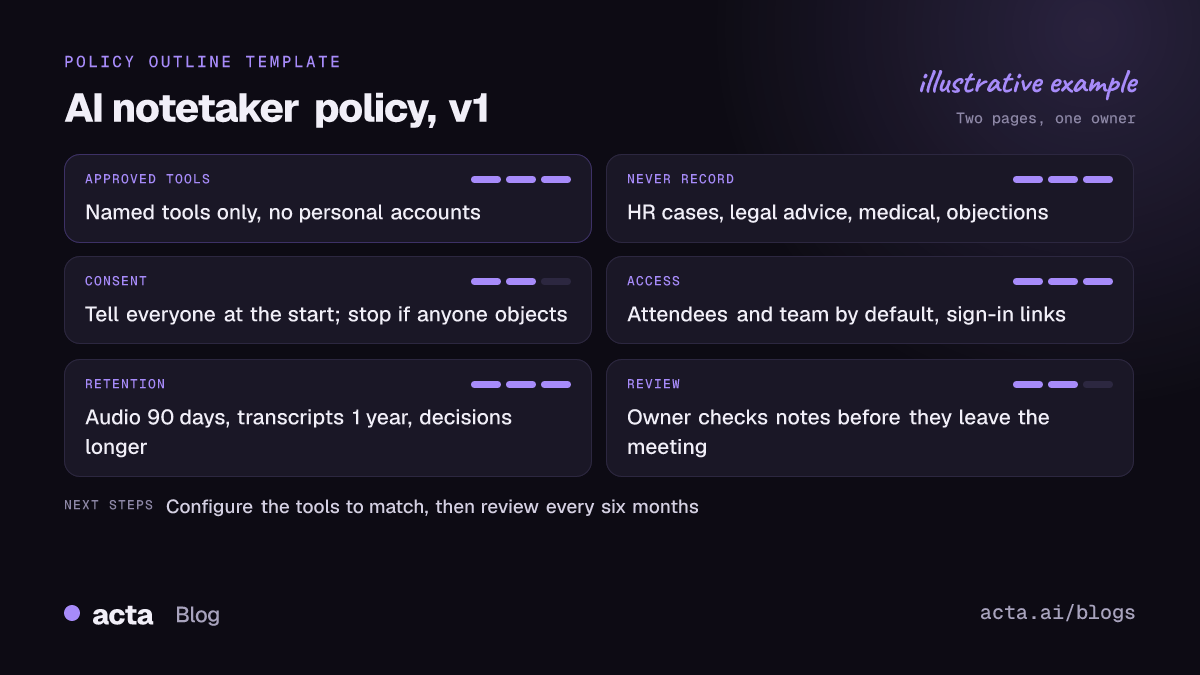
Here's the outline. Each section gets a few sentences, not pages.
- Purpose and scope
- Approved tools and how to request new ones
- Meetings you must not record
- Telling participants and getting consent
- External meetings with clients and partners
- Access and sharing
- Retention and deletion
- Checking AI output before it's used
- Ownership, exceptions and review
The sections below explain what goes in each one and where companies usually get it wrong.
Which tools are approved, and how do people get new ones?
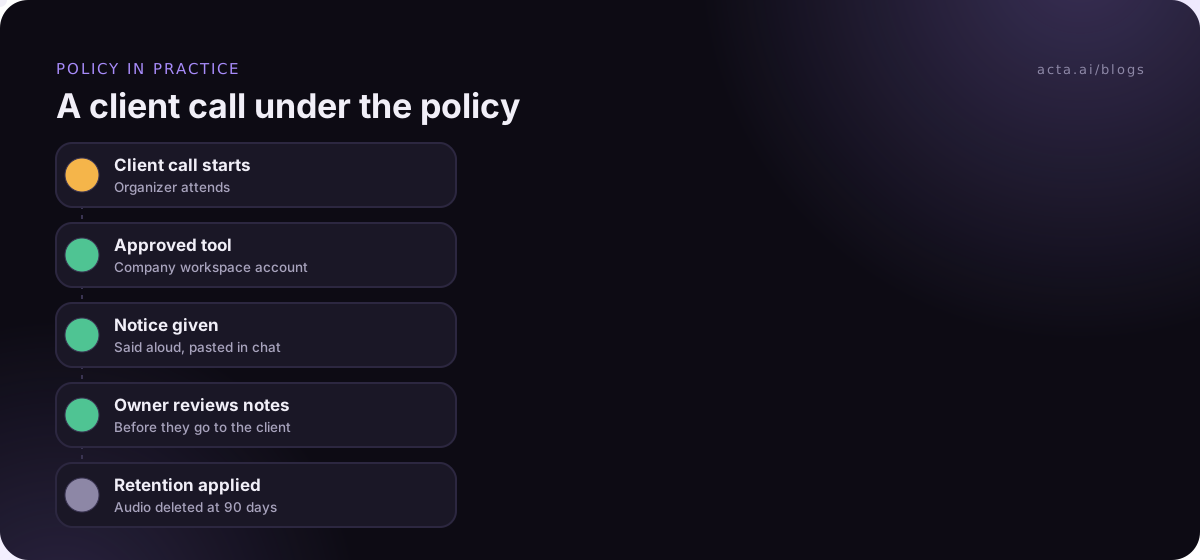
Name the tools. "Approved AI tools" with no list is useless. Write something like: "The approved notetaker is [tool], used through the company workspace. Personal accounts on any notetaker must not be used for company meetings."
Then say how someone requests a different tool, and who decides. If the answer is "fill in a form and wait three months", people will route around you. A one-week review with a short checklist (data use, retention, subprocessors, admin controls) is realistic. Our meeting notes software buyer's checklist works well as that checklist.
Also cover how recording happens. Some teams are fine with a visible bot; others work with clients who block bots. If you allow bot-free capture, say so explicitly. A desktop app or a Chrome extension records from the person's own computer, so the policy should make clear that the same consent rules apply even though no bot appears in the participant list.
Which meetings should never be recorded?
This is the section people read most, so make it concrete. A starting list:
- Disciplinary, grievance and investigation meetings, unless HR decides otherwise case by case.
- Conversations with lawyers about legal advice, where recording could put privilege at risk.
- Medical or welfare conversations with employees.
- Board or committee sessions, unless the company secretary has agreed a process.
- Any meeting where a participant asks not to be recorded.
That last line is the most important rule in the whole document. If one person objects, the recording stops, no argument. It's simple to follow and it protects you in jurisdictions where everyone has to agree.
Your meeting platform can help enforce this. Microsoft documents recording and transcription options for sensitive meetings in Teams, so organizers and admins can restrict who can start them. Microsoft's Copilot in Teams documentation also notes that when an organizer sets Copilot to Off for a Teams meeting, recording and transcription are turned off too, which is a handy switch for the meetings on your list. Write down which platform settings back up each rule, so the next admin doesn't have to guess.
Expect people to ask about the edge cases: a skip-level one-to-one, a vendor negotiation, an exit interview. You don't need a rule for every one. Add a line like "If you're unsure, don't record, and ask [owner]" and let the list grow from real questions.
How should staff tell participants about the AI notetaker?
Consent rules vary by country and, in the US, by state. Your policy shouldn't try to summarize all of them. Set one rule that's safe almost everywhere: tell everyone at the start, in words, and give them a chance to object.
Sample wording for the policy: "Before recording, the organizer tells participants that an AI notetaker is in use, what it produces, and who will see the notes. If anyone objects, the organizer turns it off." Ask people to also put the notice in the meeting chat so there's a written trace. Acta's desktop app has a Copy notice button for exactly this, and most tools have something similar.
For the legal background, point staff to our article on whether it's legal to record meetings with AI. This post is general information, not legal advice, so have your counsel check the consent section for the places you operate.
What about client and partner meetings?
External meetings need their own paragraph. Clients may have their own rules, and some ban meeting bots outright. Microsoft has been adding admin controls that let Teams tenants detect and hold back external bots, which is one reason companies block meeting bots more often now.
A workable rule: "In external meetings, ask before recording, ideally in the invite. Respect the other party's policy. Never send a notetaker to an external meeting you won't attend yourself." That last line catches the most embarrassing case, where an unattended bot joins a client call on its own.
Who can see the notes, and for how long?
Two sections, both short.
Access. Set the default: meeting notes are visible to attendees and the recorder's team, not the whole company. Shared links must require sign-in. Notes from HR, legal or board meetings (if recorded at all) are restricted to named people.
Retention. Pick numbers (our meeting recording retention guide can help). A common pattern is raw audio deleted after 90 days, transcripts after one year, and summaries and decisions kept as long as the project record. The ICO's guidance on storage limitation is a good explanation of why you need a reason for each period rather than "keep everything just in case". Whatever you choose, check that the tool can actually enforce it, and that copies synced to your CRM or wiki follow the same rule. Our GDPR checklist for AI note takers covers the European side in more detail.
Who checks the AI output before it's shared?
AI summaries are usually good and occasionally confidently wrong. A missed "not" can turn a rejected proposal into an approved one. Your policy should say that the meeting owner reviews notes before they go to anyone outside the meeting, and that AI-generated notes aren't a formal record (minutes, HR files, client commitments) until a person has checked them.
That's a light rule, and it prevents the worst outcome: an unchecked summary sent to a client with a commitment nobody made. If you want to know why summaries go wrong, see how to reduce hallucinations in AI meeting summaries.
How do you roll out the AI notetaker policy?
Writing it is the easy part. Getting people to follow it takes a few steps:
- Find what's already in use. Look at calendar integrations, expense claims and bot names in meeting logs. You'll find tools you didn't know about.
- Pick an owner. Usually IT or security, with legal and HR signing off on their sections.
- Publish a one-page summary. Most people will read the summary, not the policy. Put the "never record" list and the consent rule at the top.
- Configure the tools to match. Default sharing, retention and auto-join settings should already follow the policy, so people comply without trying.
- Give people a quiet way out. Let staff move off unapproved tools without getting in trouble for having used them.
- Review every six months. Notetaker features, platform controls and laws keep moving.
One mistake I see a lot: the policy bans tools that IT can't actually detect, so it's ignored quietly. There are more in our list of AI notetaker mistakes when adopting one. It's better to have fewer rules that the tools enforce by default than a long list nobody checks. When an auditor eventually asks how you know the policy works, you'll want evidence, which is the subject of from AI policies to compliance evidence.
Where Acta fits
If Acta is the tool you approve, it can record with a meeting bot, a bot-free desktop app or a Chrome extension, so one policy covers all three. It produces transcripts with speaker names, summaries and action items with owners, and Acta does not use customer data to train AI models.
Frequently asked questions
How long should an AI notetaker policy be?
Two pages is plenty for the policy itself, plus a one-page summary for staff. Long policies get skimmed, and the rules that matter (what not to record, how to tell people) get lost.
Should we ban free AI notetakers?
Ban personal accounts for company meetings, yes, since you can't control retention or deletion on an account you don't own. Offer an approved alternative at the same time, or people will keep using the free one.
Do we need consent from every participant?
It depends on where people are. Some places require everyone's consent, others only one party's. A policy that tells everyone and stops if anyone objects works almost everywhere. Check with your counsel for your locations.
Who should own the policy?
Usually IT or security owns it, with legal writing the consent section and HR writing the rules for people-related meetings. One named owner matters more than which department it is.
Does the policy apply to bot-free recording?
Yes. The data and consent questions are the same whether a bot joins or the recording runs on someone's laptop. Say that explicitly, because people assume "no bot" means "no rules".
To see what the settings look like in practice, you can try Acta on a 15-day free trial and set it up to match your draft policy.