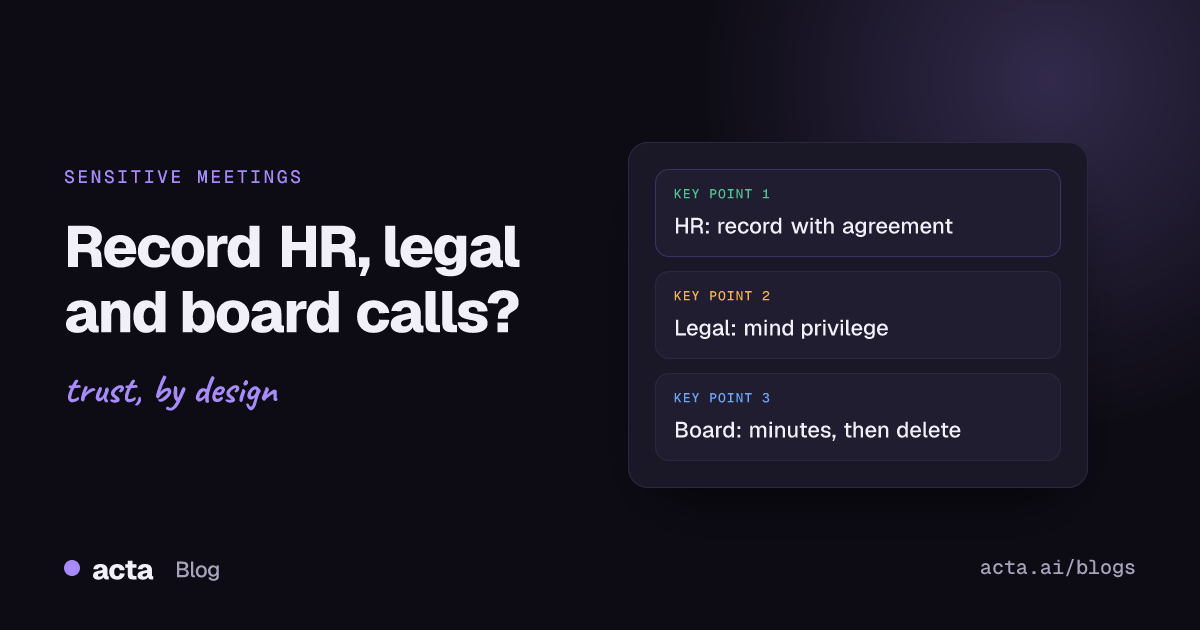
Quick answer: Recording sensitive meetings is sometimes the right call and sometimes a liability. HR meetings can be recorded with clear agreement and tight access. Legal advice calls usually shouldn't be recorded by an AI tool without counsel's say-so, because of privilege. Board meetings work best with approved minutes as the record and any recording deleted on a set schedule.
A recording is a perfect memory, and that cuts both ways. In a disciplinary hearing it can settle an argument about who said what. In a call with your lawyers it can become something the other side asks for in discovery. Same tool, very different consequences. This post is general information, not legal advice; for any specific case, talk to your own counsel. What I can do is lay out how the three kinds of sensitive meeting differ and what a careful setup looks like for each.
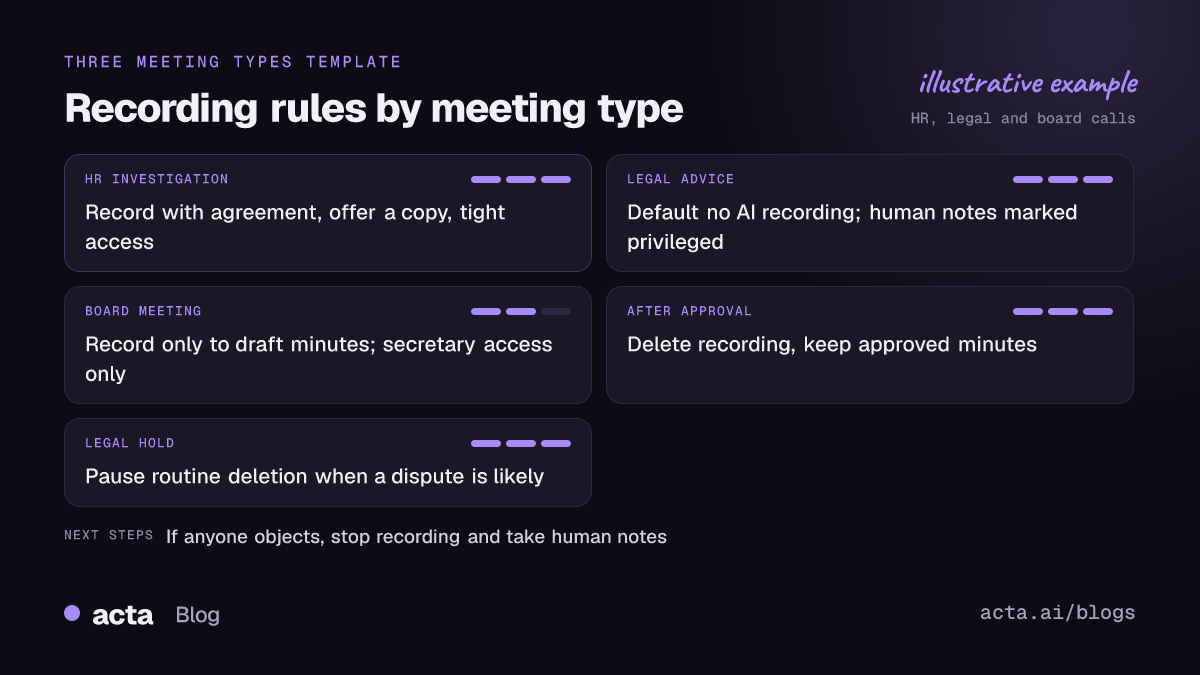
Should you be recording sensitive meetings at all?
Start with the question most people skip: what will you do with the recording? If the honest answer is "probably nothing, but it feels safer to have it", don't record. A recording you never use still has to be stored, protected, possibly disclosed and eventually deleted.
Recording is worth it when you need an accurate account later and a human note-taker isn't enough. That's common in HR investigations, where details matter and memories drift. It's less common in legal and board settings, where the formal record is something else (advice letters, approved minutes) and a verbatim transcript adds risk without adding much value.
A rough rule I use: the more likely a meeting is to end up in a dispute, the more carefully you should think before recording sensitive meetings, because the recording becomes evidence either way. Sometimes that helps you. Sometimes it really doesn't.
How should you handle HR meetings?
HR covers a lot of ground: grievances, disciplinary hearings, an HR investigation into a complaint, return-to-work meetings, redundancy consultations. Exit interviews sit at the gentler end; see exit interview questions that reveal problems. They have two things in common. They involve personal and often special-category data, and the employee usually has less power in the room than you do.
If you record, do it openly and on agreed terms:
- Agree beforehand. Tell the employee in the invite that the meeting will be recorded and transcribed, and why. Confirm it again at the start.
- Offer a copy. If you're keeping a recording, the employee can reasonably ask for it. Offering it upfront builds trust and avoids a later request.
- Don't let the AI summary be the record. A summary is a draft. The formal notes should be checked by a person and, ideally, shared with the employee for comment.
- Lock down access. Only the HR lead and the decision-maker should see it. Not the line manager's whole team, not the workspace.
- Pause for medical detail. If health information comes up and you don't need it verbatim, pause recording or note it separately.
One more thing: assume the employee may be recording too, on their phone, whether you agree to it or not. That's another reason to keep the meeting calm, factual and well documented. For ordinary manager check-ins, a lighter approach usually works better; see our guide to one-on-one meeting notes.
Can recording a legal call put attorney-client privilege at risk?
It can, and this is the category where I'd be most cautious. The worry is that a third party, the AI vendor, has access to the conversation. An opposing party could argue that sharing privileged communications with an outside service weakens confidentiality, especially if the vendor's terms allow it to keep or use the data. Commentators have pointed out that courts haven't yet settled this question for AI notetakers specifically, so there's no clean answer to rely on.
Bar guidance is starting to catch up. The New York City Bar's Formal Opinion 2025-6 (December 2025) tells lawyers to get client consent before using AI to record or transcribe client conversations, to think about whether recording is wise in the first place, to check the accuracy of transcripts and summaries, and to understand how the vendor stores, trains on and deletes data. The ABA's GPSolo eReport has a readable piece on confidentiality risks of meeting transcription software that goes through similar ground.
Practical defaults for in-house teams:
- Don't record calls with outside counsel unless counsel asks for it and agrees the tool.
- Turn off auto-join, so a notetaker doesn't wander into a privileged call because it was on someone's calendar.
- If you must keep notes, have a person write them and mark them as privileged and confidential.
- When litigation is likely, tell your notetaker admin; recordings may need a legal hold rather than routine deletion.
Should board meetings be recorded?
Board meeting recording is a long-running debate, and AI has sharpened it. The minutes are the official record: they show what the board considered, what it decided and that directors did their job. Our post on what to record in startup board meeting minutes goes through the contents. A verbatim transcript is a different thing. Every half-formed thought and offhand comment is preserved, and in a later dispute it can be read against the minutes.
Law firms writing about board minutes, such as Kennedys in Board minutes under the microscope, stress how much weight minutes carry as evidence and how privilege can be lost through careless records. That's an argument for good minutes, and for being deliberate about anything that sits next to them.
The approach many company secretaries settle on:
- Record only to help draft the minutes, and say so in the board's own procedures.
- Restrict the recording and transcript to the company secretary.
- Draft the minutes, circulate them, get them approved.
- Delete the recording and transcript once the minutes are approved, unless a legal hold applies.
- Go off the record (pause, or a separate session) for legal advice and anything privileged.
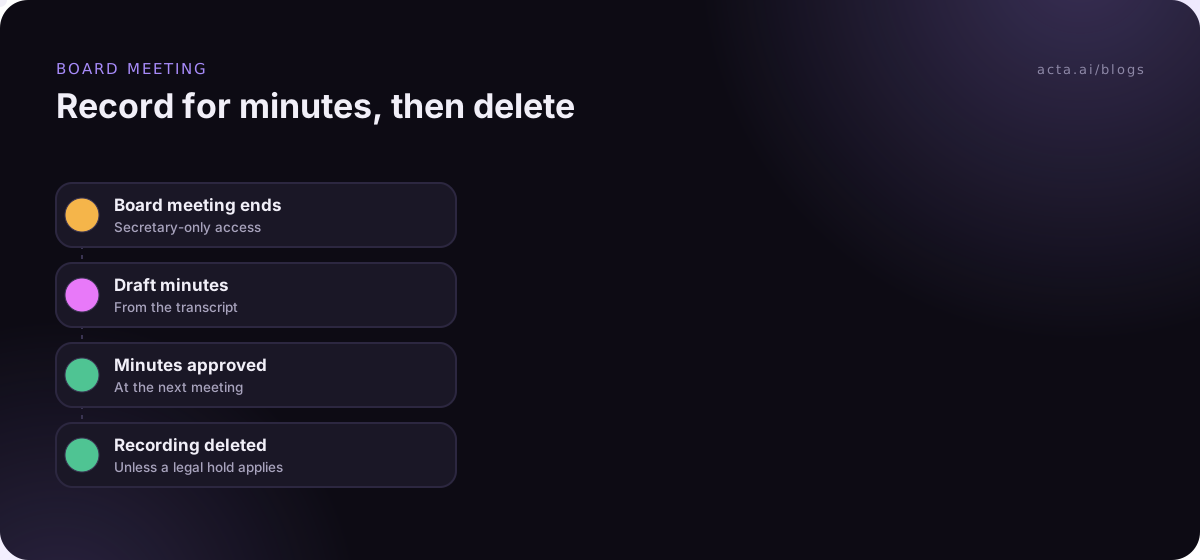
The deletion step is what people forget. A board that records "only for the minutes" but keeps every transcript for five years has ended up with exactly the archive it meant to avoid. If you want the drafting side in detail, our guide to board meeting minutes from the recording covers resolutions, votes and actions. Credit and risk committees face similar questions; see credit committee minutes.
How do you set up recording for sensitive meetings safely?
Whatever the category, the setup steps are similar:
- Decide per meeting type, in writing. "HR investigations: record with agreement. Legal advice: don't record. Board: record for minutes, delete after approval."
- Control who can start a recording. In Teams, Microsoft documents recording and transcription options for sensitive meetings that let organizers and admins limit who can record or transcribe.
- Turn off automatic recording for calendars that include sensitive meetings, or exclude those meetings by name or attendee.
- Tell people every time. Say it aloud and put it in the chat. Acta's desktop app has a Copy notice button for this, and the rules on consent are in our post on whether it's legal to record meetings with AI.
- Set transcript access before the meeting, not after it's been shared around.
- Set deletion dates and pause them when a legal hold applies.
Bot or no bot matters less than people think here. A bot is visible, so nobody can say they didn't know. A bot-free desktop recorder avoids a stranger in the participant list for a delicate conversation, but it doesn't change the consent rules. Everyone still needs to know.
Who should be able to read the transcript?
Transcript access is where sensitive recordings usually leak, and it's rarely dramatic. A meeting gets filed in a shared workspace. Someone uses an AI assistant to search "all meetings about Marco" and gets a disciplinary hearing in the results. A summary is forwarded to "keep you in the loop".
So check three things: who can see the meeting by default, whether search across meetings respects the same permissions, and whether shared links require sign-in. If you're building your own search over transcripts, our walkthrough on permission-aware RAG for sensitive meetings shows how to keep results inside the right group.
What if someone says no?
Then don't record. That's true legally in many places, and it's true practically everywhere: a reluctant participant in an HR or board meeting will say less, and the recording will be worth less. Take human notes instead, agree them afterwards, and move on. If you want the bigger picture on consent rules, see is it illegal to record a conversation?
How Acta fits
Acta can record with a meeting bot, a bot-free desktop app or a Chrome extension, and the desktop app has Pause and a Copy notice button for telling people you're recording. It produces transcripts with speaker names, summaries and decisions. Acta does not use customer data to train AI models.
Frequently asked questions
Can an employer record a disciplinary meeting?
Often, yes, with the employee's knowledge and agreement, but rules differ by country and state and by your own procedures. Tell the employee in advance, explain why, offer a copy and restrict access. Check local requirements with HR or counsel.
Does using an AI notetaker waive attorney-client privilege?
There's no settled answer yet. The risk is that a third-party vendor's access to the conversation is treated as disclosure. Many lawyers avoid AI recording for privileged calls unless the client consents and the tool's terms are understood.
Should a board keep recordings after the minutes are approved?
Not necessarily, and some boards choose not to. One approach is to use the recording only to draft minutes and delete it after approval, unless a legal hold or regulator requires otherwise. Write the rule into the board's procedures.
What is a legal hold?
An instruction to preserve material because litigation or an investigation is likely. It overrides routine deletion, so make sure whoever administers your recording tool knows when one applies.
Is a bot-free recorder better for sensitive meetings?
It avoids a visible bot, which some people find intrusive, but it doesn't change consent, access or retention. Those rules matter more than the capture method.
If you want to set up access and deletion rules on a real workspace, Acta's 15-day free trial is a low-stakes way to try it.