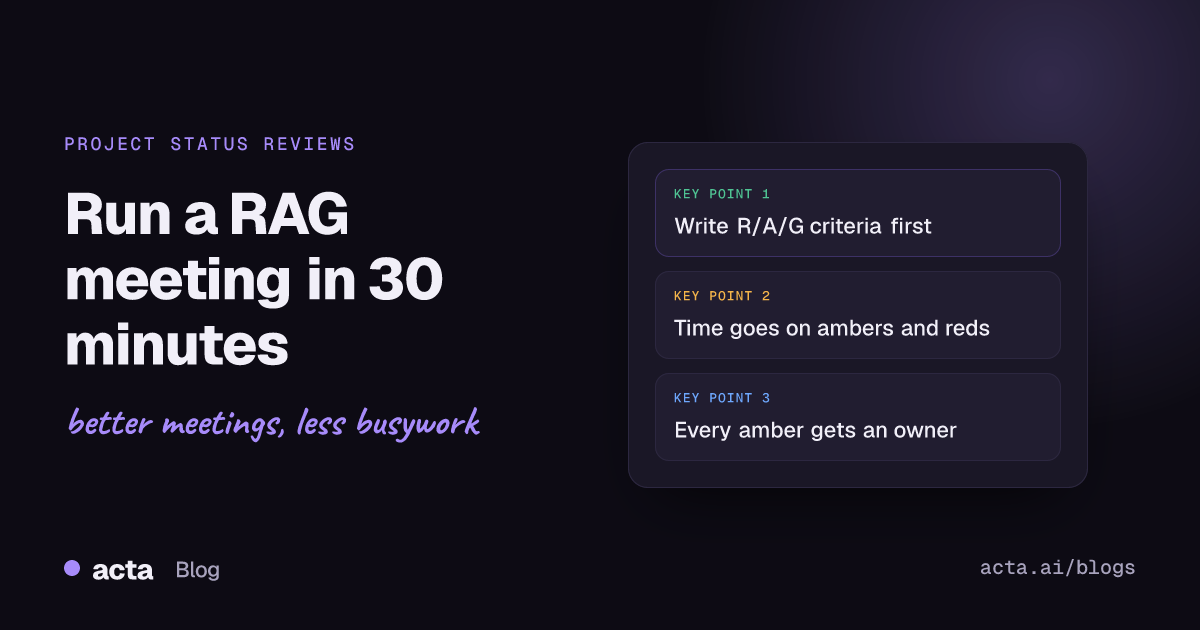
A RAG meeting is a short, recurring status review where each project or workstream reports as Red, Amber or Green against criteria agreed in advance, and the time goes on the reds and ambers. Green items get a sentence; red items get a decision. Run well, a RAG meeting takes 30 minutes, ends with every amber and red owned by a named person with a date, and gives sponsors an honest picture rather than a wall of green.
Quick note on the term: here RAG means the Red/Amber/Green status rating used in project and programme management. If you came looking for retrieval-augmented generation applied to meeting transcripts, read our guide to building RAG over meeting transcripts instead. This guide is for project managers, PMO leads and team heads who run weekly or fortnightly status reviews across several workstreams. It focuses on running the meeting; for writing the report that comes out of it, see the companion guide on project status reports from status meetings. If you manage a single small project, a quick weekly check-in is usually enough.
Key takeaways
- Write the definition of Red, Amber and Green for schedule, cost, scope and risk before the first meeting, and read them out the first time.
- Run it in 30 minutes: 3 minutes on greens, 20 on ambers and reds, 7 on decisions, escalations and confirming owners.
- Invite only people who own a workstream or can change a colour; everyone else reads the notes.
- Watch for watermelon projects: green for weeks, then suddenly red. Ask for the evidence behind every green, not only every red.
- No amber leaves the room without one named owner, a specific action and a date to report back.
Table of contents
- A RAG meeting reviews status by exception
- Red, amber and green need written criteria first
- Keep the room to people who can change a colour
- A 30-minute status meeting agenda that holds
- The watermelon problem: green outside, red inside
- Every amber leaves with an owner and a date
- A worked example: one programme, six workstreams
- The meeting feeds the status report, not the reverse
- Frequently asked questions
- Run your next RAG meeting differently
A RAG meeting reviews status by exception
RAG status is a three-colour shorthand for "how is this going?". Green means on track. Amber means there's a problem the team can still manage, but it needs attention. Red means the objective will be missed without intervention from someone above the team. The colours exist so a sponsor can glance at fifteen workstreams and know where to look.
A RAG meeting is the conversation that sits behind those colours. Its job is not to hear an update from everyone. Its job is to spend the room's attention where it's needed, which is why the format is "by exception": greens are acknowledged in one line, and the bulk of the time goes on ambers and reds. If your project status meeting currently runs as a round-robin where each lead talks for five minutes, converting it to a RAG format is the fastest way to halve its length.
The format is common in UK government, where colour ratings are used for major projects. As of November 2026, the NISTA Major Projects Annual Report 2025-26 rates projects in the Government Major Projects Portfolio from Red to Green and notes that a rating is a snapshot of delivery risk at the time of assessment, not a final judgement on success. At the end of March 2026, it reported 29 projects (15%) rated Green, 109 (58%) Amber and 34 (18%) Red. That spread is a useful reminder: in a real portfolio, amber is the normal state, not a failure.
Red, amber and green need written criteria first
The most common reason a RAG meeting goes badly is that nobody agreed what the colours mean. One lead calls a two-week slip amber; another calls it green because "we'll catch up". Without definitions, the rating reflects the lead's temperament, not the project.
The UK's assurance guidance gives a good model for the middle colour. Its delivery confidence definition of Amber reads, in substance: successful delivery to time, cost and quality appears feasible, but significant issues already exist and need management attention. That's the right instinct. Amber isn't "a bit worried"; it's "there's a real issue and we have a plan". Write your own criteria per dimension. A starting set:
| Dimension | Green | Amber | Red |
|---|---|---|---|
| Schedule | Next milestone on date | Slip of up to 2 weeks, recoverable | Slip over 2 weeks or milestone missed |
| Cost | Within budget | Forecast over by up to 5% | Forecast over 5%, or needs new money |
| Scope | Agreed scope holds | Change requested, being assessed | Change needed beyond team authority |
| Risk | No high risks open | High risk open with mitigation | High risk with no workable mitigation |
Adjust the thresholds to your work; a two-week slip on a three-month project is not the same as on a two-year programme. Then add two rules. First, the overall rating is the worst of the four dimensions unless the lead explains why not. Second, a red always means "I need something from this room": a decision, money, people or an escalation. If a lead can fix it themselves, it's amber.
Some teams add a fourth colour, Blue for complete, or use five points (Red, Amber/Red, Amber, Amber/Green, Green) as UK government reviews do. Start with three. Extra colours give people places to hide.
Keep the room to people who can change a colour
A RAG meeting works best with a small group. The test for each invitee: do they own a workstream, or can they unblock one? If neither, they get the notes.
- Chair: the programme or project manager, who keeps time and pushes for owners and dates.
- Workstream leads: one per workstream, prepared to give the colour and the reason in one sentence.
- Sponsor or decision-maker: needed when reds are likely; without them, reds just get noted and carried over.
- Note-taker: someone other than the chair, or a recording, so the chair can focus on the conversation.
- Specialists by invitation: finance, legal or a vendor, only for the item that needs them, and they leave after it.
Six to ten people is a workable size. Past that, split by programme or move to a written RAG update with a short live session for reds only. If your organisation also has a steering committee, the RAG meeting is where reds are prepared so the steering group gets a decision to make, not a problem to discover.
A 30-minute status meeting agenda that holds
This status meeting agenda assumes leads update their colour in a shared sheet or tracker before the meeting. That pre-work is not optional; if colours are set live, the meeting doubles in length.
- Minute 0-3, the board: the chair shares the RAG board and reads out the greens. Any lead can object to a green in one sentence.
- Minute 3-8, changes since last time: anything that changed colour, in either direction, with one line on why.
- Minute 8-23, ambers and reds: worst first. For each: what's the issue, what's the plan, what's needed from this room.
- Minute 23-28, decisions and escalations: the chair reads back each decision and anything going up to the sponsor or steering group.
- Minute 28-30, owners and dates: confirm who owns each action and when they report back.
Copy this into your invite:
RAG review, 30 min. Please update your colour and one-line reason in the tracker by 9am. Greens: one sentence. Ambers/reds: issue, plan, what you need from this group. We'll leave with an owner and date for every amber and red.

The weekly rhythm matters more than the exact timings. If you're refreshing a recurring slot, our weekly team meeting agenda ideas cover the broader team version.
The watermelon problem: green outside, red inside
A watermelon project is one that reports green on the outside and is red on the inside. It stays green for weeks, then jumps straight to red a month before the deadline. Everyone in the room is surprised except the people doing the work.
It rarely starts as dishonesty. It happens when red feels like a personal failure, when leads expect to recover before anyone notices, or when the criteria are vague enough to argue green. The UK's Association for Project Management puts it well in its piece RAG status: a tool not a weapon: escalation should be seen as working for the organisation's benefit, not as a threat or punishment. Atlassian's weekly project updates play makes a similar point, describing projects going at risk or off track as a natural part of setting ambitious goals.
What you can do in the meeting itself:
- Ask for evidence behind greens: "What's the next milestone, and what date does the plan show today?" A green with no date is unverified.
- Track colour history: a workstream green for eight weeks with no milestones passed deserves a question.
- Praise early ambers: the first time someone flags amber early, thank them in the room. People copy what gets rewarded.
- Compare the colour with the conversation: if the lead says green but describes a vendor who "hasn't confirmed yet", the words are amber.
That last check is where notes help most. When the transcript shows the same worry raised three weeks in a row under a green rating, you've found your watermelon.
Every amber leaves with an owner and a date
An amber that's discussed and then carried to next week unchanged is the meeting failing. Each amber needs to turn into an action that moves it back to green, or a clear decision to escalate.
Use this short format for each amber or red as you go:
Workstream: Data migration. Colour: Amber (schedule). Issue: test environment two weeks late from IT. Action: Ravi to agree a shared test window with IT by Thursday. Report back: next RAG meeting. Escalate if: no window agreed by Thursday.
Four things make this work. One owner, never two. An action that is a verb and a deliverable, not "look into". A report-back date that's usually the next meeting. And a pre-agreed escalation trigger, so the decision to go red is made now rather than argued next week. If an amber has had the same action for three meetings, the chair should change the question from "how's it going?" to "what do you need?".

Ambers that are really future threats rather than current issues belong in your risk register too; our explainer on what a risk register is covers scoring and owners. And because the failure mode is almost always follow-through, it's worth reading why action items don't get done after meetings.
A worked example: one programme, six workstreams
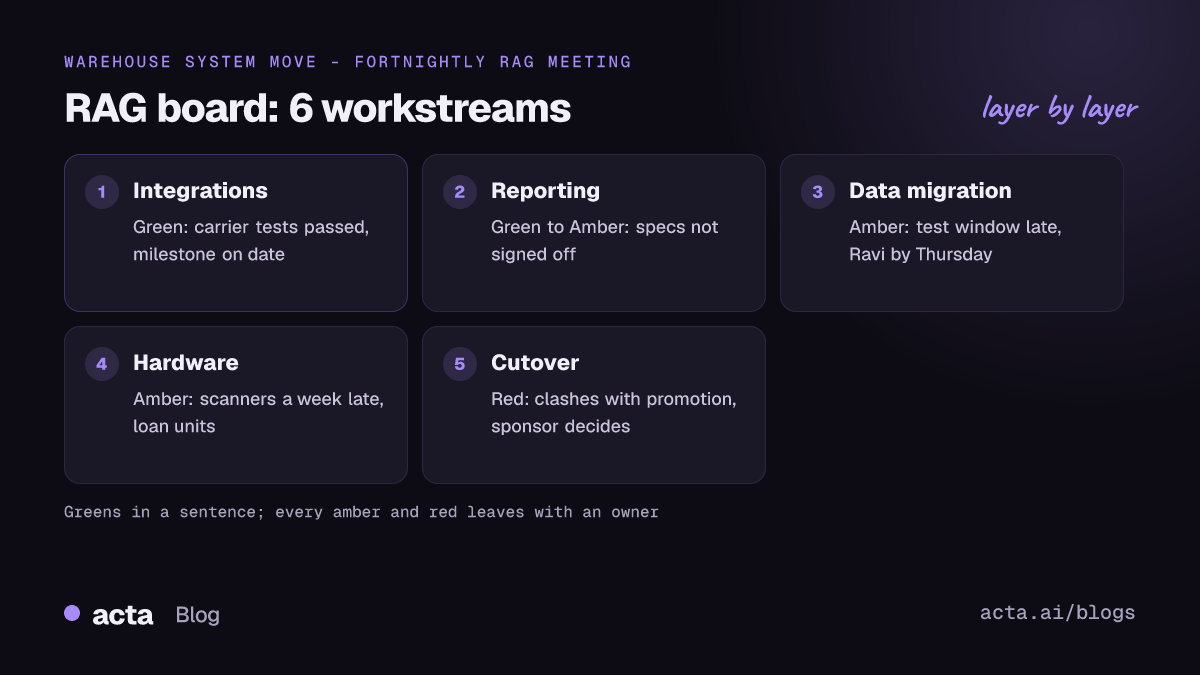
An illustrative example. Harbourline, a mid-sized logistics firm (fictional), is moving its warehouse system to a new platform. Programme manager Sarah runs a fortnightly RAG meeting with six workstream leads and the operations director as sponsor. Before this week's meeting, the board shows:
- Integrations (Green): carrier connections tested; next milestone on date.
- Training (Green): materials drafted; first sessions booked.
- Reporting (Green): Sarah notices it has been green for six meetings with no milestone passed, and asks for the plan date. The lead admits the report specs aren't signed off. It moves to Amber in the room.
- Data migration (Amber): test environment late, as in the format above. Ravi owns the fix; due Thursday.
- Hardware (Amber): scanners arriving a week late; lead Mei has a workaround with loan units. Action stays with Mei; report back next meeting.
- Cutover (Red): the go-live weekend clashes with a peak customer promotion. The team can't fix this alone. Decision for the sponsor: move go-live by two weeks or ask sales to move the promotion.
The meeting takes 28 minutes. Two greens take one minute between them. Reporting turns amber, which is the most useful thing that happens all week. The operations director decides on the spot to move go-live by two weeks, and that decision is read back with an owner for updating the plan and telling customers. Everyone leaves knowing what they owe and when.
The meeting feeds the status report, not the reverse
Many teams treat the status report as the main event and the RAG meeting as a way to collect data for it. Flip that. The meeting is where colours are challenged, decisions are made and owners agree to dates. The report records what the meeting concluded. A RAG rating with no explanation can mislead, so the report should carry the reason behind each colour and the agreed action. The status report guide shows how to write it straight from the meeting.
Send notes within the hour: the board, each changed colour with a reason, decisions, and the owner-and-date list. If you record the meeting to write them, tell attendees and follow the rules that apply where you are; see what to tell participants about recording. For calls in Meet or browser-based Teams and Zoom, a browser extension can capture the conversation without adding a bot to the call.
Where Acta fits
Acta writes notes from recorded meetings with decisions and action items with owners, and its Project status template is one of 40 report templates you can turn on for recurring status meetings. Open action items from many meetings sit together in one Outcomes view with Open, Overdue and Due this week filters, which makes checking last fortnight's ambers quick. It doesn't set your colours for you; that judgement stays with the team.
Frequently asked questions
What does RAG stand for in a meeting?
In a project or programme meeting, RAG stands for Red, Amber, Green. Each workstream is rated against agreed criteria: green is on track, amber has a significant issue being managed, and red will miss its objective without help from above the team. A RAG meeting is the recurring review where those ratings are discussed and acted on.
How long should a RAG meeting be?
Thirty minutes is enough for six to ten workstreams if leads update their colours beforehand. Spend about three minutes on greens, fifteen to twenty on ambers and reds, and the rest on decisions, escalations and confirming owners. If it routinely runs over, split it by programme or hold a reds-only session.
What is the difference between amber and red RAG status?
Amber means there's a real issue but the team has a plan it can carry out within its own authority. Red means the objective will be missed unless someone outside the team acts: a decision, more budget, more people or a change in scope. A useful rule: if you need something from the room, it's red.
What is a watermelon project?
A watermelon project reports green on the outside while being red on the inside. It usually shows as a workstream that stays green for weeks and then jumps straight to red near a deadline. Prevent it by asking for evidence behind green ratings, tracking colour history and treating early ambers as good practice rather than failure.
Who should attend a RAG meeting?
The chair (usually the programme or project manager), one lead per workstream, a sponsor or decision-maker who can resolve reds, and a note-taker. Specialists such as finance or a vendor join only for their item. Anyone who neither owns a workstream nor can unblock one should read the notes instead.
Run your next RAG meeting differently
You can change how your RAG meeting runs from the next session. Work through this list:
- Publish the criteria: one table defining red, amber and green for schedule, cost, scope and risk, shared before the meeting.
- Require pre-work: colours and one-line reasons in the tracker by a set time, so the meeting starts with the board.
- Cap greens at a sentence: and ask for the next milestone date behind any green that hasn't moved in weeks.
- Close every amber: one owner, one action, a report-back date and an escalation trigger.
- Send notes within the hour: board, changes, decisions and the owner list, then build the status report from them.
To capture decisions and owners from your status calls without a bot, try the Acta desktop app during the 15-day free trial.