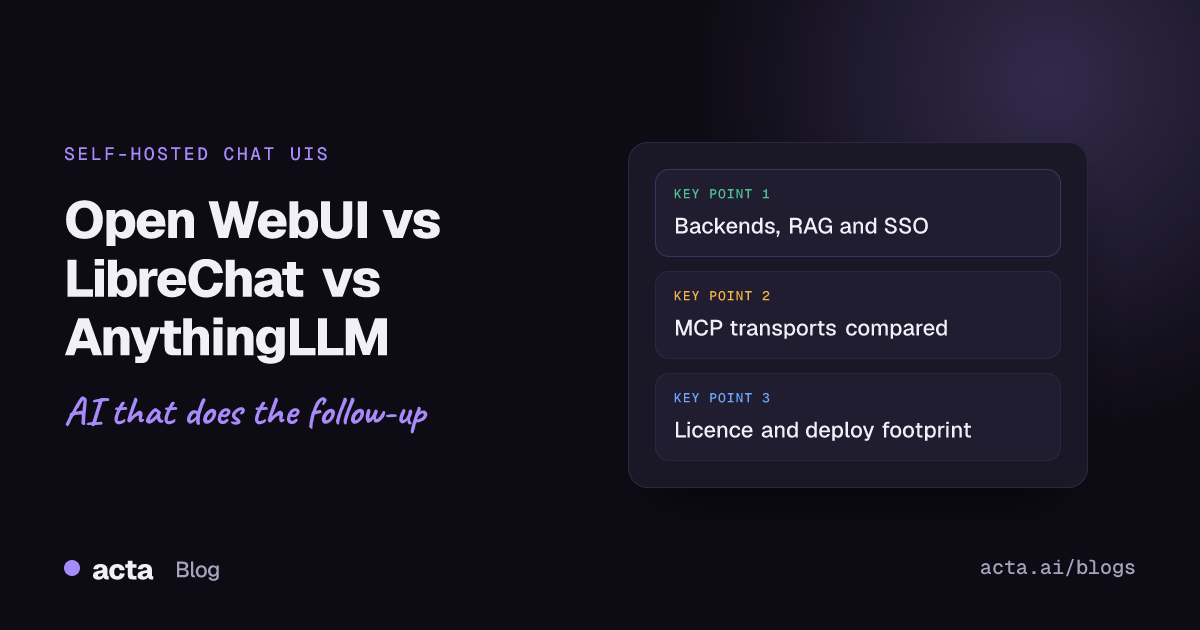
Open WebUI vs LibreChat vs AnythingLLM comes down to who will use it. Pick Open WebUI if you run Ollama and want the most complete single-container chat UI with SSO and knowledge bases. Pick LibreChat if your team mixes cloud providers and you need agents, MCP and an MIT licence. Pick AnythingLLM if the job is chatting with documents, on one desktop or a small Docker install. All three are self-hosted and talk to local models.
This guide compares the three on the things that decide a rollout: which model backends they talk to, how their RAG works, how users log in, how they connect MCP tools, what the licence lets you do and what you actually deploy. Every feature claim comes from each project's own docs or README, as of November 2026. It is not a guide to picking a model or a runtime; for that, read our Ollama vs LM Studio vs llama.cpp vs vLLM comparison first.
Key takeaways
- Open WebUI is one container (or pip install open-webui) with RAG, SSO/OIDC, LDAP, SCIM 2.0 and roles built in; its licence forbids removing the Open WebUI branding once you pass 50 end users in a rolling 30 days, unless you get permission or an enterprise licence.
- LibreChat is MIT-licensed and the strongest multi-provider option, but its default Docker Compose stack runs six services, including MongoDB, Meilisearch, pgvector and a separate RAG API.
- AnythingLLM is MIT-licensed, ships as a desktop app for Mac, Windows and Linux, and organises everything into workspaces; multi-user permissions and the embeddable chat widget are Docker-only.
- MCP support differs in transport: LibreChat accepts stdio, SSE, WebSocket and streamable HTTP; Open WebUI's native client takes streamable HTTP only and points to its mcpo proxy for the rest; AnythingLLM loads MCP tools (not resources or prompts).
- Run a two-week pilot with ten real users before you commit: the pain shows up in auth, document ingestion and upgrades, not in the chat window.
Table of contents
- Three front ends, three different jobs
- Open WebUI vs LibreChat vs AnythingLLM at a glance
- All three talk to Ollama, but in different ways
- Document chat and RAG work differently in each
- Multi-user auth decides most team rollouts
- MCP support is where they split hardest
- The licence and the deployment footprint matter more than features
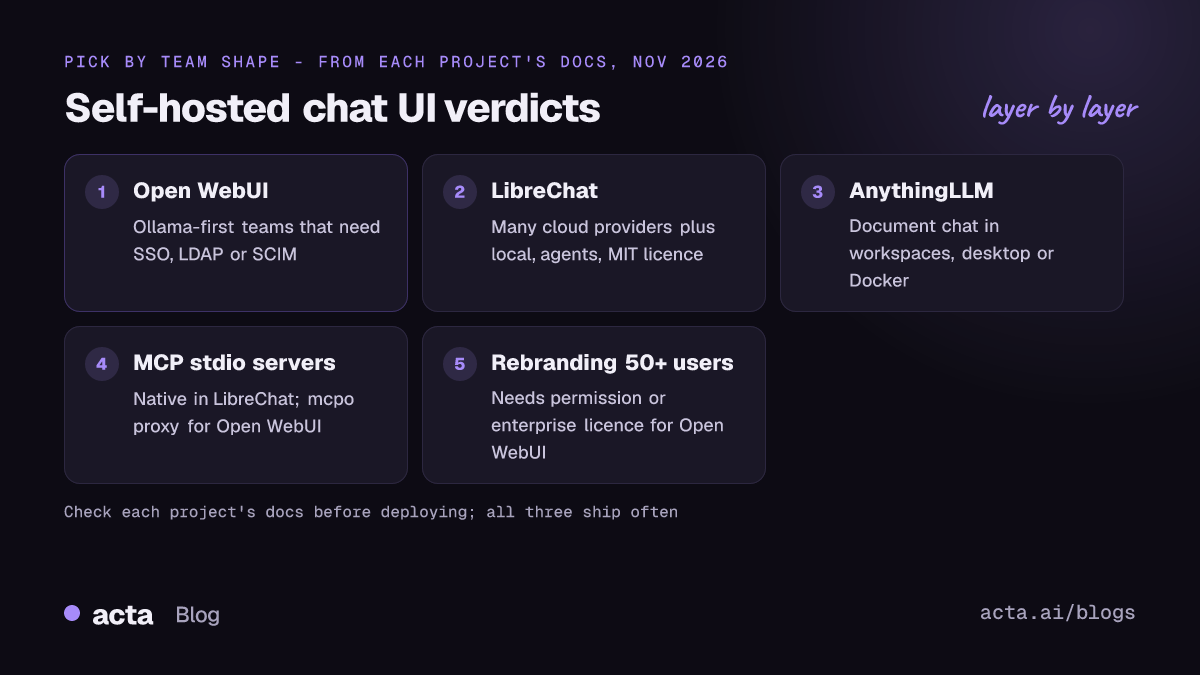
- Pick by team shape, not by feature list
- Frequently asked questions
- Choose your self-hosted chat UI in one afternoon
Three front ends, three different jobs
A self-hosted ChatGPT alternative is a web or desktop app that gives people a chat window, history and file upload, while the model runs somewhere you control: Ollama on a workstation, vLLM on a GPU box, or a cloud API with your own key. None of these three tools runs the heavy model work themselves in the usual setup. They are the front end, the user store and the retrieval layer.
They overlap, but each grew from a different starting point. Open WebUI started as a front end for Ollama and grew into an extensible platform. LibreChat started as a ChatGPT clone that could talk to many providers at once and grew agents, MCP and a code interpreter. AnythingLLM started as "chat with your documents" and kept that as its organising idea: workspaces full of embedded files.
The Reddit threads titled "OpenWebUI vs LibreChat" show the same split: Ollama users prefer Open WebUI, people juggling several API keys prefer LibreChat, and AnythingLLM askers usually want a desktop tool for a pile of PDFs. The docs back that up.
Open WebUI vs LibreChat vs AnythingLLM at a glance
Here is the short version, from each project's docs and README as of November 2026. Check the linked pages before you deploy; all three ship often.
| Area | Open WebUI | LibreChat | AnythingLLM |
|---|---|---|---|
| Licence | Open WebUI License (BSD-3 plus branding clause) | MIT | MIT |
| Backends | Ollama, OpenAI-compatible APIs | OpenAI, Anthropic, Google, Bedrock, Azure, Vertex, any OpenAI-compatible endpoint incl. Ollama | Built-in engine, Ollama, LM Studio, OpenAI, Anthropic, Gemini, Bedrock and more |
| RAG store | ChromaDB or PGVector maintained; Qdrant, Milvus, Elasticsearch and others | Separate RAG API on PostgreSQL + pgvector | LanceDB default; PGVector, Chroma, Qdrant, Milvus, Weaviate, Pinecone and others |
| Team login | Email, SSO/OIDC, LDAP, SCIM 2.0, roles and groups | Email, OAuth2, LDAP | Multi-user and permissions in Docker only |
| MCP | Native, streamable HTTP; mcpo for stdio/SSE | stdio, SSE, WebSocket, streamable HTTP | Tools from MCP servers, Desktop and Docker |
| Deploy | One container or pip | Docker Compose, six services | Desktop app or one container |
All three talk to Ollama, but in different ways
Open WebUI's README describes two connection types: local models through Ollama, and OpenAI-compatible APIs for local and cloud models. You point it at Ollama with OLLAMA_BASE_URL and at OpenAI with OPENAI_API_KEY. "OpenAI-compatible" covers vLLM, llama.cpp's server and LM Studio, so that's enough for most setups.
LibreChat treats providers as first-class endpoints. Its README lists Anthropic, AWS Bedrock, OpenAI, Azure OpenAI, Google, Vertex AI and the OpenAI Responses API, plus custom endpoints for "any OpenAI-compatible API". The LibreChat Ollama setup is one of those custom endpoints in librechat.yaml. If your users want to pick Claude for one chat and a local Qwen for the next, in the same interface, LibreChat is the most natural fit.
AnythingLLM goes furthest in the other direction: it can run a model itself. The README lists a built-in local engine for llama.cpp-compatible models, alongside Ollama, LM Studio, OpenAI, Anthropic, Gemini, Bedrock, Azure OpenAI and Mistral. For one person on a laptop, that means no separate model server. If you're choosing that server, our guide to running a local LLM on your laptop covers the basics and vLLM vs SGLang vs TGI covers shared GPU serving.
One practical warning for Docker users of any of the three: a container can't reach Ollama on "localhost". Open WebUI's sample command adds --add-host=host.docker.internal:host-gateway, and AnythingLLM's docs give the same flag for Linux. Use http://host.docker.internal:11434 as the Ollama URL and most "model list is empty" problems go away.
Document chat and RAG work differently in each
Open WebUI gives you two modes for knowledge: vector search (RAG) for large collections, or full-content injection when a document is small enough to paste whole. Its docs list ChromaDB and PGVector as officially maintained vector stores, with Qdrant, Milvus, Elasticsearch, OpenSearch and others as options, and hybrid search that combines BM25 keyword matching with vector search and cross-encoder reranking. Turn hybrid on for contracts and policies, where exact terms matter.
LibreChat moves RAG out of the main app. Its docs describe the RAG API as a separate FastAPI service backed by PostgreSQL with pgvector, and it powers the agents' File Search capability. The default image is a "lite" build that only supports remote embeddings; if you want embeddings computed locally, you switch to the full image in a Compose override. That's the detail that catches privacy-minded teams: with the defaults, your document chunks go to whichever embeddings provider you configure.
AnythingLLM's model is the workspace. Files you drag into a chat are scoped to that thread; files you embed at the workspace level are available to every thread and, in multi-user mode, to everyone with access to that workspace. You can pin an embedded document so it's sent whole instead of chunked, which the docs suggest only for documents that fit the context window or are critical. Query mode answers only from your documents and says when it can't find anything, which is the setting you want for an internal handbook bot. LanceDB is the default store, so there is nothing extra to run.
Whichever you pick, test retrieval with your own documents before trusting it. Write ten questions whose answers you know, include two that the documents don't answer, and check whether the tool admits it. Our guides to building RAG over transcripts and documents and permission-aware RAG go deeper on chunking and on who should see which file.
Multi-user auth decides most team rollouts
For a company, the login screen is where projects stall. Open WebUI has the most complete story in its docs: local email and password, SSO through OIDC with providers such as Google, Microsoft, Okta and Keycloak, LDAP for an existing directory, and SCIM 2.0 to provision and deprovision users and groups from your identity provider. Roles (Admin, User) and groups control access, and you can switch off local passwords with ENABLE_PASSWORD_AUTH=false once SSO works.
LibreChat supports email, OAuth2 and LDAP login for multi-user setups, and admins can control who may use, create or share MCP servers through the interface.mcpServers settings in librechat.yaml. That last part matters more than it sounds: an MCP server is a tool that can act, and you don't want every user wiring their own into a shared deployment.
AnythingLLM is the outlier. The README marks "multi-user instance support and permissioning" as Docker version only. The desktop app is single-user by design. That's fine for a consultant or an analyst; it's the wrong tool if HR expects a central list of who can see the legal workspace.
My rule: if anyone will ask "who had access to what?", start from Open WebUI or LibreChat and connect your identity provider in week one. Bolting SSO on later means migrating accounts.
MCP support is where they split hardest
MCP (Model Context Protocol) lets a chat app call external tools: a ticket system, a database, a file share. All three support it now, but not the same way. If you're still sorting out what MCP adds over plain tool calls, read MCP vs function calling first.
Open WebUI MCP support is native from v0.6.31, per its MCP docs, but the built-in client speaks only streamable HTTP. For stdio or SSE servers, the docs point you to mcpo, the project's MCP-to-OpenAPI proxy. Only admins can add MCP servers, and OAuth 2.1 is supported for servers that need sign-in. In practice: remote, HTTP-based MCP servers plug straight in; a local stdio server (most of the reference servers) needs mcpo in front.
LibreChat has the widest transport support. Its mcpServers config accepts stdio, WebSocket, SSE and streamable HTTP. stdio servers must live in librechat.yaml, while remote servers can also be added in the MCP settings panel without a restart. You can attach servers to specific agents and hide them from the general chat menu with chatMenu: false, which is a sensible way to keep a write-capable tool inside one reviewed agent. A minimal entry looks like this (from the docs' pattern):
mcpServers:
filesystem:
type: stdio
command: npx
args: ["-y", "@modelcontextprotocol/server-filesystem", "/srv/shared-docs"]
AnythingLLM, per its MCP compatibility docs, reads MCP servers from anythingllm_mcp_servers.json in its storage plugins folder, using the standard MCP server format, and its agents call the tools. The desktop docs say support arrived in v1.8.0 and that only tools are loaded, not resources, prompts or sampling. In Docker, servers start when you open the Agent Skills page or invoke an agent, not when the container boots, and MCP isn't available on AnythingLLM's hosted cloud. Before you give any of these tools write access to real systems, read our piece on MCP security when a chatbot can take action.
The licence and the deployment footprint matter more than features
The Open WebUI license is the question that comes up most in procurement. From v0.6.6 (April 2025) the project uses its own licence: BSD-3 terms plus a clause that forbids altering or removing the "Open WebUI" branding. The clause has three exceptions, per the licence page: deployments with no more than 50 end users in any rolling 30-day period, specific written permission from the copyright holder, or an enterprise licence. Versions up to v0.6.5 stay under plain BSD-3. If you plan to rebrand it for 300 staff or resell it, talk to the project or pick an MIT tool. If you're happy with the Open WebUI name on screen, the clause doesn't bite.
LibreChat and AnythingLLM are both MIT, which lets you fork, rebrand and embed without asking.
Deployment footprint is the other hidden cost. Open WebUI is one container. The README's command is:
docker run -d -p 3000:8080 --add-host=host.docker.internal:host-gateway -v open-webui:/app/backend/data --name open-webui --restart always ghcr.io/open-webui/open-webui:main
or pip install open-webui then open-webui serve, which serves on port 8080. LibreChat's quick start is to clone the repo, run cp .env.example .env and then docker compose up -d, which serves on port 3080. Its default docker-compose.yml runs the app, an admin panel, MongoDB, Meilisearch, a pgvector database and the RAG API. That's six things to back up and upgrade. AnythingLLM's Docker guide mounts a storage folder and a .env file and runs mintplexlabs/anythingllm on port 3001; the desktop app needs no Docker at all.
None of this rules LibreChat out; it means budgeting an engineer's time to own it.

Pick by team shape, not by feature list
Pick Open WebUI if you are Ollama-first and need SSO
You run Ollama or vLLM on your own hardware, you want knowledge bases and hybrid search out of the box, and you need SSO, LDAP or SCIM because IT says so. You're fine with the Open WebUI name on screen, or you're under 50 users, or you'll buy an enterprise licence. Plan for mcpo if your MCP servers are stdio.
Pick LibreChat if you mix providers and build agents
Your users want Claude, GPT, Gemini and a local model side by side; you want agents with MCP tools, a sandboxed code interpreter and file search; and you need MIT terms. Accept the six-service stack and check the RAG API's embedding settings so documents stay where you expect.
Pick AnythingLLM if the job is chatting with documents
One person or a small team wants to drop folders of PDFs into workspaces and ask questions, with Query mode refusing to make things up. The desktop app is the fastest way to get there. Move to Docker when you need users, permissions or the website chat widget, and choose something else when you need SSO across a company.
If you're still weighing whether to self-host at all, open-source LLM vs API for business lays out the cost and risk trade-offs.
Where meeting notes fit
A common reason teams set up one of these tools is to ask questions across meeting transcripts. You can do that by exporting transcripts into a knowledge base, but it's a lot of plumbing. Acta records meetings (with a bot, or without one through the desktop app) and its OneChat answers questions across meetings with sources; it also offers an MCP connector for Claude and ChatGPT. If you record calls, read what to tell participants about recording first.
Frequently asked questions
Is Open WebUI still open source?
Open WebUI's code is public, but from v0.6.6 it uses the Open WebUI License: BSD-3 terms plus a clause that bans removing its branding unless you have 50 or fewer end users in a rolling 30 days, written permission or an enterprise licence. Versions up to v0.6.5 remain BSD-3. LibreChat and AnythingLLM are MIT.
Which is the best self-hosted ChatGPT alternative for a team?
For a team that needs SSO and runs local models, Open WebUI is the simplest complete option. For a team that uses several cloud providers and wants agents with MCP tools under an MIT licence, LibreChat fits better. AnythingLLM suits small teams focused on document chat, using its Docker version for multi-user access.
Anythingllm vs open webui: which is better for chatting with PDFs?
AnythingLLM is built around document workspaces, with a Query mode that answers only from your files and a no-setup LanceDB store, so it's quicker for one person with a folder of PDFs. Open WebUI offers more retrieval control, including hybrid BM25 plus vector search and reranking, which helps on larger, term-heavy collections.
Can LibreChat use Ollama models?
Yes. LibreChat Ollama support works through a custom endpoint in librechat.yaml, because LibreChat accepts any OpenAI-compatible API. You can then pick local Ollama models next to cloud providers in the same chat. If LibreChat runs in Docker, point the endpoint at host.docker.internal rather than localhost.
Do Open WebUI, LibreChat and AnythingLLM support MCP servers?
All three do, as of November 2026. LibreChat accepts stdio, SSE, WebSocket and streamable HTTP servers. Open WebUI's native client takes streamable HTTP servers from v0.6.31 and uses the mcpo proxy for stdio or SSE. AnythingLLM loads tools from MCP servers on Desktop (v1.8.0 and later) and Docker.
Choose your self-hosted chat UI in one afternoon
You can settle open webui vs librechat vs anythingllm for your own case faster than reading another forum thread. Run this checklist with the person who will own the server.
- Count the users: one person points to AnythingLLM Desktop; more than 50, with rebranding plans, rules out Open WebUI without an enterprise licence.
- List the providers: local only favours Open WebUI or AnythingLLM; three or more cloud providers plus local favours LibreChat.
- Check identity: if IT requires OIDC, LDAP or SCIM, test that login on day one, not after the pilot.
- Test retrieval on real files: ten known questions, two with no answer in the documents, and note which tool admits it.
- Map your MCP servers: note each server's transport and whether it can write; stdio servers mean mcpo for Open WebUI.
And if the documents you most want to chat with are your meetings, try Acta's Chrome extension or desktop app on the 15-day free trial before you build that pipeline yourself.