vLLM vs SGLang vs TGI, as of November 2026: pick vLLM as the default for serving open models to a team, pick SGLang when many requests share long prompt prefixes or you need fast structured output, and don't start anything new on Hugging Face TGI. Its README now says it is in maintenance mode and recommends vLLM or SGLang instead. vLLM and SGLang both expose an OpenAI-compatible API, so switching between them later is mostly a deployment change, not a code rewrite.
This guide is for the person asked to give a whole team one shared model endpoint: an internal chat tool, a coding assistant, a document pipeline. It covers project status, hardware support, the API each engine exposes, real launch commands from the official docs, and how to move off TGI. If you are running a model for yourself on a laptop, you want a desktop runner instead; our Ollama vs LM Studio vs llama.cpp vs vLLM comparison covers that end. TensorRT-LLM gets a short section for NVIDIA-only shops.
Key takeaways
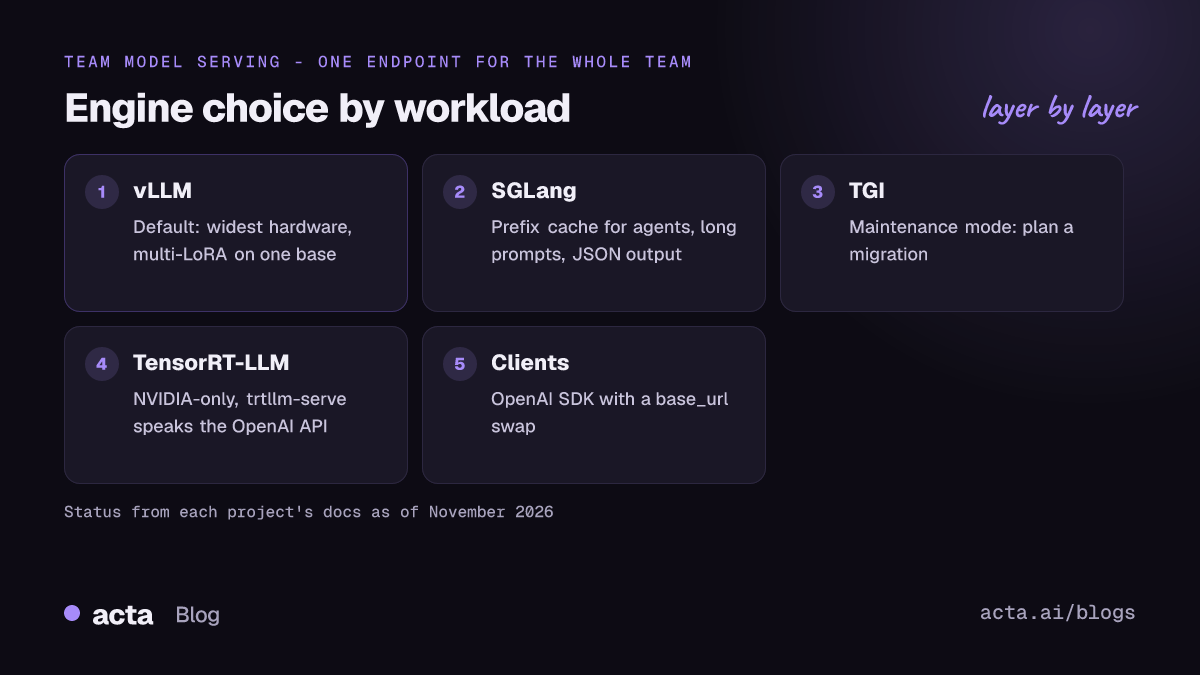
- Default to vLLM: broadest hardware (NVIDIA, AMD, CPUs, plus TPU and other accelerators through plugins), an official OpenAI-compatible server image, and multi-LoRA serving on one base model.
- Choose SGLang when workloads reuse long shared prefixes (agents, few-shot templates, multi-turn chat) or lean on constrained JSON output; its RadixAttention cache is built for that.
- TGI is in maintenance mode: only minor fixes and docs changes are accepted, so plan a migration rather than an upgrade.
- TensorRT-LLM's trtllm-serve also speaks the OpenAI API, but ties you to NVIDIA GPUs; consider it only after measuring vLLM or SGLang on your own traffic.
- Write clients against the OpenAI API and keep a small eval set, so changing engines is a config swap you can verify in an afternoon.
Table of contents
- Serving a team is a different job from running a model locally
- vLLM vs SGLang vs TGI at a glance
- vLLM is the safe default for most teams
- SGLang pays off when prompts share long prefixes
- TGI is in maintenance mode, so plan the move
- TensorRT-LLM suits NVIDIA-only shops
- The OpenAI-compatible API keeps the engine swappable
- Plan memory, access and testing before launch day
- Frequently asked questions
- Choose your team's serving engine
Serving a team is a different job from running a model locally
A desktop runner like Ollama or LM Studio is built for one person: load a quantized model, chat, unload. A team server has different problems. Twenty people send requests at once, some with long documents, and you want every GPU busy without anyone waiting on someone else's 8,000-token prompt. That is what continuous batching does: new requests join the batch running on the GPU as earlier ones finish, instead of waiting for a whole batch to complete. All the engines here do it.
The other team-specific needs are boring but decide the choice: one stable endpoint that existing SDKs can call, support for the GPUs you actually own, several fine-tuned variants without several copies of the model, health and metrics endpoints for monitoring, and a project that will still get fixes next year. The last point is why TGI drops out of new deployments.
A self-hosted LLM server also changes who is accountable. When a vendor API goes down, you file a ticket. When your server goes down, someone on your team gets paged. Budget for an owner, not just for GPUs. The post on ways to run private AI agents covers the wider build-or-buy trade-off.
vLLM vs SGLang vs TGI at a glance
| Engine | Status, Nov 2026 | Hardware (per official docs) | API | Pick it if |
|---|---|---|---|---|
| vLLM | Active | NVIDIA, AMD (ROCm 6.3+), CPU; TPU, Gaudi, Ascend via plugins | OpenAI-compatible server | You want the default with the widest support |
| SGLang | Active | NVIDIA, AMD Instinct, Google TPU, Intel, NPUs, Apple Silicon | OpenAI-compatible server | Prompts share long prefixes or need structured output |
| TGI | Maintenance mode | Existing deployments only | Check what your clients call today | You already run it and are planning a move |
| TensorRT-LLM | Active | NVIDIA GPUs | OpenAI-compatible via trtllm-serve | You are all-NVIDIA and have measured a gain |
Hardware lists change between releases; check each project's install page for your exact accelerator and driver version before you order anything.
vLLM is the safe default for most teams
The vLLM documentation lists an OpenAI-compatible API server, support for NVIDIA GPUs, AMD GPUs and CPUs, and hardware plugins for Google TPUs, Intel Gaudi, Huawei Ascend and others. AMD support requires ROCm 6.3 or later per its GPU install page. The official Docker image, vllm/vllm-openai, starts that OpenAI-compatible endpoint, which makes it the shortest route from "we have a GPU box" to "the team has an API".
The feature that matters most for teams is multi-LoRA serving. If you trained small adapters for different jobs (support tone, SQL generation, a legal summary style), vLLM can load them all on one base model. From the vLLM LoRA docs:
vllm serve BASE_MODEL --enable-lora --lora-modules support-tone=PATH_TO_ADAPTER sql=PATH_TO_SQL_ADAPTER
Clients then pick an adapter by putting its name, such as support-tone, in the request's model field. Server-wide settings like the maximum number of adapters and maximum rank apply to all of them. Newer releases also accept a JSON form for --lora-modules, so match the syntax to the version you install. Adapters can be loaded at runtime through an API, but that needs VLLM_ALLOW_RUNTIME_LORA_UPDATING=True, and the docs warn against using it in production outside a trusted environment. If you are still deciding how to train those adapters, the LoRA vs QLoRA decision guide covers it.
Pick vLLM if you don't have a specific reason to pick something else. Its hardware coverage means your choice of GPU vendor stays open, and most open-model releases document vLLM serving early.
SGLang pays off when prompts share long prefixes
SGLang's distinguishing feature is RadixAttention, a cache that keeps the computed state of prompt prefixes and reuses it across requests instead of recomputing the same text. NVIDIA's SGLang playbook describes the engine as high-throughput serving with RadixAttention, structured output and an OpenAI-compatible API.
Why that matters depends on your traffic. If every request starts with the same 3,000-token system prompt, a set of few-shot examples, or the growing history of a multi-turn chat, a prefix cache skips work on each request. Agent loops, where the same tool definitions and conversation are sent back on every step, are the clearest case. If your requests are short and unrelated, the cache has little to reuse and the difference between engines narrows.
The SGLang README lists a wide hardware range: GPUs, TPUs, NPUs, CPUs and Apple Silicon, with named support for AMD Instinct MI300X through MI355X, Google TPU v6e and v7, and Intel Arc GPUs and Xeon CPUs. NVIDIA publishes its own playbooks for running SGLang on its hardware. Starting a server looks like this:
python -m sglang.launch_server --model-path MODEL --port 30000
It then serves /v1/chat/completions and /v1/completions on that port, so the same client code works.
So, sglang vs vllm? Both are active, both are fast, both speak the same API. Pick SGLang if your workload is prefix-heavy or depends on constrained JSON output, and test it against vLLM on a replay of your real prompts. Pick vLLM if you want the broader ecosystem and multi-LoRA serving that is documented in detail. Don't choose on someone else's benchmark chart; shared-prefix workloads and short-prompt workloads rank engines differently.
TGI is in maintenance mode, so plan the move
Hugging Face's Text Generation Inference powered a lot of early self-hosted deployments. As of November 2026, the TGI documentation and its README carry a notice that the project is in maintenance mode. Going forward it accepts pull requests for minor bug fixes, documentation improvements and lightweight maintenance only, and the team recommends vLLM and SGLang, which it contributes to.
TGI maintenance mode doesn't mean your server stops working tomorrow. It means new model architectures, new GPU generations and new features will land in other engines, not this one. A running deployment can stay while you plan, but don't start new projects on it.
How much work a migration takes depends on how your clients call TGI today. If they already go through an OpenAI-style client, it is mostly a base URL change; anything TGI-specific needs rewriting. Either way, follow these steps:
- Inventory what you use. Model IDs, quantization, max context, any TGI-specific endpoints or parameters your clients call.
- Stand up vLLM or SGLang next to TGI with the same model and context length, on a separate port.
- Replay real traffic. Send a day of logged prompts to both and compare outputs, latency under load and memory use.
- Run your eval set against the new endpoint. Tokenizer and chat-template differences can change outputs subtly.
- Switch the base URL in clients or the gateway, keep TGI warm for a week, then retire it.
TensorRT-LLM suits NVIDIA-only shops
TensorRT-LLM is NVIDIA's own inference library. Its trtllm-serve command starts an OpenAI-compatible server with /v1/models, /v1/completions and /v1/chat/completions, plus /health, /metrics and /version endpoints for operations. The basic form takes the model and optional parallelism and network flags:
trtllm-serve MODEL --tp_size 2 --host 0.0.0.0 --port 8000
TensorRT-LLM vs vLLM is mainly a portability question. TensorRT-LLM runs only on NVIDIA GPUs and its configuration flags have changed between releases (older docs use options that newer ones replace), so pin a version and read the page that matches it. vLLM runs across vendors and has a larger community around open models. Consider TensorRT-LLM if you are committed to NVIDIA, have someone who can own the extra tuning, and have measured a meaningful gain on your own traffic. Otherwise vLLM or SGLang will be simpler to run.
The OpenAI-compatible API keeps the engine swappable
vLLM, SGLang and TensorRT-LLM all expose an OpenAI compatible API, which is the single most useful fact in this comparison. Write your clients against it and the engine becomes a deployment detail. With the official OpenAI Python SDK, the only change is the base URL:
from openai import OpenAI
client = OpenAI(base_url="http://YOUR_SERVER:PORT/v1", api_key="YOUR_GATEWAY_KEY")
reply = client.chat.completions.create(model="MODEL_OR_ADAPTER_NAME", messages=[{"role": "user", "content": "Summarise this ticket in one line."}])
Two cautions. "Compatible" covers the common endpoints, not every parameter; tool calling, structured output options and log-probabilities vary by engine and model, so test the features you depend on. And the model field means different things: a model path in one engine, an adapter name in vLLM's multi-LoRA setup. Keep that mapping in one config file, not scattered through client code.
This is also why a small evaluation set pays for itself. When you switch engines or upgrade versions, run the same 30 to 50 prompts and compare. The LLM evaluation tools comparison covers promptfoo, DeepEval and others that can point at any OpenAI-compatible endpoint.

Plan memory, access and testing before launch day
Memory
Weights are the easy part. As arithmetic: parameters x bytes per weight, so an 8B model is about 16 GB in bf16 and roughly 4 to 5 GB at 4-bit. The quantization explainer covers the trade-offs of lower precision. The part teams underestimate is the KV cache, which grows with every token of every active request. Per token it is 2 (keys and values) x layers x KV heads x head dimension x bytes per value. Plug in your model's config to see how many concurrent long-context users fit after the weights load.
Access and logging
Put a gateway with authentication in front of the engine; don't expose a raw inference port to the office network. Decide early what you log. Prompts sent to a team model often contain customer data, contracts or meeting transcripts, and logs are where that data leaks. The on-premises meeting assistant guide walks through the same concerns for one sensitive use case.
Where Acta fits
If the reason you are self-hosting is meeting content, check whether you need to build at all. Acta turns Zoom, Meet and Teams calls into transcripts, summaries and action items, including bot-free capture through its desktop app; it does not use customer data to train AI models, and its security page lists on-premise deployment among the Enterprise options. Whether that beats a self-built stack depends on how custom your outputs need to be.
Frequently asked questions
Is TGI deprecated?
Not formally deprecated, but as of November 2026 its README says Text Generation Inference is in maintenance mode, accepting only minor bug fixes, documentation and lightweight maintenance. Hugging Face recommends vLLM or SGLang going forward. Existing deployments keep working, but new models and hardware will be supported elsewhere, so new projects should start on vLLM or SGLang.
Is SGLang faster than vLLM?
It depends on the workload. SGLang's RadixAttention reuses cached prompt prefixes, which helps most when requests share long system prompts, few-shot examples or chat history. For short, unrelated prompts the gap narrows. Both projects publish their own benchmarks; replay a sample of your real traffic on both engines and compare latency and throughput on your hardware.
Do vLLM and SGLang support AMD GPUs?
Yes. vLLM's install docs list AMD GPU support with ROCm 6.3 or later, and SGLang's README names AMD Instinct MI300X, MI325X, MI350X and MI355X. TensorRT-LLM is NVIDIA-only. Support for specific cards and driver versions changes between releases, so check each project's install page for your exact hardware.
Can I use the OpenAI SDK with a self-hosted LLM server?
Yes. vLLM, SGLang and TensorRT-LLM's trtllm-serve all expose OpenAI-compatible endpoints such as /v1/chat/completions. Point the SDK's base_url at your server and set the model name. Test tool calling, structured output and other advanced parameters separately, since support varies by engine and model.
Choose your team's serving engine
Most teams can settle this in a week of testing rather than a month of reading.
- Start with vLLM: use the official OpenAI-compatible image on the GPUs you have, with your production model and context length.
- Test SGLang if prefixes repeat: agents, long system prompts and multi-turn chat are where its prefix cache can change the result.
- Retire TGI on a schedule: run the replacement side by side, replay real traffic, then switch the base URL.
- Keep clients engine-neutral: OpenAI SDK, one config file mapping model names, no engine-specific calls.
- Gate upgrades on evals: rerun a fixed prompt set on every engine or version change before users see it.
And if the model was mainly going to summarise your team's calls, try the Acta desktop app or the Chrome extension on a week of meetings before you buy GPUs.